Story Clock
 Ramaputhra5 downloads
Map themes and setup/payoff threads on a two-ring story clock, link every segment to a note, and open notes in a side panel.
- Overview
- Scorecard
- Updates3
Story Clock
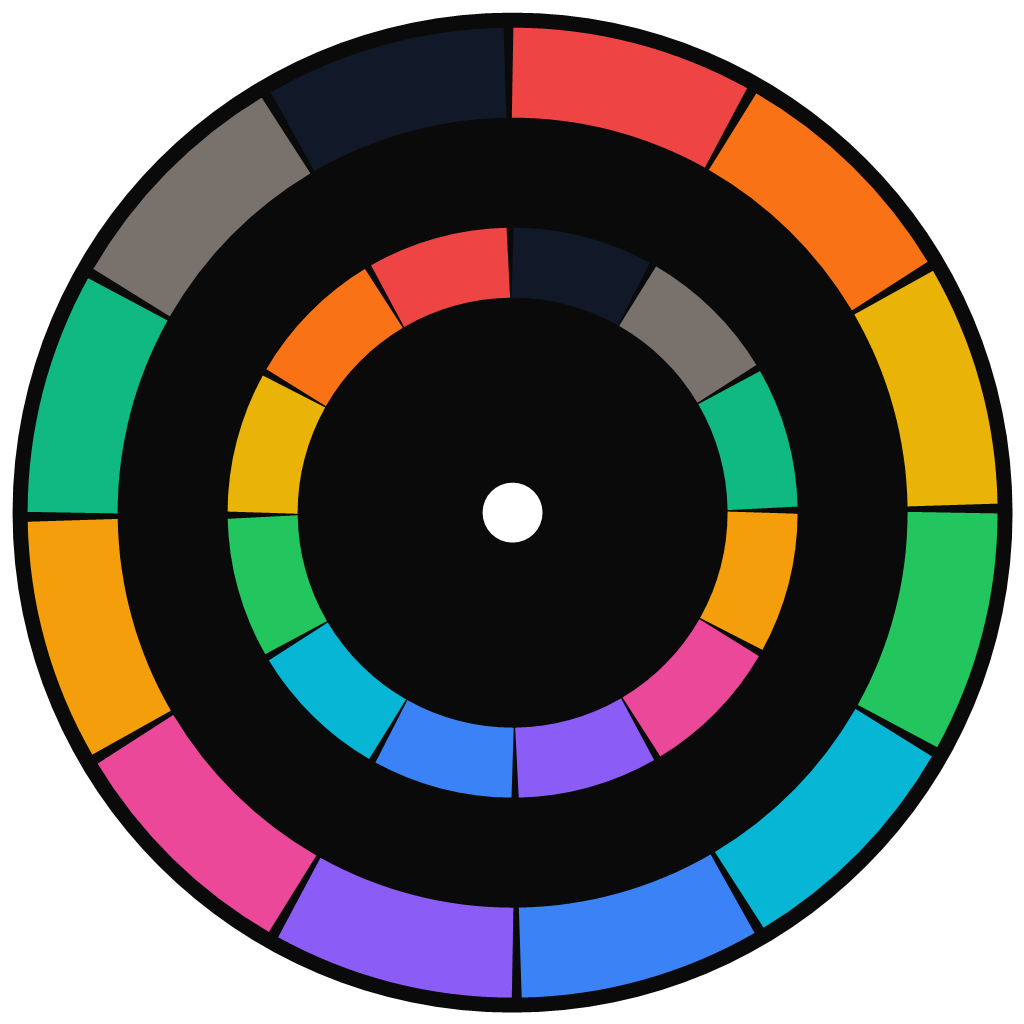
Circle Map for Obsidian — map your story's themes and setup → payoff threads onto a two-ring story clock, link every segment to a note, and open notes in a side panel.
A visual screenwriting / plotting tool that lives inside your vault, so your story structure sits right next to your notes.
✨ Features
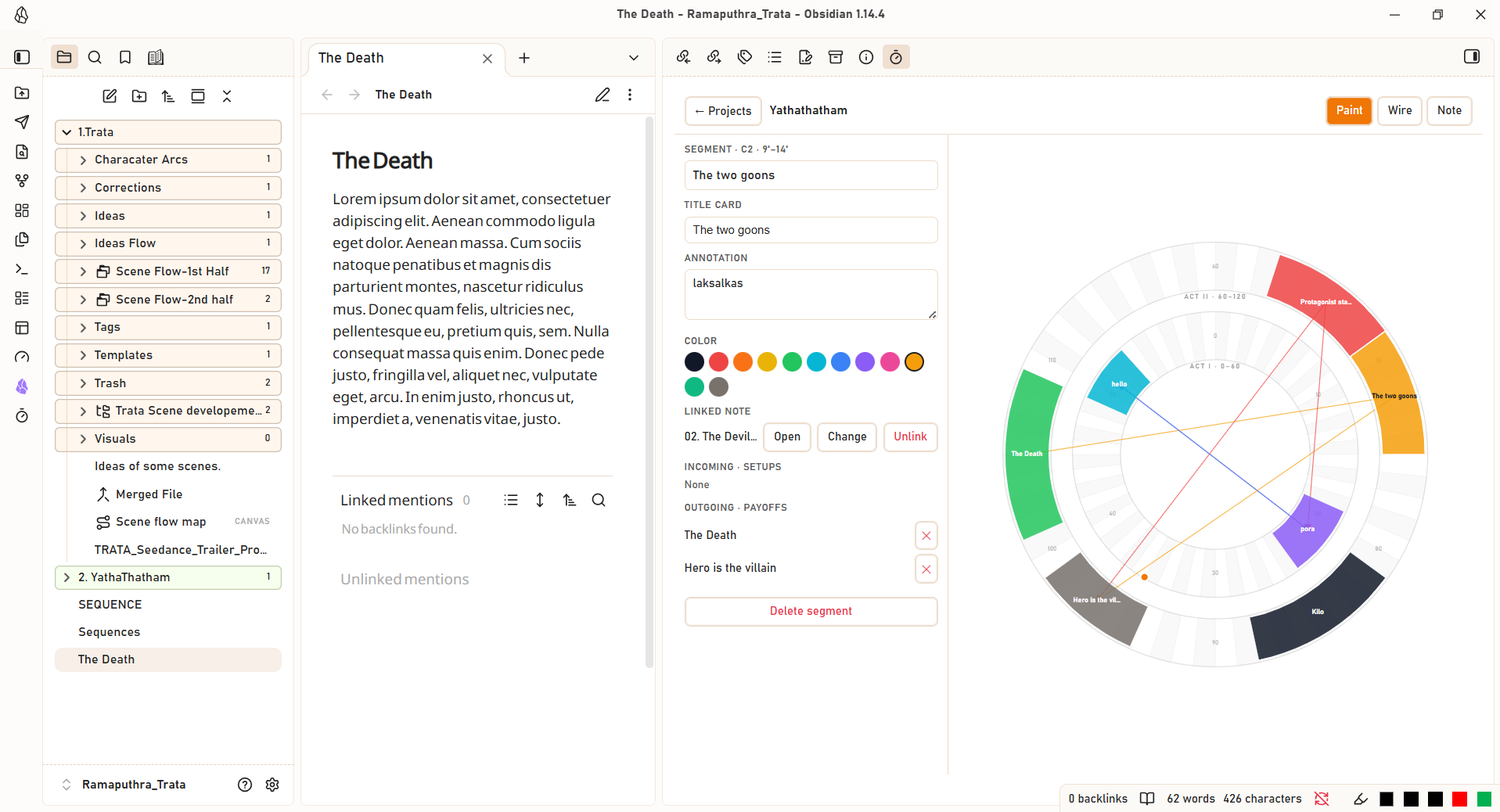
🕰️ The two-ring story clock
- 120 minutes, two acts — an inner ring for Act I · 0–60 and an outer ring for Act II · 60–120, each divided into 60 one-minute segments.
- Paint themes as colored arcs and connect them with setup → payoff wires (one-to-many, cross-circle).
🎨 Three modes
| Mode | What it does |
|---|---|
| Paint | Drag a ring to select minutes, then name the theme |
| Wire | Drag one block to another to connect setup → payoff |
| Note | Click a segment or a minute to link it to a note |
📝 Full segment creation & editing
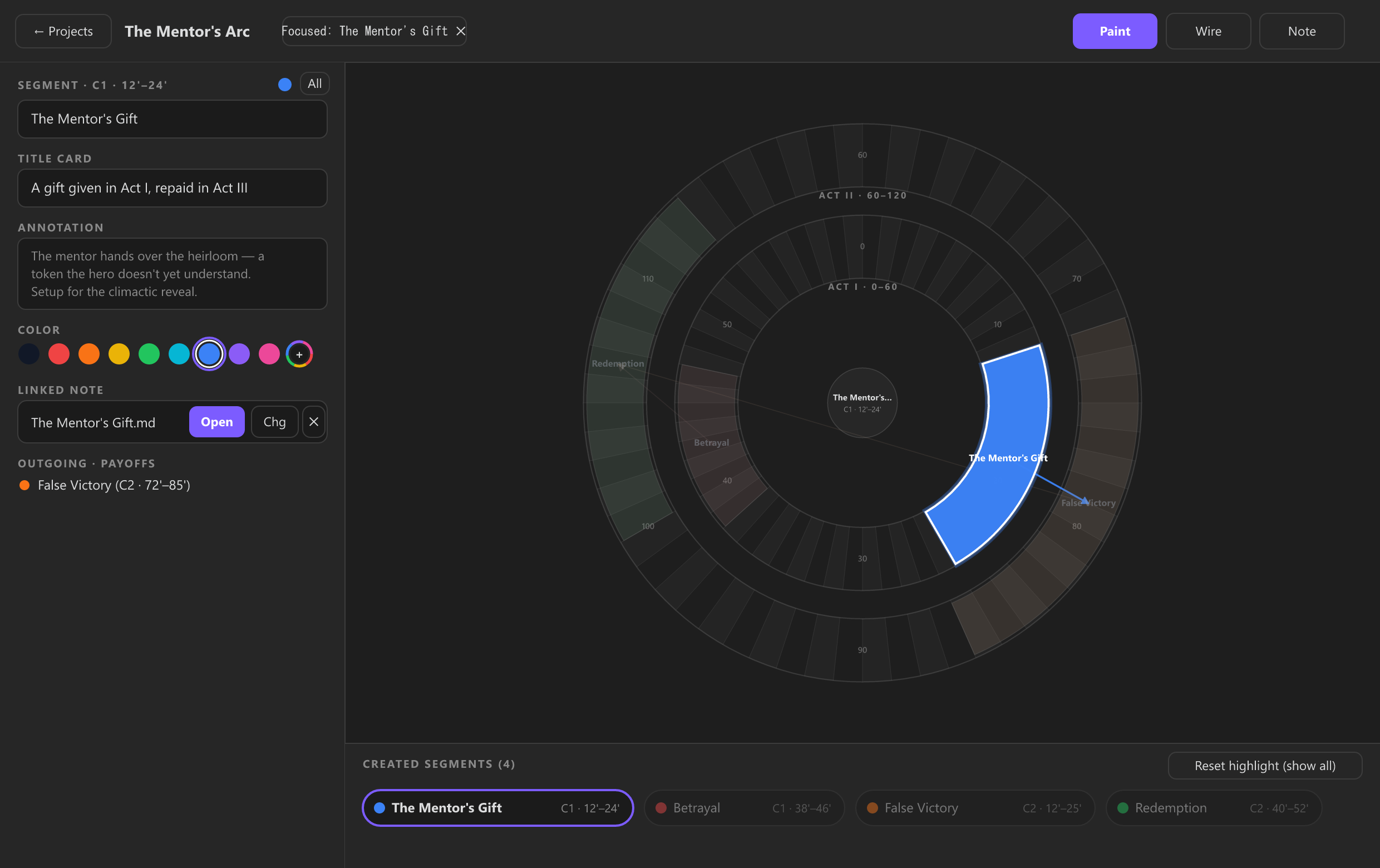
- Create & name in one flow — while painting a new segment, set its Theme name, Title card, Annotation, and Color directly in the left panel.
- 12 palette swatches + custom color picker — click the compact rainbow color-wheel circle (
+) at the end of the swatches row to choose any custom color with live arc preview. - One-click Title-Card Note creation — click
+ Create New Title-Card Notewhile creating (or editing) a segment to automatically create a formatted Markdown note in your vault (with YAML frontmatter +# Title Cardheading), link it to the segment, and open it in the side panel. - Incoming (setups) and outgoing (payoffs) wire lists with one-tap delete.
📊 Created Segments tray below the clock
- Directly below the Story Clock visualization, a live Created Segments bar displays every segment in timeline order (
Act I→Act II), plus a pulsing Creating now… badge while painting a new arc.
🎯 Segment focus & side-panel note opening
- Click any segment on the circle or in the Created Segments tray below:
- Highlights that segment (and its connected setup/payoff wires) in full vibrant color on the clock while graying out all other segments.
- Opens its linked note in a side panel (split leaf), new tab, or current pane.
- Click Reset highlight (show all) (or click the center hub) at any time to restore all segments to full color.
🗂️ Multiple projects
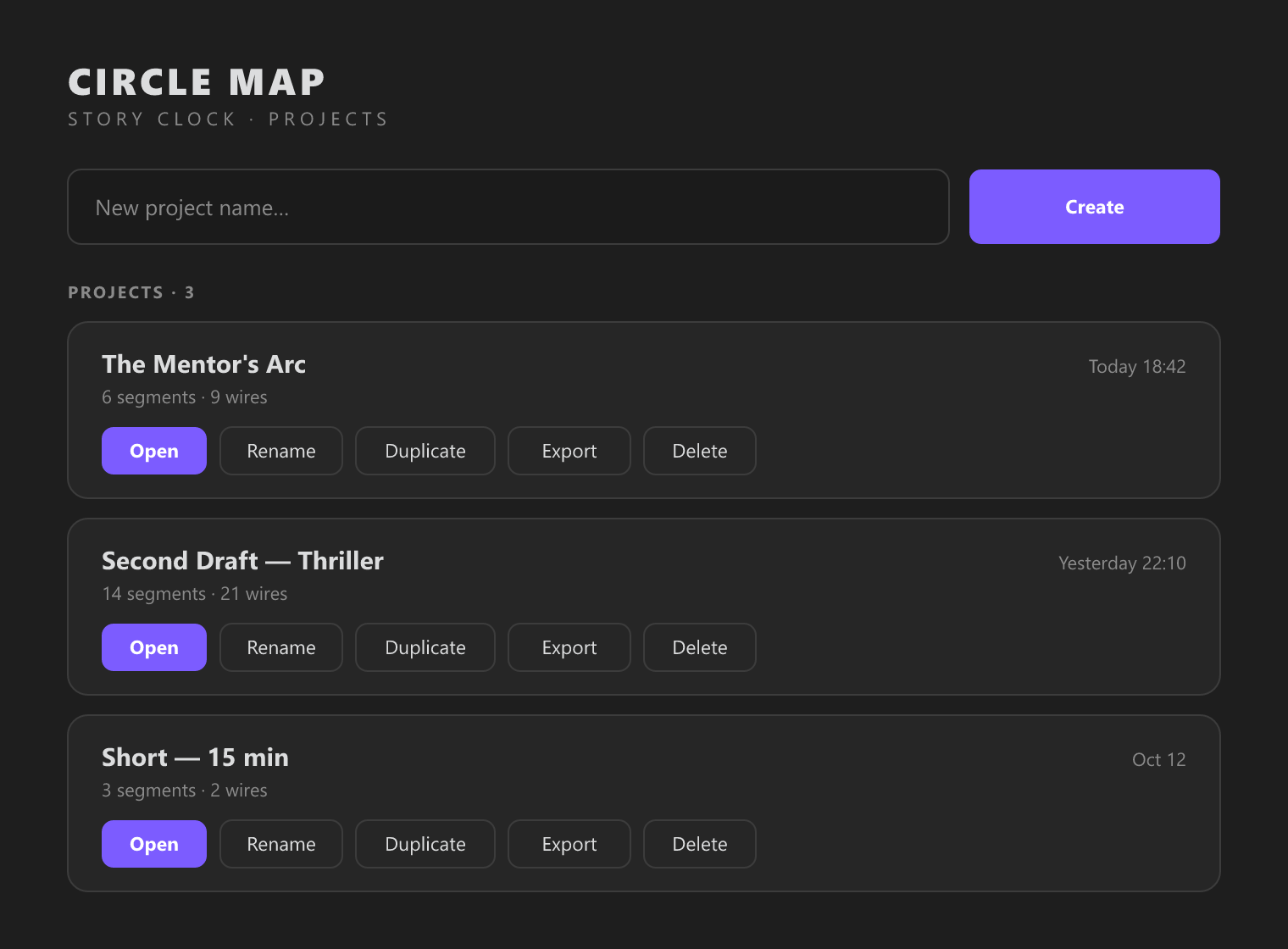
- Create, rename, duplicate, and delete projects — each stored as its own file inside the vault.
📦 Installation
From a release
- Download the latest
main.js,manifest.json, andstyles.css. - Copy them into
<your-vault>/.obsidian/plugins/story-clock/. - In Obsidian: Settings → Community plugins → Installed → enable Story Clock.
- Click the timer ribbon icon or run the "Open Story Clock" command.
Build from source
git clone https://github.com/Ramaputhra/storyclock.git
cd storyclock
npm install
npm run build
Then copy main.js, manifest.json, and styles.css into your vault's plugin folder as above.
🧭 Usage
- Open the plugin (ribbon icon or command).
- Create a project or open an existing one.
- Paint — drag on a ring to select minutes, then name the theme in the side panel.
- Wire — switch to Wire mode and drag one block to another to connect setup → payoff.
- Link notes — switch to Note mode and click a segment (or a minute) to link an existing note, or use Create title-card note in the side panel.
- Open — click a mapped segment to open its note in the side panel.
⚙️ Settings
| Setting | Description |
|---|---|
| Title-card folder | Where new title-card notes are created (e.g. Story Clock). |
| Open linked notes | Side panel (split), New tab, or Current pane. |
🗄️ Data & portability
Projects are stored as JSON in .obsidian/plugins/story-clock/projects/:
project
├── id, name
├── segments[]      # theme blocks (text, start, end, circle, color, note, titleCard, noteLink)
├── wires[]         # setup → payoff links
├── minuteNotes[]   # per-minute note links
└── createdAt, updatedAt
The schema matches the standalone Circle Map — Story Clock desktop app, so a project can move freely between the two.
🧰 Development
npm run dev     # watch build
npm run build   # type-check + production bundle
Documentation images are generated from SVG with:
node scripts/render-docs-images.mjs
☕ Support
If Story Clock helps you structure your screenplays, stories, or narrative notes, consider supporting its development:
- Buy Me a Coffee: https://buymeacoffee.com/ramaputhra

Scan the QR code or click here to support on Buy Me a Coffee
📄 License
MIT