SQL Viewer
 Viggo Meesters446 downloads
Open SQLite database files as read-only schema, preview, and query views.
- Overview
- Scorecard
- Updates3
SQL Viewer
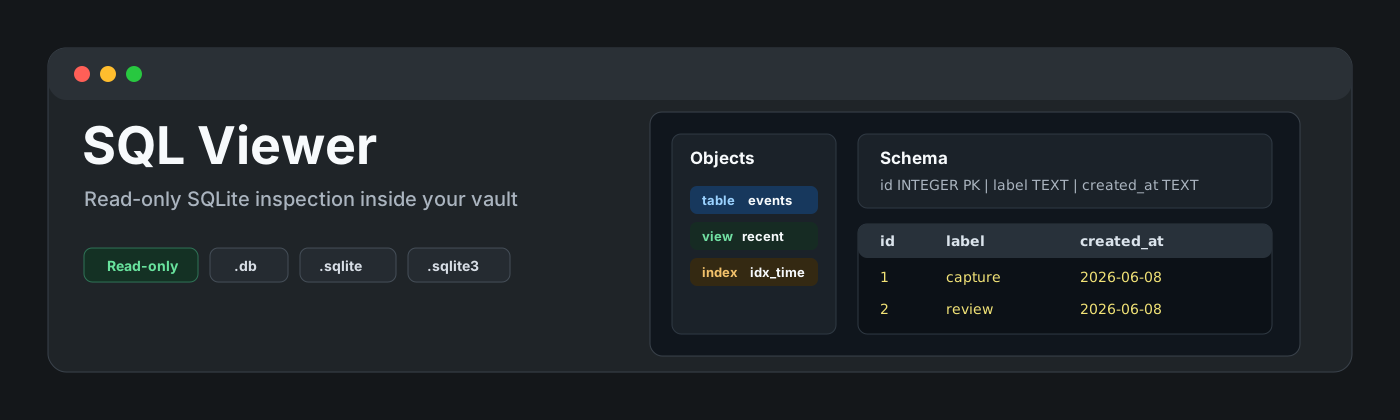
SQL Viewer is a read-only Obsidian plugin for inspecting local SQLite database files with .sqlite, .sqlite3, and .db extensions. It also catches SQLite sidecar files such as .sqlite-wal, .sqlite-shm, .db-wal, and .db-shm so they do not fail silently when shown by hidden-file plugins.
It is intentionally narrow: table and view browsing, schema/source inspection, capped row previews, metadata, refresh, filtering, and a constrained read-only query runner. It is not a database editor, migration tool, export tool, charting app, or general SQL IDE.
Features
- Opens
.sqlite,.sqlite3, and.dbfiles in a dedicated view. - Shows a read-only sidecar explanation for
.sqlite-wal,.sqlite-shm,.db-wal, and.db-shmfiles, with an Open base database action when the matching database exists. - Shows database metadata: page count, page size, encoding, schema version, user version, and application id.
- Lists tables, views, and indexes from
sqlite_master. - Shows table/view schema through safe SQLite metadata calls.
- Shows source SQL for tables, views, and indexes when SQLite stores it.
- Renders a capped row preview with lazy per-object loading.
- Filters objects and preview rows.
- Runs single-statement read-only
SELECTorWITHqueries with a row cap and elapsed-time guard. - Blocks mutating SQL keywords including
INSERT,UPDATE,DELETE,DROP,ALTER,CREATE,VACUUM,ATTACH, andPRAGMA. - Stays local-only: no network APIs, no clipboard APIs, and no database write-back.
SQLite sidecar files
SQLite can create runtime sidecars next to the main database:
x.sqlite-walandx.db-walare write-ahead log files.x.sqlite-shmandx.db-shmare shared-memory index files.
These files are not standalone databases. SQL Viewer registers those extensions only to avoid dead clicks or parse errors in vaults where hidden/runtime files are visible. It does not replay WAL data, checkpoint, repair, vacuum, or write to the database. When the matching base database is present, the sidecar view offers an Open base database action:
x.sqlite-wal->x.sqlitex.sqlite-shm->x.sqlitex.db-wal->x.dbx.db-shm->x.db
Read-only query behavior
The query runner accepts only one statement that starts with SELECT or WITH. It rejects multi-statement SQL and blocks keywords associated with mutation, attachment, transactions, maintenance, and pragmas.
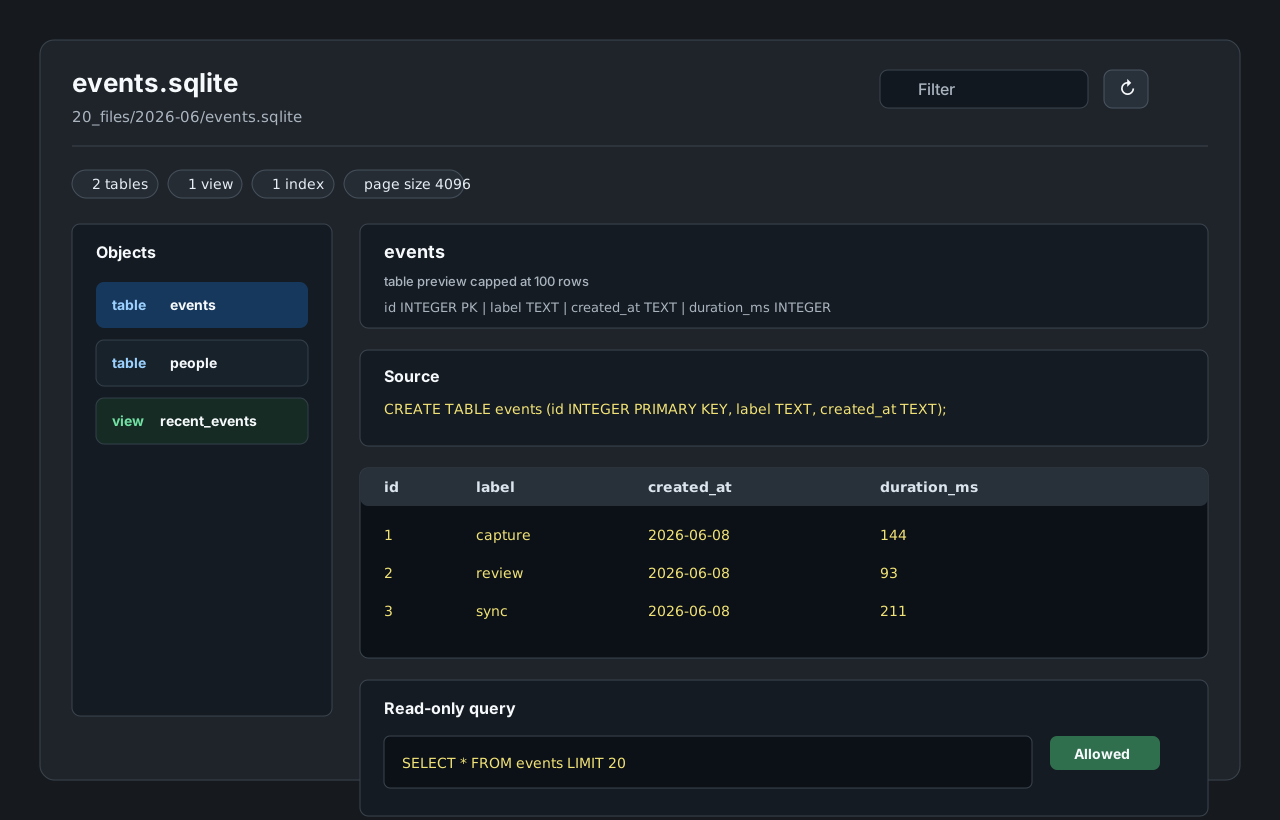
Every opened in-memory database receives PRAGMA query_only = ON, and rendered results are wrapped with an outer LIMIT. The default query cap is 200 rendered rows. Table previews are capped at 100 rendered rows.
The elapsed-time guard is a UI responsiveness guard around statement iteration. Because sql.js executes synchronously in WebAssembly, a single expensive SQLite step cannot be interrupted mid-step. For that reason, SQL Viewer keeps the runner deliberately small and documents it as an inspection aid, not as an analytical query engine.
Dependency and bundle tradeoff
SQL Viewer uses sql.js, SQLite compiled to WebAssembly. The WASM bytes are bundled into main.js via esbuild instead of being fetched as a sidecar file at runtime. This keeps the plugin self-contained and local-only, with the tradeoff that main.js is much larger than a plain text viewer plugin.
Existing plugin overlap
This plugin exists only as a minimal, stricter read-only variant. Current community options already cover broader SQLite workflows:
- SQLite Explorer is close to this scope and offers table selection, schema inspection, and a read-only SQL runner.
- SQLite DB Viewer uses
sql.jsand describes broader query/edit/visualization behavior. - SQLite DB focuses on queries, charts, and exports from notes.
SQL Viewer does not try to replace those broader tools. It deliberately omits editing, exports, charting, note generation, server databases, and general .sql script viewing.
Installation
Manual installation
- Download
main.js,manifest.json, andstyles.cssfrom the latest release. - Create this folder in your vault:
.obsidian/plugins/sql-viewer/. - Put the downloaded files in that folder.
- Reload Obsidian.
- Enable SQL Viewer in Settings -> Community plugins.
BRAT installation
For beta testing, install the plugin with BRAT using this repository URL:
https://github.com/viggomeesters/obsidian-sql-viewer
Usage
Open any .sqlite, .sqlite3, or .db file in your vault. Obsidian will open it with SQL Viewer.
If hidden-file tooling exposes .sqlite-wal, .sqlite-shm, .db-wal, or .db-shm files, opening them shows a sidecar explanation instead of trying to parse them as databases.
Use the object list to choose a table or view. The main panel shows schema, source SQL, and a capped preview. Use the filter field to narrow object names and rendered preview rows. Use Refresh database after replacing a database file on disk.
The query runner is for small read-only inspection queries:
SELECT * FROM my_table LIMIT 20
WITH recent AS (
  SELECT *
  FROM my_table
  ORDER BY id DESC
  LIMIT 20
)
SELECT * FROM recent
Development
npm install
npm run build
npx tsc --noEmit
npm test
npm run community:check
For local development, copy or symlink this repository into .obsidian/plugins/sql-viewer/ inside an Obsidian vault.
Security checks
The test suite covers:
- valid
.sqlite,.sqlite3, and.dbfixtures .sqlite-wal,.sqlite-shm,.db-wal, and.db-shmsidecar mapping fixtures- multiple tables
- view and index discovery
- large table row caps
- malformed database rejection
- allowed
SELECTandWITHqueries - blocked write and maintenance statements
- source-level checks for network, clipboard, process, dynamic execution, and vault mutation APIs
Release process
Obsidian installs community plugin files from GitHub releases. For each release:
- Update
manifest.json,package.json, andversions.json. - Run
npm install,npm run build,npx tsc --noEmit, andnpm test. - Create a GitHub release whose tag exactly matches
manifest.json.version. - Attach
main.js,manifest.json, andstyles.cssas release assets.
Community directory submission
This repository is prepared for Obsidian Community plugin submission.
Submit this repository URL:
https://github.com/viggomeesters/obsidian-sql-viewer
Before submitting:
- Make sure the latest GitHub release tag exactly matches
manifest.json.version. - Make sure release assets include
main.js,manifest.json, andstyles.css. - Run
npm run community:check. - Sign in to community.obsidian.md, link GitHub, open Plugins -> New plugin, enter the repository URL, and submit.