Spark Memo
 Joe Hou2k downloads
Highlight timestamps in your Journal section, capture quick notes, images, and audio from a sidebar, dictate with real-time speech-to-text, and review your year with a heatmap.
- Overview
- Scorecard
- Updates13
Catch every spark, before it fades.
An Obsidian plugin for journaling — built around two ideas:
- Shoot first, write later. Drop a photo into the sidebar and Spark Memo reads its EXIF capture time and GPS location, then writes the memo as if you'd jotted it down back then, at that place — the same experience Day One gave you, now inside your Obsidian vault.
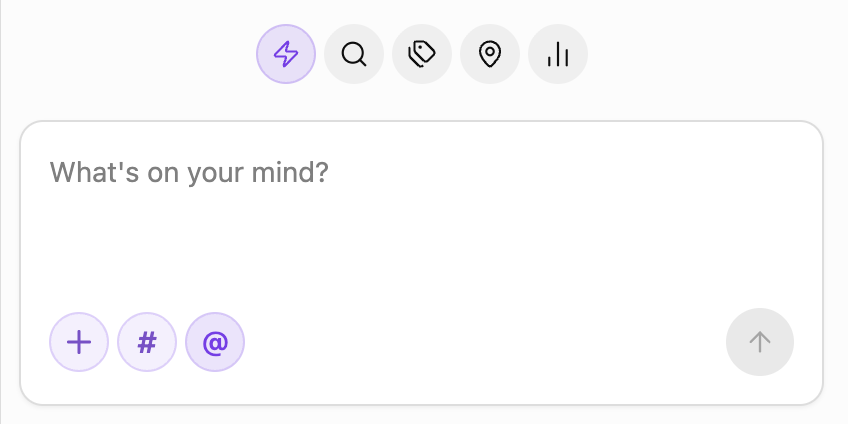
- Never lose the thought. The quick-capture sidebar is always one click away: type, dictate, paste an image, or hit record — the memo lands in today's daily note before the moment passes.
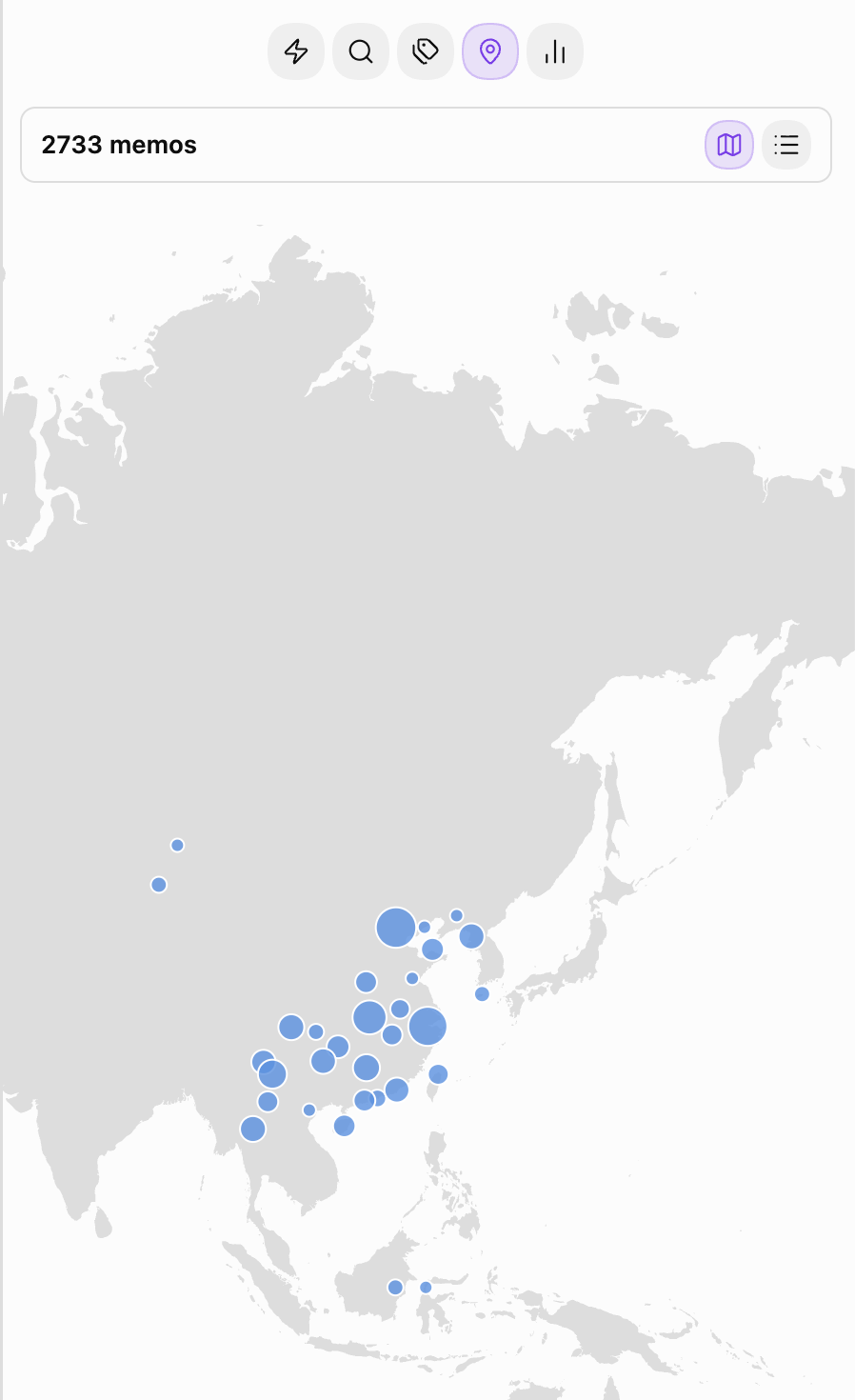
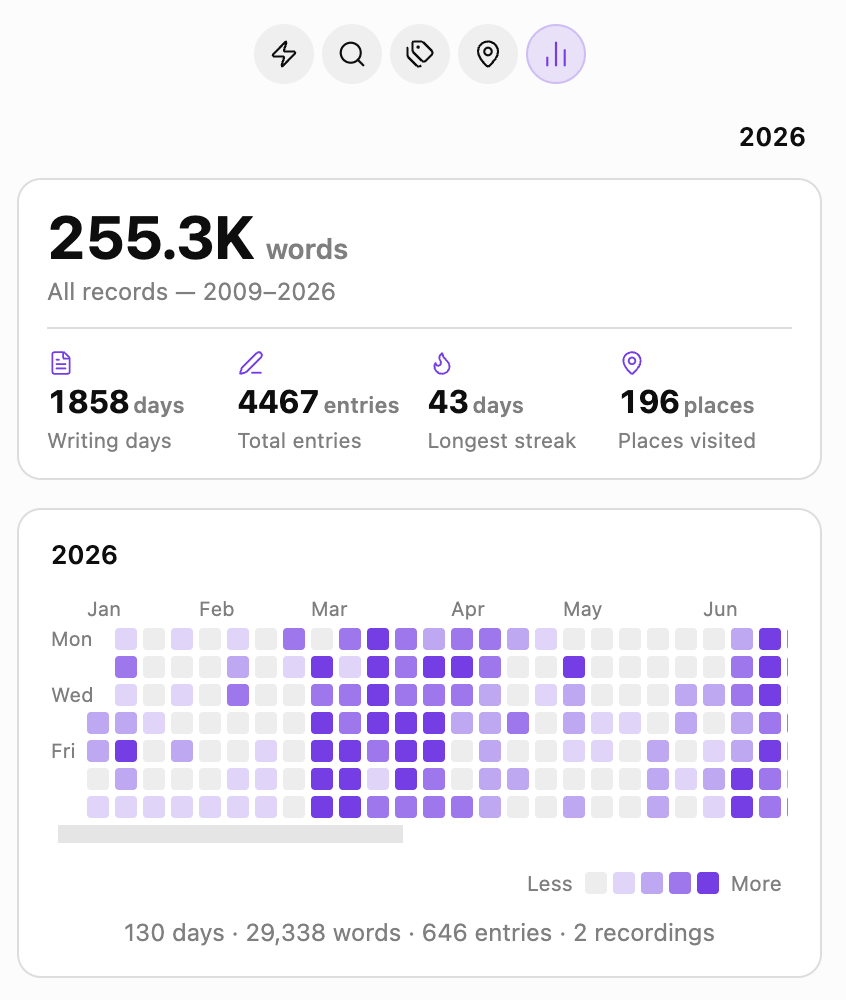
Under the hood it highlights HH:MM timestamps inside a designated Memo section, rolls up everything you've written into a yearly heatmap, and plots every geo-tagged memo on an offline world map — so you can look back on a whole year, or a whole map, at a glance.
Available in 简体中文, 繁體中文, English, and 日本語, with place-name lookups that follow your selected language.
Originally forked from zhaohongxuan/journal-partner. Thanks to the original author for the timestamp-highlighting core.
Features
- Timestamp highlighting in the
## Memosection — pill badges in Source, Live Preview, and Reading view, with customizable colors and an optional read-only mode - Quick-capture sidebar — write, dictate, paste images, or record audio; entries are appended to today's daily note under
## Memo - Photo-driven memos — pasted or uploaded images with EXIF time / GPS are turned into memos at the original moment and place, stored as
[Name](geo:lat,lon)links - Multi-language interface: choose 简体中文, 繁體中文, English, or 日本語. Follow Obsidian’s language by default, or choose a different language just for Spark Memo under Settings → General. Calendar and statistics formatting follow your choice too.
- Localized place names: new location lookups from photo GPS or mobile positioning use your selected Spark Memo language, showing district or county names where available. Translations depend on OpenStreetMap data, so some places may still appear in their local language. Existing memo labels stay unchanged when you switch languages.
- Tag & location roll-ups — every
#tagand every geo-tagged memo grouped for review, with rename / merge / delete for tags - Offline world map — the Locations tab opens on a map of everywhere you've written, drawn from a vector basemap bundled with the plugin: no tile server, no network request, no account. Nearby memos cluster into a single dot sized by how much you wrote there; hover for the count, click to read them, and scroll sideways to wrap around the globe
- Yearly heatmap — GitHub-style grid per year, with total words, writing days, entry count, and longest streak
- Random rewind — open the Search tab and a random past memo greets you, so old thoughts get another moment in the light
Requires Obsidian's built-in Daily Notes core plugin.
Installation
Install from Settings → Community plugins → Browse → "Spark Memo".
Manual install: download main.js, manifest.json, and styles.css from the latest GitHub Release into <vault>/.obsidian/plugins/spark-memo/, then enable it in Settings → Community plugins.
Usage
- Click the feather-pen icon in the ribbon (or run "Open Quick Capture sidebar" from the Command Palette) to open the sidebar
- Type into the input, then click submit or press
Cmd+Enteron macOS /Ctrl+Enteron Windows and Linux while the input is focused. PlainEnterinserts a new line. The memo is written to today's daily note as- HH:MM text. A keycap hint appears beside submit on desktop only while hovering over the input card and when space permits. - Paste an image or hit record to attach media; images with EXIF time / GPS will prompt you to use their moment and place
- Switch to the
Search/Tags/Locations/Statstabs to browse across days —Locationsopens on the world map, with the city list one click away
Empty capture inputs show one complete, randomly selected localized hint per visit. Opening or revealing the panel, or returning to Capture from another tab, selects a hint; the same hint may be selected again. Hints stay still while the panel remains open, including after saving or cancelling an edit, with no typing animation, rotation or decorative blinking cursor. Focusing the input hides the hint; typed text is never replaced.
Zen mode is desktop-only. The button beside @ keeps only the composer visible and centered in the panel, including after saving. The composer keeps its normal size; short panels scroll instead of clipping its controls. Entering and exiting uses a short translation and crossfade into a read-only offline map background with existing location dots, without counts or map interactions. The map and dots drift left slowly in a seamless loop while the composer stays fixed and opaque. Background motion pauses when Zen is off, the pane/app is hidden, or reduced motion is enabled. Reopening remembered Zen skips the transition; reduced-motion preferences disable it. Hover over the input card to reveal the entry button. Exit using the same button, Esc, or the top-right X. The X appears over the map when the pointer is outside the composer, or when the button receives keyboard focus. Suggestions consume the first Esc, and the last Zen state is remembered when reopening the panel or restarting Obsidian. Phones and tablets keep the normal interface and ignore the synced Zen preference without resetting it.
License
MIT