Snippets plugin
 cristianvasquez6k downloads
Execute simple scripts/snippets. This plugin is experimental.
- Overview
- Scorecard
- Updates3
📌 Note: Looking for a more up-to-date and actively maintained plugin with similar functionality? Check out obsidian-execute-code.
This plugin allows you to run Python, Javascript etc, snippets from inside obsidian.md
It's intended for simple uses, like starting a service, running a program, etc. I've tested this only in Linux, and is experimental.
The plugin reads your 'snippet plugin settings' that contain the configuration for each language.
Usage
Preview mode
The plugin shows a 'run' button for a recognized (shell) snippet.

If you click, firefox opens.
Edit mode
- Place your cursor on top of a code snippet.
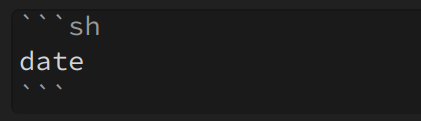
- press
Ctrl/Cmd+Shift+Enter, or select theSnippets: Runcommand from the palette
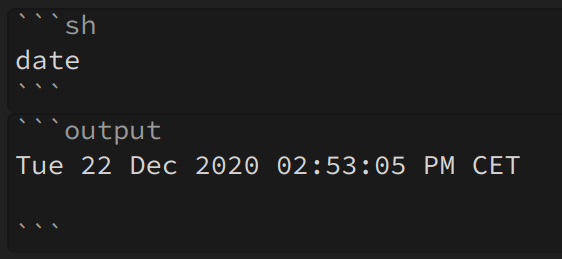
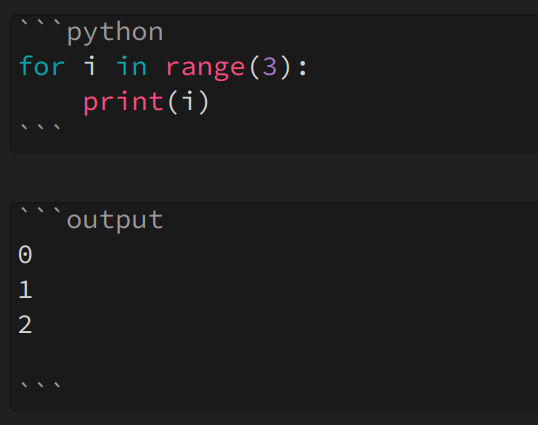
The code will (hopefully) run, and any outputs will be appended after the snippet.
You can also invoke some python!
Vars
The following placeholders are recognized:
| {{vault_path}} | path of the vault |
| {{folder}} | name of the folder |
| {{file_name}} | Name of the file |
| {{file_path}} | absolute path of the file |
Example
echo {{vault_path}}
echo {{folder}}
echo {{file_name}}
echo {{file_path}}
/home/cvasquez/obsidian
snippets-plugin
readme.md
/home/cvasquez/obsidian/snippets-plugin/readme.md
Config
This is the config by default. It contains one entry for each language.
{
  "python": {
    "template": "python3 -c \"{{src}}\"",
    "showModal": true,
    "appendOutputContents": true,
    "showRunButtonInPreview": true
  },
  "javascript": {
    "template": "node -e \"{{src}}\"",
    "showModal": true,
    "appendOutputContents": true,
    "showRunButtonInPreview": true
  },
  "sh": {
    "template": "{{src}}",
    "showModal": true,
    "appendOutputContents": true,
    "showRunButtonInPreview": true
  }
}
Attributes
| Template | {{src}} will be replaced |
| showModal | shows the output in a modal |
| appendOutputContents | writes the output after the code fence |
| showRunButtonInPreview | shows the button in the preview mode |
| options | additional options such as shell or encoding |
Default shell
The default shell is '/bin/sh' on Unix and process.env.ComSpec on Windows. Other shells can be configured using the 'options' attribute.
Example that uses powershell:
  "sh": {
    "template": "{{src}}",
    "options": {"shell":"powershell.exe"},
    "showModal": true,
    "appendOutputContents": true,
    "showRunButtonInPreview": true
  }
Manual installation
Install dependencies
npm install
Generate main.js bundle
npm run build
Copy main.js, manifest.json and styles.css to your vault's plugins folder, under [YourVaultFolder]/.obsidian/plugins/review-obsidian/.
Observations
This prototype is super experimental; I've written it because I wanted to use python inside obsidian.
Developers
Pull requests are both welcome and appreciated. :)
Version
0.0.4
- Added javascript option.
- Added shell options.
- No errors when markdown view is not present.
Thanks to: