Smart Links and Tags
 Sreenivasan AC26 downloads
Notion-style editing for links and tags: choose how pasted URLs are inserted, edit links in a dialog, link notes with @, and pick or remove tags from a dropdown.
- Overview
- Scorecard
- Updates2
Notion-style editing for links, note mentions and tags in Obsidian. Every feature can be turned on or off in the settings.
Features
Choose how to paste a URL
Paste a URL and a small menu asks how to insert it:

- Paste as titled link: fetches the page title and inserts
[Page title](url). - Paste as plain URL.
- Paste as pill (icon and title): optional. It inserts an empty-text link
[](url), which the Link Mention plugin renders as a favicon-and-title pill.
The first option is preselected, so Enter right after pasting picks it. Arrow keys switch options, Esc pastes nothing, and if you keep typing the menu closes. Pasting inside code blocks, or over selected text, works as usual.
Edit links without touching markdown
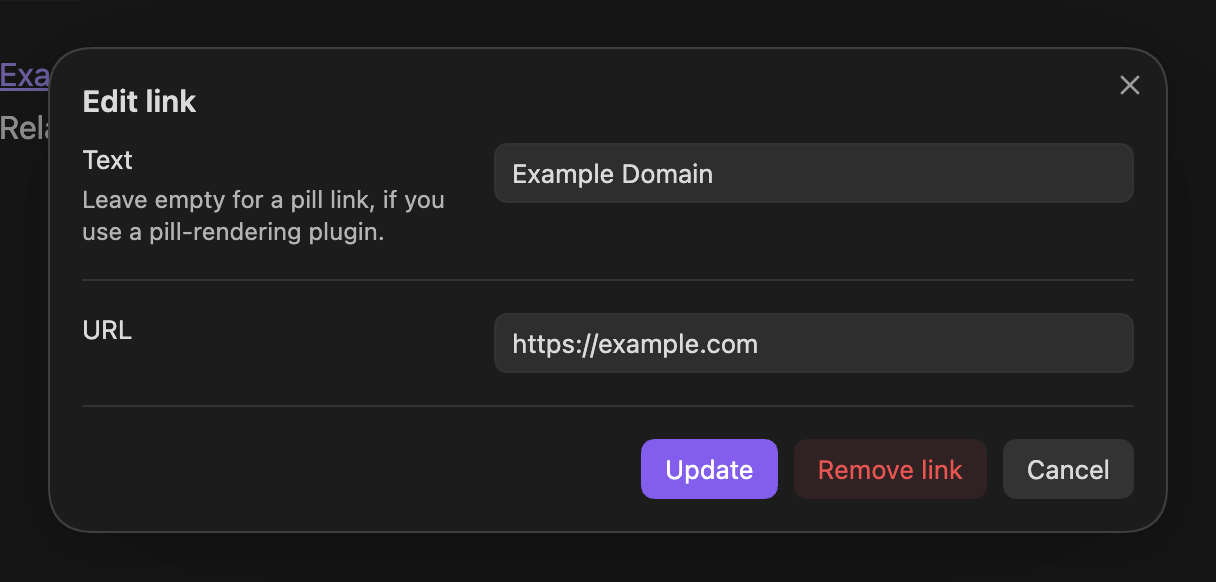
- Hover any external link to show an edit button (⋯). It opens a dialog with the link's text and URL, plus Remove link.
- The Add or edit link command does the same at the cursor, or turns selected text into a link. You can assign it a hotkey or add it to a toolbar.

- Optionally, the cursor treats each
[text](url)as a single unit: it steps over the link instead of into its markdown.
Link notes with @
Type @ to choose from your recently opened notes. Keep typing to search all notes: name matches come first, then folder path matches. The inserted link follows your Files and links settings (wikilink or markdown). An @ inside a word, as in an email address, doesn't open the list.

Tag picker
Type # to see your tags sorted by how often you use them, with their counts. Keep typing to filter, or pick Create #… to add a new tag. Nested tags (#area/topic) and non-English letters are supported.
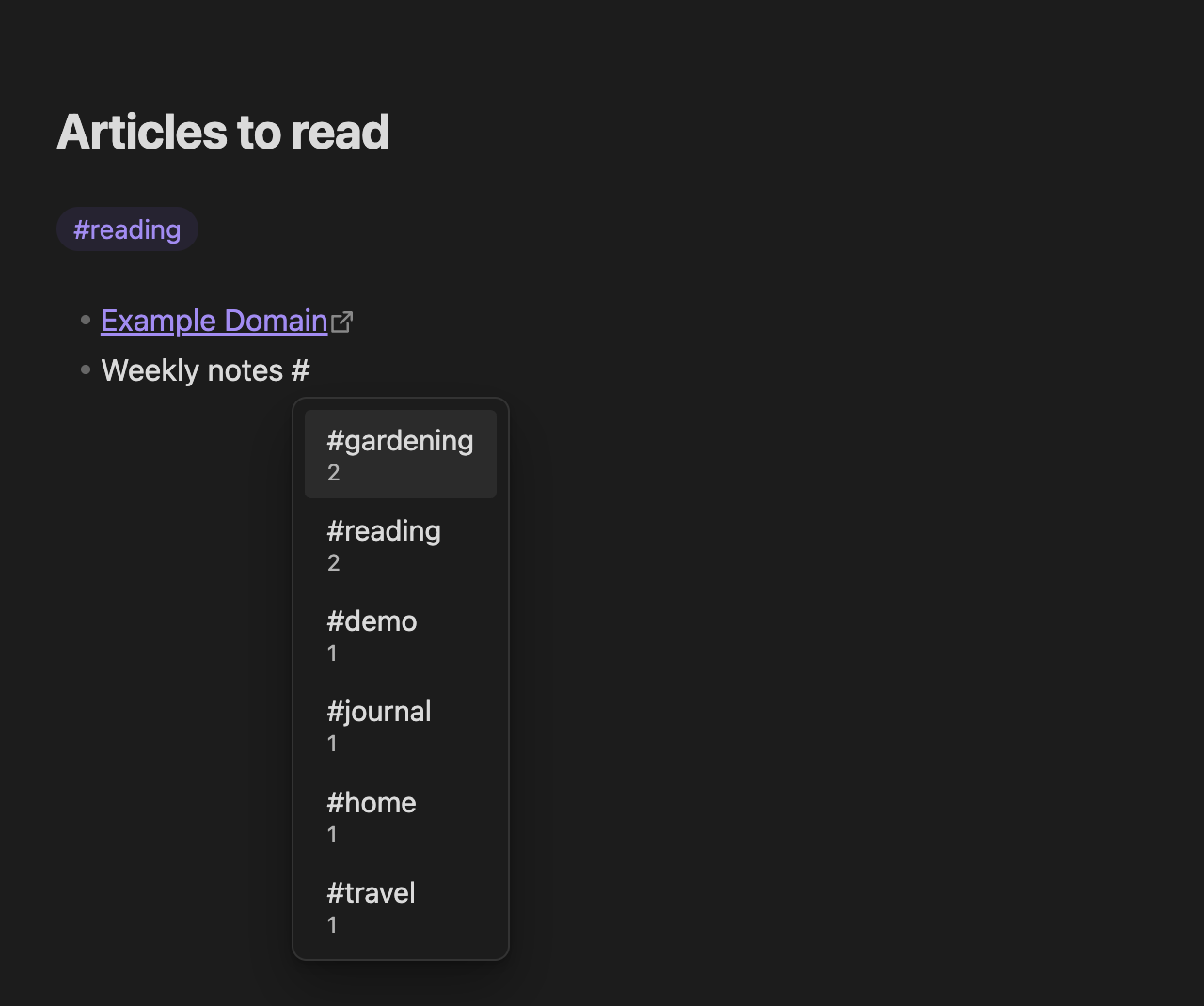
A # at the start of a line normally makes it look like an empty large heading while you type. This plugin keeps that line at normal size.
Remove tags with one click
Hover a tag to show a remove button (×). It deletes the tag and the space next to it.

Requirements
Obsidian 1.13 or later. Works on desktop and mobile; the hover buttons need a mouse or trackpad.
Settings
| Setting | Default |
|---|---|
| Ask how to paste links | On |
| Offer "paste as pill" | Off (needs Link Mention) |
| Treat external links as one unit | On |
| Show edit button on links | On |
| Link notes with @ | On |
| Tag picker | On |
| Show remove button on tags | On |
Installation
Install it from Settings → Community plugins → Browse: search for "Smart Links and Tags", or open its page in the plugin directory.
To install it manually, copy main.js, manifest.json and styles.css from the latest release into <your vault>/.obsidian/plugins/smart-links-and-tags/, then enable the plugin.
Development
npm install
npm run dev    # rebuilds main.js on every change
npm run build  # type-check and production build
npm run lint