Simply Scroll
 hornat779 downloads
Only records the scroll position of files, not the cursor position. No flickering, no jumping.
- Overview
- Scorecard
- Updates6
我在小红书发布了许多obsidian的教程和插件开发进度,你的关注就是对我最大的支持
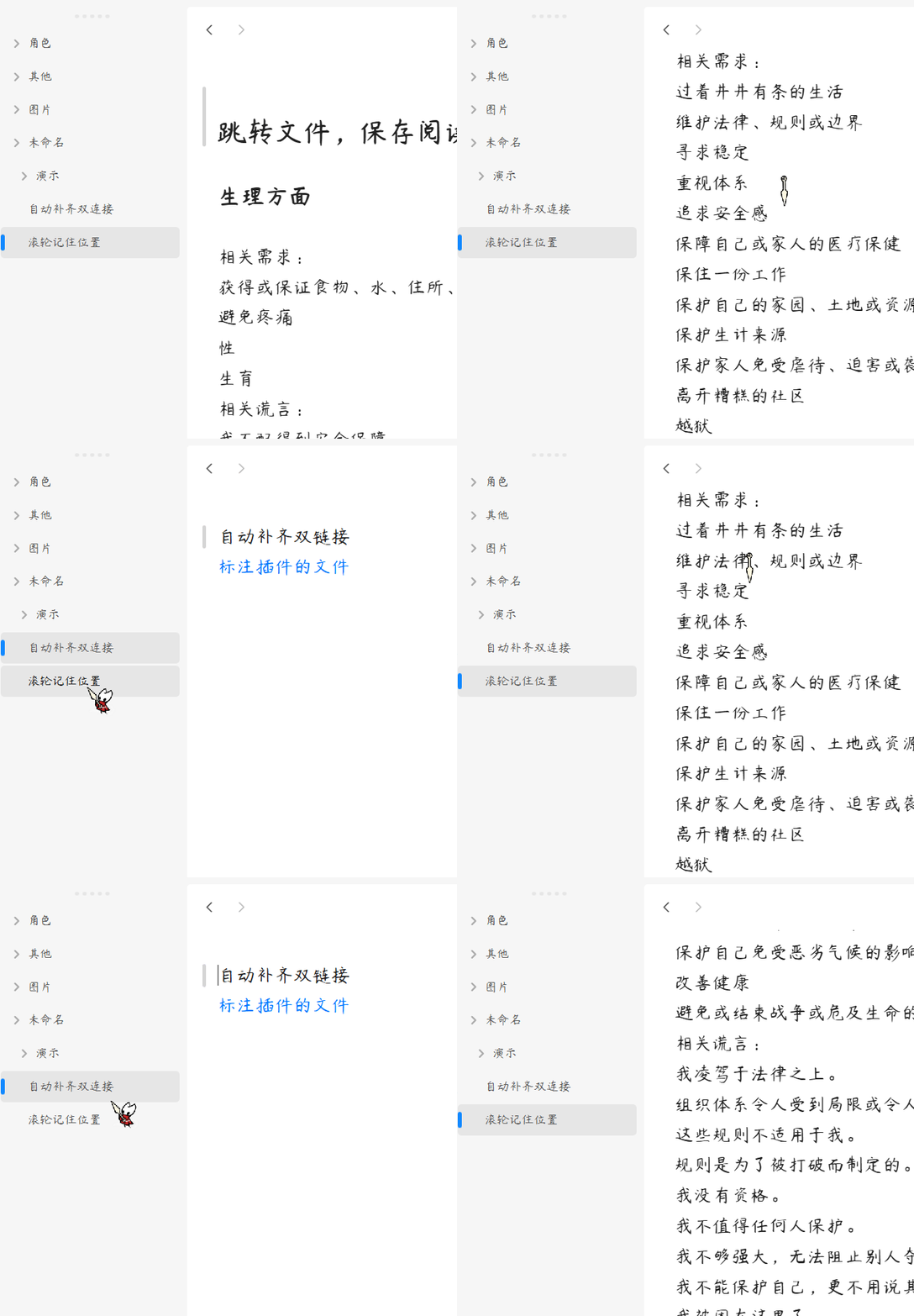
滚动到哪里,打开文件就还在哪里。
简体中文
核心功能
1. 无感滚动恢复
智能记录滚动位置,切换文件时瞬间恢复,零闪烁零跳动。
2. 极简无缝遮罩
解决原生切换时的画面闪烁,实现丝滑的单页应用体验。
3. 抗位移焦点抑制
防止编辑器焦点争夺导致的二次跳动,页面呈现瞬间静止。
4. 智能数据管理
自动同步文件重命名/删除,清理孤立数据,保持轻量。
5. 高性能架构
多重防抖机制,轻量存储,高效运行。
用法
- 安装插件后,无需任何配置即可开始工作。
- 在任何 Markdown 文件中滚动阅读或编辑,插件会自动记录滚动位置。
- 切换到其他文件后再次返回,滚动位置将自动恢复。
- 插件完全自动化运行,无需手动干预。
赞赏支持
🎁 如果觉得有用,请作者喝杯咖啡

安装方法
方法一:社区插件安装(推荐)
待插件通过审核并上架社区市场后:
- 打开 Obsidian 设置 > 社区插件 > 浏览。
- 搜索并选择
Simply Scroll。 - 点击 安装 并选择 启用。
方法二:手动安装
- 前往 Releases 页面下载最新的
main.js和manifest.json文件。 - 打开您的 Obsidian 库所在的本地文件夹。
- 进入
.obsidian/plugins/目录,并创建一个名为simply-scroll的文件夹。 - 将下载的两个文件放入该文件夹中。
- 在 Obsidian 设置 > 社区插件 中重新加载并开启该插件。
QQ 交流群:1094620986
English
Simply Scroll — A lightweight scroll state preservation plugin for Obsidian. It restores your exact reading scroll position when switching between Markdown files with zero layout shifting, zero focus fighting, and absolutely zero visual flashing.
Features
1. Seamless Scroll Recovery
Intelligently records scroll positions, instantly restores when switching files with zero flickering.
2. Minimal Seamless Cloaking
Solves native file-switching screen flashing, providing silky single-page app experience.
3. Anti-Shift Focus Suppression
Prevents secondary jumps from editor focus competition, page appears instantly static.
4. Smart Data Management
Automatically syncs file renames/deletes, cleans orphaned data, keeps lightweight.
5. High-Performance Architecture
Multiple debounce mechanisms, lightweight storage, efficient operation.
Usage
- After installing the plugin, it works without any configuration.
- Scroll through any Markdown file for reading or editing, the plugin automatically records scroll positions.
- Switch to another file and return, the scroll position will be automatically restored.
- The plugin runs completely automatically without manual intervention.
Installation
Method 1: Community Plugins (Recommended)
Once the plugin is reviewed and listed on the community marketplace:
- Open Obsidian Settings > Community plugins > Browse.
- Search for and select
Simply Scroll. - Click Install and then Enable.
Method 2: Manual Installation
- Go to the Releases page to download the latest
main.jsandmanifest.jsonfiles. - Open your Obsidian vault folder on your computer.
- Navigate to the
.obsidian/plugins/directory and create a folder namedsimply-scroll. - Place the downloaded files into this folder.
- Reload and enable the plugin in Obsidian Settings > Community plugins.
QQ Group: 1094620986