simple-sketch
 yohh5k downloads
Create minimalist sketches in a dedicated view, draw with a pencil, generate shapes, add text, save it to the vault or download it as an image.
- Overview
- Scorecard
- Updates8
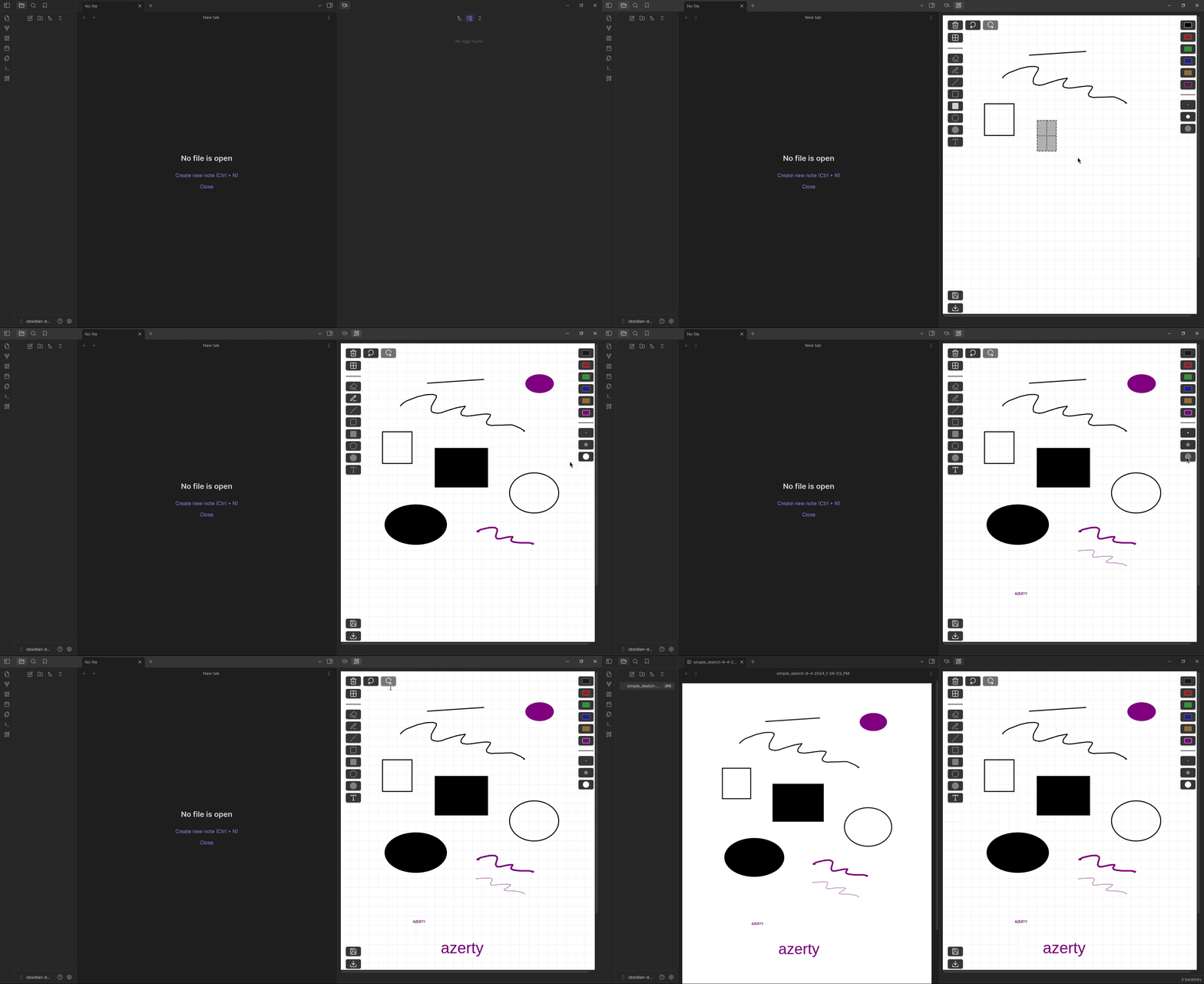
Simple Sketch is a plugin for Obsidian. It allows users to create simple sketches in a dedicated view with a minimal, convenient interface that emphasizes productivity over completeness.
Installation
For Contributors
Fork the repository on GitHub.
Clone your forked repository in your obsidian plugins folder:
git clone [email protected]:your-username/obsidian-simple-sketch.git
cd simple-sketch-plugin
Install the dependencies:
npm installBuild the project:
npm run buildRun the project:
npm run dev
For Users
- recommended: install from the
community pluginsbrowser in the application settings.
or
download the
main.jsandmanifest.jsonfrom the last releasecopy them in a
simple-sketchfolder in your localpluginsfolder
Usage
- Open Obsidian and navigate to the settings.
- Go to the "Community plugins" section and enable the "Simple Sketch" plugin.
- Once enabled, you will see a new ribbon icon with a pencil and ruler.
- Click on the ribbon icon to open the Simple Sketch view
or
Right-click on an image file and selectopen with simple sketch - In the Simple Sketch view, you can:
- Draw freehand sketches.
- Generate shapes like lines, rectangles, and ellipses.
- Add text to your sketches.
- Save your sketches in the vault or download them as images.
Enjoy creating your sketches with Simple Sketch!
Controls
| Icon | Functionality | Key Binding |
|---|---|---|
 |
Draw by hand | none |
 |
Draw line | none |
 |
Draw rectangle | none |
 |
Draw filled rectangle | none |
 |
Draw ellipse | none |
 |
Draw filled ellipse | none |
 |
Add text | none |
 |
Erase | none |
 |
Undo | ctrl + z |
 |
Redo | ctrl + shift + z |
 |
Toggle grid | ctrl + shift + g |
 |
Save sketch in vault | none |
 |
Download sketch | none |
 |
Reset canvas | none |
Icons are imported from Lucide to be consistent with the Obsidian interface.
Contribution
Contributions are welcome! Please follow these steps to contribute:
- Fork the repository.
- Create a new branch for your feature or bugfix.
- Make your changes and commit them with clear messages.
- Push your changes to your fork.
- Create a pull request to the main repository.
Work in progress
I am actively working on the following features and improvements:
- Enhanced Drawing Tools: Adding more shapes and tools for better sketching capabilities.
- bugfix: Fixing issues related to drawing precision and performance.
This plugin is a contribution to the Obsidian community, and I work on it in my free time. As a result, I may be slow to react if anything is asked. Thank you for your understanding and patience.
Stay tuned for updates and feel free to contribute to these features!
Issues
If you encounter any issues or have any questions, please open an issue on the GitHub repository.
Support
If you would like to support the development of this plugin, you can make a donation through Buy Me a Coffee
Thank you for your support!
License
This project is licensed under the GNU Lesser General Public License. See the LICENSE file for more details.