Search...Search plugins and themes...
⌘K
Sign in
  • Get started
  • Download
  • Pricing
  • Enterprise
  • Account
  • Obsidian
  • Overview
  • Sync
  • Publish
  • Canvas
  • Mobile
  • Web Clipper
  • CLI
  • Learn
  • Help
  • Developers
  • Changelog
  • About
  • Roadmap
  • Blog
  • Resources
  • System status
  • License overview
  • Terms of service
  • Privacy policy
  • Security
  • Community
  • Plugins
  • Themes
  • Discord
  • Forum / 中文论坛
  • Merch store
  • Brand guidelines
Follow us
DiscordTwitterBlueskyThreadsMastodonYouTubeGitHub
© 2026 Obsidian

Sigilizer

Adam EschAdam Esch2 downloads

Turn intentions into sigils inscribed in a magic circle, and export them as PNGs.

Add to Obsidian
  • Overview
  • Scorecard
  • Updates3

An Obsidian plugin that turns intentions into sigils inscribed in a magic circle, with PNG export.
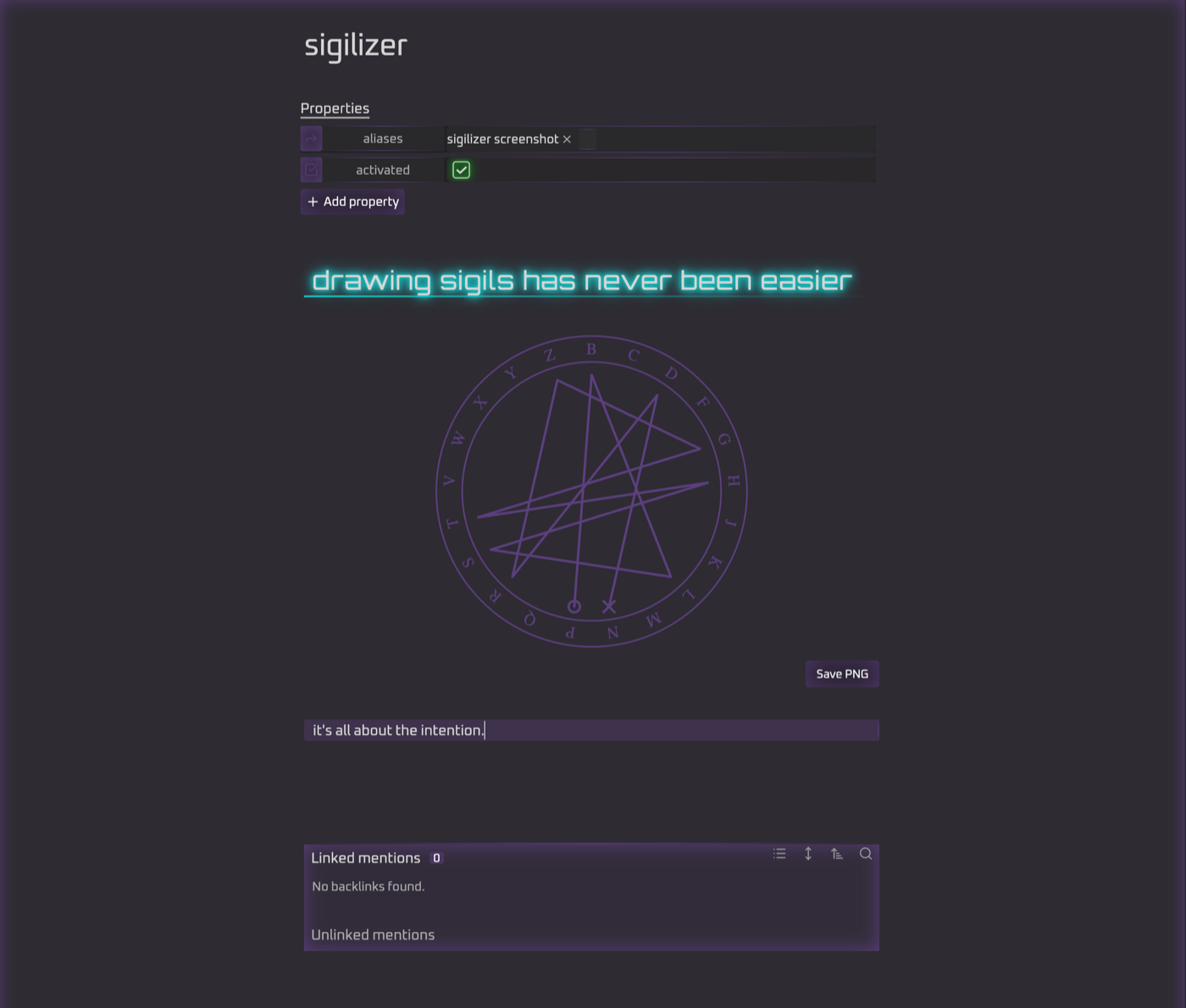
A sigil drawn in a note, with the Save PNG button below it

Usage

Write your intention in a sigil code block:

```sigil
i am productive
```

The intention is reduced to a sigil string: letters only, no vowels (y counts as a consonant), and no repeated letters, so i am productive becomes mprdctv. The string is then drawn inside a ring of the 21 consonants. A small circle marks the first letter and an ✕ marks the last.

Click into the block to see and edit the original intention. Move the cursor away to see the sigil.

Save PNG writes Sigils/sigil-mprdctv.png to your vault. Turn on Copy embed link in settings to also copy ![[sigil-mprdctv.png]] to the clipboard.

Settings

Output folder, PNG size, line and background colors, transparent background, copying the embed link after saving, stroke width, double ring, rotated letters, and whether to show the sigil string under the circle.

Development

npm install
npm test        # unit tests for reduction + geometry
npm run build   # produces main.js
npm run dev     # rebuild on change

To try it, copy or symlink main.js, manifest.json and styles.css into <vault>/.obsidian/plugins/sigilizer/, then enable Sigilizer under Community plugins.

HealthExcellent
ReviewPassed
About
Convert intentions into sigils drawn inside a magic-circle ring and export them as PNGs. Reduce intention text to a consonant-only, nonrepeating string (y counts), map it around the 21-consonant ring with markers for first and last, edit inline by clicking the block, and save the PNG to your vault while copying an image link to the clipboard.
DrawingImagesExport
Details
Current version
0.1.2
Last updated
7 hours ago
Created
8 hours ago
Updates
3 releases
Downloads
2
Compatible with
Obsidian 1.13.0+
Platforms
Desktop, Mobile
License
MIT
Report bugRequest featureReport plugin
Sponsor
Ko-fi
Patreon
Author
Adam EschAdam Eschadamesch
adamesch.online
GitHubadamesch
adamesch
adamesch.substack.com
  1. Community
  2. Plugins
  3. Drawing
  4. Sigilizer

Related plugins

Ink

Handwriting and drawing directly between paragraphs using a digital pen, stylus, or Apple pencil.

TTRPG Tools - Maps

A toolbox for interactive fantasy maps.

Wechat Converter

将 Markdown 转换为微信公众号排版,并支持一键发送到微信(weixin/wx)公众号(支持自定义 CSS和公众号贴图)、飞书、小红书(rednote)、知乎、微博、CSDN等20+平台。

Export Image plugin

Easily convert your article to image.

Excalidraw

Visual PKM powerhouse. Create and edit Excalidraw drawings.

Mermaid Tools

Improved Mermaid.js experience: visual toolbar with common elements and more.

Image Captions

Add captions to images with inline Markdown and link support. The caption format is compatible with the Commonmark spec and other Markdown applications.

Paste image rename

Rename image after pasting, support name pattern and auto renaming.

Featured Image

Automatically set a featured image property in your notes based on the first image.

Imagine

A comprehensive image management plugin for managing, inserting, resizing, viewing, and batch processing images.