Search...Search plugins and themes...
⌘K
Sign in
  • Get started
  • Download
  • Pricing
  • Enterprise
  • Account
  • Obsidian
  • Overview
  • Sync
  • Publish
  • Canvas
  • Mobile
  • Web Clipper
  • CLI
  • Learn
  • Help
  • Developers
  • Changelog
  • About
  • Roadmap
  • Blog
  • Resources
  • System status
  • License overview
  • Terms of service
  • Privacy policy
  • Security
  • Community
  • Plugins
  • Themes
  • Discord
  • Forum / 中文论坛
  • Merch store
  • Brand guidelines
Follow us
DiscordTwitterBlueskyThreadsMastodonYouTubeGitHub
© 2026 Obsidian

Pokemon Showdown Viewer

lwatsonlwatson104 downloads

Renders Pokemon built using the Pokemon Showdown team builder in Obsidian.

Add to Obsidian
Pokemon Showdown Viewer screenshot
  • Overview
  • Scorecard
  • Updates5

A plugin that displays Pokémon built using Pokémon Showdown's team builder in Obsidian in a nice way.
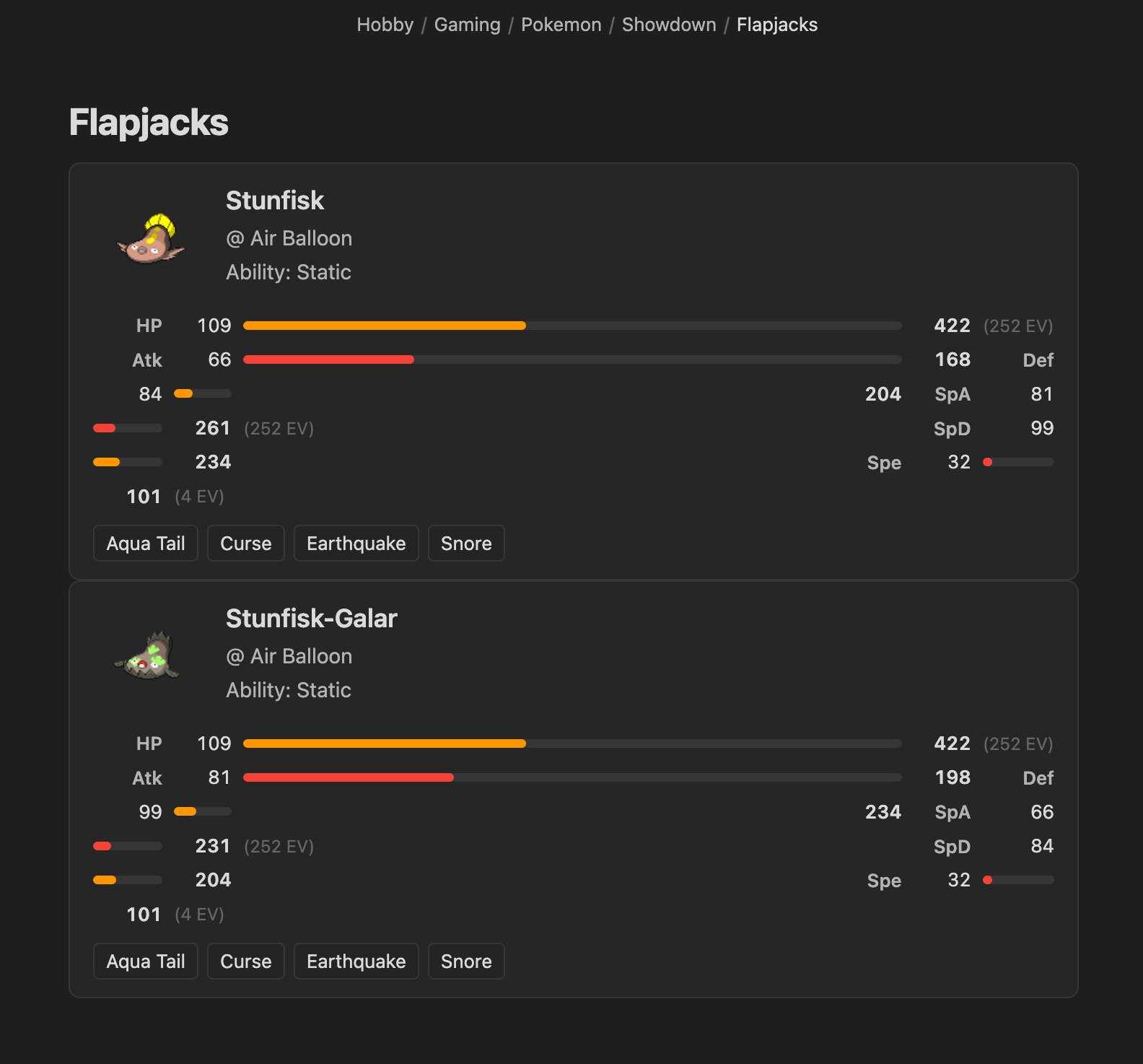
Screenshot of the plugin rendering two Stunfisk cards with sprites, stats, and moves

How to use

Copy your Pokémon team into a showdown code block:

```showdown
Stunfisk @ Air Balloon
Ability: Static
Shiny: Yes
EVs: 252 HP / 252 SpA / 4 Spe
- Aqua Tail
- Curse
- Earthquake
- Snore
```
HealthExcellent
ReviewPassed
About
Render Pokémon teams in Pokémon Showdown format as clean, readable cards inside Obsidian. Paste a "showdown" code block to display each Pokémon's species, item, ability, EVs, nature, and moves in a formatted view.
VisualizationFormatting
Details
Current version
1.0.4
Last updated
2 months ago
Created
2 months ago
Updates
5 releases
Downloads
104
Compatible with
Obsidian 1.12.7+
Platforms
Desktop, Mobile
License
MIT
Report bugRequest featureReport plugin
Author
lwatsonlwatsonwatsonlu
GitHubwatsonlu
  1. Community
  2. Plugins
  3. Visualization
  4. Pokemon Showdown Viewer

Related plugins

Excalidraw

Visual PKM powerhouse. Create and edit Excalidraw drawings.

Breadcrumbs

Visualise the hierarchy of your vault using a breadcrumb trail or matrix view.

Advanced Canvas

Supercharge your canvas experience. Create presentations, flowcharts and more.

Maps

Adds a map layout to bases so you can display notes as an interactive map view.

Mermaid Tools

Improved Mermaid.js experience: visual toolbar with common elements and more.

Admonition

Admonition block-styled content.

Linter

Format and style your notes. Linter can be used to format YAML tags, aliases, arrays, and metadata; footnotes; headings; spacing; math blocks; regular Markdown contents like list, italics, and bold styles; and more with the use of custom rule options.

ExcaliBrain

An interactive, structured mind-map of your Obsidian vault.

Sort and Permute lines

Sort and Permute lines in whole file or selection.

Persistent Graph

Save and restore the positions of nodes on your graph.