Research Source Review
 theluckystrike1 downloads
Check whether a source passage changed after you approved it for a note.
- Overview
- Scorecard
- Updates1
Research Source Review checks whether a source paragraph changed after you approved it for a note. Use it when a conclusion depends on a passage in another Markdown note. Save that passage as a pin, then compare the saved text with a fresh read of the source.
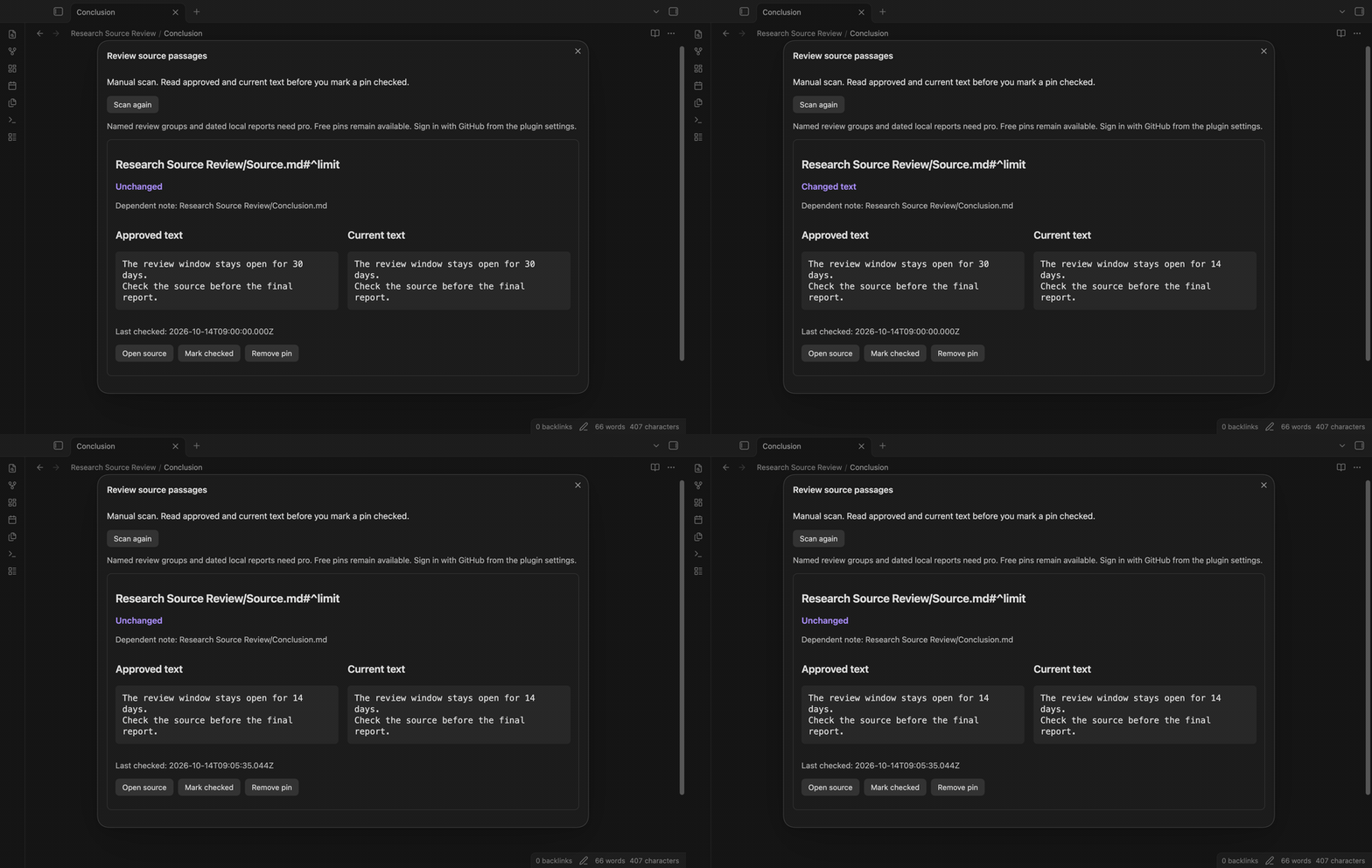
For example, your conclusion links to a paragraph that says “30 days.” If the source later says “14 days,” a scan shows the two versions. You decide whether the conclusion needs work and whether to approve the new passage.
Features
Choose a linked paragraph
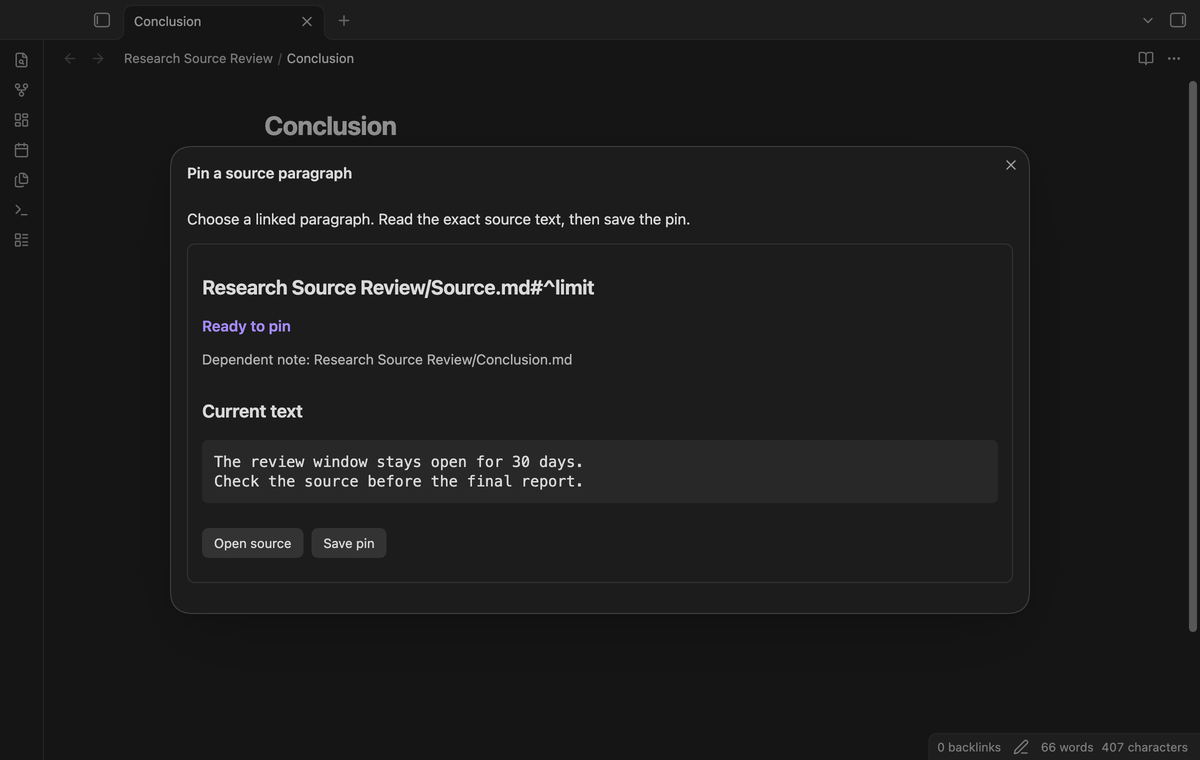
Open the dependent note and run “Pin a source paragraph from the active note.” The window lists native links and embeds that point to an explicit paragraph block ID. Read the current text and select “Save pin.” The saved record contains the source path, block ID, approved text, dependent note path and check date.
If a new link does not appear, let Obsidian index the note, then run the command again.
The plugin stores these records in its local saved data. It does not add properties or comments to the source or dependent note. A source can support two notes with separate pins. A duplicate link in one note creates one choice.
Scan saved pins
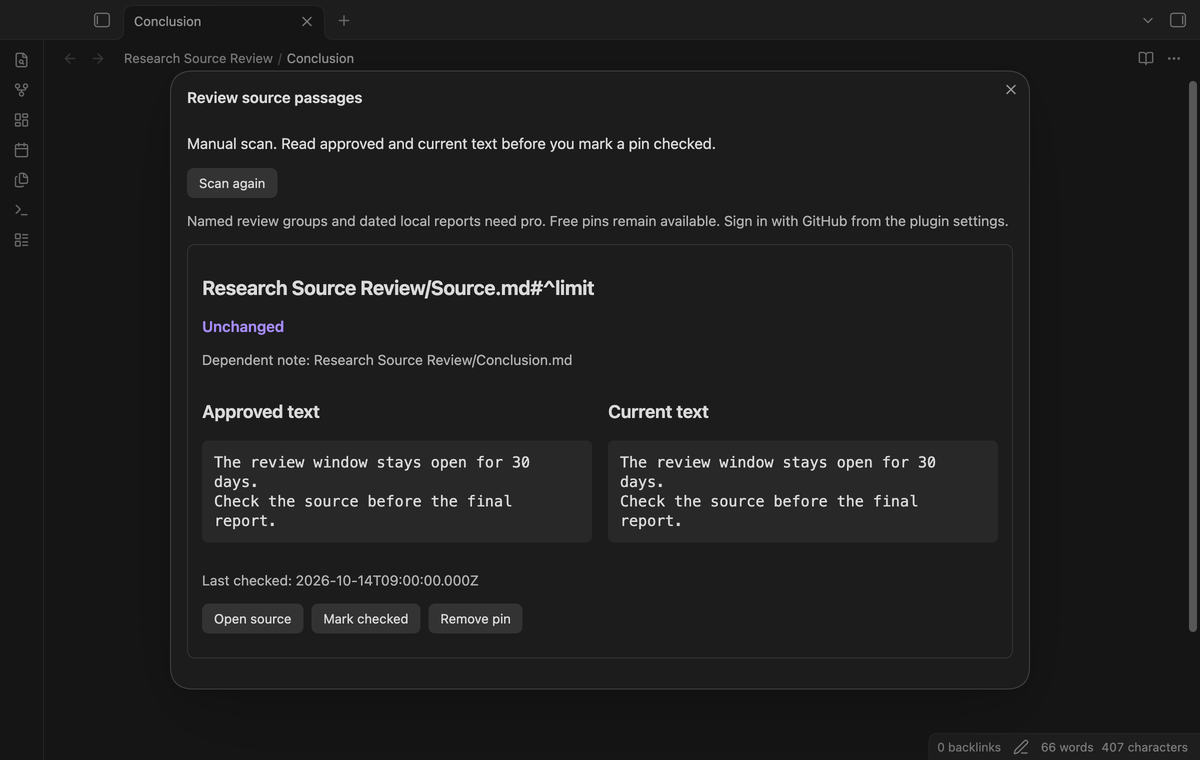
Run “Scan saved pins” to read the current source passages. An unchanged result means the exact paragraph text matches the baseline. Changes to a different paragraph do not change that result. Moving the same paragraph and ID to a different line in the source also keeps its baseline.
Scanning does not approve a new version. The window shows the dependent note path so you can find the claim that needs review. Select “Scan again” after you edit a source.
Compare before approval
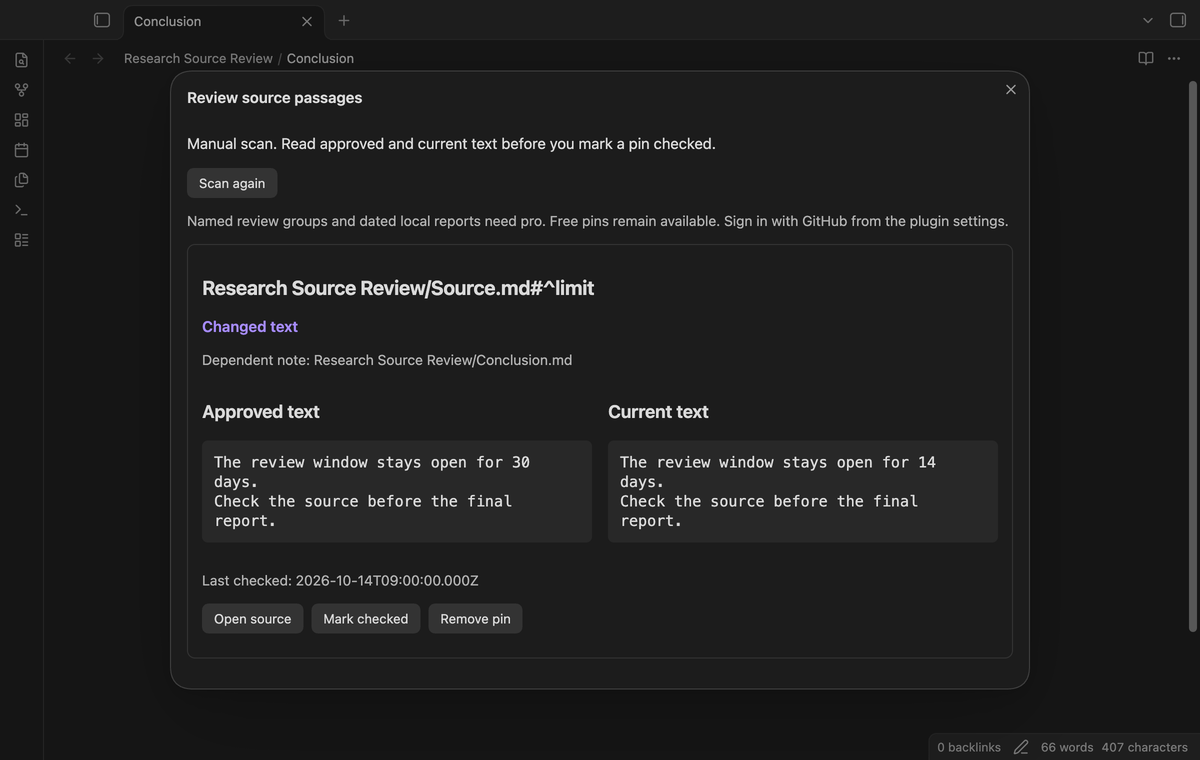
A changed pin shows “Approved text” beside “Current text.” The comparison uses literal Markdown text, including internal spaces and line breaks. It excludes the block ID marker. Select “Mark checked” after you read the comparison and review the dependent claim.
Approval reads the source again. If its text differs from the displayed passage, the plugin stops approval and refreshes the comparison. It also rejects a comparison whose saved baseline changed during another review. The reader must inspect the refreshed version before trying again.
Keep the baseline when a block disappears
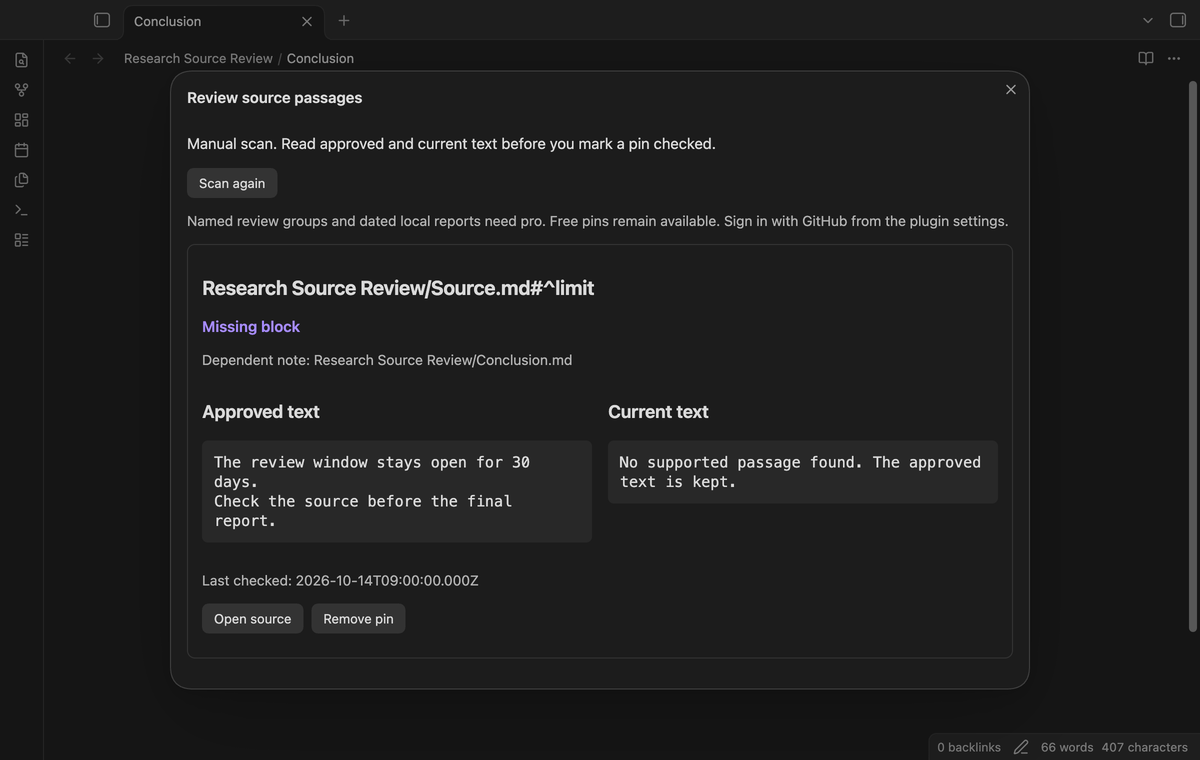
If you remove the ID, the window reports “Missing block.” If the source path no longer exists, it reports “Missing source.” These results keep the approved text and do not show an approval button. Unsupported blocks and read failures also keep the baseline.
A rename event updates saved source and dependent paths while the plugin is active. A rename while it is off can leave a missing path. Repair the note link and save a new pin in that case. “Remove pin” deletes the saved record and leaves the notes in place.
Named review groups (Pro)
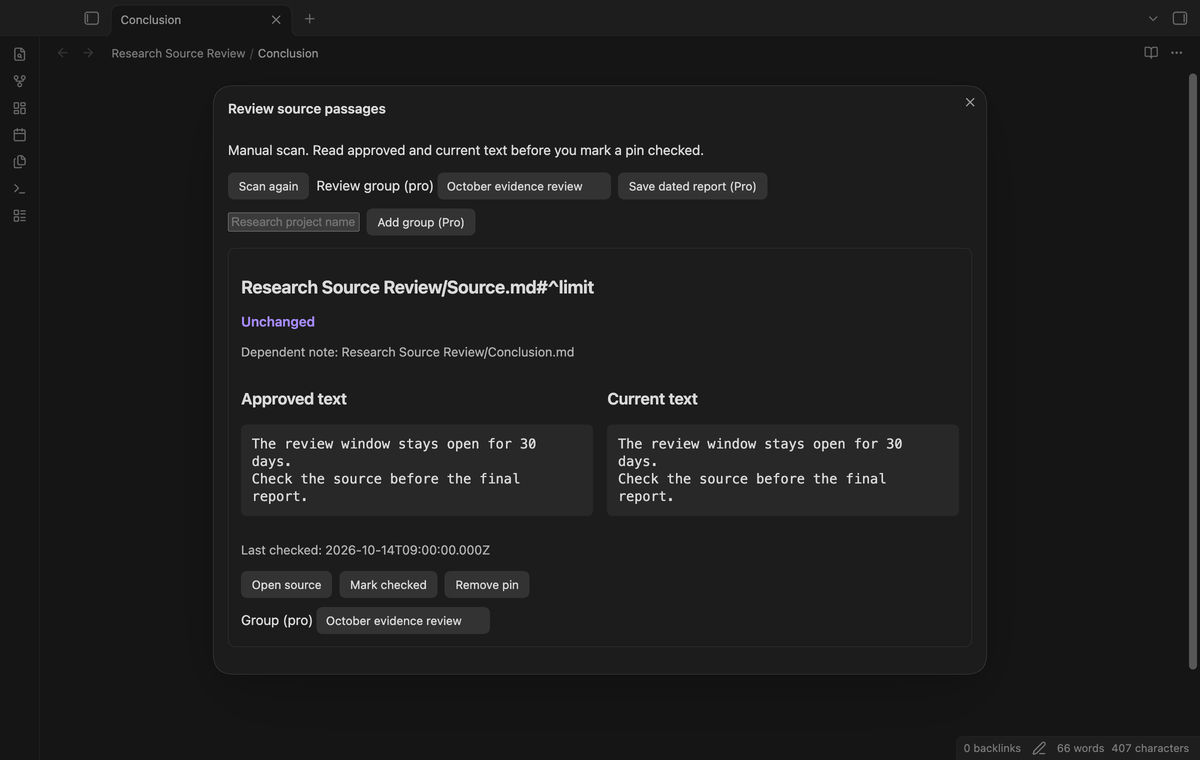
Create a group for a research project and assign pins to it. Select that group to scan its pins. Group names accept 1 to 80 characters. A pin has one group, or no group. “No group filter” shows the saved pins without a project filter.
If Pro ends, free scans still include pins from saved groups. The group names remain in local data. Group creation, assignment and filtering require Pro.
Dated local review reports (Pro)
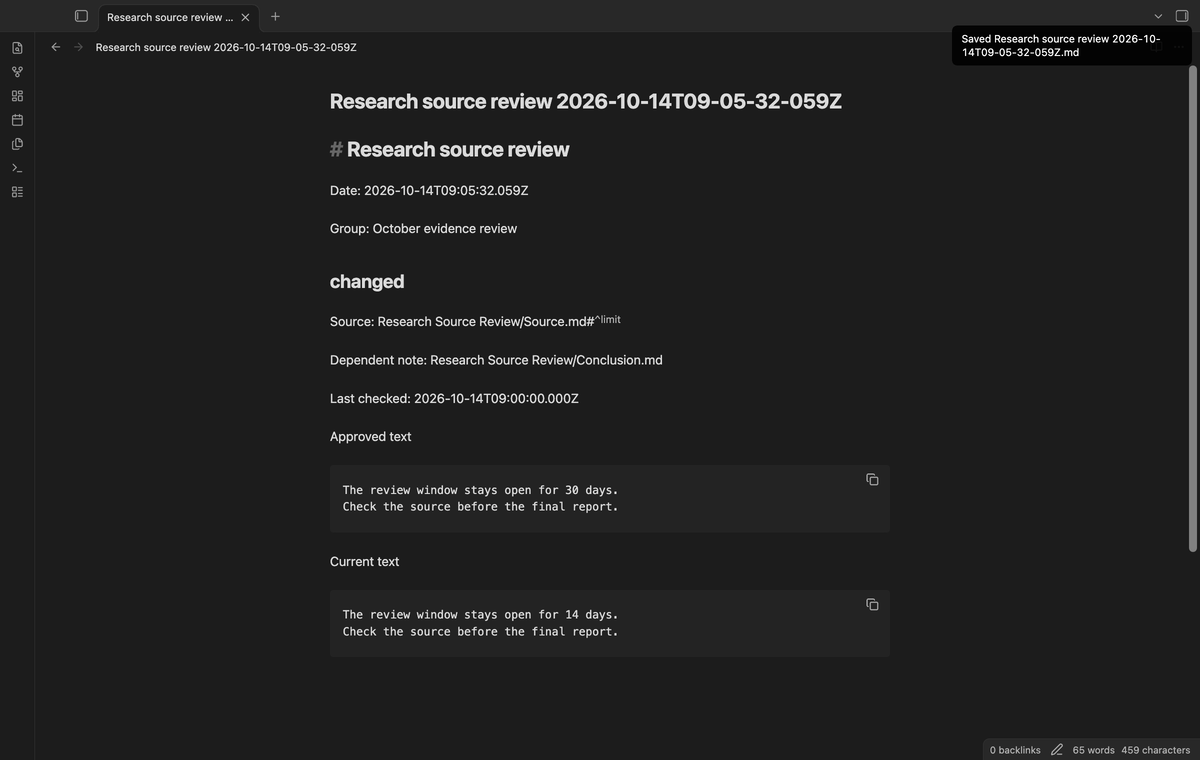
Select “Save dated report (Pro)” to create a Markdown note in the vault root. The report records its date, group filter, source paths, dependent notes, check dates, statuses and the two text versions. It runs a new scan before writing the report. It does not approve the passages.
The file name contains a date and time. A suffix avoids an existing report path. Reports contain source text, so consider their contents before you share a vault or publish a report note.
Install
For manual installation, copy main.js, manifest.json and styles.css from a release package into <vault>/.obsidian/plugins/research-source-review/. Enable the plugin in Community plugins. Use your vault's configuration folder if it differs from .obsidian.
Obsidian 1.13.4 or later is required. The repository includes source code and tests for a local build. The plugin runtime uses the public Obsidian API and browser functions.
Usage
- Put
30 days ^limitin a paragraph inSource.md. - Add
[[Source#^limit]]toConclusion.mdand open that note. - Run “Pin a source paragraph from the active note.” Read the passage and select “Save pin.”
- Change the source to
14 days ^limit, then run “Scan saved pins.” - Review the two texts. Update your conclusion if necessary, then select “Mark checked.”
Separate the source paragraph from surrounding blocks with blank lines. Put the explicit ID at its end. A marker on a new line in the same paragraph is supported. A marker in a separate paragraph is excluded.
Settings
The settings tab contains the GitHub Sponsors account controls and a description of local review data. Free review needs no account. There is no background scan interval to configure. The review window contains the scan, approval, removal, group and report controls.
Pins keep their approved text between plugin loads. Large passages increase the saved data file size. Back up plugin data with the vault if those historical baselines matter to your work.
FAQ
What does the comparison mean?
It detects a literal local text change. It does not check whether a claim is correct, whether the source is reliable, or whether a remote article changed.
Which sources does this version support?
It supports Markdown paragraph blocks with explicit IDs. It excludes headings, lists, quotes, tables, HTML blocks, math blocks, horizontal rules, frontmatter and code blocks. It does not extract text from PDFs or images. Ambiguous duplicate IDs are not eligible for approval.
What did you not test?
We did not test phones, tablets, Linux, light themes, large vaults, third party themes, live sponsorship payments, or concurrent writes from a sync service. Persistence tests restart Obsidian and reload the plugin; they do not restart the operating system. Test sponsorship responses verify local Pro behavior without a payment or a new account.
Payment, account and network
The core features are free. Pro features need a GitHub Sponsors sponsorship of theluckystrike: $5 a month or more, or $15 once. A total payment of $15 meets the payment requirement for Pro without further payment. Sign-in and the checks below still apply. Your notes stay readable and editable with or without Pro.
GitHub handles the payment. Sponsor at https://github.com/sponsors/theluckystrike. You need no account for the free features. Pro needs the GitHub account that sponsors.
Until you select "Sign in with GitHub" in the settings, Research Source Review makes no network requests. Sign in uses the GitHub device flow. Research Source Review sends its public client ID and the scope read:user to https://github.com/login/device/code and shows you a code. While you enter the code at https://github.com/login/device, it asks https://github.com/login/oauth/access_token every few seconds to check the sign-in status. The scope permits profile reads only. GitHub needs this access to show the sponsorship tier. It grants no repository scope and no write access.
After sign in, Research Source Review sends one query to https://api.github.com/graphql. It checks if the signed-in account sponsors theluckystrike. It asks for the tier and the total payment to theluckystrike. The plugin reuses a successful check for 7 days. Failed checks can retry after 6 hours. Select Refresh to request an earlier check. It sends no note content, file names or other vault data, and it has no telemetry.
After a successful check, Pro can work offline for up to 14 days. Sign out or a negative sponsorship answer turns Pro off. The plugin stores the GitHub token through the secret storage API of Obsidian. It does not put the token in its saved settings or its local sponsorship data. The local storage of this device keeps your GitHub login, the tier and the time of the last check. Sign out clears the token. You can also revoke the access in your GitHub settings, under Applications.
Support
Report a bug in the repository issues. Give your Obsidian version, the command used, the result status and a small source paragraph. Remove private text before sharing a sample. Include whether the plugin was active during a rename. For a missing source, check the saved path and the current note link first.