
- Overview
- Scorecard
- Updates10
Schema enforcement for Obsidian properties.
Define schemas based on templates or invariants in your vault, add custom reusable types, and more.
Usage
First, define a schema:
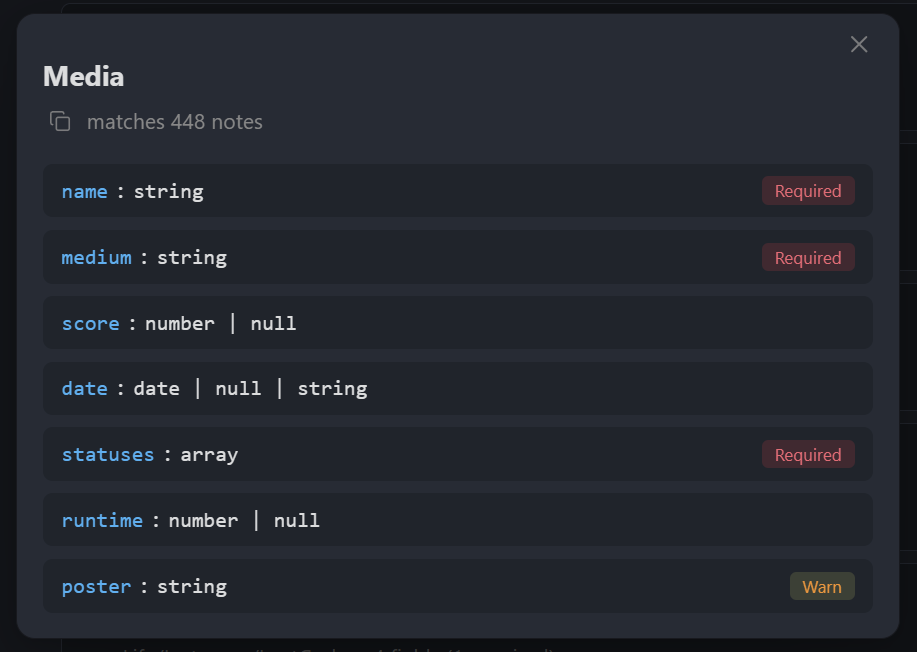
Once saved, violating notes such as this one...
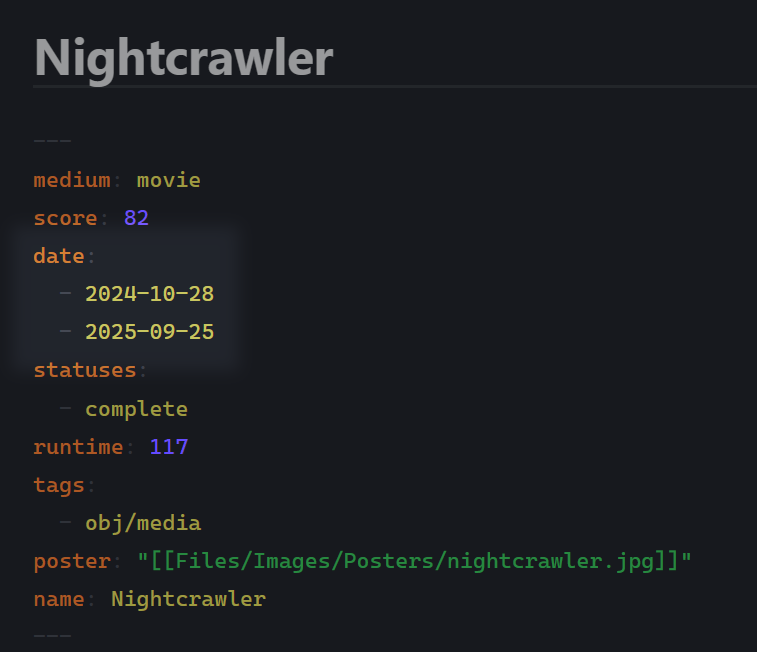
...will be caught by the validation:
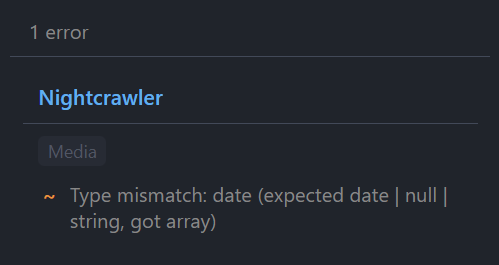
Why
Obsidian properties are freeform. Over time, things can break: you change the structure, use an old field, etc. This plugin validates notes against schemas you define. Your notes are untouched, but your vault's consistency becomes easier to manage.
Setup
- Open plugin settings
- Create a schema: click + Add Schema
- Set a query to target notes
- Add fields: name, type, required/optional
- Violations appear in the status bar/sidebar
Schema definition
The query field allows schema matching based on file paths and/or tags:
| Query | Matches |
|---|---|
Journal |
Notes directly in Journal folder |
Journal/* |
Notes in Journal and all subfolders |
#book |
Notes with #book tag |
Projects/* or #active |
Notes matching either condition |
You can also narrow which notes a schema applies to with properties:
File name matches: Filter by file name (regex)Modified after/Modified before: Filter by modification dateCreated after/Created before: Filter by creation dateHas property/Missing property: Filter by property existenceProperty conditions: Filter by property values (property-operator-value list)
Field types
Primitives
string, number, boolean, date, array, object, null, unknown
Custom types
Define reusable types in settings. A custom type is a named group of fields. Use them when multiple schemas share the same structure or you need nested validation.
Union types
Add multiple field entries with the same name but different types. For example, two entries for status with types string and null creates string | null.
Field flags
Fields can be flagged to be required (key is required) xor warn (soft requirement). There is also a unique constraint that prevents duplicate values on that field.
Finally, there are cross-field constraints (compare this field's value to another field) and conditional validation (only validate this field when another field matches a condition).
Constraints
Each field type supports optional constraints:
| Type | Constraints |
|---|---|
| string | pattern (regex), minLength, maxLength |
| number | min, max |
| array | minItems, maxItems, contains (required values) |
| date | min, max |