
- Overview
- Scorecard
- Updates4
Writing effective prompts for language models can be challenging, especially when your prompts include data that is reusable, like project details or key facts. For example, you might have a note with a project's key specifications that can be easily pulled into different prompts without rewriting. This helps structure your prompts in a more meaningful and consistent way.
To address this need, PromptCrafter allows you to create modular, reusable prompts directly within your Obsidian notes, making it easy to repurpose your knowledge for multiple scenarios without starting from scratch. By connecting different pieces of your knowledge base, you can easily generate prompts that draw on existing information, making your workflow more efficient and your knowledge more organized.
This turns your Obsidian vault into a powerful tool for managing and creating high-quality prompts for LLMs.
How it works
- Create a prompt using a
pccode block and parameterize it with{{mustache placeholders}}. - Define the value of the placeholders in your frontmatter section. These can be either static values or links within your Obsidian vault.
- Copy the resolved
pcblock and paste it into ChatGPT or another LLM.
Obsidian links content resolution
- If you put an [[Obsidian link]] as value of the variables in frontmatter section, the content of the linked note will be resolved.
- You can target a specific section in your file by using
#. Example: [[my file#header1]]. - If the resolved content is another
pcblock, this newpcblock is resolved again using the frontmatter of the host note.
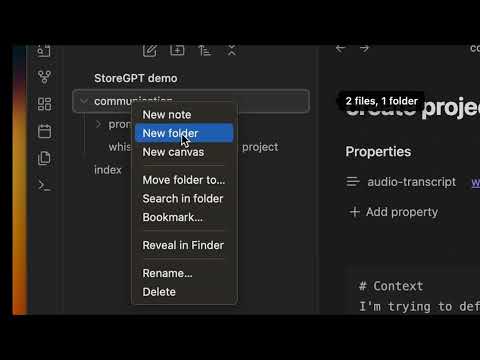
Video
Examples
Step 1:
---
audio-transcript: [[project-x/my-whisper-transcript]]
---
# Context
I'm trying to define the essence of my project. I did it by recording a 15 min audio of myself.

# Your task
Transform my AudioTranscript into a structured documentation and produce a markdown document using the following structure: context, problematic, solution, main features.

# AudioTranscript
{{audio-transcript}}
Then enrich your Obsidian Vault with the new documentation project description.md.
Step 2:
---
project-description: [[project-x/project description]] cool-names: [[project-x/brainstormings#best names]]
---
# Context
I'm looking for a name for my project.

## Project description
{{project-description}}

# Your task
Your brainstorm 5 project name proposition, I give you quick feedback for your next propositions, we reiterate in an infinite loop. Inspire your propositions on the ProjectNameIdeas that I've liked so far.

# ProjectNameIdas
{{cool-names}}
Then enrich your "best-names.md" files in order to refine your brainstorming for later use.
Continue iterating on your project for:
- Communications based on
project description- metaphor research
- linkedin posts
- pitches
- Specifications based on
project description- feature descriptions / stories
- use cases brainstorming
- Programming based on
project descriptionandfeature descriptions- generate code for a specific feature
- discuss solution designs
PromptCrafter's approach to LLM usage
- Avoid repeating yourself when prompting: Same project, same LLM resources. Keep your LLM assets in a versionable project repository and share them with your team.
- Future-Proof Knowledge: Adopt an approach to using LLMs that emphasizes creating structured knowledge and prompts for your projects. Importantly, store this information in an open, sustainable format that will be compatible with any future AI systems.
- Simplify prompt design: Utilize placeholders to make the structure of your prompts clutter-free, readable, and reusable.
- Controlled Context for Better Performance: Gain precise control over the information you introduce into your LLM context to optimize performance. Automatic methods like Retrieval-Augmented Generation don’t offer the necessary control to fully harness your LLM’s potential.