Pretty Paragraphs
 meljadyn879 downloads
Styles paragraphs to be indented in the style of a novel: indents first lines and removes space between paragraphs.
- Overview
- Scorecard
- Updates5
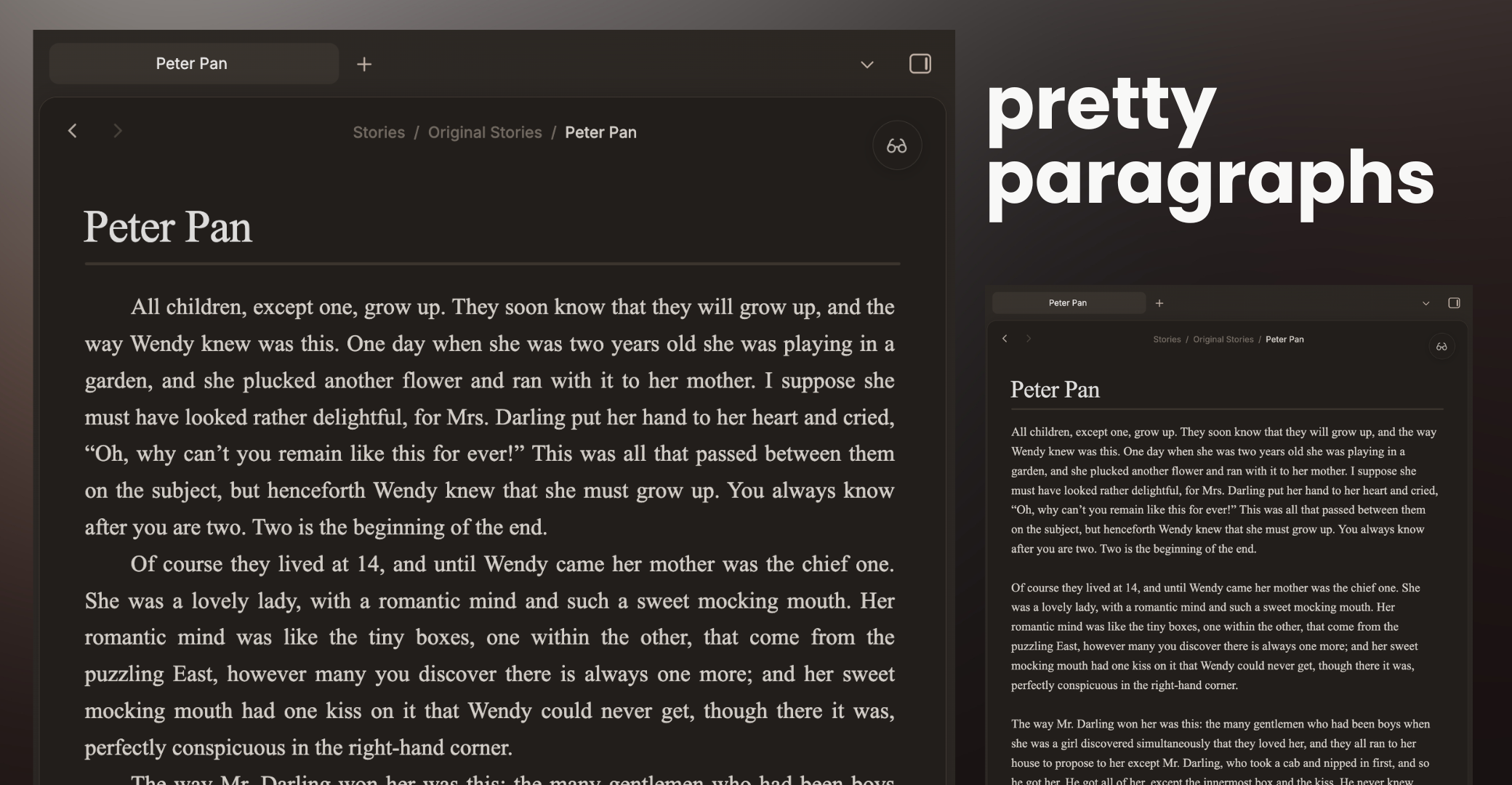
Pretty Paragraphs is designed to bring a novel-like look to your notes with traditional first-line indentation, all while still enforcing good markdown habits.
Enforcing good markdown habits, this plugin is designed so that a single-enter creates a new line with no indent, so you will never be confused about whether your paragraphs will be recognized in markdown.
Features / Settings
- Indents: Enjoy beautiful, traditional indents.
- Keep Markdown Habits: A visible difference between line-breaks and paragraph-breaks ensures that you will always create your documents in valid markdown
- Choose Your View: Choose whether you want this new styling to apply in the reader view, editor view, or both!
- Justify: Apply justified typesetting, so your lines go end-to-end across the page
- Whitelist: Selectively apply these styles in the specified folder. Enjoy your novel formatting without ruining your daily notes.
- Adjust: Change the indent size by using the Style Settings plugin in conjunction with this one.
Recommendations
This plugin pairs great with Paragraph Break by Mateusz Nitka, which will create new paragraphs with a single-enter rather than a double-enter.
Found a bug or have a feature request? Please feel free to open an issue in the GitHub repository!
HealthExcellent
ReviewSatisfactory
About
Apply manuscript-style typography by replacing vertical paragraph spacing with 2em first-line indents for a book-like layout. Show the style in both Editor (Live Preview) and Reading views, with optional justification and folder whitelistingDetails
Current version
0.2.7
Last updated
2 months ago
Created
2 months ago
Updates
5 releases
Downloads
879
Compatible with
Obsidian 1.12.7+
Platforms
Desktop, Mobile
License
0BSD
Author