
- Overview
- Scorecard
- Updates6
PDF++ Exporter is an Obsidian plugin designed to "burn" (physically write) your annotations and notes taken in Markdown files back into your PDF documents using standard PDF annotations (highlight rectangles and pop-up comments).
It is the perfect companion for the PDF++ plugin, allowing you to share your annotated papers, books, or documents with non-Obsidian users (openable in Adobe Acrobat, macOS Preview, PDF.js, or any standard PDF viewer).
🎯 Purpose
PDF++ enables annotating PDFs without modifying the original files, keeping a pristine copy in your vault and saving all notes, highlights, and comments inside Markdown files.
While this non-destructive approach is ideal inside Obsidian, the connection between your notes and the PDF is lost when you share the document externally. PDF++ Exporter solves this by analyzing Markdown backlinks, extracting the context and comments, and generating a standalone, annotated PDF file with native PDF annotations.
💡 Use Cases
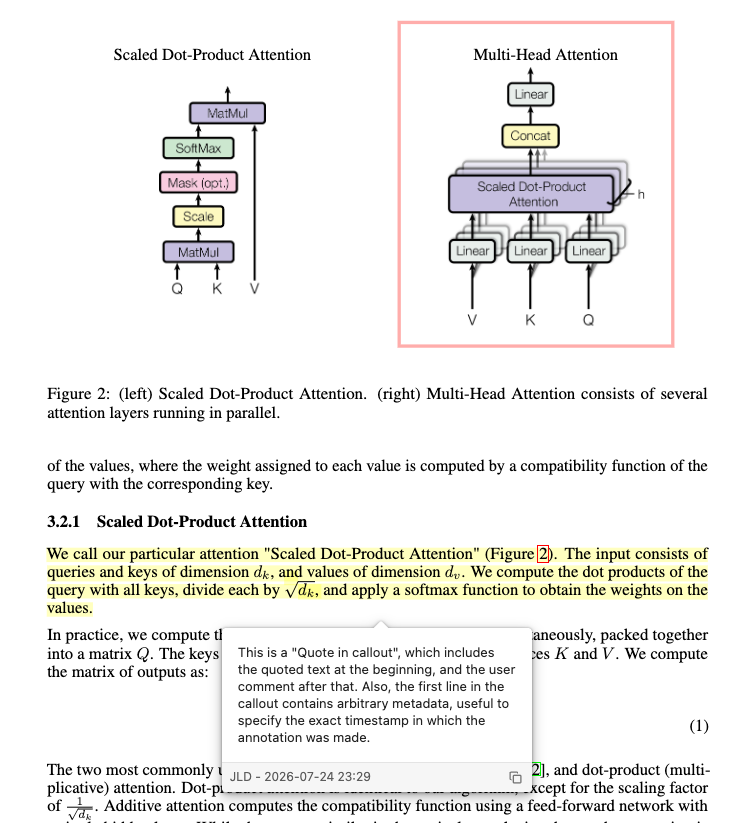
Sharing Annotated Research Papers: Read and highlight papers using PDF++ while writing notes in your vault. Export a final PDF with native color highlights and popup comments to send to colleagues, peer reviewers, or professors.
Document & Contract Review: Annotate contracts or draft documents in Markdown. Export the PDF with your comments as native PDF tooltips/annotations.
⚙️ Key Features
- Standalone Operation: Generates annotations based on PDF++ links without requiring the PDF++ plugin to be enabled during export.
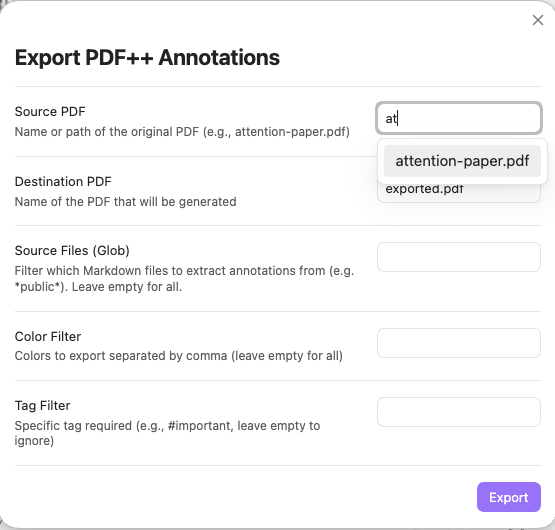
- Smart Autocomplete: Modal with quick fuzzy-filtering of PDFs in your vault.
- Support for All Annotation Types: Exports both text highlights (
Highlight) and rectangular area selections (Square). - Sticky Notes: Option to generate floating sticky notes (
Textannotations) with your comments alongside standard highlight popups for maximum compatibility across different PDF viewers (Preview, Edge, Acrobat). - Customizable Highlights:
- Filter by annotation color or note types.
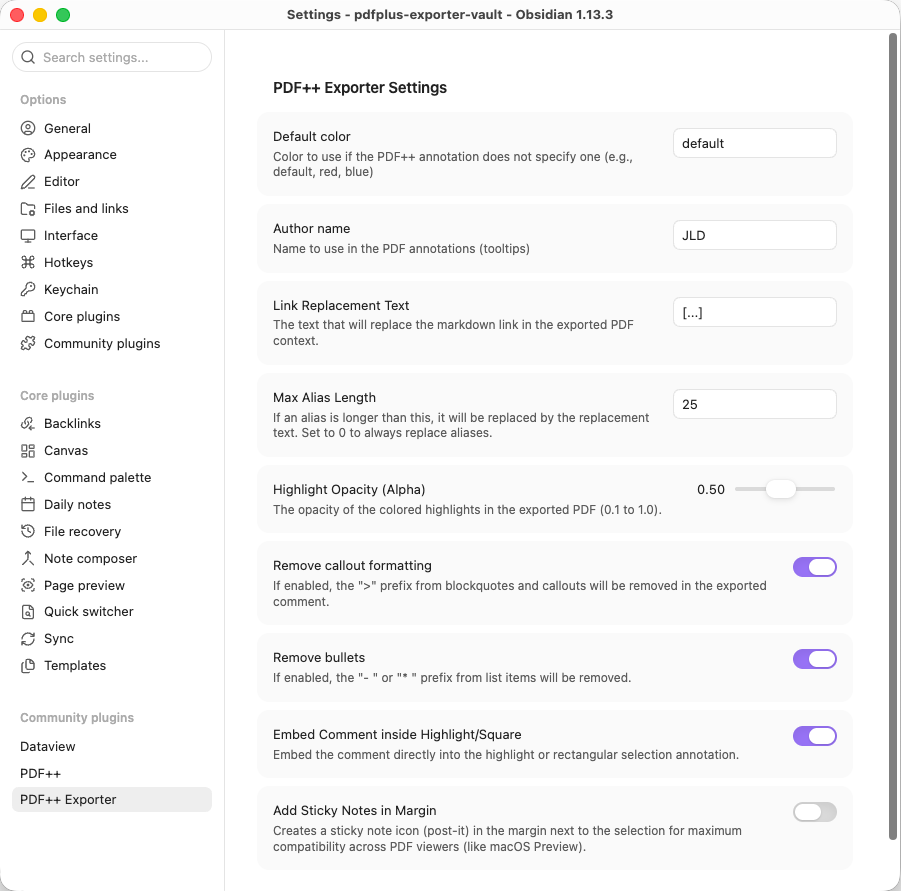
- Adjustable opacity (Alpha) to prevent overly saturated highlight colors.
- Option to embed comments inside the highlighted area, as floating sticky notes, or both.
- Configurable link replacement text (defaults to
[...]) to replace Markdown link tags within comment popups. - Option to configure a "Max Alias Length". Aliases shorter than this length will be preserved in the comment (useful for manually typed short aliases), while longer auto-generated aliases will be replaced. Set to 0 to always replace.
- Option to clean up Markdown callouts (
> [!info]) and list bullets (-,*).
- "Dummy PDF" Support: Complete compatibility with remote/external PDFs referenced via URL.
🖼️ Screenshots
- Export Modal:
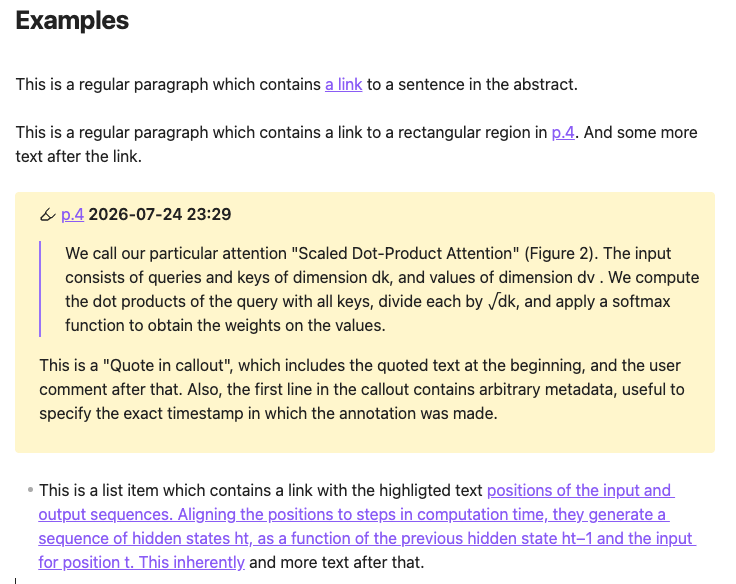
- Markdown note containing links to other pdfs:
- Exported PDF in External Viewer:
- Settings Panel:
🛠️ Technical Details & Implementation
1. The Comment Extraction Problem (Heuristics & Conventions)
The Problem:
Extracting a "comment" from a Markdown file to embed into a PDF popup annotation is an open-ended, ill-defined problem. PDF++ generates the Markdown wikilink pointing to a selection fragment (handling the visual overlay in Obsidian), but it dictates nothing about how users structure their comments around those links. Markdown grants total freedom.
The Current Solution (Convention-based Heuristics):
PDF++ Exporter resolves this by supporting two common note-taking conventions:
- Callout Quotes (
> [!PDF|...]): PDF++ can automatically generate callouts containing a quote of the highlighted text followed by user comments.- The plugin extracts the body of the callout as the main comment popup content.
- Text appended to the callout header (e.g.,
> [!PDF|2026-03-06 14:00]) is parsed as metadata (title/author/timestamp) for the PDF annotation popup header.
- Running Text / List Items:
Links can be embedded directly within continuous paragraphs or list items (e.g.,
"- The finding in [[paper.pdf#page=1|this section]] is prohibitive.").- The exporter extracts the full paragraph or list item, stripping initial list markers (
-,*). - Because raw Markdown wikilinks look cluttered inside standard PDF popups, the plugin replaces the link reference with the user-defined replacement text (defaults to
[...]). - If the wikilink contains a short alias manually typed by the user (e.g.,
[[paper.pdf#page=1|here]]), it can be preserved instead of the replacement text by configuring the "Max Alias Length" in settings.
- The exporter extracts the full paragraph or list item, stripping initial list markers (
Note: As community adoption grows, additional heuristics and user-defined comment extraction patterns will be supported.
2. The Coordinate Mapping Challenge
The Problem:
PDF++ does not store physical page coordinates ($X, Y$ bounding boxes) inside Markdown links. Instead, it encodes the text selection inside the URL fragment using line and character offsets relative to PDF.js's extracted text stream (e.g., #page=1&selection=10,2,12,5).
The Solution:
To draw native Highlight rectangles and QuadPoints using pdf-lib, PDF++ Exporter includes a custom geometry engine (PDFGeometry) reverse-engineered from PDF++:
- Loads the page text content using PDF.js (
window.pdfjsLib). - Maps character and line indices from the fragment to glyph containers and text rectangles returned by PDF.js.
- Converts and merges those rectangles into physical PDF coordinates (with bottom-left origin).
- Constructs native PDF dictionaries (
PDFDict//Subtype /Highlight//QuadPoints//Rect) and injects the annotations into the PDF pages usingpdf-lib.
3. Handling "Dummy PDFs" (Remote PDFs)
The Problem:
PDF++ supports "Dummy PDFs": local .pdf files containing plain text pointing to an external URL (https://...). Trying to read or clone these files directly as binary PDF buffers causes corrupted PDF errors.
The Solution:
The exporter handles remote PDFs seamlessly through a 3-tier strategy:
- Header Detection: Checks the file header upon reading. If it does not start with
%PDF-and contains anhttp(s)://URL, remote mode is activated. - Disk Cache Check (PDF++ Fork Integration): Checks if the remote PDF was already cached locally by checking for its SHA-256 hash at
.obsidian/plugins/pdf-plus/dummy-cache/HASH.pdf. If present, it loads directly from disk. - In-Memory Fetching & Caching: If not cached on disk, fetches the PDF using Obsidian's CORS-bypassing
requestUrl. The binary is cached in RAM (pdfBufferCache) during the export session to prevent duplicate network downloads. - Detached Buffer Protection: Buffer clones (
buffer.slice(0)) are passed to rendering engines, preventing memory detachment errors caused by PDF.js Web Workers.
📜 License
MIT License.