Search...Search plugins and themes...
⌘K
Sign in
  • Get started
  • Download
  • Pricing
  • Enterprise
  • Account
  • Obsidian
  • Overview
  • Sync
  • Publish
  • Canvas
  • Mobile
  • Web Clipper
  • CLI
  • Learn
  • Help
  • Developers
  • Changelog
  • About
  • Roadmap
  • Blog
  • Resources
  • System status
  • License overview
  • Terms of service
  • Privacy policy
  • Security
  • Community
  • Plugins
  • Themes
  • Discord
  • Forum / 中文论坛
  • Merch store
  • Brand guidelines
Follow us
DiscordTwitterBlueskyThreadsMastodonYouTubeGitHub
© 2026 Obsidian

Palta Note

mrniketmrniket2k downloads

Render Bhatkhande notation for Tabla.

Add to Obsidian
  • Overview
  • Scorecard
  • Updates16

Write Kaydas, Gats and Relas in Bhatkhande notation in Obsidian. Under the hood it uses the <palta-note> web component.
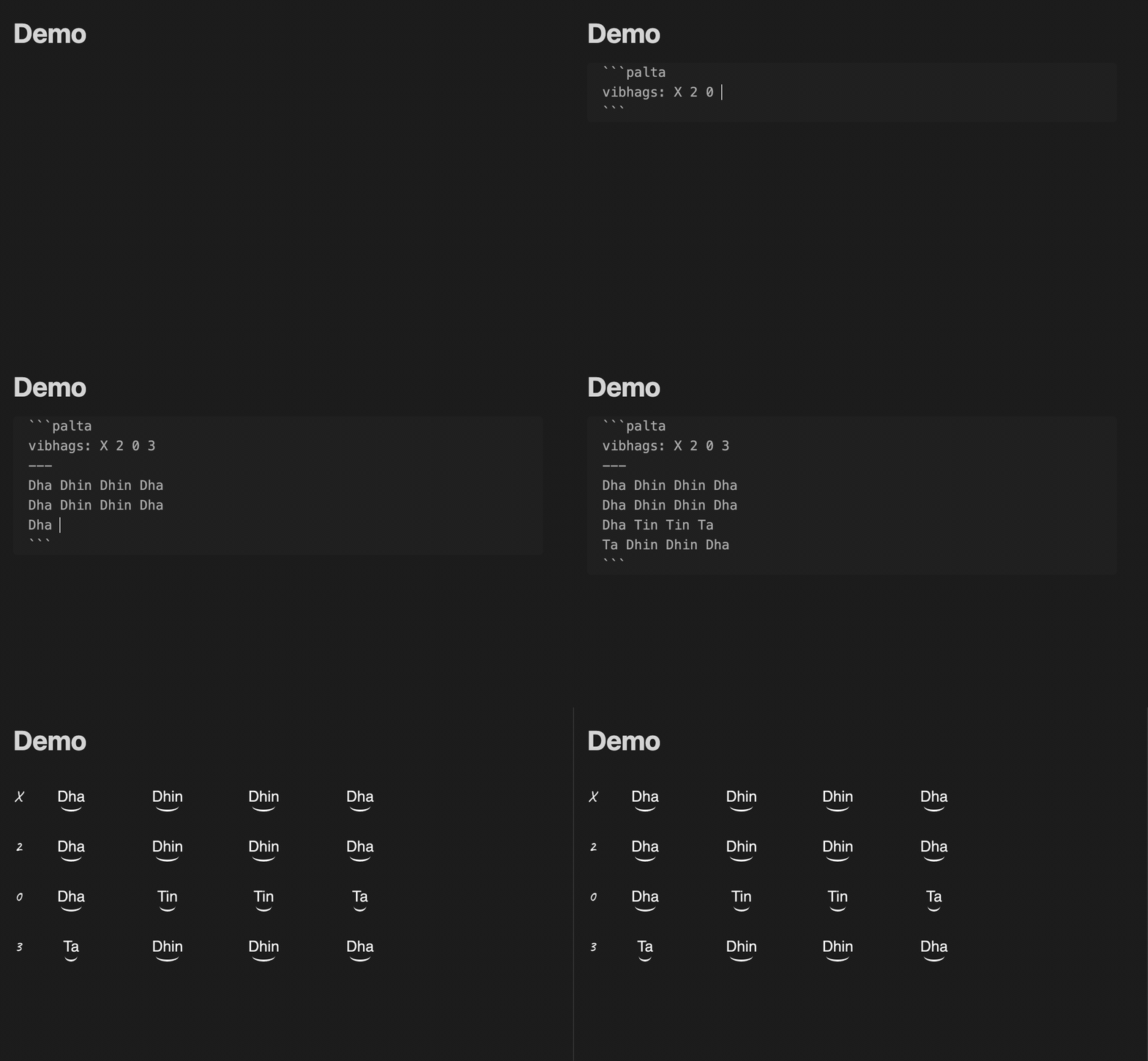
Demo of Palta Obsidian Plugin in use

Usage

Install the plugin. Then in any note you can create a palta code block with the follow structure:

```palta
vibhags: 0 1 2
---
Tin Tin Na
Dhin Na
Dhin Na
```

which will then be rendered into:
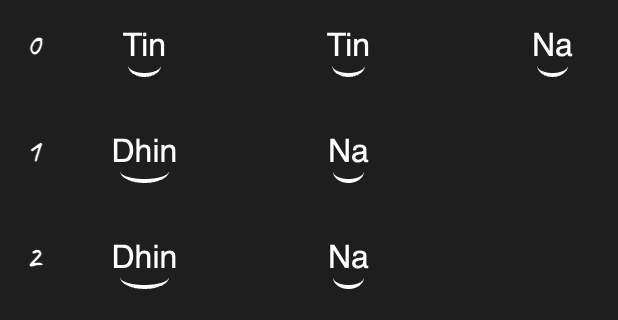
Rendered Example (Rupak)

Without vibhags

You can also choose to not specify the vibhag structure (if you want to quickly note things down for example):

```palta
Tin Tin Na
Dhin Na
Dhin Na
```
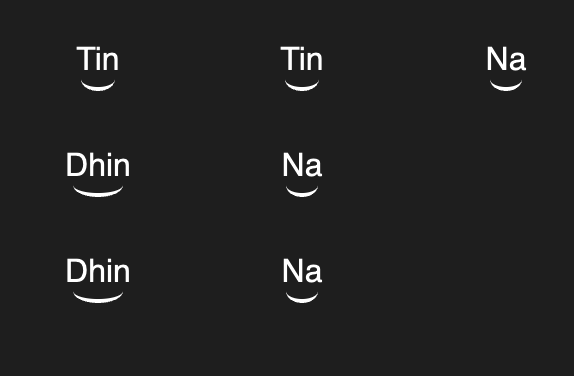
Rupak without vibhags

82%
HealthExcellent
ReviewSatisfactory
About
Write Kaydas, Gats and Relas in Bhatkhande notation directly in Obsidian notes using palta code blocks. Render those blocks into readable Bhatkhande notation with a web component, including optional vibhag structure or omit vibhags for quick entries.
MarkdownVisualizationCode
Details
Current version
1.7.3
Last updated
3 months ago
Created
3 years ago
Updates
16 releases
Downloads
2k
Compatible with
Obsidian 0.15.0+
Platforms
Desktop, Mobile
License
MIT
Report bugRequest featureReport plugin
Author
mrniketmrniket
GitHubmrniket
  1. Community
  2. Plugins
  3. Markdown
  4. Palta Note

Related plugins

Mermaid Tools

Improved Mermaid.js experience: visual toolbar with common elements and more.

Kroki

Render Kroki diagrams.

Markwhen

Create timelines, gantt charts, calendars, and more using markwhen.

JS Engine

Run JavaScript from within your notes.

AnyBlock

Take any fragment as a block and render it into multiple effects.

Advanced Canvas

Supercharge your canvas experience. Create presentations, flowcharts and more.

Templater

Create and use dynamic templates.

Importer

Import data from Notion, Evernote, Apple Notes, Microsoft OneNote, Google Keep, Bear, Roam, and HTML files.

Excalidraw

Visual PKM powerhouse. Create and edit Excalidraw drawings.

Outliner

Work with your lists like in Workflowy or Roam Research.