Organic Mindmap
 Nickolay Kondratyev38 downloads
Hand-drawn-feeling mindmaps for your notes.
- Overview
- Scorecard
- Updates2
Mindmaps for Obsidian that feel hand-drawn: organic, tapering branches with their labels written along them, and a tidy two-sided layout that does not look machine-made. Each mindmap is a plain Markdown note, so it stays readable, linkable and searchable like any other note.
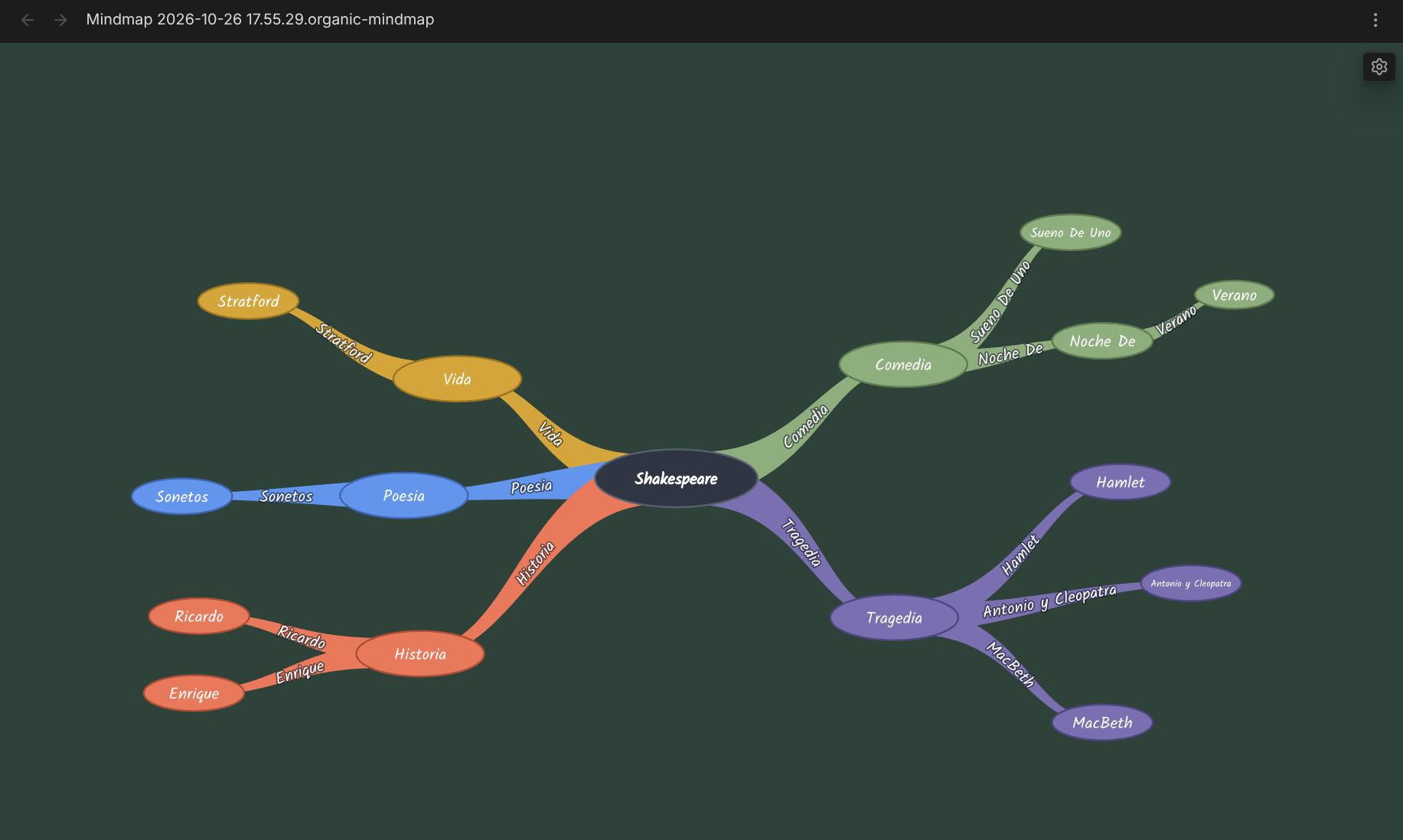
Why you'll like it
- A map is a note. The note's nested list is the tree. Edit it as a map or as Markdown; both stay in sync.
- Edit on the map. Add, rename, move and delete nodes with the mouse; undo and redo with the usual keys.
- Your layout sticks. Drag a node where you want it and it stays there after you reopen the note.
- Links work.
[[Links]]in a node open the linked note, and Obsidian keeps them updated when notes are renamed. - Make it yours. Branch colors, fonts and background color, changed live over the map.
- Private and offline. No network access; every font is bundled.
Install
In Obsidian: Settings > Community plugins > Browse, search for Organic Mindmap, click Install, then Enable. Or open it directly: Organic Mindmap in Community plugins.
Needs Obsidian 1.12.7 or newer, on desktop (Windows, macOS, Linux). Mobile is not supported.
Quick start
- Open the command palette (Ctrl/Cmd+P) and run Organic Mindmap: Create new mindmap.
- Double-click Central topic and type your own.
- Hover a node and click + to add an idea under it.
- Drag nodes around until the map looks right. That's it: every change is saved to the note.
Use
Create a mindmap
- Command palette: Create new mindmap. It makes
Mindmap <timestamp>.organic-mindmap.mdin your default new-note folder and opens it as a map. - File explorer: right-click a folder > New organic mindmap makes one in that folder.
- Or turn an existing note into a map: add
organic-mindmap: 1to its frontmatter. The note needs exactly one top-level list item (the center of the map).
What the note looks like
---
organic-mindmap: 1
---
- Project Phoenix ^root
    - [[Some note]] ^n7f3k
        - plain idea ^n9a2b
The nested list is the tree. The ^n7f3k block ids are added for you and keep each node's identity. Dragged node
positions are saved in a hidden %% comment block after the list, so the note stays clean in reading view.
Open
A mindmap note opens as a map wherever you open it (file explorer, links, quick switcher). To see the Markdown, use "Open as Markdown" in the map's "..." menu, or the command Toggle mindmap / Markdown view (works both ways).
Edit on the map
| To | Do |
|---|---|
| Add a child | Hover a node, click + |
| Rename | Double-click the node |
| Move under another node | Drag it onto that node |
| Place it somewhere else | Drag it to empty space; the spot is saved |
| Delete | Right-click > Delete (the notice that follows has Undo; the center node cannot be deleted) |
| Undo / redo | Ctrl+Z / Ctrl+Shift+Z (Cmd on macOS) |
| Open a link | Click a node with a [[link]] (Ctrl/Cmd-click: new tab) |
Every change is written to the note right away. Edits made in a Markdown tab, or synced in from another device, show up on the open map.
Undo/redo covers changes made on the map, one step per action. If the note changes outside the map (typing in a Markdown tab, sync), the map's history is cleared and a notice tells you. Switching the view to another note or closing it also clears the history.
Nodes you never dragged follow the automatic layout. A dragged node's position is kept relative to its parent, so it moves along when the parent moves.
If a note cannot be shown as a map, the view says why and offers "Open as Markdown".
Settings
Settings > Organic Mindmap, or the gear in a map's top-right corner (opens the settings over the map, so you see each change as you make it):
- Branch colors: Warm, Vivid, Muted, Monochrome
- Node font and branch font: Kalam, Caveat, Patrick Hand, Nunito
- Background color
- Restore look defaults
Changes apply to every open map at once and are kept across restarts.
Privacy
The plugin makes no network requests. All fonts are bundled (SIL Open Font License).
Feedback
Found a bug or have an idea? Open an issue.
Want to build from source or contribute? See docs/development.md.