MindTrace
 Xuhao Yin182 downloads
Local-first attention analytics: automatically track time spent and writing on each note, then visualize how your attention flows across topics and hours.
- Overview
- Scorecard
- Updates11
🧭 MindTrace
See where your attention actually goes.
A silent, local-first time & attention tracker for Obsidian — a beautiful topic × time dashboard that reveals your focus, your writing output, and your habits.
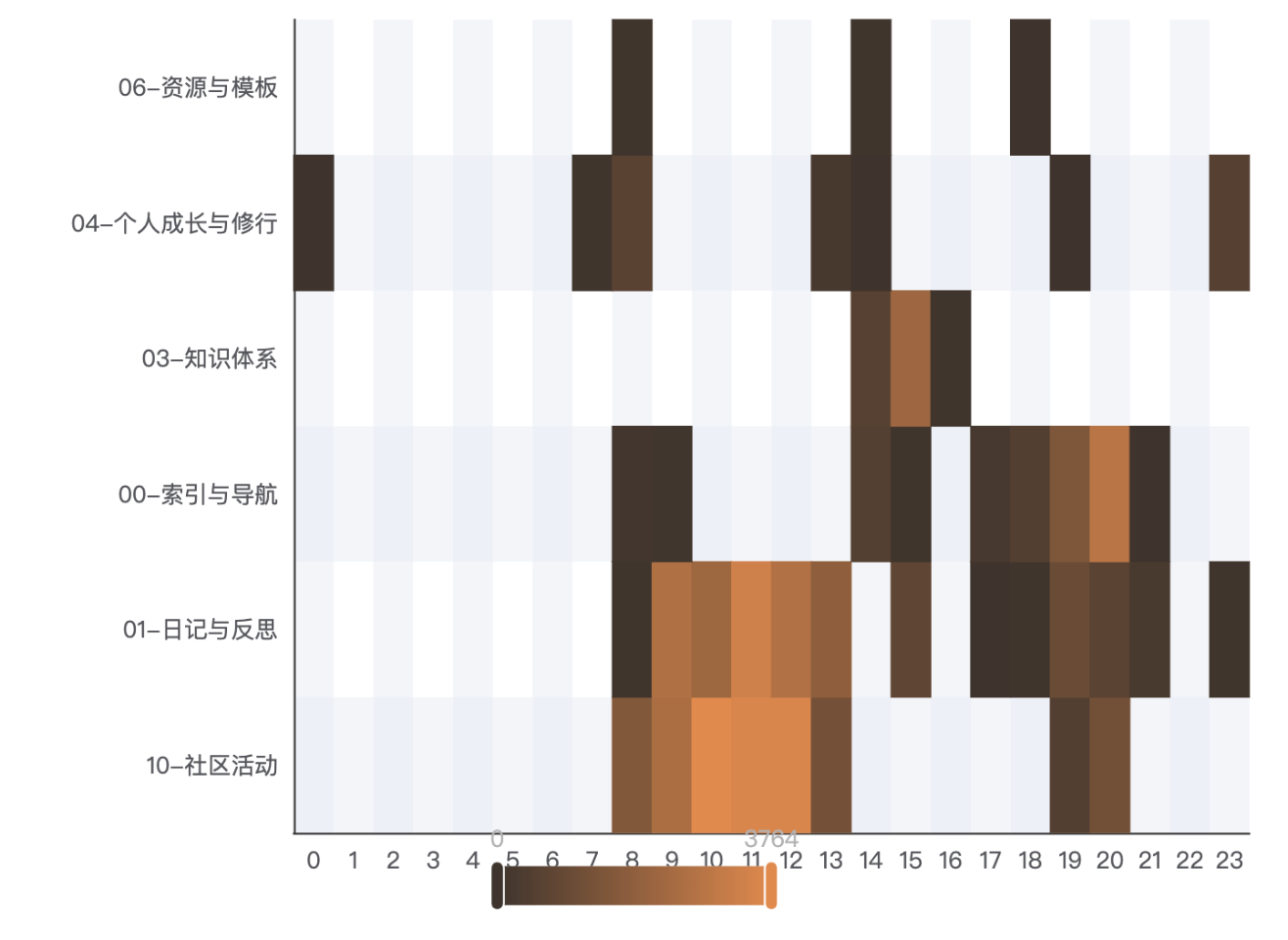
✨ The one chart that explains your day
MindTrace is a zero-friction time tracker and attention analytics plugin. It runs in the background and quietly records how long you spend on each note — reading and writing — then rolls everything up by folder and plots it as a topic × time heatmap. One glance, and you can see "mornings are for philosophy, afternoons for code."
🚀 Why MindTrace?
- Zero friction — no timers, no buttons, no popups. It just watches. Writing flow stays intact.
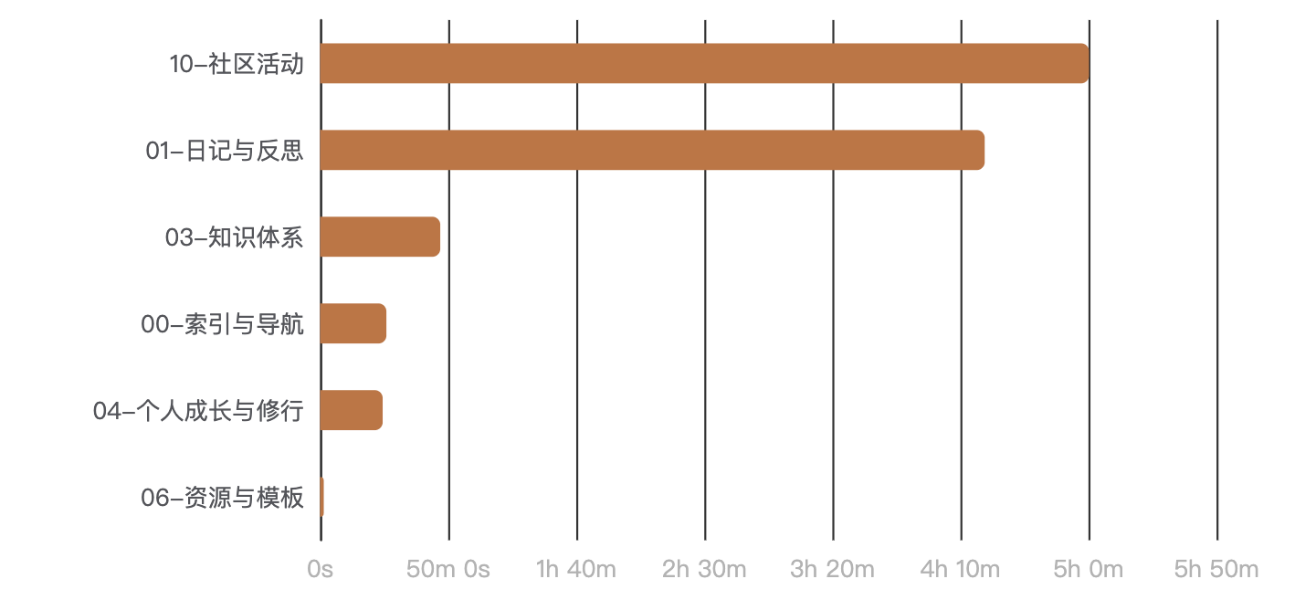
- Folder = topic — your vault is already organized; MindTrace treats your folder tree as the taxonomy and rolls time up recursively, drillable from topic → subfolder → file.
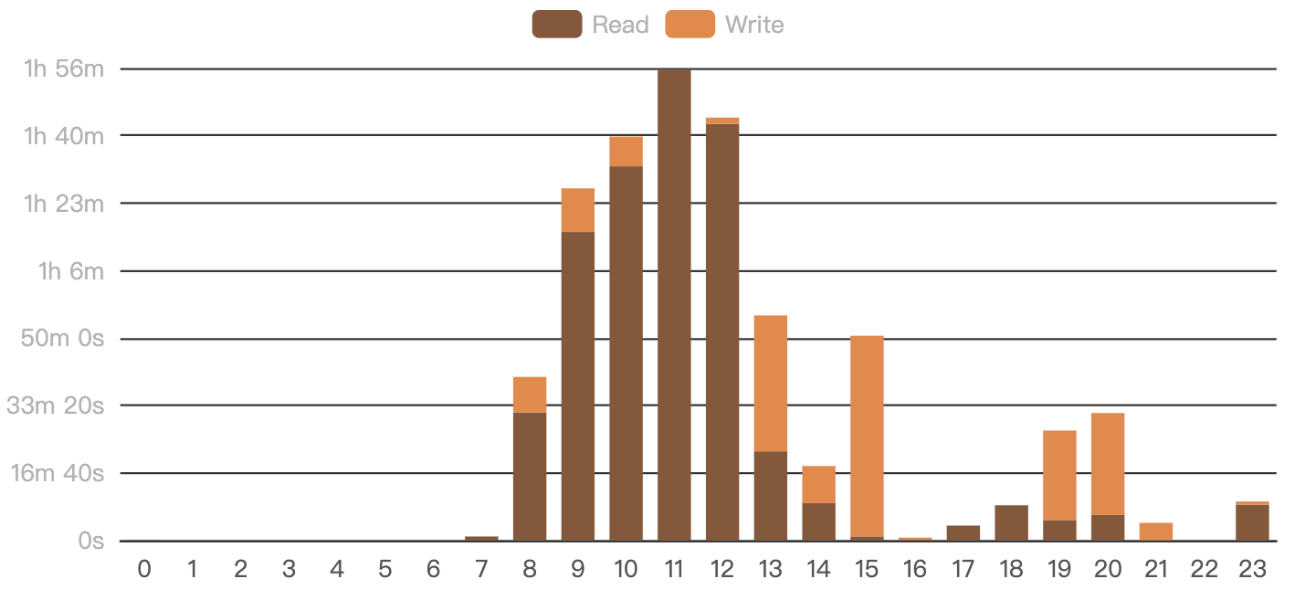
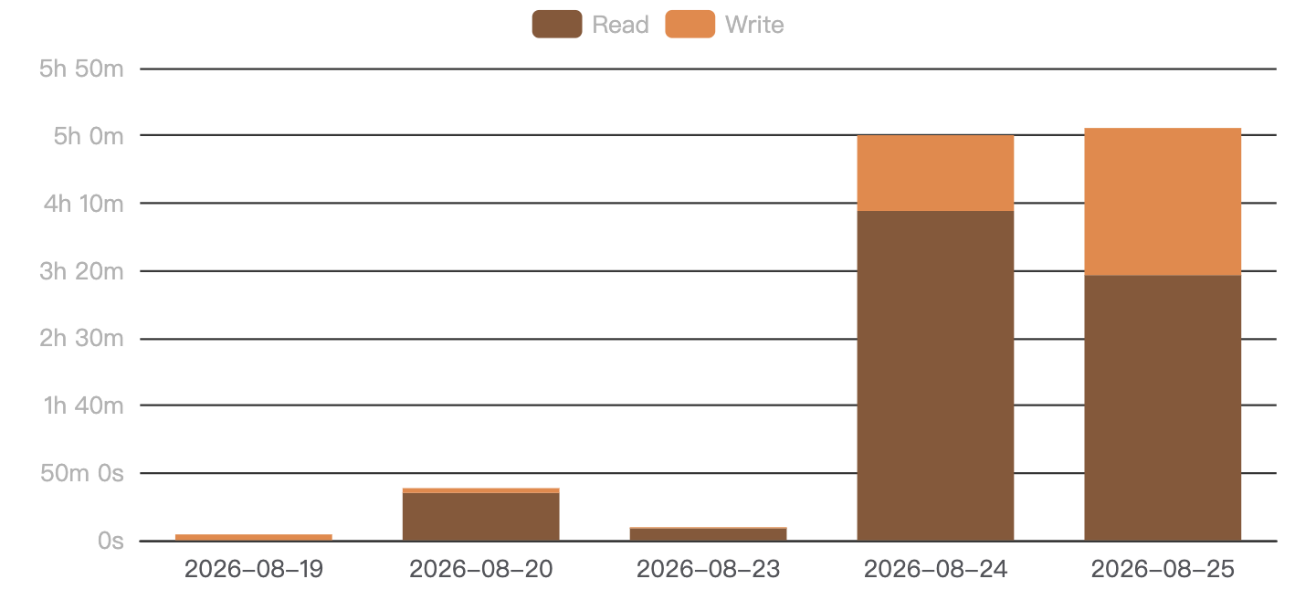
- Read vs. write, inferred — a transparent heuristic splits your active time into reading and writing, no manual tagging.
- 100% local — everything lives in your vault. No account, no cloud, no telemetry, no note content is ever read.
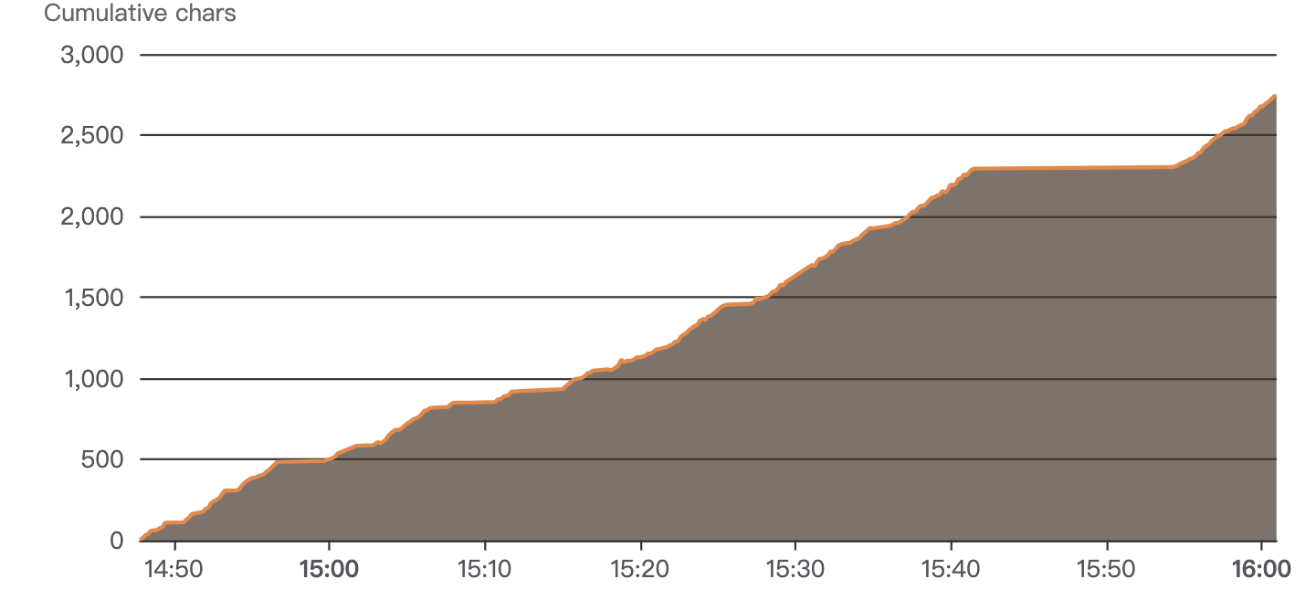
- Quantified self — not a productivity nag, but a mirror: plain-language daily insights like "your most invested topic is philosophy" help you reflect, not judge.
📊 A dashboard full of insight
| Topic × Time — where your attention goes by hour | Topic Ranking — with click-to-drill-down |
|
 |
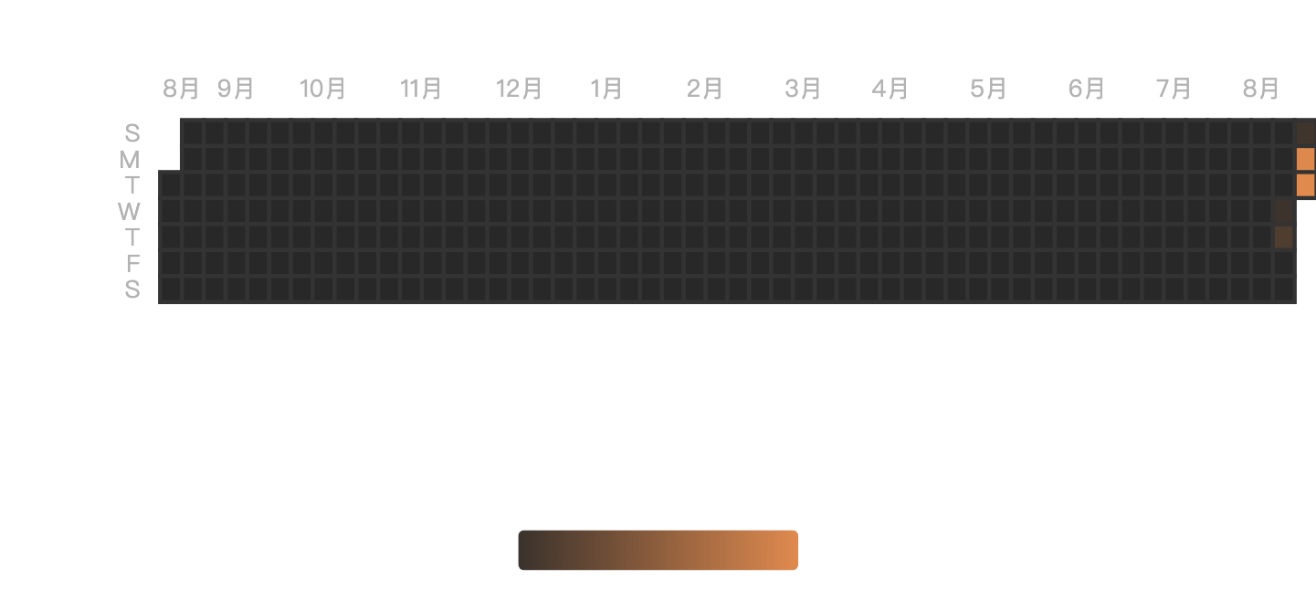
| Active Hours — when you're actually working | Activity Calendar — GitHub-style daily streak |
 |
 |
| Document Activity — notes written vs. touched (day/week/month/quarter/year) | This Week vs Last — are you on an upswing? |
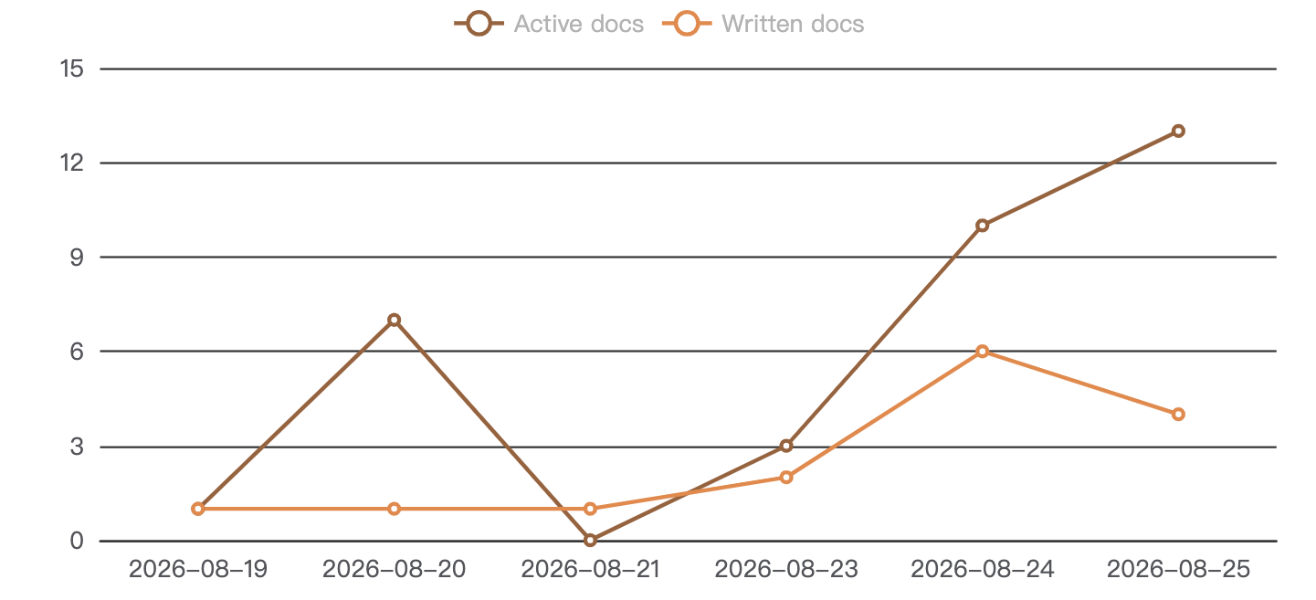 |
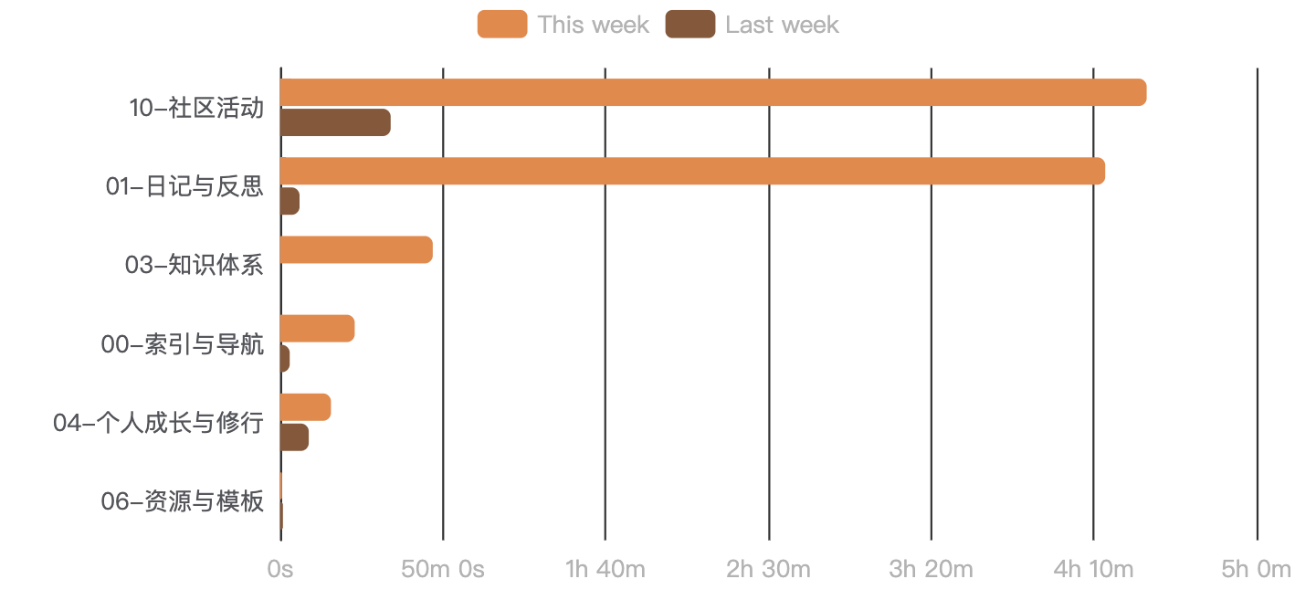 |
| Weekday Distribution — your weekly rhythm | Word Trend — writing output over time |
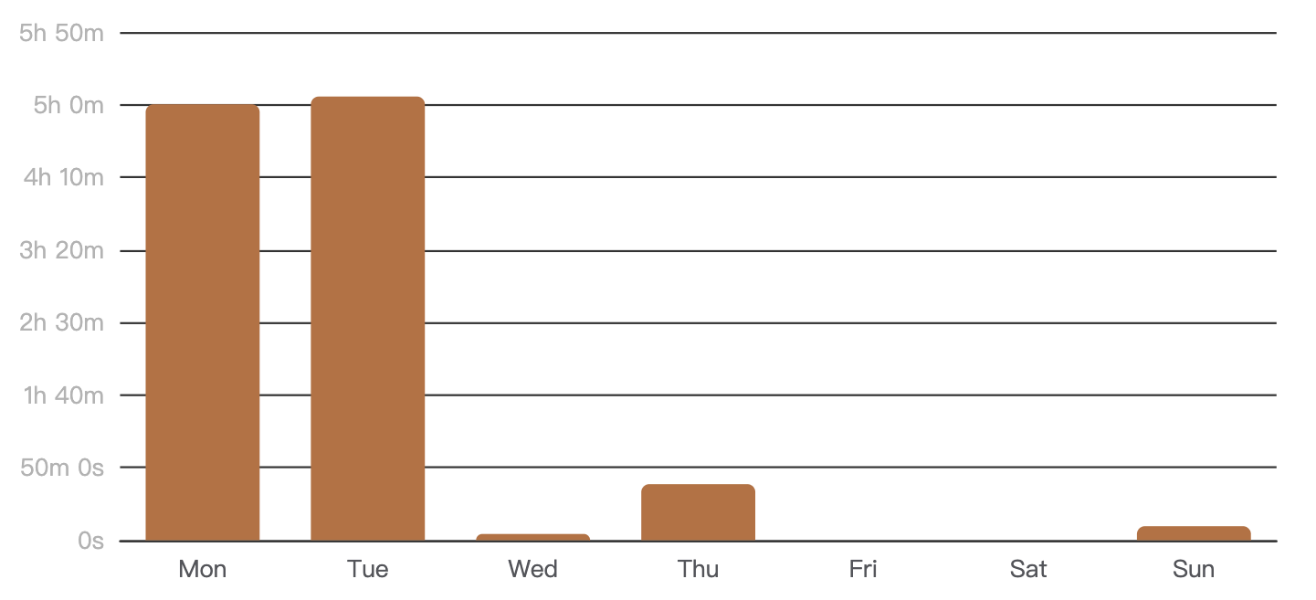 |
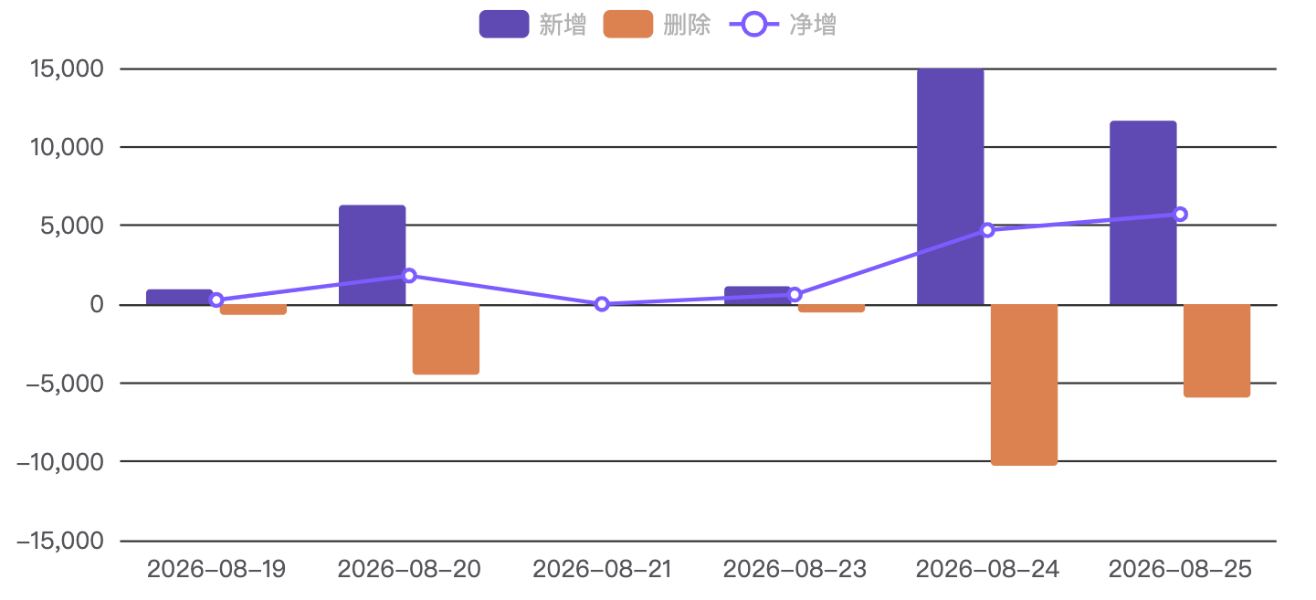 |
| Read vs Write — composition of your time | Word Growth — per-document writing trajectory |
 |
 |
Every chart exports to PNG / JSON / CSV with one click. The whole dashboard is theme-aware and follows your Obsidian accent color.
🔒 Privacy by design
Data is written as append-only JSONL to .mindtrace/ in your vault. No network, no telemetry, no cloud, no note content — only metadata (paths, timestamps, durations, character deltas). Your notes never leave your computer.
📦 Install
From the Obsidian Community Plugins directory, search MindTrace and install. Or manually:
- Download
main.js,manifest.json,styles.cssfrom the latest release. - Copy them into
<vault>/.obsidian/plugins/obstracker/. - Enable MindTrace in Settings → Community plugins.
🖱 Usage
- Enable the plugin — tracking starts automatically, no setup needed.
- Click the chart icon in the ribbon, or run "Open dashboard", to open the dedicated dashboard note.
- (Optional) embed the dashboard anywhere with a
```mindtracecode block.
Data is stored in .mindtrace/events-YYYY-MM-DD.jsonl (one file per day).
🛠 Development
npm install
npm run dev     # watch & build
npm run build   # type-check + production build
npm test        # unit tests