Search...Search plugins and themes...
⌘K
Sign in
  • Get started
  • Download
  • Pricing
  • Enterprise
  • Account
  • Obsidian
  • Overview
  • Sync
  • Publish
  • Canvas
  • Mobile
  • Web Clipper
  • CLI
  • Learn
  • Help
  • Developers
  • Changelog
  • About
  • Roadmap
  • Blog
  • Resources
  • System status
  • License overview
  • Terms of service
  • Privacy policy
  • Security
  • Community
  • Plugins
  • Themes
  • Discord
  • Forum / 中文论坛
  • Merch store
  • Brand guidelines
Follow us
DiscordTwitterBlueskyThreadsMastodonYouTubeGitHub
© 2026 Obsidian

Wrap with shortcuts

manicmanic12k downloads

Wrap selected text in custom tags with shortcuts. E.g.: underline, sub, ruby (furigana).

Add to Obsidian
  • Overview
  • Scorecard
  • Updates4

Wrap the selected text in customized tags with shortcuts.

Underline is provided with Ctrl-u(Cmd-u) as default wrappers.

Procedure

Create a wrapper
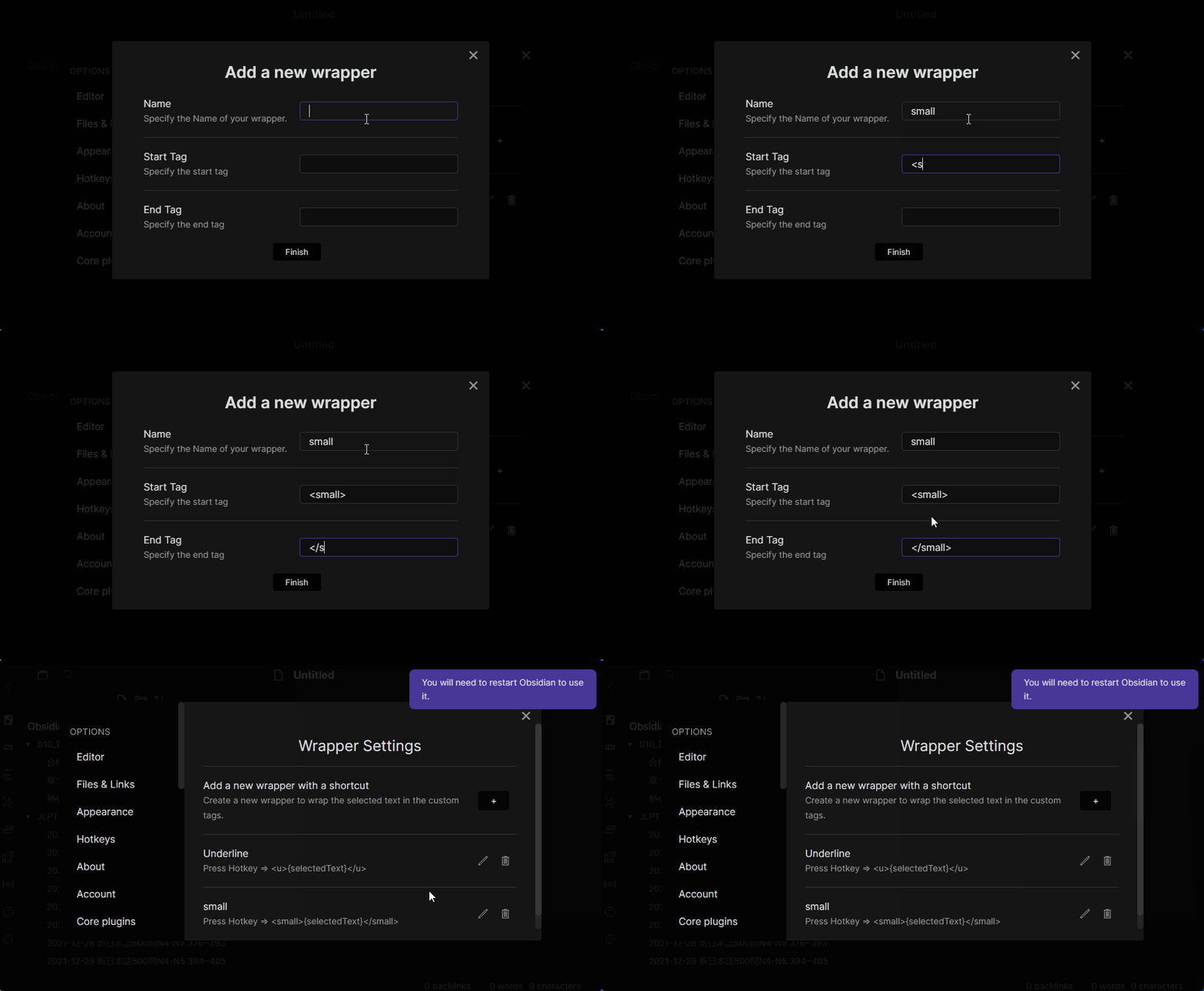
Create a wrapper

Restart Obsidian, Go Settings -> Hotkeys
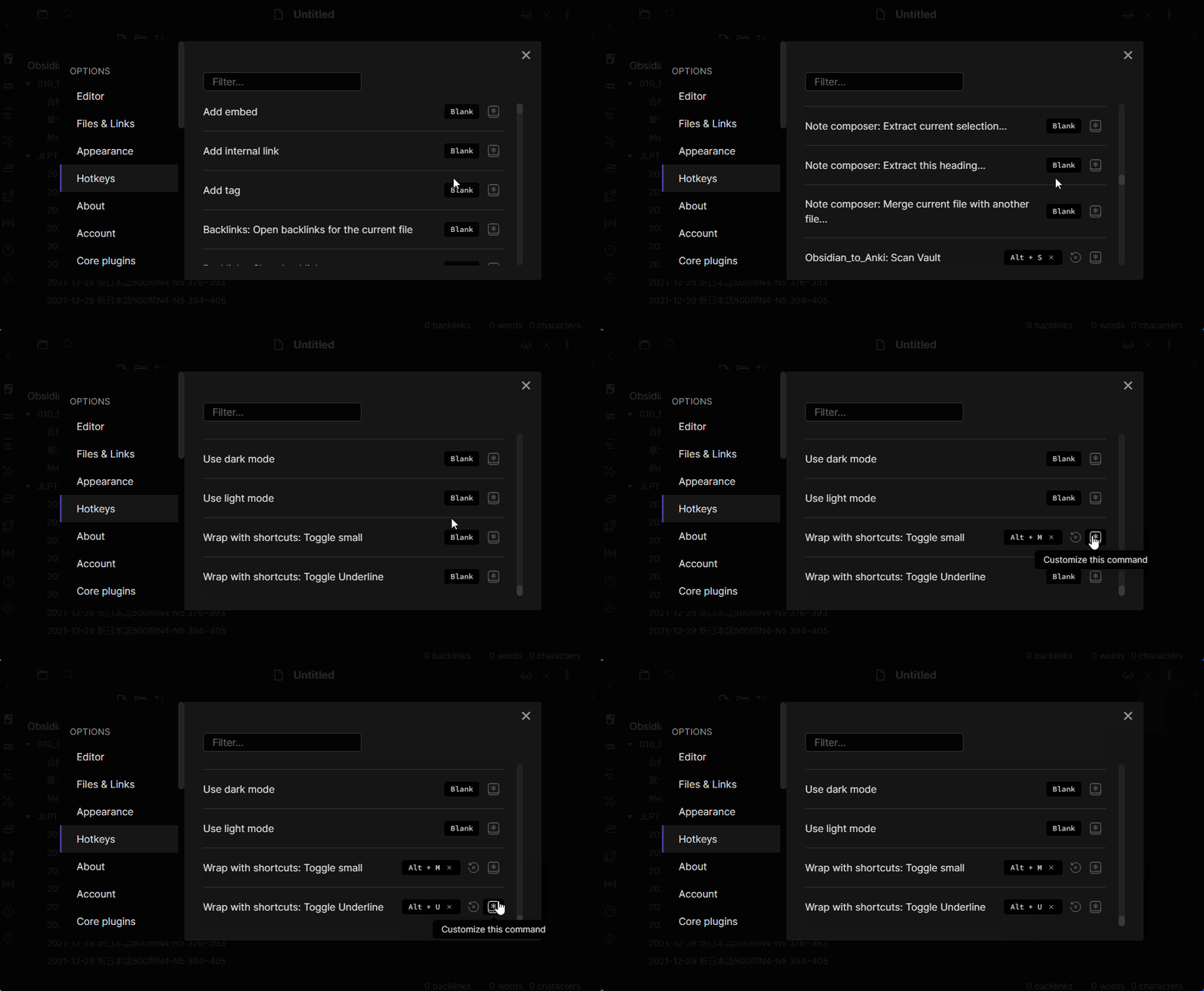
Remap a shortcut

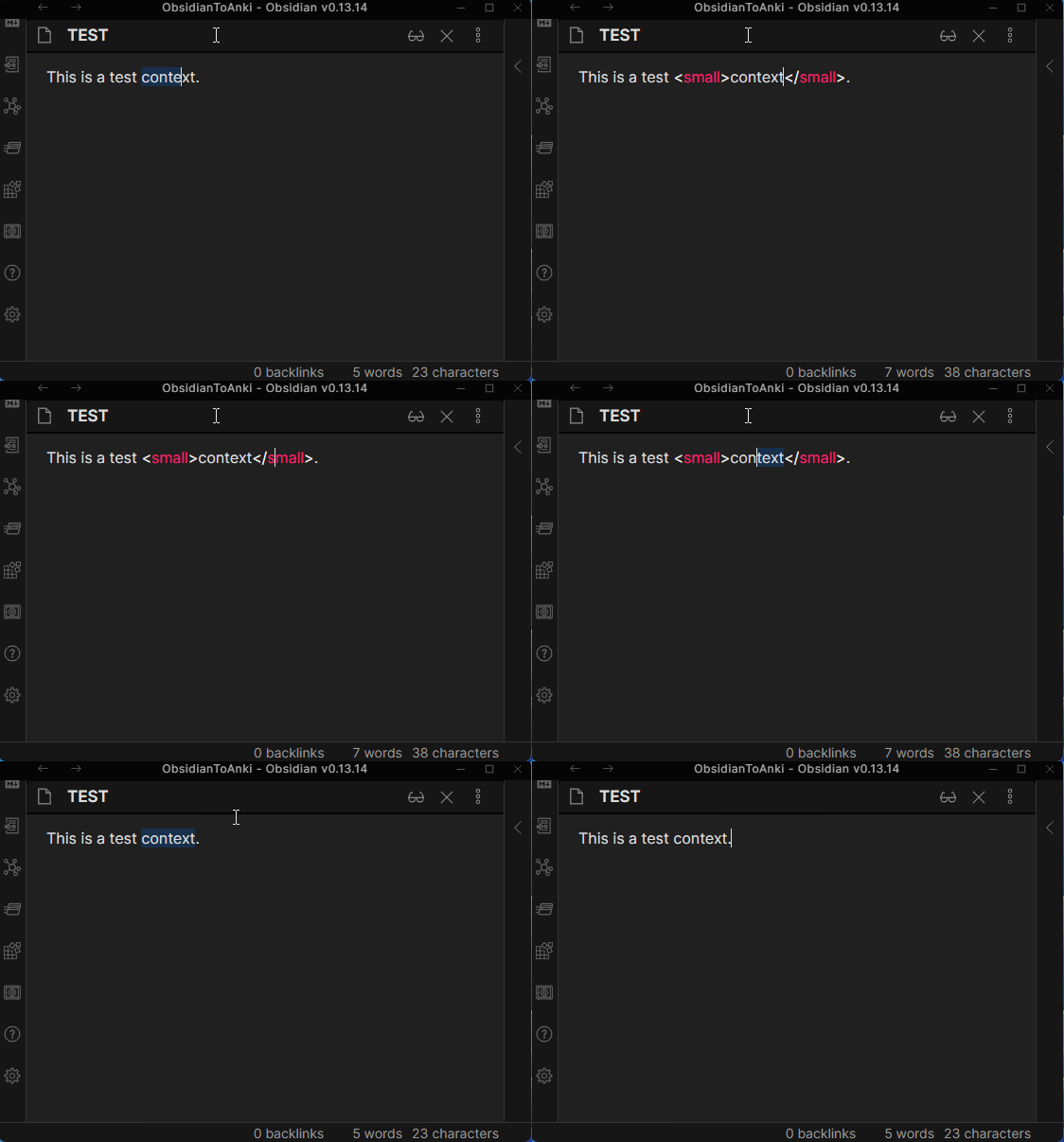
Use the wrapper

Use the wrapper

Special Thanks

  • Benature for obsidian-underline. This project is forked from his!
  • phibr0 for obsidian-macros. I got really good examples for plugin settings.

Support me

If you find this plugin helpful, consider supporting me:

65%
HealthFair
ReviewSatisfactory
About
Wrap selected text with custom tag wrappers using keyboard shortcuts. Assign shortcuts to any wrapper for fast formatting; includes an underline wrapper preset on Ctrl+U / Cmd+U. Create and reuse multiple wrappers across notes.
FormattingHotkeysEditing
Details
Current version
1.3.0
Last updated
3 years ago
Created
4 years ago
Updates
4 releases
Downloads
12k
Platforms
Desktop, Mobile
License
MIT
Report bugRequest featureReport plugin
Author
manicmanic
github.com/manic/obsidian-wrap-with-shortcuts
GitHubmanic
  1. Community
  2. Plugins
  3. Formatting
  4. Wrap with shortcuts

Related plugins

Easy Typing

Auto format when typing.

Emoji Toolbar

Quickly search for and insert emojis into your editor.

Colored Text

Color the selected texts.

List Callouts

Create simple callouts in lists.

Code Editor Shortcuts

Add keyboard shortcuts (hotkeys) commonly found in code editors such as Visual Studio Code (VS Code) or Sublime Text.

Symbols Prettifier

Prettify the symbols with actual symbols you commonly type, like arrows.

Smart Typography

Convert quotes to curly quotes, dashes to em dashes, and periods to ellipses.

Number Headings

Automatically number or re-number headings.

Markdownlint

Use markdownlint to make the contents of your files more consistent.

Text Transporter

Advanced text tools for working with text in your vault.