Search...Search plugins and themes...
⌘K
Sign in
  • Get started
  • Download
  • Pricing
  • Enterprise
  • Account
  • Obsidian
  • Overview
  • Sync
  • Publish
  • Canvas
  • Mobile
  • Web Clipper
  • CLI
  • Learn
  • Help
  • Developers
  • Changelog
  • About
  • Roadmap
  • Blog
  • Resources
  • System status
  • License overview
  • Terms of service
  • Privacy policy
  • Security
  • Community
  • Plugins
  • Themes
  • Discord
  • Forum / 中文论坛
  • Merch store
  • Brand guidelines
Follow us
DiscordTwitterBlueskyThreadsMastodonYouTubeGitHub
© 2026 Obsidian

WordNet Dictionary

tfthackertfthacker28k downloads

A large lexical database of English developed by Princeton University.

Add to Obsidian
  • Overview
  • Scorecard
  • Updates12

WordNet plugin for Obsidian. WordNet is a large lexical database of English terms developed by Princeton University and its license allows use in other applications.

Learn more by reading the documentation: https://tfthacker.com/wordnet

Instructions

The WordNet dictionary can be accessed either through the command palette or the WordNet button on the ribbon.

Once invoked, WordNet will allow you to input the word you want to look up. As you type, options are shown. Once you find the word that interests you, you can press enter to have it inserted into the current document. If the current document is in preview mode, the definition will be displayed in a notification window for about 10 seconds.
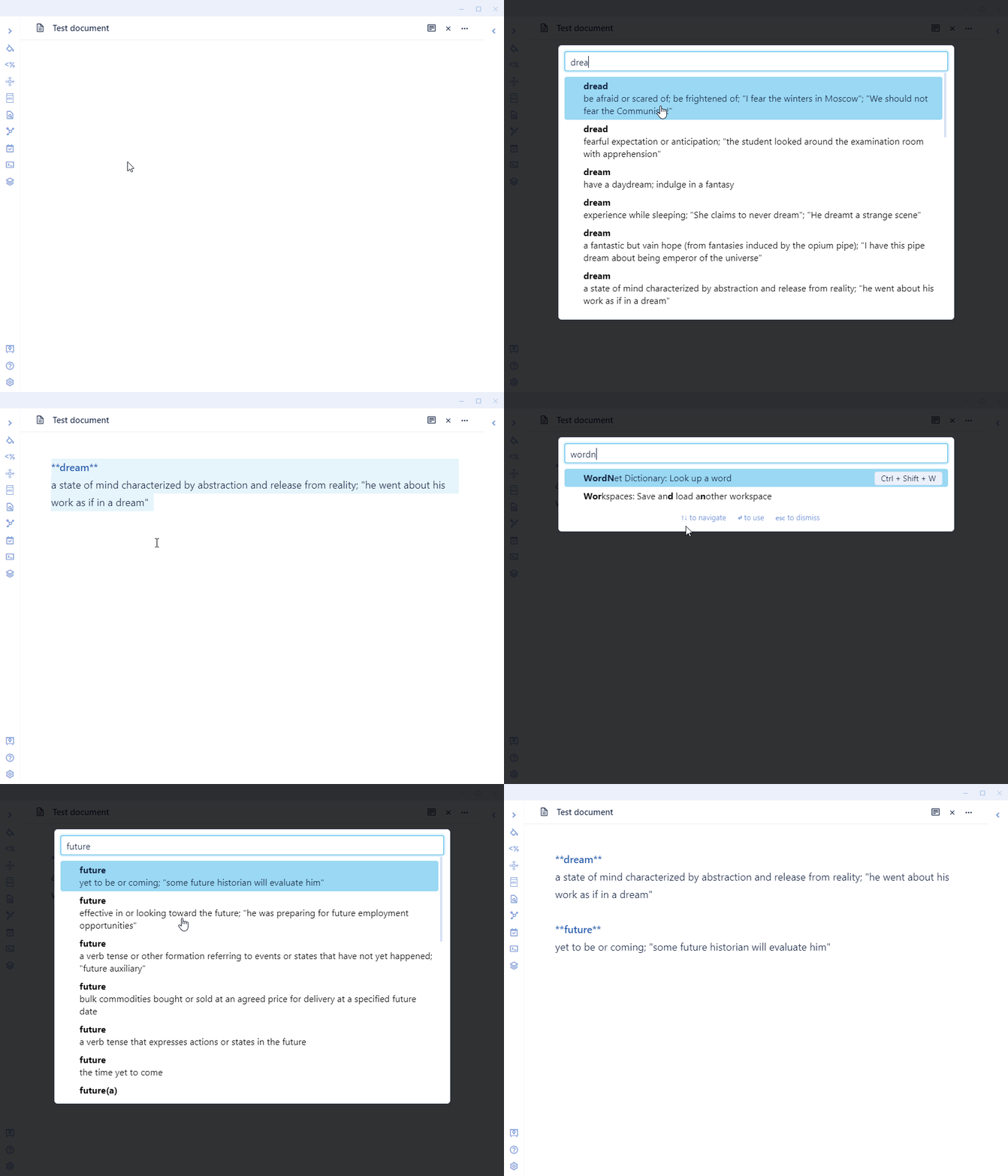
Feature Preview

Ways to connect with me and more information on my work

You might also be interested in a few products I have made for Obsidian:

  • JournalCraft - A curated collection of 10 powerful journaling templates designed to enhance your journaling experience. Whether new to journaling or looking to step up your game, JournalCraft has something for you.
  • Cornell Notes Learning Vault - This vault teaches you how to use the Cornell Note-Taking System in your Obsidian vault. It includes learning material, samples, and Obsidian configuration files to enable Cornell Notes in your vault.

You can find me on Twitter @TfTHacker

My website https://tfthacker.com/

HealthGood
ReviewSatisfactory
About
Look up English words from Princeton's WordNet and browse matching senses as you type. Insert chosen words or their definitions into the current note, or display definitions in a brief notification when the note is in preview mode.
LanguagesAutocompleteWriting
Details
Current version
2.0.6
Last updated
9 months ago
Created
5 years ago
Updates
12 releases
Downloads
28k
Compatible with
Obsidian 1.9.14+
Platforms
Desktop, Mobile
License
MIT
Report bugRequest featureReport plugin
Sponsor
Support
Author
tfthackertfthacker
tfthacker.com
GitHubtfthacker
Xtfthacker
  1. Community
  2. Plugins
  3. Languages
  4. WordNet Dictionary

Related plugins

LanguageTool

Unofficial integration of the LanguageTool spell and grammar checker.

Bible Reference

Take Bible study notes easily. Automatically suggests Bible verses as references.

YouVersion Linker

Automatically link bible verses in your notes to YouVersion bible.

Longform

Helps you write and edit novels, screenplays, and other long projects.

Numerals

Turn any code block into an advanced calculator. Evaluate math expressions on each line of a code block, including units, currency, and optional TeX rendering.

LanguageTool Integration

advanced spell/grammar checks with the help of language-tool.

Text Generator

Generate text content using GPT-3 (OpenAI).

Smart Composer

AI chat with note context, smart writing assistance, and one-click edits for your vault.

Simplified Chinese Word Splitting

Adds Simplified Chinese word splitting support for the editor and Vim mode.

Various Complements

Complete words similar to auto-completion in an IDE.