Rewarder
 gnopps40k downloads
Reward yourself for completing tasks/todos, highly configurable.
- Overview
- Scorecard
- Updates5
Intro
This is a plugin to reward yourself when you complete tasks. Rewards can be given for every task or at random intervals. Given rewards can be stored in your daily note.
Getting started
- List your available rewards. Do this with one reward per row in a separate file. By default the file name is "Rewards.md", but this can be changed to any file in the settings. If you want to get started quickly you can run the command Create sample rewards note to create an example rewards file.
Example file content:
- Have a cup of tea
- Watch an episode of favourite series {rare} {20}
- Knit for 15 minutes {rare}
- Open the birthday present champagne bottle {legendary} {1}
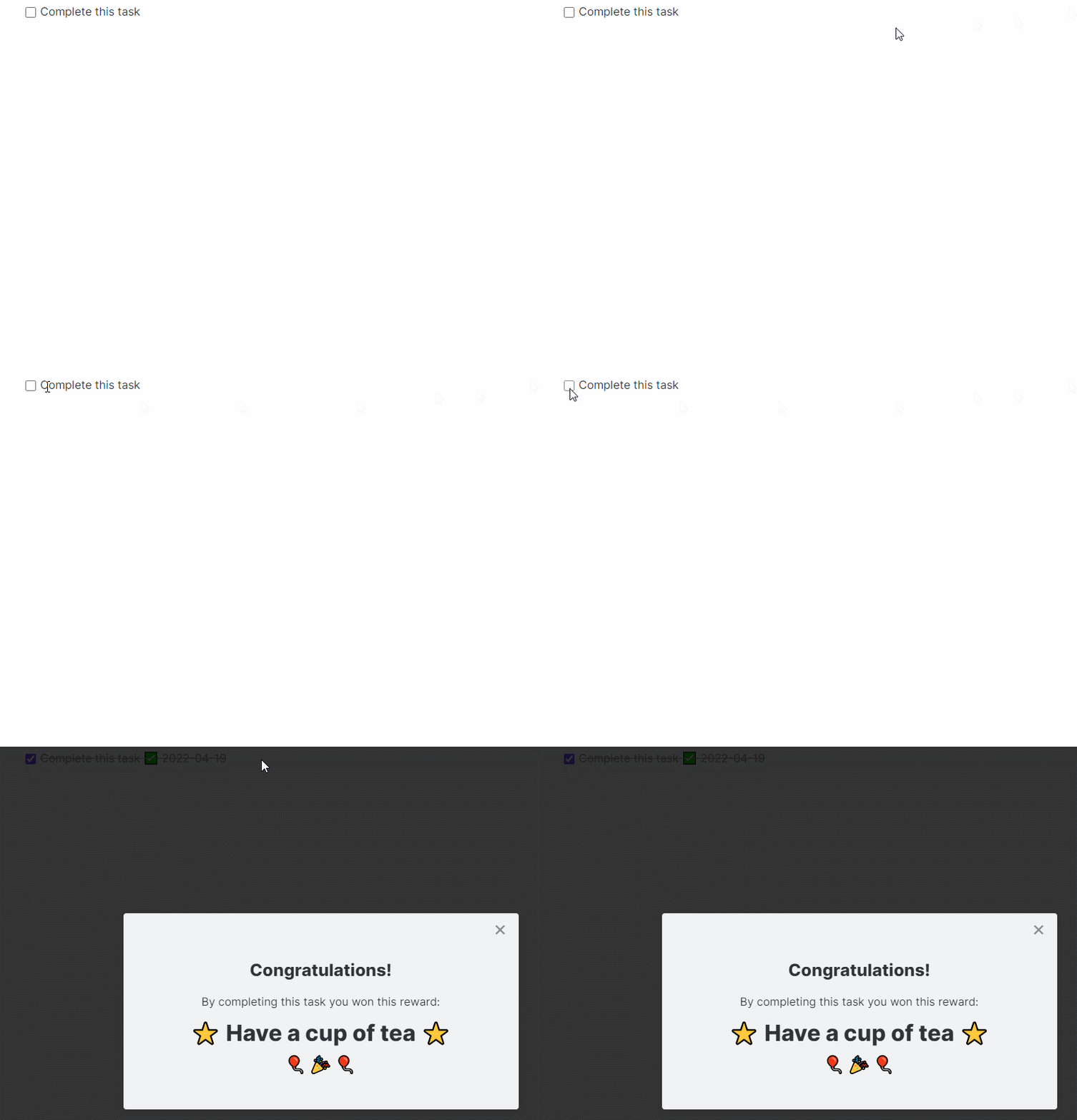
- Complete a task by clicking its checkbox. Obsidian Rewarder will now randomly determine if you should get a reward and if so, which. You'll be notified with a message in Obsidian. If you click the button to "Skip this reward" then the reward's inventory will not be adjusted.
Configurating rewards
Each reward has three optional settings:
Occurence: This defines how often a reward should occur. You may want the reward "Eat candy" to occur more often than "Buy a bottle of champagne". There are three different occurence-levels, by default these are
- common
- rare
- legendary
In the settings it possible to change both the name and chance of each occurence. Rewards with no occurence specified will default to "common".
Inventory: This defines how many items of each rewards are available. If you have a "Eat candy"-reward but only have 5 candies, then you may want to set the maximum number this reward can occur to 5. Every time this reward is given the inventory will automatically be substracted by 1 in the rewards-file. Once 0 is reached, this reward will no longer be given. If not specified, this defaults to unlimited.
Image: This can be used to insert a link to an image to be displayed when the reward is earned. The image link has to be in one of the following formats:
- {https://example.com/images/beer.png} for images hosted online
- {app://local/C:/Files/beer.png} for images hosted on your computer. Note that spaces and other special characters need to be replaced. The plugin Obsidan File path to URI is a great plugin to do this automatically.

Reward settings are inserted by adding a number, occurence, and/or link within double-brackets on the same row as the reward. If you prefer, double-brackets can be replaced with something else in settings. The reward settings can be entered in any order you wish. Examples:
Eat candy
The above reward will be common and never run out
Eat cake {4}
The above reward will be common and run out once it has been awarded 4 times
Have a nap {rare}
The above reward will occur rarely but will never run out
Have a beer {rare} {5}
The above reward will occur rarely and will run out once it has been awarded 5 times
Have a beer {rare} {5} {https://example.com/images/beer.png}
The above reward will occur rarely and will run out once it has been awarded 5 times, the linked image will be shown when awarded.
Settings
The following configuration options are possible
Functionality settings
- File with rewards: The file (including folder if applicable) where the rewards are stored. Defaults to "Rewards.md".
- Show popup when reward is awarded: If activated a popup (modal) will be shown when a reward is awarded, you'll need to close this before you can continue your work. If deactivated only a timed notice will be shown.
- Save rewards in daily note: When active will amend any rewards received to the end of your daily note, one row per awarded reward.
- The section heading of daily note used to save rewards: This section heading is used as the place for saving rewards received in the daily note.
- Save task in daily note: When active will amend completed tasks to the end of your daily note, one row per completed task. The task will be listed with its name, time completed, and a link to the page it was completed on.
- The section heading of daily note used to save tasks: This section heading is used as the place for saving the completed tasks in the daily note.
- Use with quotes instead of rewards: Activate this if you are working with inspirational quotes instead of rewards. When active, your rewards are showing without any congratulations or other added text.
Reward settings
- Occurence values: Defines the chance of a reward with the occurence to be given. A setting of "20" means that on average, this reward occurence will be given 20% of the time a task is completed. The chance that any reward is given is the sum of the three values given here.
- Occurence labels: Allows you to rename the default occurence names.
Special characters settings
- Completed task: What character is used as prefix for completed tasks in daily notes
- Start/End of metadata: Allows you to define between what characters your rewards have the data of occurence and inventory. Defaults to "{" and "}".
Commands
- Create sample rewards note: This will create a file called "Rewards.md" with example rewards.