Related Notes Finder
 lifegems8k downloads
Add extra features for finding related notes.
- Overview
- Scorecard
- Updates8
How to Use
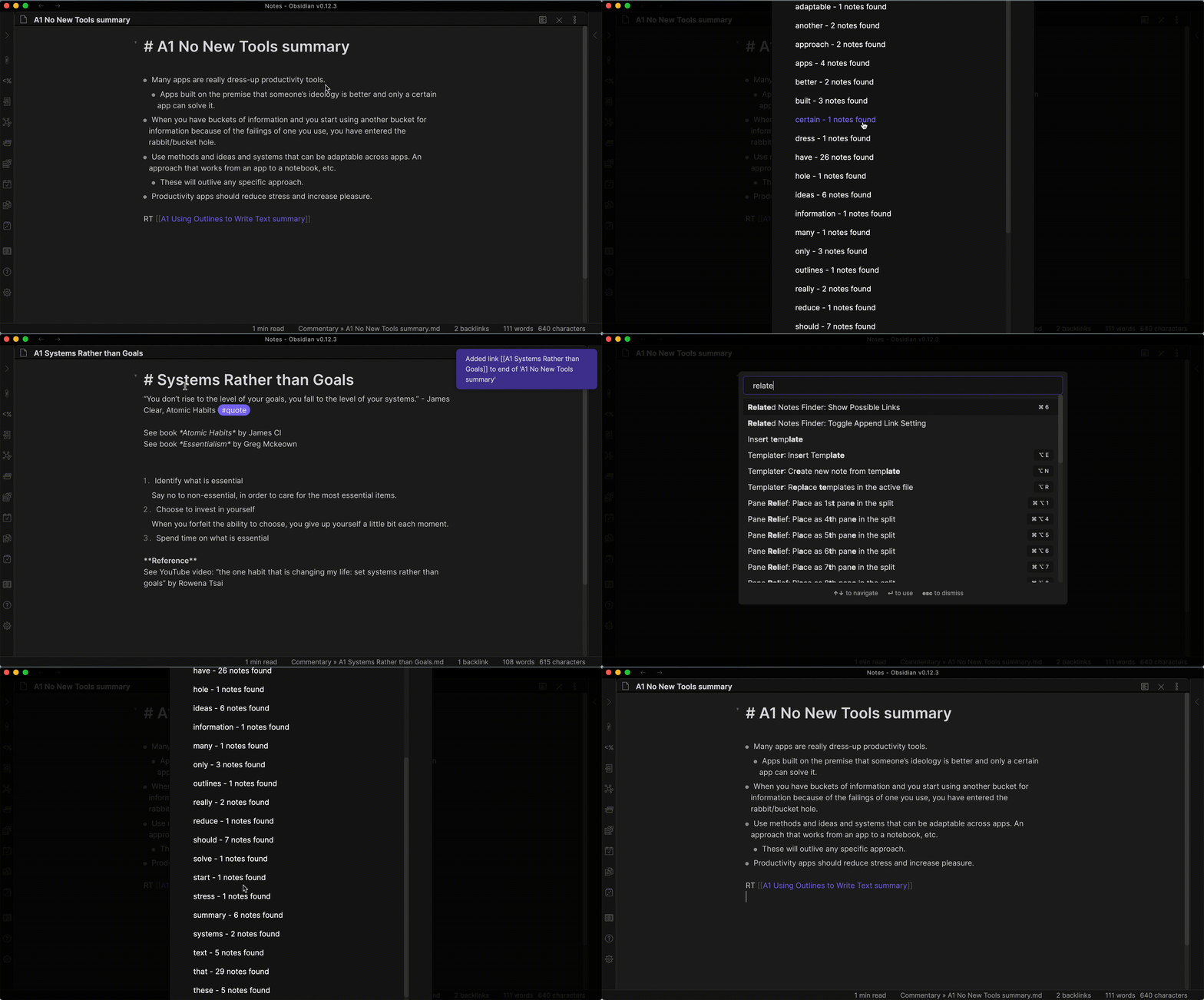
Features
Command: Show Possible Links Search for all notes in the vault whose title includes any word in the active note.
- Search words with more than X number of characters. (Default: 3 characters)
- Ignore Dailies path. (Default: disabled)
- Ignore words as specified in settings. (Default: 'the,and,but,not,then,they,will,not,your,from,them,was,with,what,who,why,where,this,over,than')
- A link to the related note is appended to the active note. (Default: enabled)
Default Hotkey: <CMD>+6
Command: Toggle Append Link Setting Toggle the setting to append the related note to the active note.
- When using the Show Possible Links command, a link to the related note is appended to the active note. (Default: enabled)
Settings
Append Link
- When using the Show Possible Links command, a link to the related note is appended to the active note. (Default: enabled)
- See the GIF above to see an example.
Minimum Letters
- Search words with more than X number of characters. (Default: 3 characters)
- For example, the word "for" contains 3 characters, so "for" will not be a term used when searching for related notes.
Ignore Dailies Path
- Ignore Dailies path. (Default: disabled)
- If it is preferred to ignore all notes in a specific directory, the folder relative to the vault root can be entered here.
- If you have a "dailies" folder in your vault root, enter
dailiesinto this setting to ignore all notes inside when using the Show Possible Links command.
- If you have a "dailies" folder in your vault root, enter
Filtered Words
- Ignore words as specified in settings. (Default: 'the,and,but,not,then,they,will,not,your,from,them,was,with,what,who,why,where,this,over,than')
- When using the Show Possible Links command, ignore any words listed. Simple separate them by comma. Case is ignored.
Support
HealthNeeds work
ReviewSatisfactory
About
Find notes whose titles contain words from the active note, filtering short terms and user-defined stopwords and optionally ignoring a dailies folder. Append links to matched notes into the active note and toggle whether links are added.Details
Current version
1.1.0
Last updated
5 years ago
Created
5 years ago
Updates
8 releases
Downloads
8k
Compatible with
Obsidian 0.9.12+
Platforms
Desktop, Mobile