Search...Search plugins and themes...
⌘K
Sign in
  • Get started
  • Download
  • Pricing
  • Enterprise
  • Account
  • Obsidian
  • Overview
  • Sync
  • Publish
  • Canvas
  • Mobile
  • Web Clipper
  • CLI
  • Learn
  • Help
  • Developers
  • Changelog
  • About
  • Roadmap
  • Blog
  • Resources
  • System status
  • License overview
  • Terms of service
  • Privacy policy
  • Security
  • Community
  • Plugins
  • Join the community
  • Discord
  • Forum / 中文论坛
  • Merch store
  • Brand guidelines
Follow us
DiscordTwitterBlueskyThreadsMastodonYouTubeGitHub
© 2026 Obsidian

Old Note Admonitor

tadashi-aikawatadashi-aikawa5k downloads

Show warnings if the note has not been updated for over specific days.

Add to Obsidian
  • Overview
  • Scorecard
  • Updates10

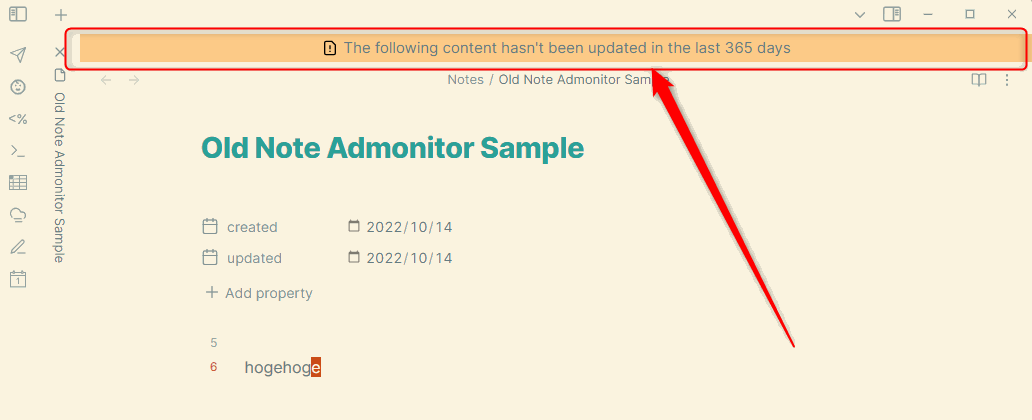
This Obsidian plugin shows admonitions if the note has not been updated for over specific days.
image

👥 For users

⏬ Install

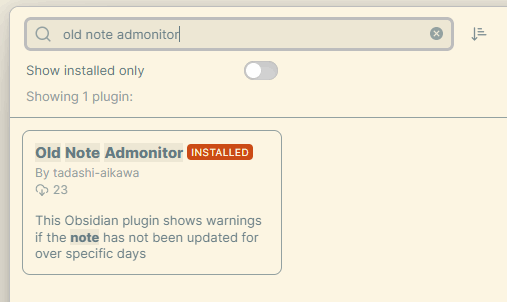
You can download via Community plugins > Browse.
image

⚙ Settings

Message template

If today is 2022-09-11 and the date on the note is 2022-09-01,

  • It shows 10 days passed! if you set ${numberOfDays} days passed!
  • It shows 10 days passed since 2022-09-01 if you set ${numberOfDays} days passed since ${date}

Default: The following content hasn't been updated in the last ${numberOfDays} days

Date to be referred

The setting is to decide what to reference the date from.

  • Modified time
  • Front matter
  • Capture group

Default: Modified time

Modified time

File last modified date ( = TFile.stat.mtime).

Front matter

front matter

The Front matter key option can specify any key name.

Default: updated

Capture group

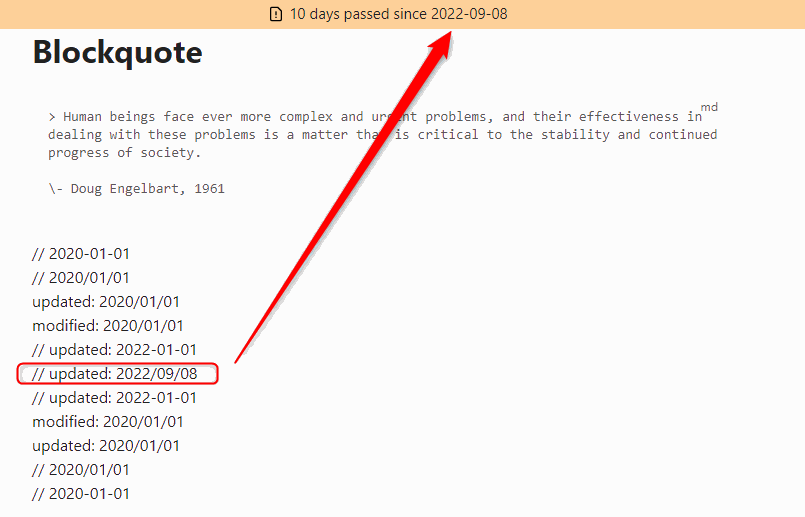
If you set ^// updated: (?<date>[0-9]{4}/[0-9]{2}/[0-9]{2}) to Capture group pattern, the date is extracted as follows.
capture-group

Default: ^// (?<date>[0-9]{4}/[0-9]{2}/[0-9]{2})

Min number of days to show a warning

If today is 2022-09-11 and the date on the note is 2022-09-01.

  • It shows warnings if you set 10 or over
  • It doesn't show warnings if you set it under 10

Default: 180

Trigger to update

  • On open file: Update a warning after switching an active file
  • On open or save file: Update a warning after switching an active file or (auto) saving a file

Exclude prefix path patterns

If set, It doesn't show a warning in the file whose path starts with one of the patterns. It can set multi patterns by line breaks.

For example, You want to ignore the following files.

  • Daily Report/10/2022-10-01.md
  • Daily Report/10/2022-10-02.md
  • Daily Report/11/2022-11-05.md
  • Daily Report/11/2022-11-06.md

You have to set

Daily Report/

or

Daily Report/10/
Daily Report/11/

🎨 Styles

You can customize the style of admonitions by editing the following classes.

  • .old-note-admonitor__old-note-container
  • .old-note-admonitor__old-note-container:before
  • .old-note-admonitor__old-note-container__warning
  • .old-note-admonitor__old-note-container__warning:before
  • .old-note-admonitor__old-note-container__error
  • .old-note-admonitor__old-note-container__error:before

For details, please show style.css.

🖥️ For developers

  • Requirements
    • Task

Development

task init
task dev

Release

task release VERSION=1.2.3
67%
HealthFair
ReviewSatisfactory
About
Show admonitions on notes not updated within a set number of days, using file modified time, a front-matter key, or a regex capture group to determine the date. Customize the warning template with ${numberOfDays} and ${date}, choose update triggers (open/save), exclude path prefixes, and style the admonition via CSS.
ReviewDatesAnnotation
Details
Current version
0.8.0
Last updated
3 years ago
Created
4 years ago
Updates
10 releases
Downloads
5k
Compatible with
Obsidian 0.16.0+
License
MIT
Report bugRequest featureReport plugin
Author
tadashi-aikawatadashi-aikawa
github.com/tadashi-aikawa
GitHubtadashi-aikawa
  1. Community
  2. Plugins
  3. Review
  4. Old Note Admonitor

Related plugins

Review

Add a link to the current note to a daily note on a future date (or a past date, you time traveller).

Journal Review

Review your daily notes on their anniversaries, like "what happened today last year".

Day Planner

Day planning from a task list in a Markdown note with enhanced time block functionality.

Tasks

Track tasks across your vault. Supports due dates, recurring tasks, done dates, sub-set of checklist items, and filtering.

Reminder

Manage Markdown TODOs with reminder.

Admonition

Admonition block-styled content.

Periodic Notes

Manage your daily, weekly, and monthly notes.

Thino

Quickly capture memos and display them in the sidebar with a heatmap. (Closed source)

Kindle Highlights

Sync your Kindle book highlights using your Amazon login or uploading your My Clippings file.

Day Planner (OG)

Day planning from a simple task list in a Markdown note (bare bones, preserves the features and behavior of the original plugin).