Search...Search plugins and themes...
⌘K
Sign in
  • Get started
  • Download
  • Pricing
  • Enterprise
  • Account
  • Obsidian
  • Overview
  • Sync
  • Publish
  • Canvas
  • Mobile
  • Web Clipper
  • CLI
  • Learn
  • Help
  • Developers
  • Changelog
  • About
  • Roadmap
  • Blog
  • Resources
  • System status
  • License overview
  • Terms of service
  • Privacy policy
  • Security
  • Community
  • Plugins
  • Themes
  • Discord
  • Forum / 中文论坛
  • Merch store
  • Brand guidelines
Follow us
DiscordTwitterBlueskyThreadsMastodonYouTubeGitHub
© 2026 Obsidian

Clipper

jgchristopherjgchristopher56k downloads

Capture highlights from the web.

Add to Obsidian
  • Overview
  • Scorecard
  • Updates31

This plugin allows you to capture highlights from the web as Markdown entries in Obsidian.

Requirements

Obsidian Clipper can be configured to write to either a daily note, weekly note, or both. I have plans to allow other locations.

If you have the Advanced Tables plugin installed, then HTML tables should be captured as markdown tables.

How to use

Documentation Site

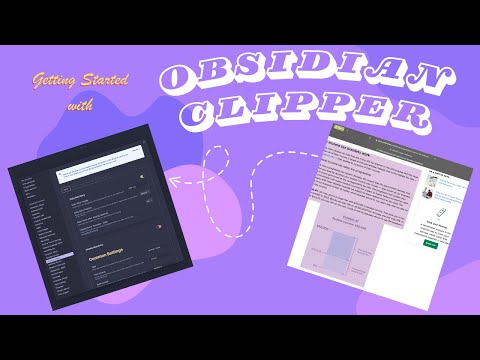
Checkout the getting started video here.
Default Behaviour

Network Use Notice

This plugin has the ability to call out to an external service that creates a Chrome-based browser extension wrapper around the generated bookmarklet for your vault or note. The Chrome-based extension is the only way to interact with Obsidian Clipper in browsers like Arc. The code for this external service is maintained by me and can be found on Github

Chrome-based Browser Extension

Obsidian Clipper gives you the option to download a Chrome-based browser extension to use instead of the bookmarklet. This can be useful for browsers like Arc that don't support bookmarklets. Below are some the instructions on how to use the extension once downloaded.

Once the obsidian-clipper-extention.zip file is downloaded follow these instructions.

  1. Unzip the obsidian-clipper-extention.zip file.
  2. Open a Chromium-based browser and navigate to the Manage Extensions... view.
  3. You will need to enable Developer mode.
  4. Once Developer mode is enabled, a Load unpacked button should become available.
  5. Click the Load unpacked button and navigate to the unzipped obsidian-clipper-extention directory and select it.

Have Ideas/Requests/Bugs?

Please feel free to create an Issue

or

Start a new discussion

Prior Work and Inspiration

I originally got this idea from modifying the Gist found in this Obisdian Forum post.

I used the following Obsidian Plugin repos as examples of how to accomplish my goal.

  • Obsidian Advanced URI
  • Obisidan Periodic Notes
  • Turndown Ext to manage HTML tables

Dependencies used in development

  • Obsidian Periodic Note Interface
  • Turndown is used in the bookmarklet code to parse highlighted HTML and convert it to Markdown

If you like the plugin and would want to support its development?

55%
HealthGood
ReviewRisks
About
Capture highlights and web content as Markdown notes in your Obsidian vault. Send clips to daily or weekly notes (or both), convert HTML tables to Markdown with Advanced Tables, and clip from the browser via a bookmarklet or optional Chromium extension.
ImportDatesIntegrations
Details
Current version
0.2.9
Last updated
10 months ago
Created
4 years ago
Updates
31 releases
Downloads
56k
Compatible with
Obsidian 0.15.0+
Platforms
Desktop, Mobile
License
MIT
Report bugRequest featureReport plugin
Sponsor
Buy Me a Coffee
Author
jgchristopherjgchristopher
github.com/jgchristopher/
GitHubjgchristopher
  1. Community
  2. Plugins
  3. Import
  4. Clipper

Related plugins

Zotero Integration

Insert and import citations, bibliographies, notes, and PDF annotations from Zotero.

Readwise Official

Sync highlights from Readwise to your vault.

Reminder

Manage Markdown TODOs with reminder.

Weread

Sync Tencent Weread highlights and annotations.

ZotLit

Integrate with Zotero, create literature notes, and insert citations from a Zotero library.

Telegram Sync

Transfer messages and files from Telegram to Obsidian.

Snipd Official

Sync Snipd podcast highlights to your vault with transcript, notes, AI summaries and metadata.

Local REST API & MCP Server

Unlock your automation needs by interacting with your notes over a secure REST API.

Importer

Import data from Notion, Evernote, Apple Notes, Microsoft OneNote, Google Keep, Bear, Roam, and HTML files.

Day Planner

Day planning from a task list in a Markdown note with enhanced time block functionality.