
- Overview
- Scorecard
- Updates2
A database plugin for Obsidian. It stores structured JSON in custom .nyason files and takes over displaying, editing, querying, and saving.
Views
Supports seven saved view types: Table, Gallery, Timeline, Calendar, Chat, Grouped Board, and Charts.
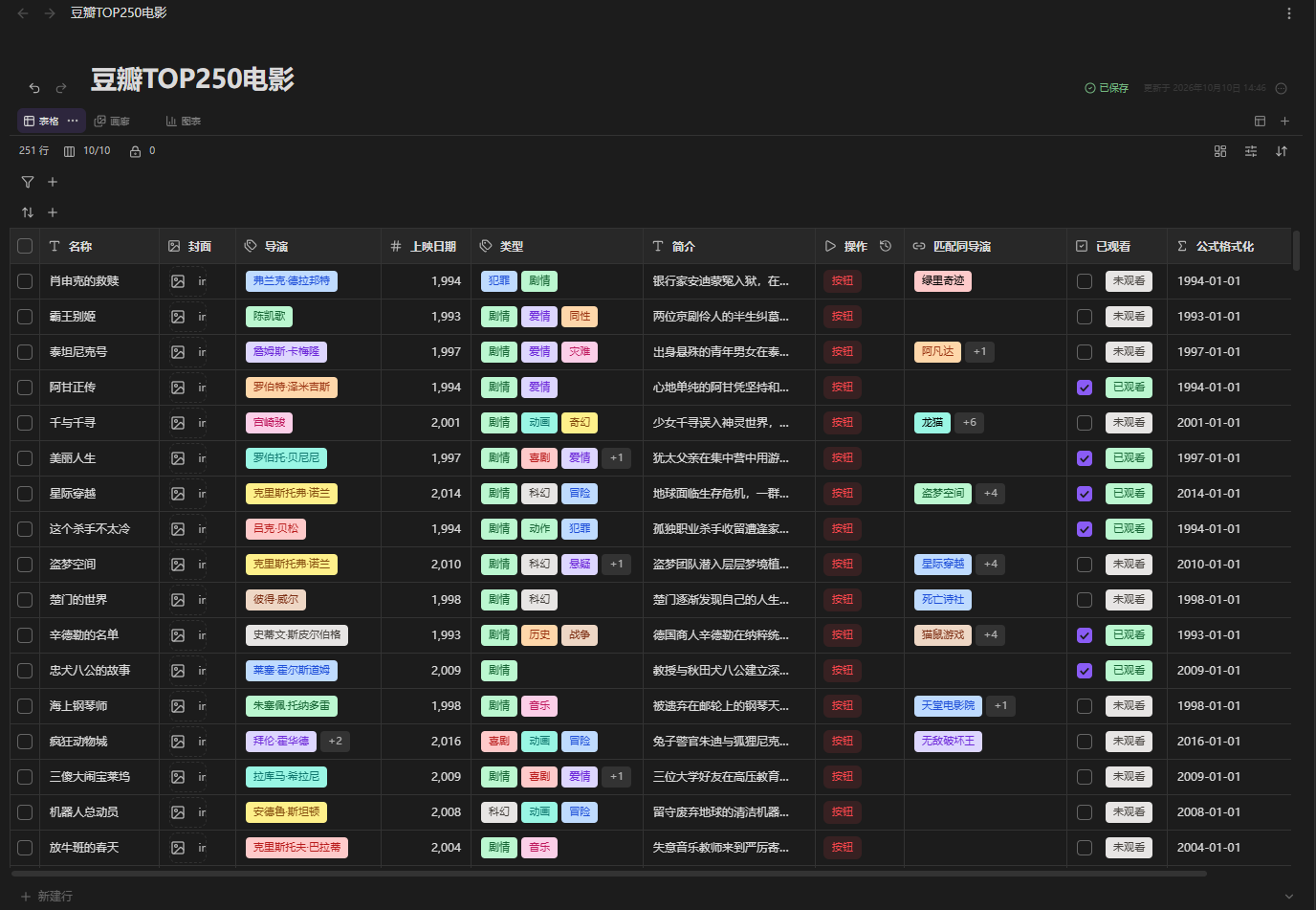
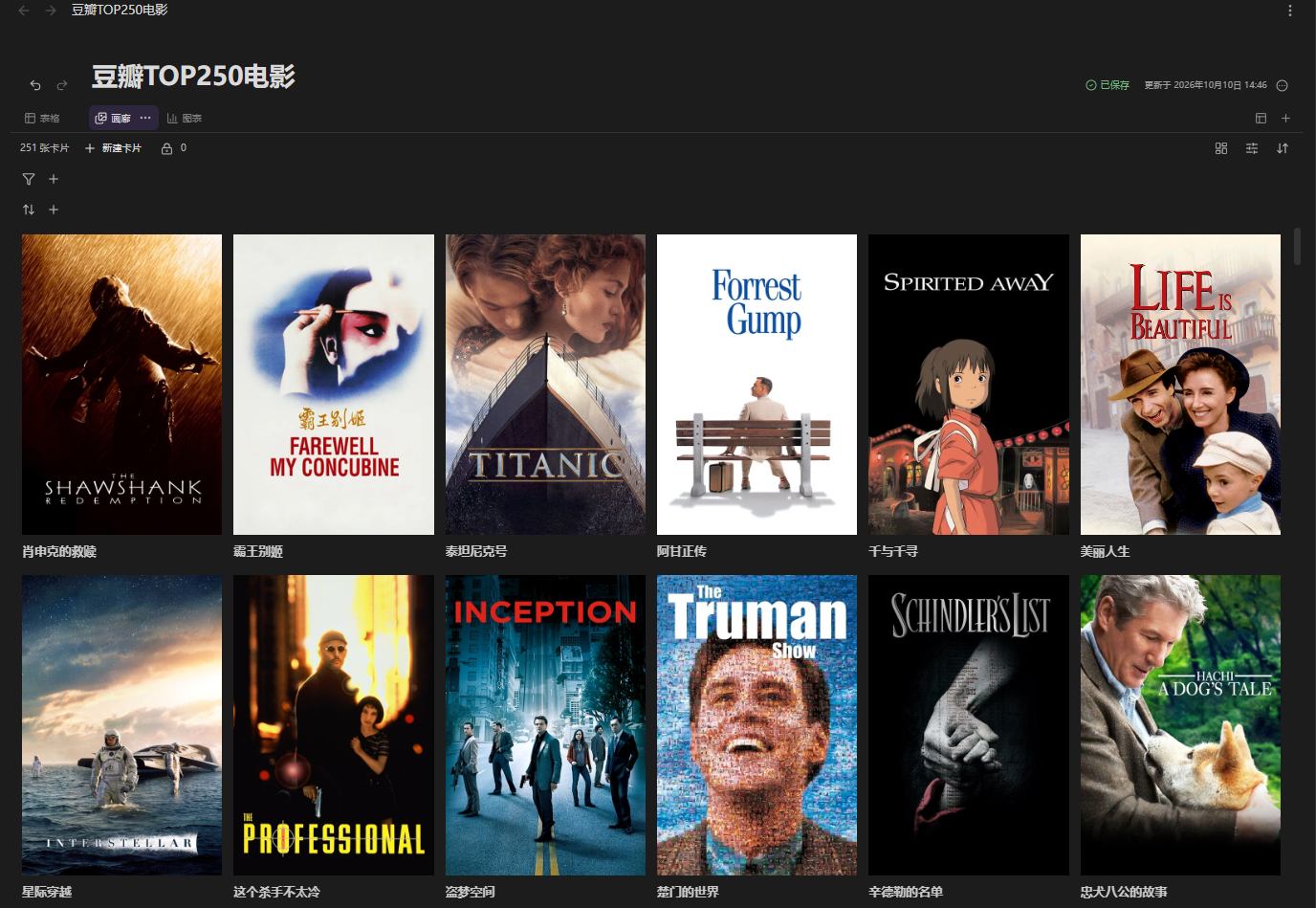
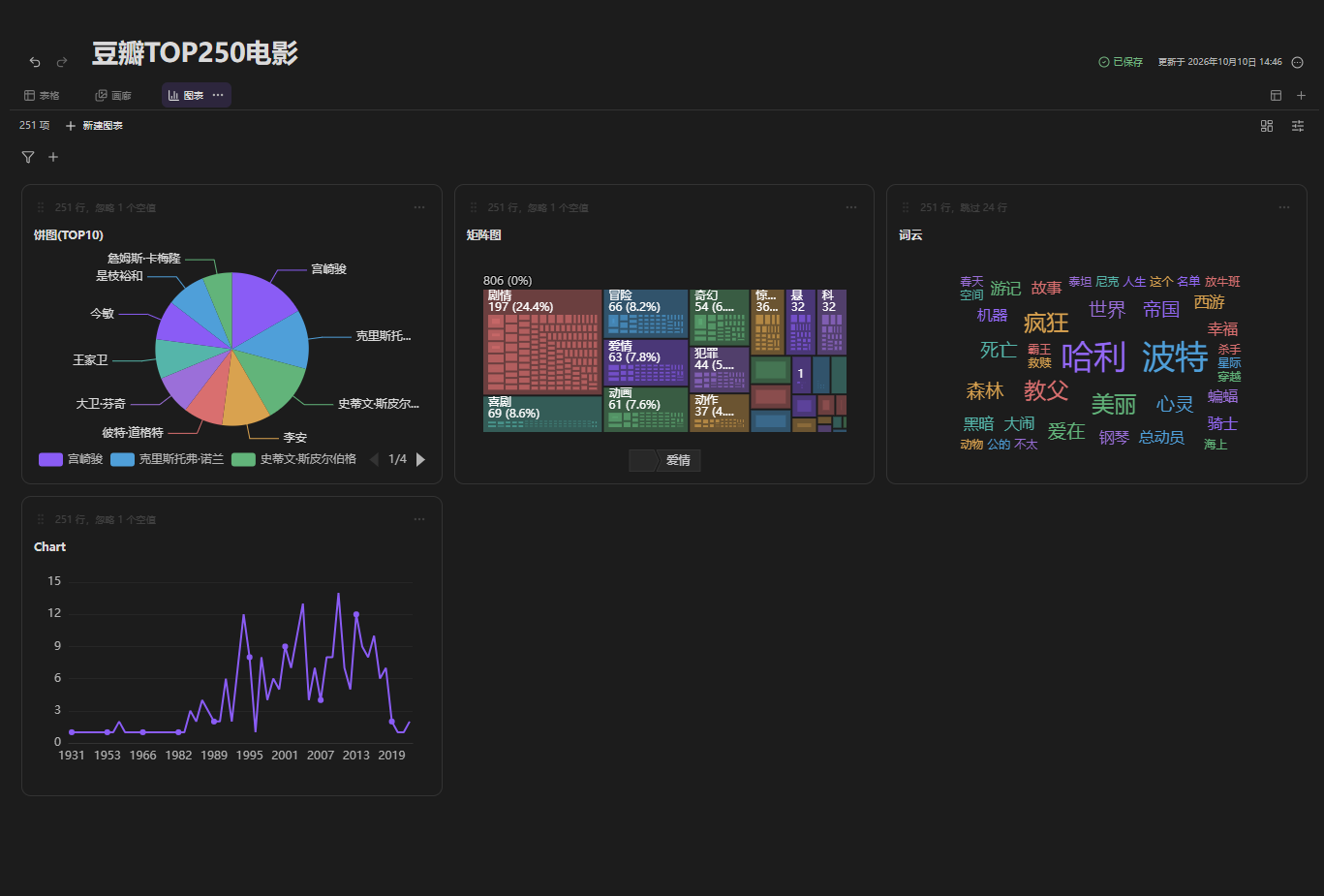
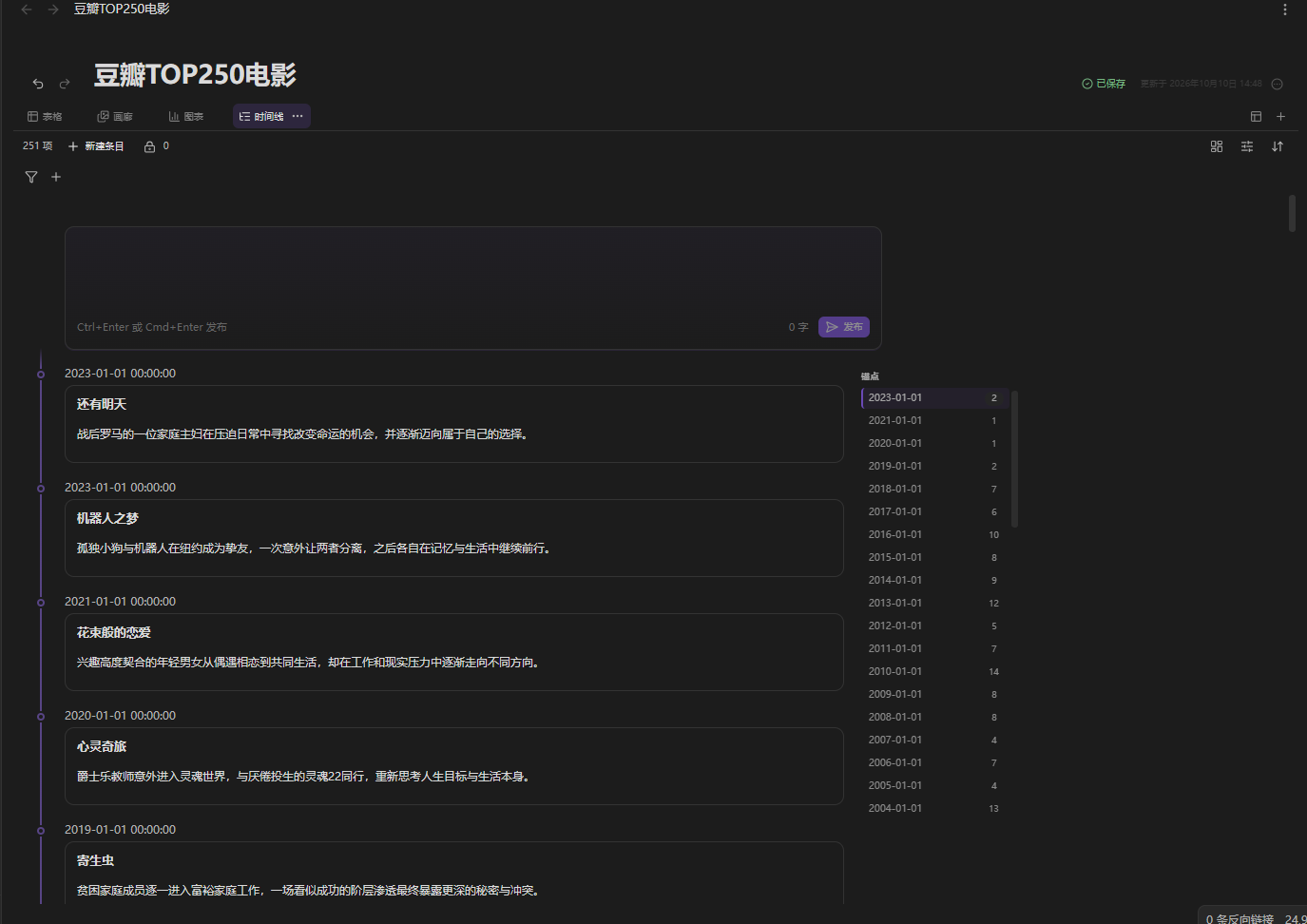
Supported Column Types
text: plain textnumber: numericcheckbox: booleandate: datedatetime: date and timeselect: single-select optionmultiselect: multi-select optionslink: linkimage: imageformula: runtime-derived column that does not persist its own cell valueaction: button-behavior column that does not persist its own cell value and can run scriptsreference: reference column that matches records in this or another database by conditions; results are derived at runtime and not stored in row values
Every column has a required, schema-unique code, used as the stable reference for Markdown nyadb, XLSX/TSV/JSON exchange, the Plugin API, and Formula.
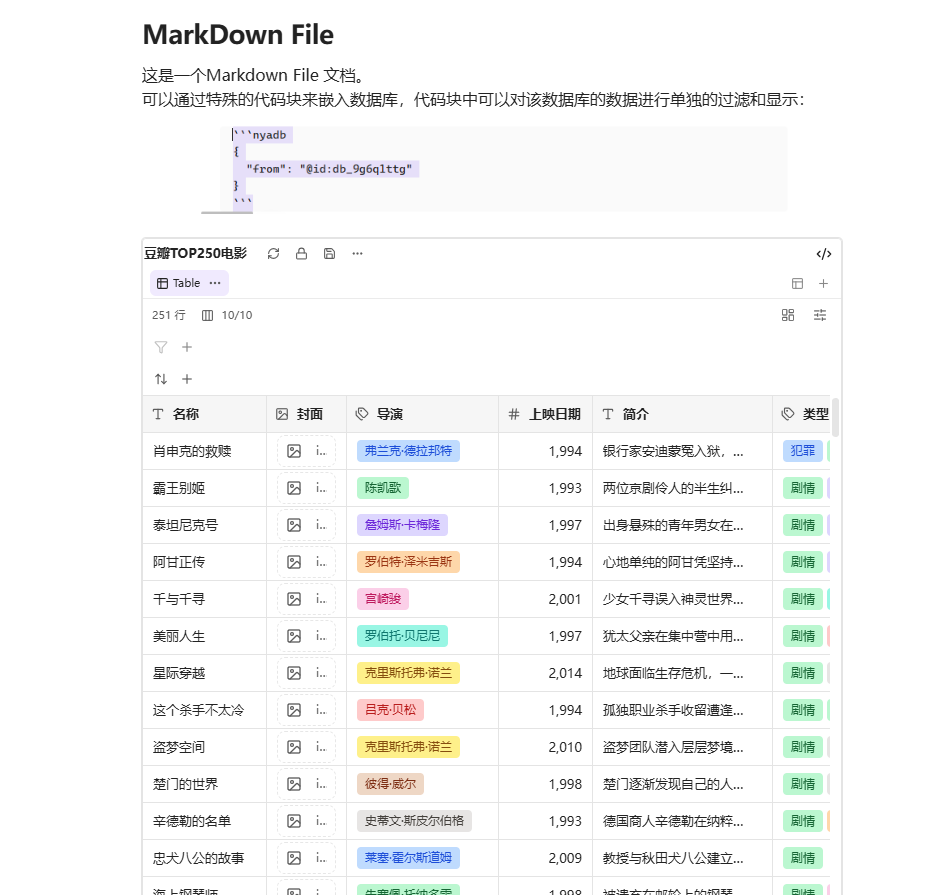
Markdown nyadb Queries
nyadbuses JSON structured queries. A database can be referenced by@id:,@path:, or its exact name, and columns are referenced bycode.- Supports all seven layouts, locally saved view settings, Refresh, Save, filtering, and layout switching, read-only by default.
- With
editModeexplicitly enabled, limited writeback is available for cells, detail fields, options, and source rows.
Minimal query:
{
  "from": "@path:Tasks.nyason"
}
Installation & Compatibility
- Requires Obsidian
1.11.4or newer; desktop and mobile are supported. - Manual install: put
main.js,manifest.json, andstyles.cssinto.obsidian/plugins/obsidian-nya-database/in your vault, then enable the plugin in Obsidian.
API Usage
The plugin exposes an internal Obsidian JavaScript API (version 0.3) through plugin.api. It is disabled by default; row writes, field configuration, view writes, and metadata changes use separate permissions, with an optional Obsidian secret storage token.
const api = app.plugins.plugins['obsidian-nya-database'].api.createAPI({
  token: 'Your API Token',
});
When no secret storage ID is configured, the token may be omitted:
const api = app.plugins.plugins['obsidian-nya-database'].api.createAPI();
HealthGood
ReviewRisks
About
Store structured JSON in .nyason files and manage displaying, querying, editing, and saving records in local databases. Use seven view types (Table, Gallery, Timeline, Calendar, Chat, Grouped Board, Charts), diverse column types (text, number, date/time, select, multiselect, link, image, formula, action, reference) and a JSON query API with optional editMode and opt-in JS API.Details
Current version
0.2.0
Last updated
2 months ago
Created
6 months ago
Updates
2 releases
Downloads
14
Compatible with
Obsidian 1.11.4+
Platforms
Desktop, Mobile
Sponsor