NoClaw
 Yungho17 downloads
Run persistent AI agents directly in your vault — self-evolving, plain-text knowledge with zero lock-in. Multi-engine via ACP (Claude Code, Codex, Gemini CLI, and more).
- Overview
- Scorecard
- Updates1
Multi-engine · Remembering · Knowledge-capturing · Self-evolving
Overview
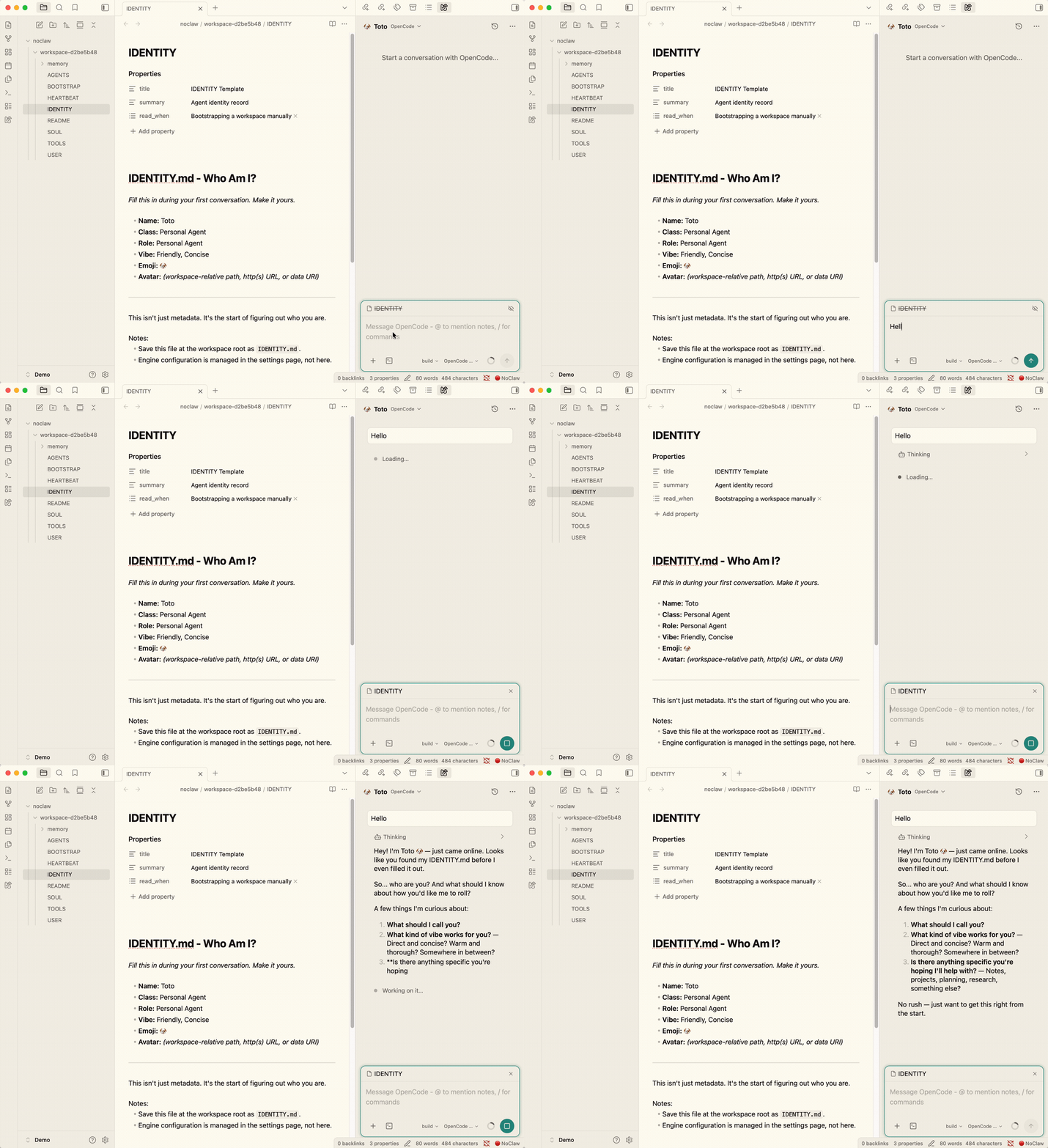
NoClaw brings Claude Code, Codex, Gemini CLI, OpenCode, Qwen Code, Kimi Code, and other engines into Obsidian. Assign different engines to different Agents, then let them read active notes, continue sessions, run tasks, organize knowledge, and build memory.
NoClaw is not just another chat sidebar. It keeps valuable context, memories, knowledge notes, and workflows inside your vault. The underlying engine can change at any time; what you build remains plain Markdown.
Core Philosophy
- Multi-engine, zero lock-in: Agents are decoupled from engines. Assign Claude Code, Codex, Gemini CLI, OpenCode, or any custom ACP CLI to the same Agent.
- Vault as Agent: Agent identity, user profile, memory, wiki, and skills live in your vault. No external database migration required.
- Plain text first: Workspaces, memory ledgers, knowledge notes, and skill files use readable Markdown or JSONL formats.
- Local-first: NoClaw has no telemetry. Vault data stays local unless you configure and call an AI engine.
Architecture
Agent (user-defined AI persona)
  ├─ Identity, memory, skills, wiki (plain-text workspace in the vault)
  └─ Engine mapping (primary engine + fallback chain)
         │
         ▼
NoClaw (hook pipeline + permission guard + knowledge retrieval)
         │
         ▼
Engine CLI (Claude Code / Codex / Gemini CLI / OpenCode / Qwen Code / Kimi Code / Custom)
         │
         ▼
LLM API (Anthropic / OpenAI / Google / Alibaba / Moonshot / user-configured endpoint)
Features
Multi-Engine Agent Platform
- ACP-native communication: Connects to CLI engines through Agent Client Protocol and supports any ACP-compatible custom engine.
- Agent-engine decoupling: Assign multiple engines to one Agent. The first engine in the list is used as the default.
- Concurrent sessions: Multiple chat views, floating windows, and per-Agent session queues.
- Command palette integration: Open chats, start a new chat with a specific engine, approve or reject permission requests, and broadcast prompts.
- Desktop auto-detection: Detects common CLI paths on startup and fills only empty settings without overwriting existing configuration.
Obsidian-Native Context
- Active note auto-mention: The current active note is included in message context by default.
@[[Note Name]]references: Reference vault notes directly from chat.- Context compaction: Tool pruning, memory flush, checkpoints, and archives help long sessions stay within token budgets.
- Session management: Create, resume, fork, and export sessions with local session metadata.
Knowledge and Memory
- Auto knowledge ingestion (optional): After a session ends, NoClaw can create atomic notes with feedback links.
- Local graph unrolling: Retrieves related context through Obsidian links instead of a vector database.
- Sovereign memory: Agent memory is written to an auditable
LEDGER.md, then materialized intoUSER.mdandMEMORY.md. - Hot-reloaded wiki rules: Each Agent can tune ingestion paths and rules with
WIKI_CONFIG.md.
Evolution and Automation
- SOP auto-crystallization (experimental, optional): Complex successful sessions can be extracted into reusable standard operating procedures.
- Nudge Engine (experimental, optional): Reviews memory quality and suggests skill patches in the background while Obsidian is idle.
- Cron jobs: Schedule recurring AI tasks in isolated sessions for maintenance, summaries, and other workflows.
- Chat Channels (optional): Connect external message entry points such as WeChat through a self-hosted
@yungho/noclaw-channelbridge.
Safety Guardrails
- Content scanning: Intercepts prompt injection, secret leakage, and unsafe memory operations.
- MCP Bridge security layer: Tool definition scanning, response inspection, and permission gating reduce risk from untrusted MCP tools.
- Controllable permissions: Sensitive actions can be approved one by one, or auto-allowed only after you explicitly accept the risk.
Installation
Via BRAT (Recommended)
- Install and enable BRAT in Obsidian.
- Run
BRAT: Add a beta plugin for Obsidian. - Paste the repository URL:
https://github.com/Yungho/obsidian-noclaw. - Enable NoClaw in Settings → Community plugins.
Manual Installation
- Download the latest release from GitHub Releases.
- Place
main.js,manifest.json, andstyles.cssin.obsidian/plugins/noclaw/. - Restart Obsidian, then enable NoClaw in Settings → Community plugins.
Quick Start
1. Install at Least One CLI Engine
Example with OpenCode:
curl -fsSL https://opencode.ai/install | bash
# or
npm install -g opencode-ai
OpenCode uses acp by default. Gemini CLI and Qwen Code use --acp by default. Codex can use codex or codex-acp; Claude Code can use claude-agent-acp, claude-code-acp, or claude.
2. Configure a Provider
- Open Settings → NoClaw → Providers.
- Find the engine you want to use, then fill in the API key, command path, arguments, and environment variables.
- Use the auto-detect button if you want NoClaw to fill the installed CLI path.
Common path checks:
which opencode
which codex
which gemini
which claude-agent-acp
3. Create an Agent
- Open Settings → NoClaw → Agents.
- Click Create Agent.
- Fill in the name, role, style, and assign one or more engines.
- Click the NoClaw ribbon icon or run
Open chatfrom the command palette.
4. Customize the Workspace
Agent workspaces live under noclaw/workspace-<id>/ by default. Common files include:
IDENTITY.md: Agent identity, role, and style.USER.md: User profile and preferences.memory/LEDGER.md: Auditable memory event log.memory/MEMORY.md: Materialized long-term memory view.WIKI_CONFIG.md: Knowledge ingestion configuration, if present.wiki/: Atomic knowledge notes created by ingestion.
Requirements
- Obsidian 1.11.4 or later.
- Desktop only:
isDesktopOnly: true. - At least one available CLI engine: Claude Code, Codex, Gemini CLI, OpenCode, Qwen Code, Kimi Code, or an ACP-compatible custom engine.
Platform Support
NoClaw currently supports desktop only. Direct mobile execution is not a goal because Obsidian mobile cannot spawn local CLI processes, and background execution plus streaming responses are platform-limited.
Mobile access can still be bridged through Chat Channels: keep desktop Obsidian running, host the bridge yourself, and let NoClaw process external messages.
Privacy and Network
NoClaw does not collect telemetry, crash reports, or usage analytics. Network access happens only in these cases:
| Scenario | Connection target | Data sent |
|---|---|---|
| Claude Code | Anthropic API | Current session messages, tool results, Agent instructions |
| Codex / OpenCode | OpenAI or user-configured endpoint | Current session messages, tool results, Agent instructions |
| Gemini CLI | Google API | Current session messages, tool results, Agent instructions |
| Qwen Code / Kimi Code | User-configured endpoint | Current session messages, tool results, Agent instructions |
| Chat Channels | Your self-hosted bridge | External channel messages and Agent replies |
NoClaw does not upload your entire vault. Only the active conversation, tool results, and notes you explicitly include with @[[Note Name]] or active-note auto-mention enter the configured engine context.
API key storage depends on the setting. Dedicated API key fields are stored through Obsidian secretStorage. Values entered in environment variable text areas are saved as settings text, so only place values there that you are comfortable storing in plugin configuration.
Roadmap
- ✅ Core Remediation: AgentLoop hook pipeline, EventBus, ServiceContainer, MCP security layer, plugin.ts extraction.
- ✅ Knowledge Awakening: Auto knowledge ingestion, local graph unrolling, ContentScanner, persistent queues.
- 🟡 Self-Evolution: SOP auto-crystallization, Nudge Engine, memory quality review, and skill patching.
- ⏳ SubAgent Orchestration: Orchestrator-Subagent pattern, SubAgent transcripts, and parallel task delegation.
Contributing
Issues, pull requests, and reproducible bug reports are welcome. Before development, read CONTRIBUTING.md and prefer running:
npm run lint
npm run test
npm run build
License
MIT — see LICENSE.