Search...Search plugins and themes...
⌘K
Sign in
  • Get started
  • Download
  • Pricing
  • Enterprise
  • Account
  • Obsidian
  • Overview
  • Sync
  • Publish
  • Canvas
  • Mobile
  • Web Clipper
  • CLI
  • Learn
  • Help
  • Developers
  • Changelog
  • About
  • Roadmap
  • Blog
  • Resources
  • System status
  • License overview
  • Terms of service
  • Privacy policy
  • Security
  • Community
  • Plugins
  • Join the community
  • Discord
  • Forum / 中文论坛
  • Merch store
  • Brand guidelines
Follow us
DiscordTwitterBlueskyThreadsMastodonYouTubeGitHub
© 2026 Obsidian

Natural Language Syntax Highlighting

artisticat1artisticat119k downloads

Highlight adjectives, nouns, adverbs, verbs, and conjunctions in the editor.

Add to Obsidian
  • Overview
  • Scorecard
  • Updates3

A plugin for Obsidian.md that highlights adjectives, nouns, adverbs, verbs, and conjunctions in the editor. Inspired by iA Writer.
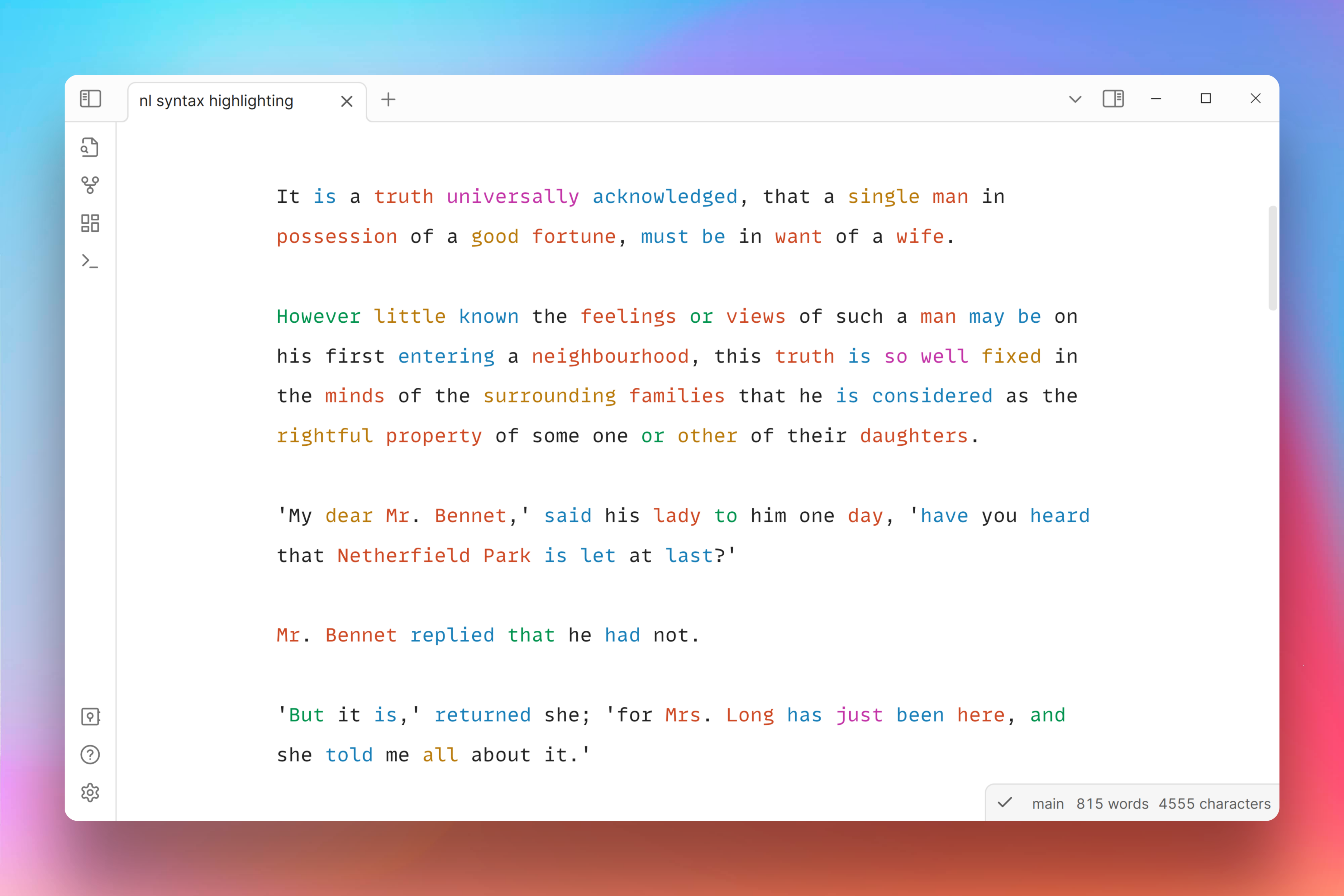
screenshot 1

Colours can be customised in the plugin settings.
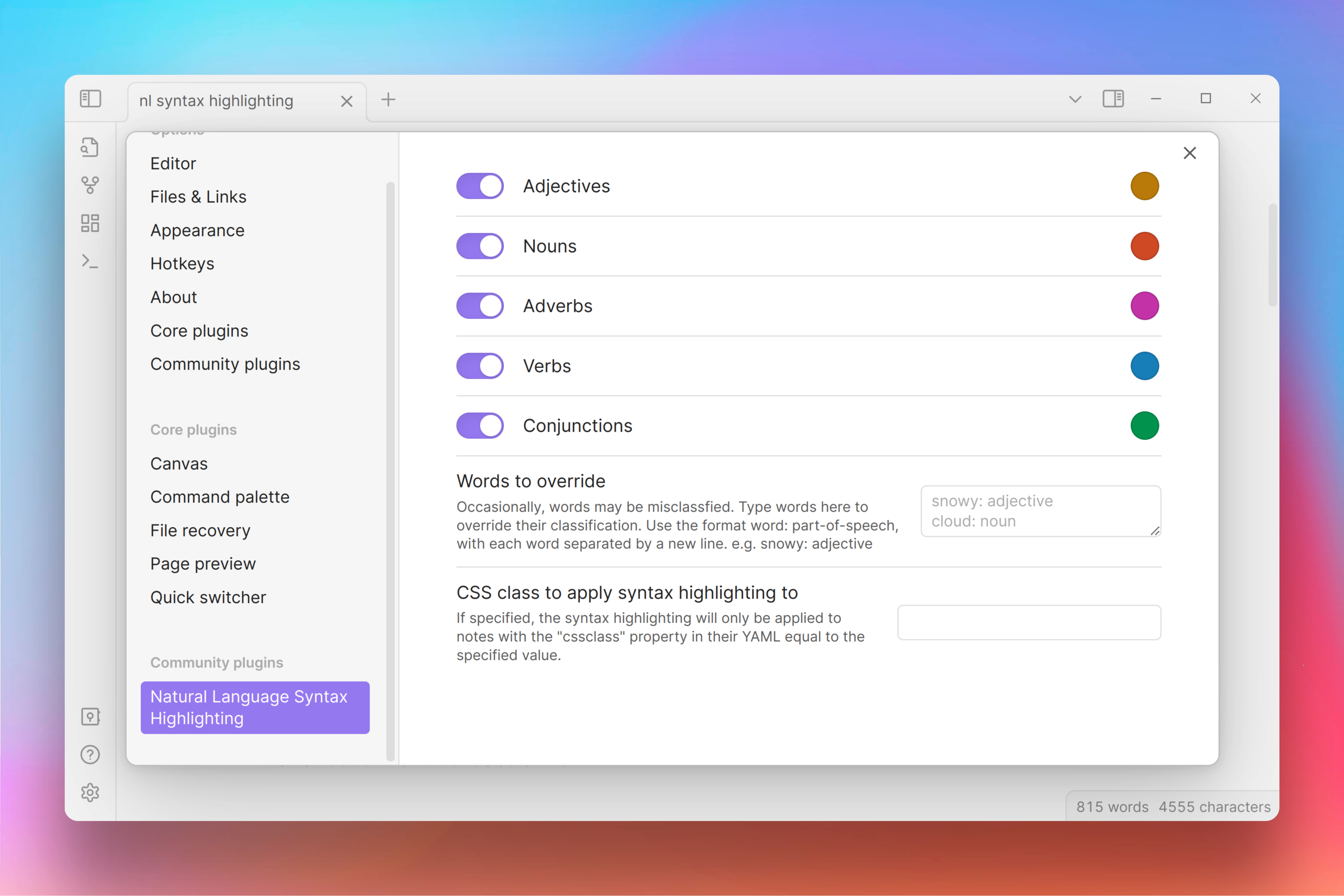
screenshot 2

The highlighting can be toggled on or off at any time via the command Natural Language Syntax Highlighting: Toggle on/off in the Command palette.

Contributing

Any contributions and PRs are welcome.

Acknowledgements

This plugin uses the compromise natural language processing library to detect parts of speech.

63%
HealthGood
ReviewCaution
About
Highlight adjectives, nouns, verbs, adverbs, and conjunctions in the editor to reveal sentence structure. Customize highlight colors and toggle highlighting on or off from the command palette.
SyntaxWritingAppearance
Details
Current version
0.4.0
Last updated
Last year
Created
3 years ago
Updates
3 releases
Downloads
19k
Compatible with
Obsidian 0.15.0+
License
MIT
Report bugRequest featureReport plugin
Sponsor
Ko-fi
Author
artisticat1artisticat1
github.com/artisticat1
GitHubartisticat1
  1. Community
  2. Plugins
  3. Syntax
  4. Natural Language Syntax Highlighting

Related plugins

Minimal Theme Settings

Control the colors and fonts in Minimal Theme.

Hider

Hide interface elements such as tooltips, status bar, titlebar, and more.

Style Settings

Adjust theme, plugin, and snippet CSS variables.

Text Generator

Generate text content using GPT-3 (OpenAI).

Smart Composer

AI chat with note context, smart writing assistance, and one-click edits for your vault.

LanguageTool Integration

advanced spell/grammar checks with the help of language-tool.

Lapel

Show the heading levels in the gutter of the editor.

Local GPT

Local Ollama and OpenAI-like GPT's assistance for maximum privacy and offline access.

Calendarium

Craft mind-bending fantasy and sci-fi calendars.

Novel Word Count

Display a word count, page count, creation date, or other statistics for each file, folder and vault in the File Explorer pane.