Native PowerPoint Doc Editor
 Marwan Luay5k downloads
Open, view, and edit DOCX and PPTX files directly in your vault.
- Overview
- Scorecard
- Updates107
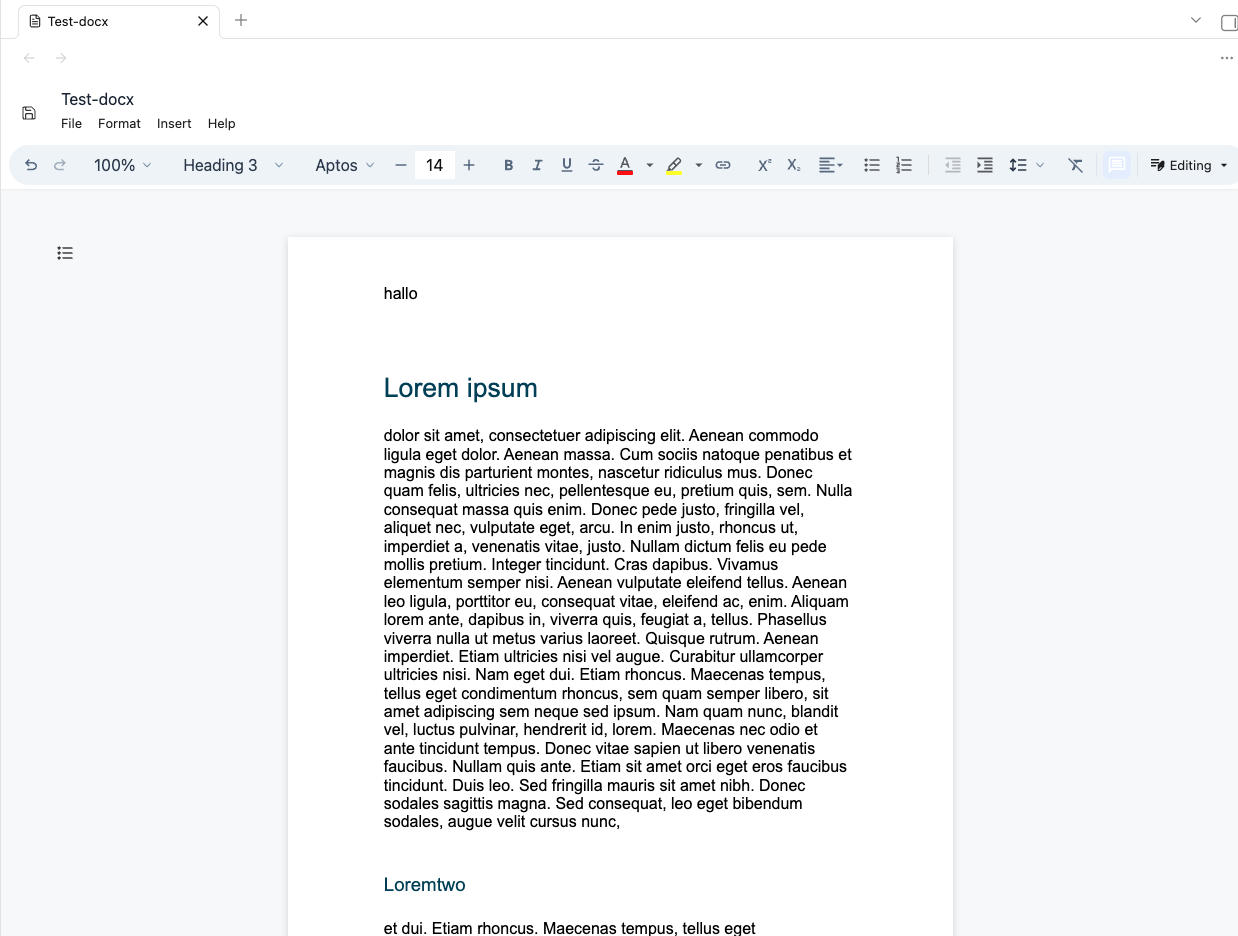
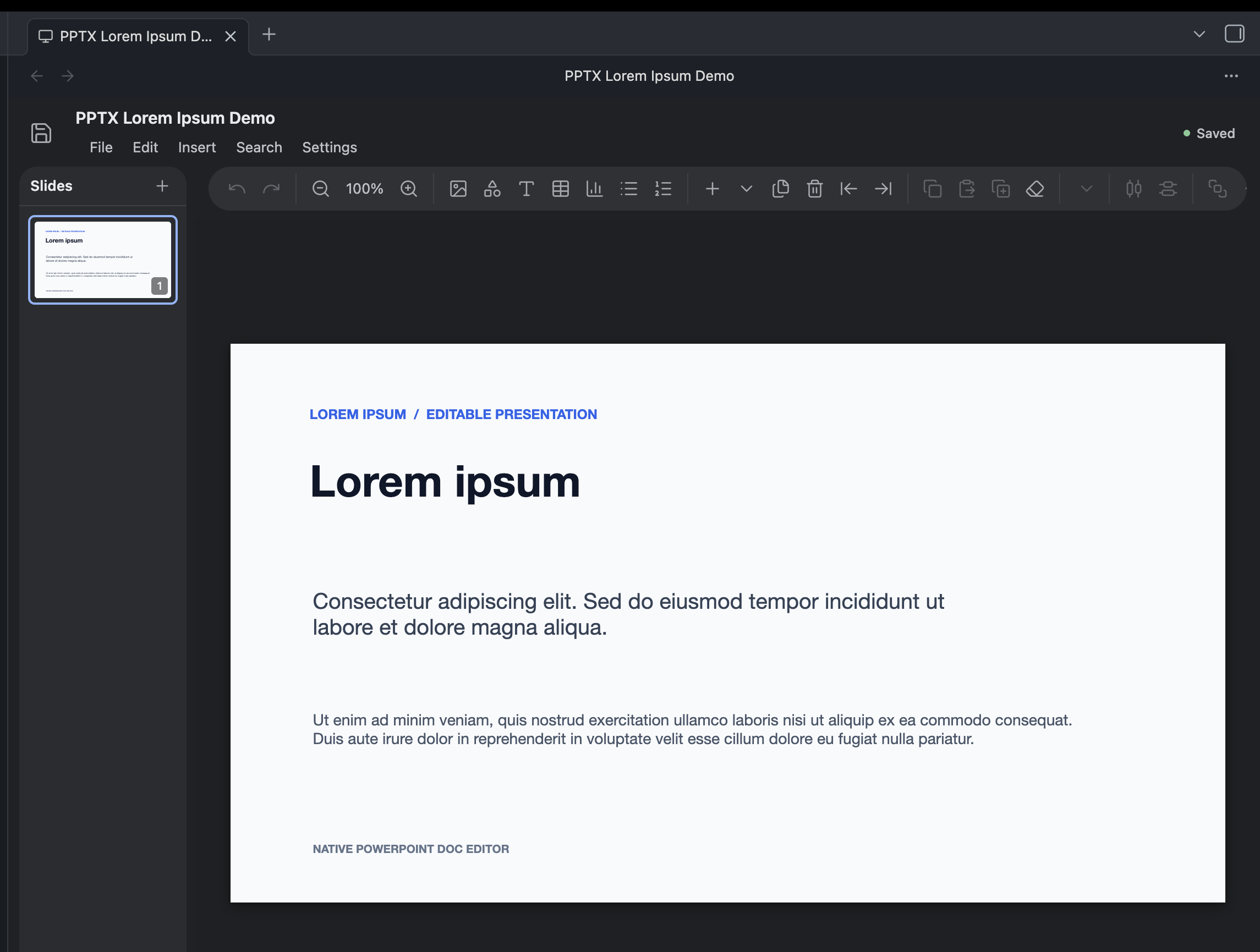
Native PowerPoint Doc Editor opens, searches, and edits .docx and .pptx files directly inside your Obsidian vault without converting them to Markdown. It is insane to think there was no well built functionality for this. This plugin was partly made with spite.
| DOCX editor | PowerPoint editor |
|---|---|
 |
 |
Editing and viewing
- Opens DOCX files in a native document editor.
- Opens
.pptx,.pptm,.ppsx,.ppsm,.potx, and.potmfiles in a PowerPoint-style slide editor. - Edits and saves DOCX text, formatting, tables, images, and review markup.
- Edits supported PowerPoint text, tables, charts, shapes, slide objects, and chart data.
Setup
Quick Start
- Open Settings → Community plugins in Obsidian.
- Search for Native PowerPoint Doc Editor.
- Install and enable the plugin.
- Open a
.docxor supported PowerPoint file from the file explorer.
Manual Setup
- Download the BRAT plugin
- Press on its icon to enter a plugin, and paste in https://github.com/MarsLuay/NativePowerPointDocEditor
- Select any release you desire! (the latest pre-release is my pick..)
- Press install and enjoy
If you want..
If you like what I've made, I would deeply appreciate a donation to my https://buymeacoffee.com/marwanluaye! I need to support a coffee addiction but have to spend my spare money on silly things like a college education
License
Licensed under MIT.
Feel free to build cool things with this as a base, just make sure to give some acknowledgement to your beautiful dev.
Network
The plugin is designed to work offline inside your vault. It has no telemetry, analytics, advertising, accounts, or self-updating code. Normal editing, search, save, and export do not upload vault contents.
Network access can occur only when you open an external link, activate a hyperlink stored in a document, or export a DOCX whose images reference remote URLs. Obsidian, your operating system, or the browser handles those requests.
Local data may include an optional DOCX search index, recovery copies, normal Obsidian plugin settings, and a developer debug log when a .hotreload marker exists. Import font and Insert image use a system file picker; Copy debug log writes only to the clipboard.