Morning Pages Analytics
 remriel120 downloads
Discover patterns in your daily writing. An Obsidian plugin for local writing analytics, word counts, goal streaks, word clouds, and topic and tone trends across your Daily Notes.
- Overview
- Scorecard
- Updates15
Discover patterns in your daily writing. Morning Pages Analytics is an Obsidian plugin that brings live writing stats, word clouds, goal streaks, and a writing-history dashboard to your vault.
Analyze the note you're writing, then explore how your writing changes across Daily Notes and additional journal folders. All analysis runs locally, with no account, API key, or external analysis service required.

Download the latest release · Report an issue · MIT License
What you can explore
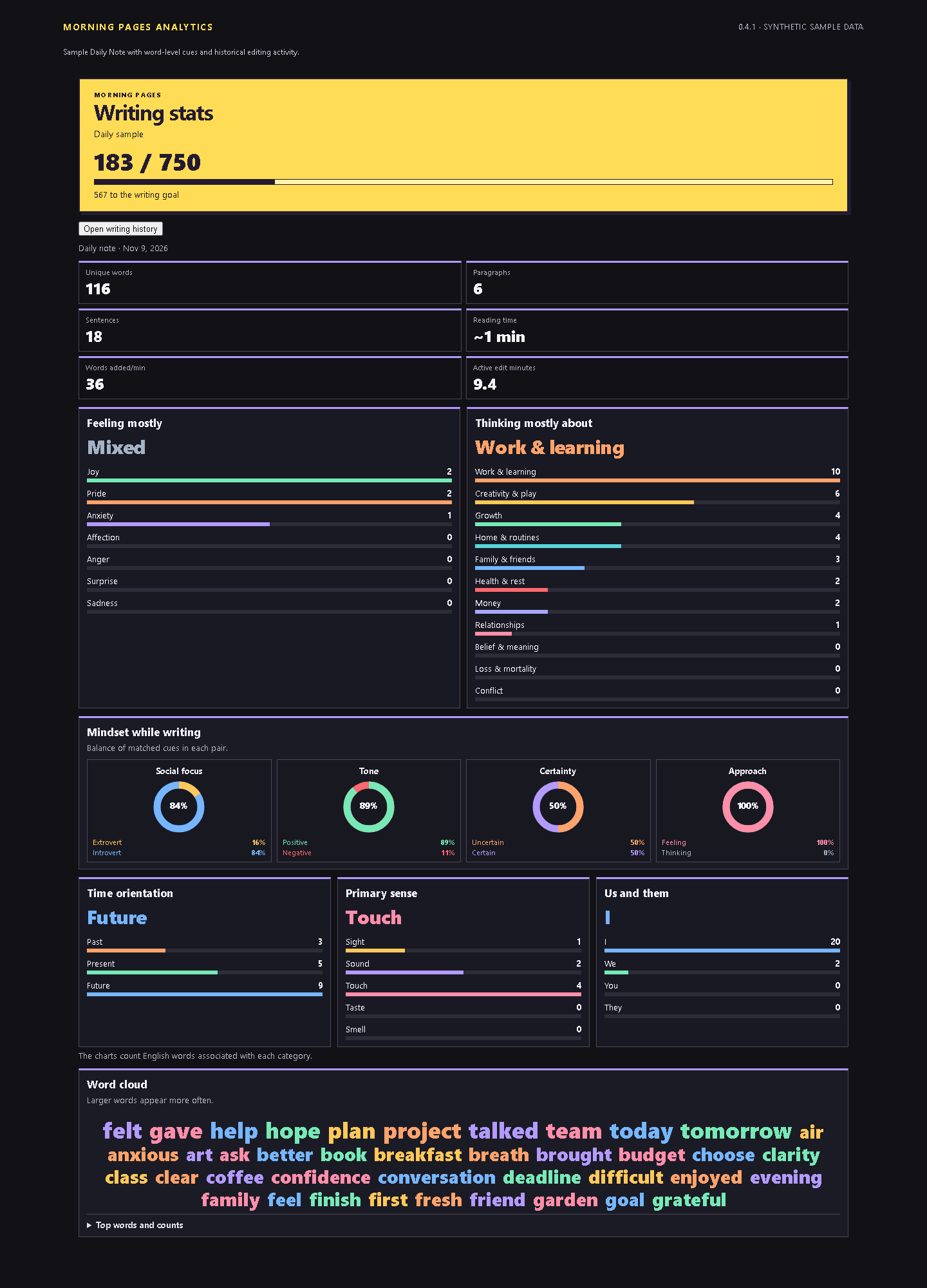
- Live writing stats: Word count, progress toward your daily goal, a word cloud, and charts for the active note.
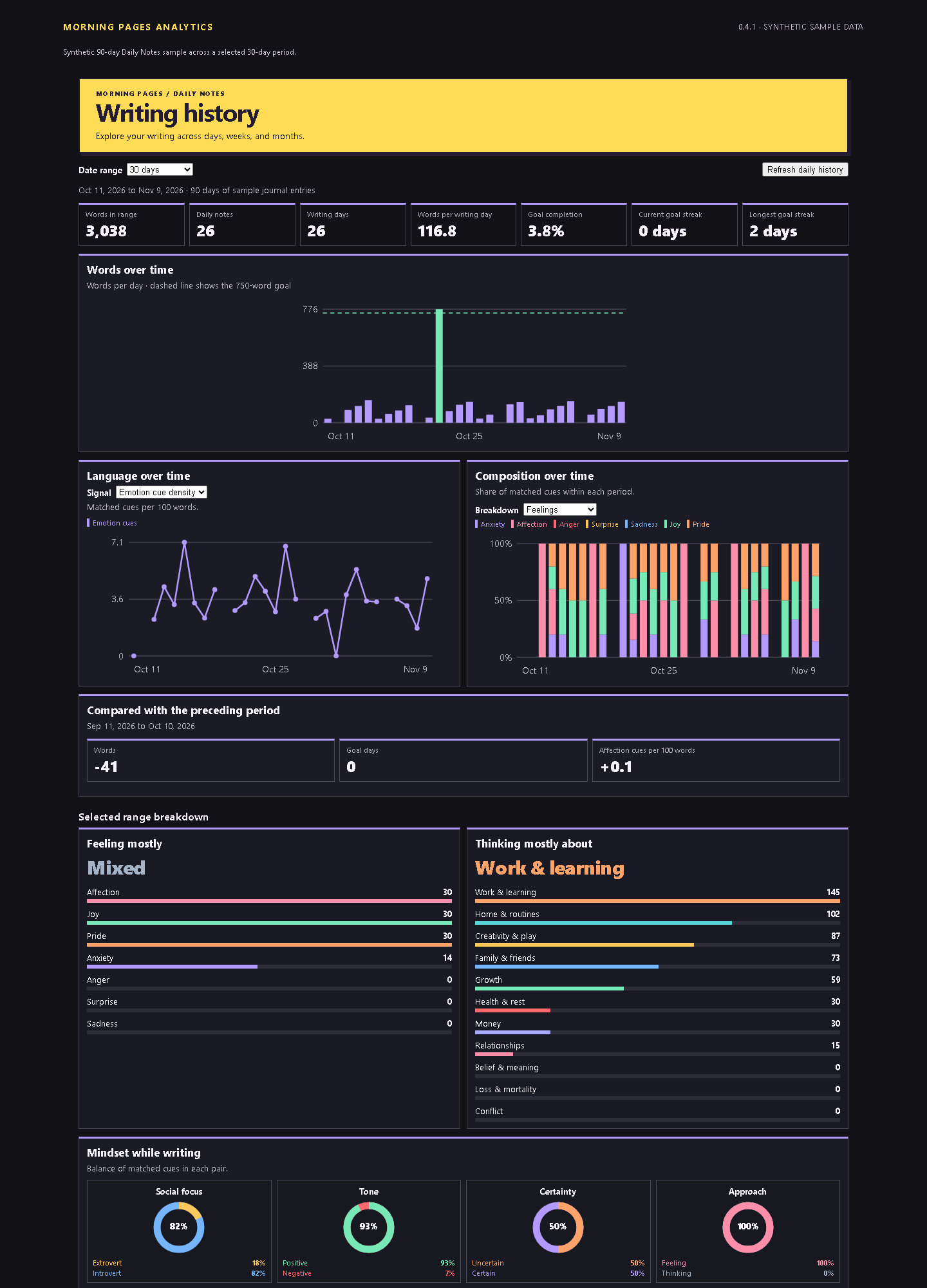
- Writing history: Word totals, writing and goal streaks, trends, language composition, and a calendar with individual-day inspection.
- Flexible periods: 7, 14, 30, 60, 90, 180, or 365 days, all dates, or a custom range. Move backward or forward through preset periods and compare a finite range with the preceding period.
- Your own goals and word lists: Set a daily word goal, edit the words behind each category, and add your own vocabulary.
- Multiple writing folders: Include Daily Notes and other journal folders, with folder suggestions and a choice of filename dates or creation timestamps.
Install
Requires Obsidian 1.5.7 or later. Node.js is only needed for development.
- Open the latest release and download
morning-pages-analytics-<version>.zip. - Extract the
morning-pages-analyticsfolder into your vault's.obsidian/plugins/directory. - Restart Obsidian and enable Morning Pages Analytics under Settings > Community plugins.
- Open the command palette and run Morning Pages Analytics: Open writing stats or Morning Pages Analytics: Open writing history.
For manual installation, download main.js, manifest.json, and styles.css from the same release and place all three in .obsidian/plugins/morning-pages-analytics/.
Get started
Open a note and run Open writing stats to see its live analysis. Run Open writing history to explore indexed writing over time. History follows your configured Obsidian Daily Notes folder and date format; add other folders under Settings > Morning Pages Analytics > Folders.
The plugin backfills matching notes on startup and updates its local index when notes are saved, created, renamed, or deleted. Use Refresh daily history after changing Obsidian's Daily Notes configuration.
Understand the language charts
The active-note view includes charts for:
- Feelings, including anxiety, affection, anger, surprise, sadness, joy, and pride.
- Topics, including growth, health, creativity, work, home, belief, people, money, relationships, loss, and conflict.
- Four paired mindset dimensions: social focus, positive/negative tone, certainty, and feeling/thinking.
- Past/present/future cues, the five senses, and I/we/you/they pronouns.
These charts count literal English word cues. They do not interpret context, negation, or sarcasm, and the built-in lists do not provide semantic analysis of other languages. Use them to explore recurring vocabulary and patterns. Words added per minute appears only when the stats pane observes enough editing activity to measure it.
Set your goal and vocabulary
Settings are organized into Writing, Word lists, History, and Folders.
In Writing, set Daily word goal to any positive whole number, including goals below the default of 750. The goal updates the live tracker, history charts, calendar, completion totals, and streaks, including past goal completion.
In Word lists, choose a group and category:
- Base word list: Edit, replace, or remove built-in terms. Clearing it disables that category's base words.
- Extra words: Keep your own additions separate from the base list.
- Restore defaults: Restore the selected category's built-in base words while keeping its extra words.
Separate words with spaces, commas, or newlines. Matching ignores case, counts exact words, and deduplicates terms within each category's combined list. Enter word forms separately. Changes save automatically and reanalyze the active note and tracked history after a short typing pause.
Include other writing folders
Under Folders, select Add folder and enter a vault-relative path such as Journal/Morning Pages. Start typing to see matching vault folders, or enter a path manually. Expand a folder's card to choose its date source:
| Date source | How notes are placed in history |
|---|---|
| Automatic filename dates | Recognizes twelve common formats together with the Daily Notes format, including 2026-09-13, September 13 2026, September 13, 2026, 13 September 2026, and Sep 13 2026. |
| Selected filename formats | Enables multiple preset formats, the Daily Notes format, and custom formats entered one per line. |
| Creation timestamp | Accepts any Markdown filename and uses the creation timestamp reported by Obsidian. |
Filename modes skip nonmatching or ambiguous dates without falling back to timestamps. For example, automatic mode skips 03-04-2026; choose only the intended day-first or month-first format to resolve it. Daily Notes retain filename-date precedence. For overlapping additional folders, the most specific folder wins.
Folder changes refresh history automatically after typing settles. Subfolders are included by default; settings also offer a subfolder toggle, a Daily Notes filename-format override, a default history range, and newest/oldest creation-time order within a day. Use Remove to stop tracking an additional folder.
Creation-date entries keep their calendar date when their text is edited. Copying or syncing files can reset creation timestamps, so those dates may differ from when the writing was originally authored. Notes without valid creation timestamps are skipped in that mode. History assigns each file to one calendar day; it does not split a running monthly note into daily sections.
Privacy and local data
Analysis runs locally in your vault. The plugin does not send note text or custom word lists to an external service.
The local plugin cache stores note paths, dates, file metadata, numeric analysis counts, and a word-settings signature used to trigger recounts. Preferences store your goal, edited base lists, and extra words in the vault's plugin data. The analytics cache does not persist note text or word-cloud keyword counts. Word-cloud counts are rebuilt from the selected notes and held in memory for up to four date ranges.
Screenshots
These screenshots use synthetic sample writing.
Development
Requires Node.js 22 or later.
git clone https://github.com/remriel/morning-pages-analytics.git
cd morning-pages-analytics
npm ci
npm test
npm run build
The build generates main.js. Copy it together with manifest.json and styles.css into your vault's plugin folder to try a local build.
Tests cover analysis, date matching, folder history, settings, and dashboard behavior. Browser checks use Chrome or Chromium when available; set MPA_REQUIRE_BROWSER=1 to require them, as release CI does. Browser fixtures cover responsive settings and scrolling; native mobile Obsidian behavior remains unverified.
License and support
Released under the MIT License. Bug reports and feature requests are welcome in GitHub Issues.