Morgen Tasks
 morgen-so13k downloads
Plan, time block, and track tasks from your vault in any calendar using Morgen.
- Overview
- Scorecard
- Updates8
Plan, time block, and track tasks from your Obsidian vault in any calendar using Morgen.
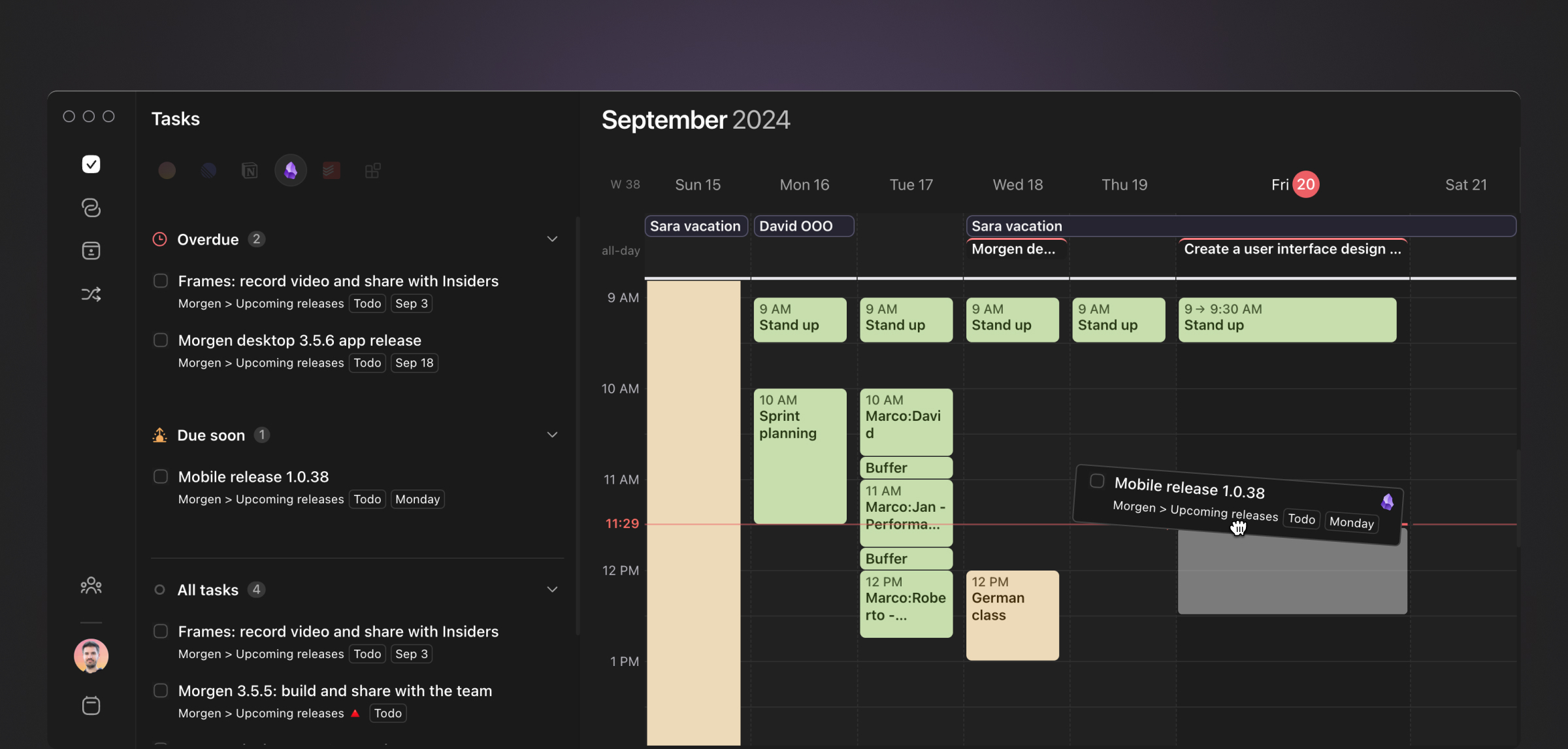
Plan and schedule your Obsidian tasks in your calendar to protect focused time and prevent double-bookings. See your tasks side-by-side with your calendar, then drag and drop them in your calendar. You can even create multiple time slots for large tasks, filter based on due dates and priority, and sync task status back to Obsidian.
To see the plugin in action check out Journaling in Obsidian onto my Morgen Calendar by Danny Hatcher.
Features
- Connect your vault to see your Obsidian tasks next to your calendar
- Display the information you need, including deadlines, priorities, and more
- Drag tasks onto your calendar for seamless time blocking
- Add done date in Obsidian to tasks marked as complete in Morgen
- Auto-schedule next instance of recurring tasks
- Connect multiple calendars, including CalDAVs
- Available on MacOS, Windows and Linux
Plugin Features
- Declutter your Obsidian task lists by hiding task IDs or replacing them with a simple emoji
Requirements
Instructions
Step 1: Sign up to Morgen
Visit our website to get signed up to Morgen.
Step 2: Download Morgen
You can download Morgen by visiting our downloads page. Open the app and create a new account before continuing. You can try the Obsidian integration during your 14 day free trial.
Step 3: Connect your Obsidian vault
In Morgen, go to Preferences / Obsidian. Click "Connect a vault" and find the root directory of the vault you want to connect.
Step 4: Configure the task sidebar in Morgen
You can do this by clicking on the context menu item in the top right of the task pane. Here you can modify how tasks are grouped, ordered and filtered.
Step 5: Install this plugin, and gain extra features
Once installed, this plugin provides a setting to control whether to hide IDs in task lists, so that you can sync your tasks without noisy task IDs cluttering your view.
Support and Feedback
Please send us an email at [email protected] or join our Discord.
FAQ
Do my tasks get synced to my Morgen mobile app?
Not right now but please feel free to send us some feedback
Can I sync Obsidian notes themselves as tasks in Morgen?
At the moment only checklist tasks within notes are synced, but we are considering the possibility of using the frontmatter of notes to sync them as a parent task or a task sub-list.
Future
- Support for notes as tasks
- Support for the Obsidian Kanban Plugin
- Extended functionality provided by this plugin