Mirror
 Jonathan Simcoe1k downloads
Turns block references into live mirrored transclusions with inline previews and editing.
- Overview
- Scorecard
- Updates2

Mirror
Mirror is an Obsidian plugin for block transclusion that makes referenced content feel alive instead of static. It lets you embed transcluded block references directly in your notes, edit mirrored content from either location, and create new block references quickly from backlinks or @mention search.
Install
From source
- Run
npm install - Run
npm run build - Copy
main.js,manifest.json, andstyles.cssinto:
<Vault>/.obsidian/plugins/mirror/
Then enable Mirror in Settings -> Community plugins.
Features
Embed transcluded block references
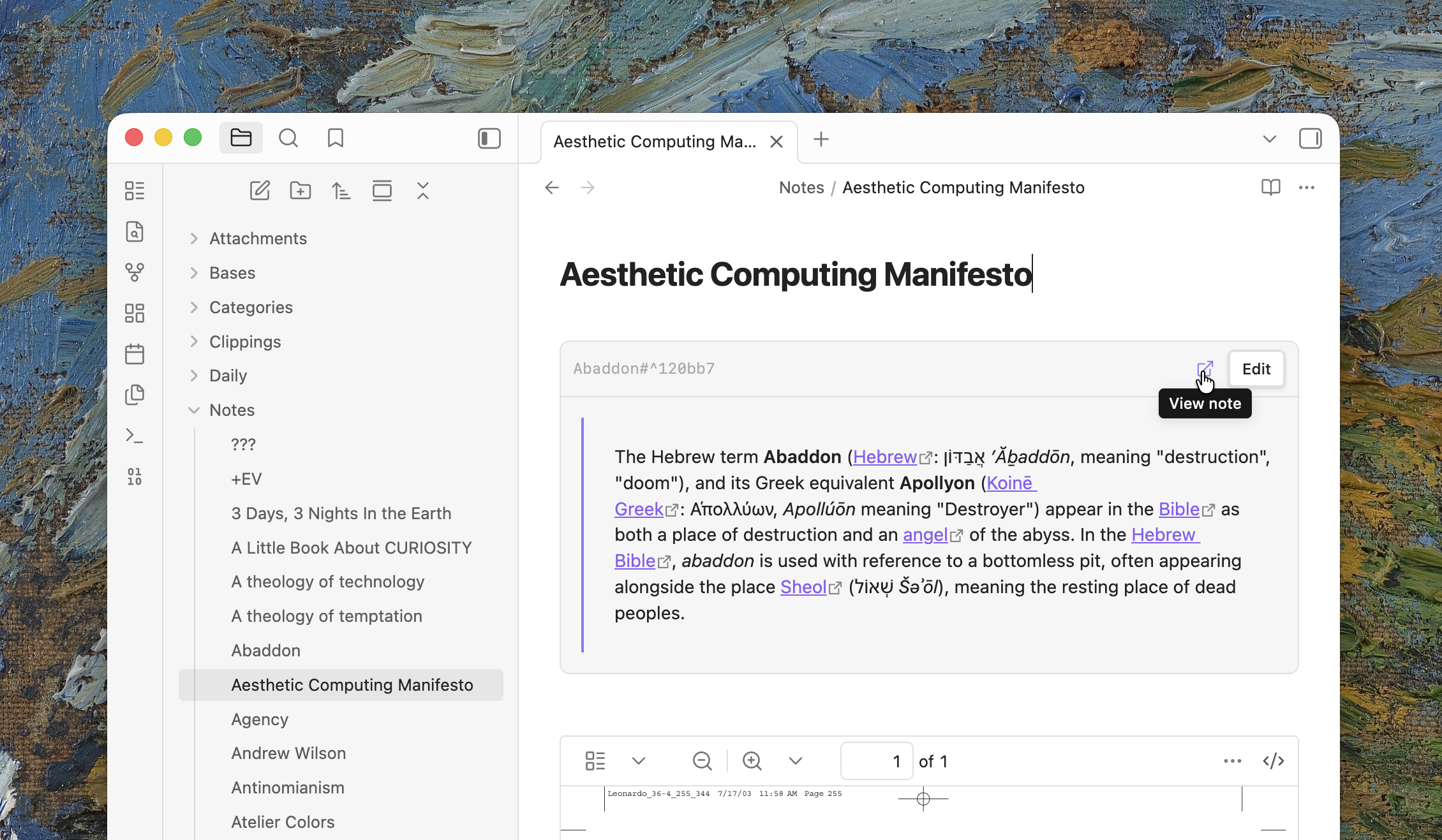
Mirror turns full-line block embeds like ![[Some note#^block-id]] into a more useful transclusion experience in your document. In Live Preview, the embed becomes a live mirrored block with editing controls. In Reading View, Mirror renders a simplified version so the document stays clean and readable.
Because the embedded block is still connected to the source, editing in either place updates the same underlying content. That gives you true transclusion instead of a copied snippet that drifts out of sync.
Copy mirrored embeds from linked mentions
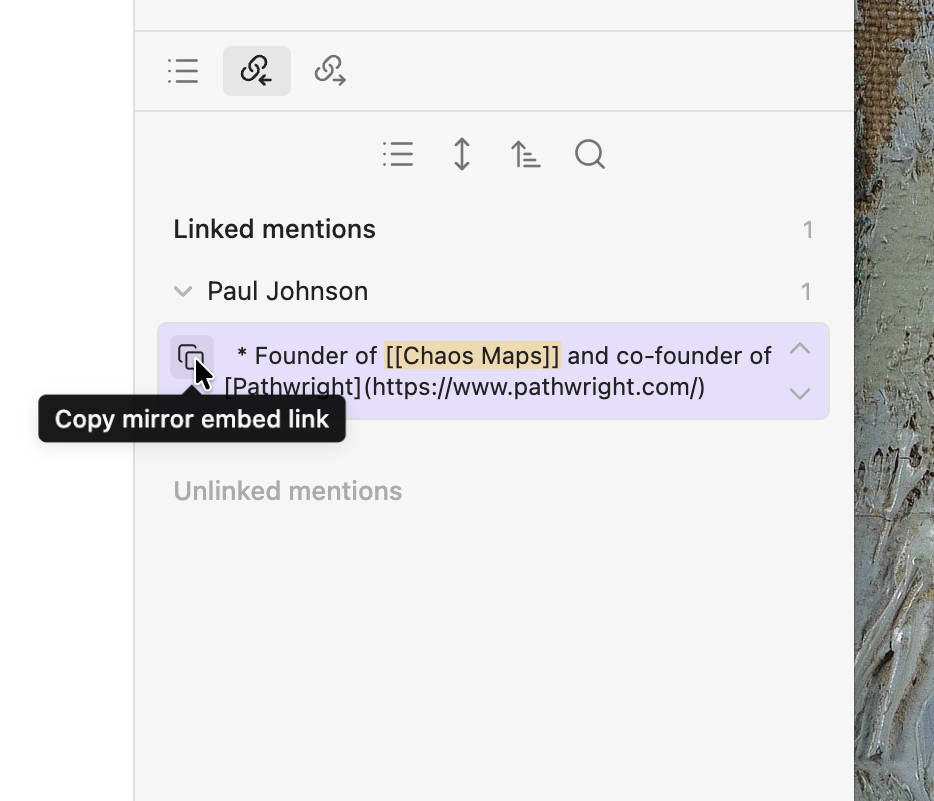
Mirror adds a copy button to linked mentions in the backlinks sidebar. When you click it, the plugin finds the matching mention block, creates a block reference ID if one does not exist yet, and copies the embed-ready reference so you can paste it directly into another note.
This makes it much faster to turn existing linked mentions into reusable transclusions without manually hunting for block IDs or writing the syntax yourself.
Search with @mention and insert any block
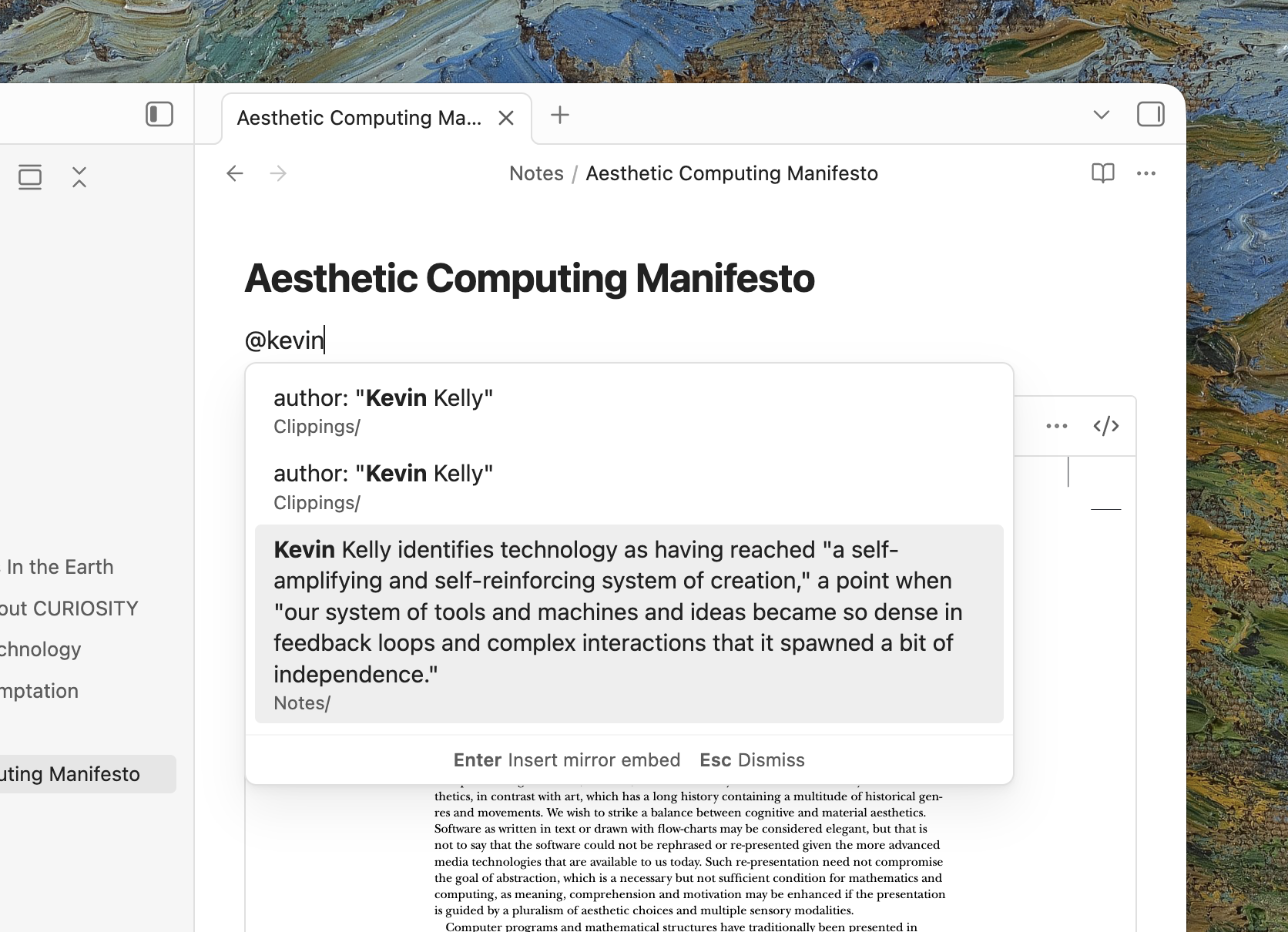
Mirror includes an @mention search flow that can find matching text across your Obsidian vault and turn it into a block reference right from the editor. Start a line with @, search for the text you want, then select a result to generate a block ID when needed and insert the reference into your document automatically.
This is the fastest way to turn existing writing anywhere in your vault into something you can immediately embed and reuse.
Privacy
Mirror runs locally in your vault and does not send note contents to external services. It only writes to files when you explicitly trigger an action that needs it, such as editing a mirrored block or generating a missing block ID.
Development
npm installnpm run devnpm run buildnpm run lint
Release
- Update
manifest.jsonwith the new version. - Update
versions.jsonwith the matching minimum supported Obsidian version. - Run
npm run build. - Create a GitHub release tag that exactly matches the plugin version without a
vprefix. - Attach
main.js,manifest.json, andstyles.cssto the release.