Search...Search plugins and themes...
⌘K
Sign in
  • Get started
  • Download
  • Pricing
  • Enterprise
  • Account
  • Obsidian
  • Overview
  • Sync
  • Publish
  • Canvas
  • Mobile
  • Web Clipper
  • CLI
  • Learn
  • Help
  • Developers
  • Changelog
  • About
  • Roadmap
  • Blog
  • Resources
  • System status
  • License overview
  • Terms of service
  • Privacy policy
  • Security
  • Community
  • Plugins
  • Themes
  • Discord
  • Forum / 中文论坛
  • Merch store
  • Brand guidelines
Follow us
DiscordTwitterBlueskyThreadsMastodonYouTubeGitHub
© 2026 Obsidian

Minitabs

ssjy1919ssjy19194k downloads

Customize a set of nested tabs through code blocks.

Add to Obsidian
  • Overview
  • Scorecard
  • Updates12

可以通过代码块嵌入多个标签页、分栏。写在代码块的内容会处理成标签页或分栏之后,再忠实的呈现为 obsidian 的内容。可以再标签页或分栏里面使用正常的 obsidian 语法

例1,tab按钮在上

效果:

Image 例一 代码块语法:

```minitabs
tabs
`按钮1` `按钮2` `可以一直写下去……` 
===
第一个按钮对应的页面
===
按钮二对应的页面
===
按钮三对应的页面
```

例2,tab按钮在下

效果:

Image 例二 代码块语法:

```minitabs
tabsBottom
`按钮1` `按钮2` `可以一直写下去……` 
===
第一个按钮对应的页面
===
按钮二对应的页面
===
按钮三对应的页面
```

上下tab按钮相互套娃

效果:
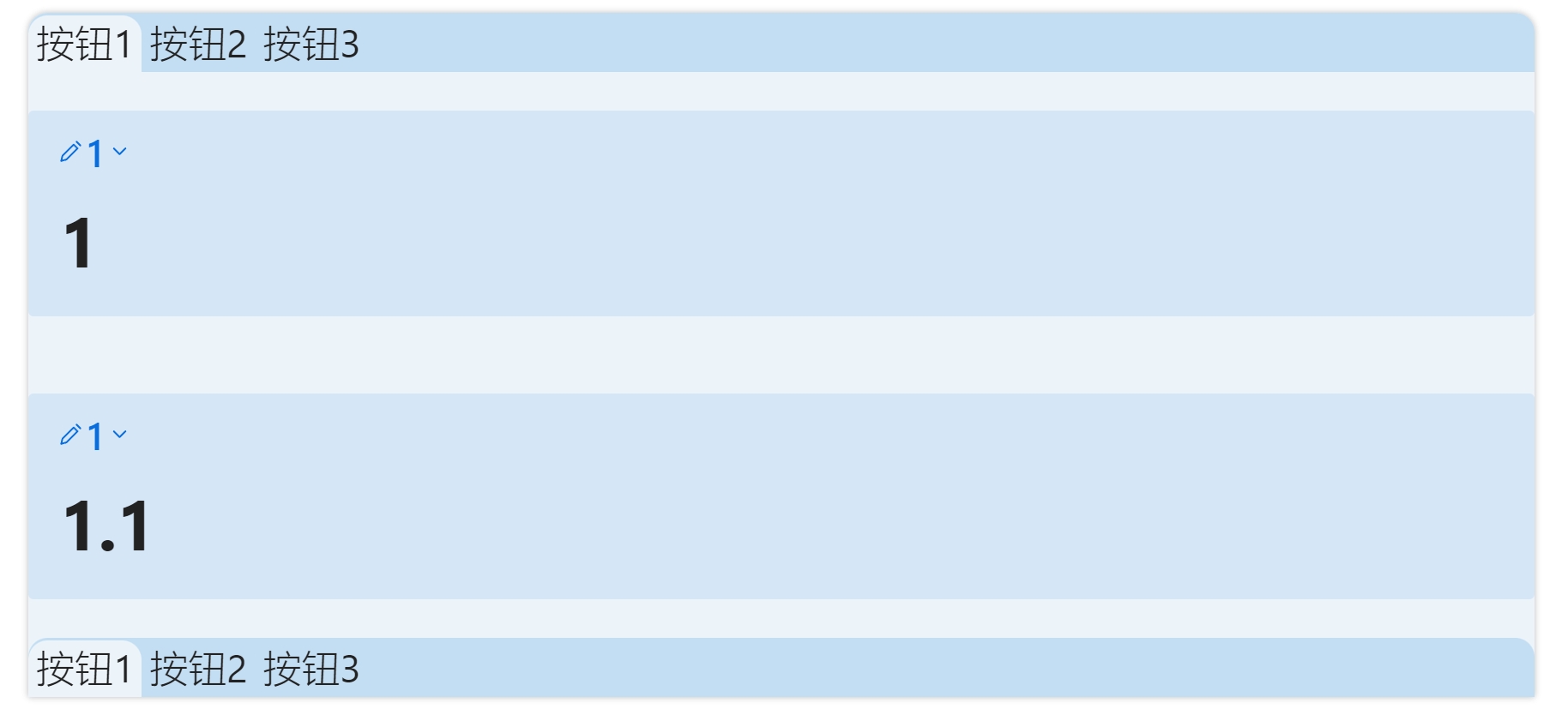
Image 例三

代码块语法:

`````minitabs
tabs
`按钮1` `按钮2` `按钮3` 
---
>[!Note]+ 1
># 1
````minitabs
tabsBottom
`按钮1` `按钮2` `按钮3` 
===
>[!Note]+ 1
># 1.1
===
>[!Note]+ 1
># 1.2
===
>[!Note]+ 1
># 1.3
````
---
>[!Note]+ 1
># 2
````minitabs
tabsBottom
`按钮1` `按钮2` `按钮3` 
===
>[!Note]+ 1
># 2.1
===
>[!Note]+ 1
># 2.2
===
>[!Note]+ 1
># 2.3
````
---
>[!Note]+ 1
># 3
````minitabs
tabsBottom
`按钮3.1` `按钮3.2` `按钮3.3` 
===
>[!Note]+ 1
># 3.1
===
>[!Note]+ 1
># 3.2
===
>[!Note]+ 1
># 3.3
````
`````

四象限视图

四象限视图本质上是一个分栏视图,通过创建一个2*2的视图实现。所以可以写成2*1或2*N作为两列N行的分栏视图。

效果:
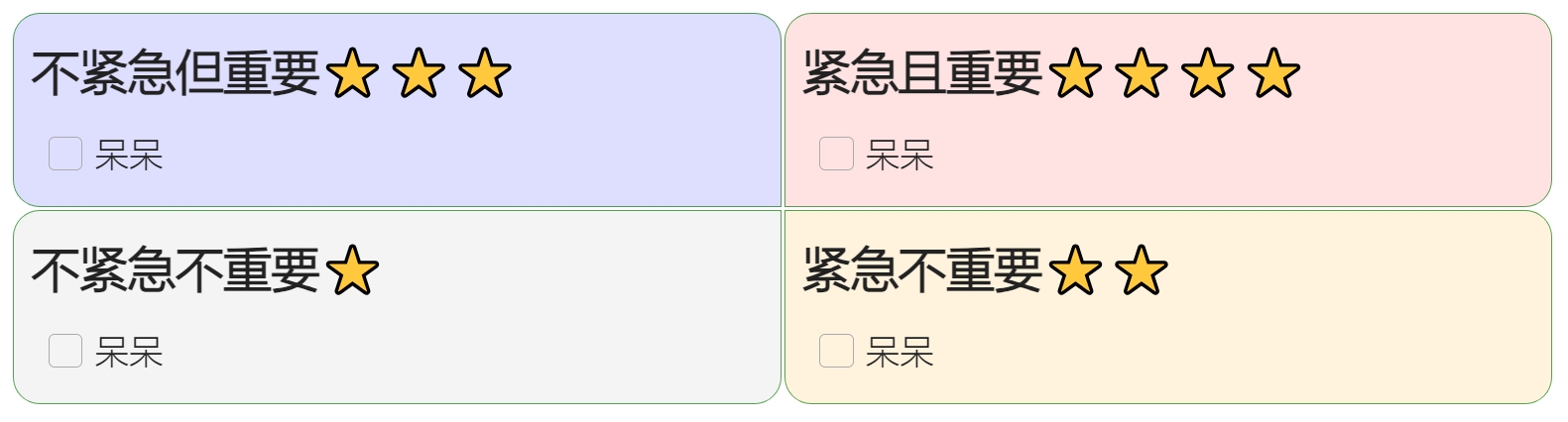
四象限视图

代码块语法:

````minitabs
fourQuadrant
---
### 不紧急但重要⭐⭐⭐
- [ ] 呆呆
---
### 紧急且重要⭐⭐⭐⭐
- [ ] 呆呆
---
### 不紧急不重要⭐
- [ ] 呆呆
---
### 紧急不重要⭐⭐
- [ ] 呆呆
````
72%
HealthGood
ReviewCaution
About
Embed multiple tabbed panels and split-column layouts inside a code block and render their contents as standard Obsidian markdown. Create top-or-bottom tab bars, nest tabs arbitrarily, or compose 2x2 (or 2xN) quadrant views to organize dashboards and multi-panel notes.
InterfaceNavigationVisualization
Details
Current version
0.0.12
Last updated
Last year
Created
3 years ago
Updates
12 releases
Downloads
4k
Compatible with
Obsidian 0.15.0+
Platforms
Desktop, Mobile
License
MIT
Report bugRequest featureReport plugin
Author
ssjy1919ssjy1919
GitHubssjy1919
  1. Community
  2. Plugins
  3. Interface
  4. Minitabs

Related plugins

Graph Banner

Display a local graph view to the note header

Hover Editor

Transform the Page Preview hover popover into a fully working editor instance.

Strange New Worlds

Reveal networked thought and the strange new worlds created by your vault.

Dragger

Drag and drop any block (paragraphs, headings, lists, etc.) to rearrange content like Notion.

Map View

An interactive map view for your notes.

Notebook Navigator

A better file browser and calendar inspired by Apple Notes, Bear, Evernote and Day One.

Advanced Canvas

Supercharge your canvas experience. Create presentations, flowcharts and more.

Homepage

Open a note, base, or workspace on startup, or set it for quick access later.

Recent Files

Display a list of recently opened files.

Hider

Hide interface elements such as tooltips, status bar, titlebar, and more.