
- Overview
- Scorecard
- Updates10
Mind Elixir Mind Map
An intuitive mind map plugin for Obsidian that transforms your markdown documents into interactive mind maps using Mind Elixir.
Features
Mind Map View
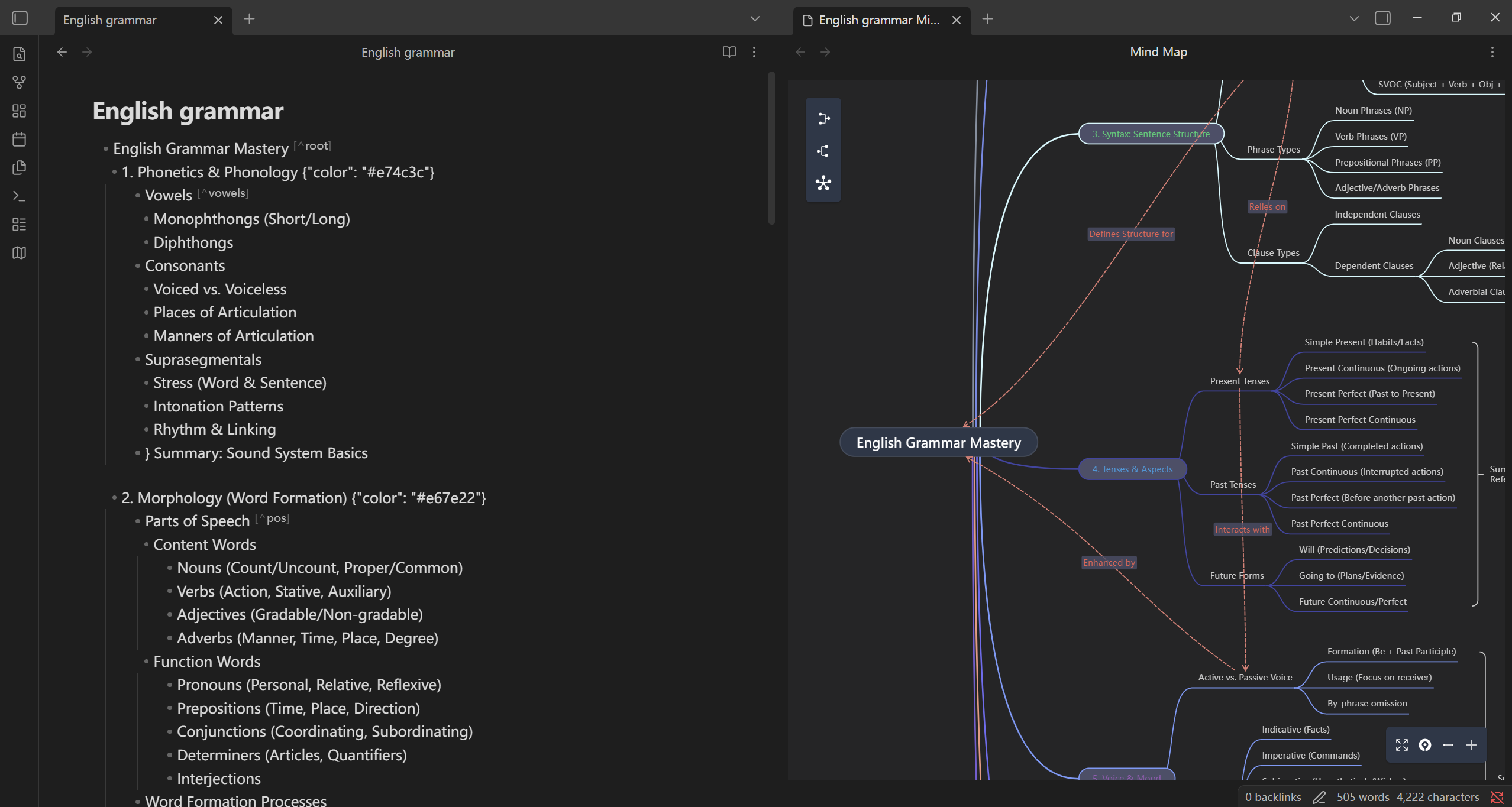
- Open as Mind Map: Transform any markdown file into an interactive mind map view
- Smart Parsing: Automatically parses markdown headers and lists into hierarchical mind map nodes
- Split View: Opens mind maps in a split pane while preserving your original document
- Auto-Refresh: Mind map updates automatically when the source file changes
- Customizable Root: Choose between using the filename or the first H1 heading as the root node
Code Block Rendering
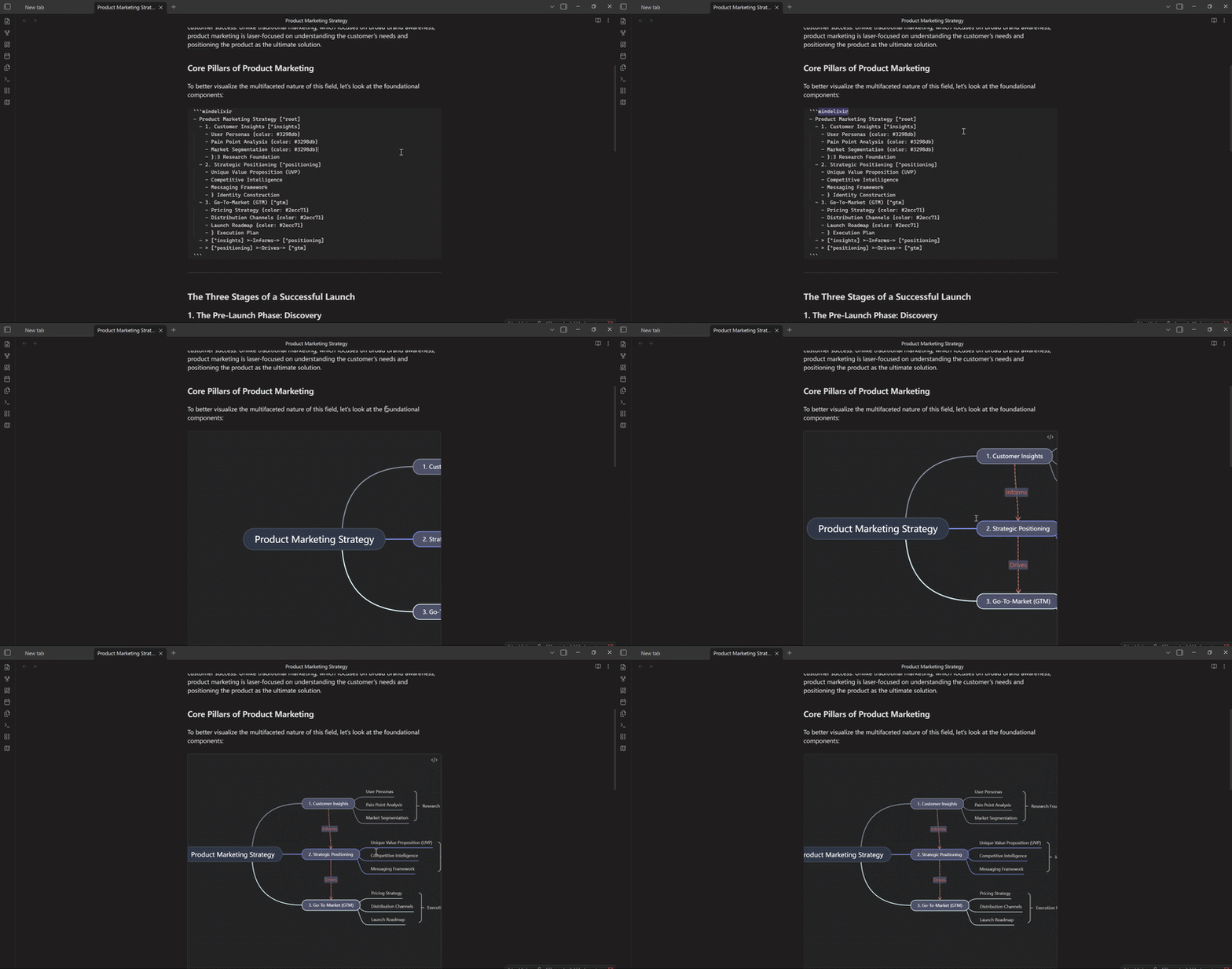
- Inline Mind Maps: Embed mind maps directly in your notes using
mindelixircode blocks - Plain Text Format: Use simple indented text format for quick mind map creation
- Non-Intrusive: Mind maps render seamlessly within your markdown content
Mobile Support

- Works on Mobile: Fully functional on Obsidian's mobile app, allowing you to view and interact with mind maps on the go
Usage
Method 1: Mind Map View
- Open any markdown file in Obsidian
- Click the mind map icon in the ribbon, or
- Use the command palette:
Mind Map: Open as Mind Map - Your markdown content will open as an interactive mind map in a split pane
Method 2: Code Blocks
Create inline mind maps using the mindelixir code block:
```mindelixir
Root Topic
  Subtopic 1
    Detail 1
    Detail 2
  Subtopic 2
    Detail 3
```
For the specific format specification, please refer to the Mind Elixir Plain Text Format Reference.
Settings
- Use first H1 as root: When enabled, uses the first H1 heading as the root node instead of the filename. Content before the first H1 will be ignored.
Manually installing the plugin
- Copy over
main.js,styles.css,manifest.jsonto your vaultVaultFolder/.obsidian/plugins/your-plugin-id/.
TODO
- Support node copy and paste
- Support reverse edit in
mindelixircode block - Record links delta if modified
- Support image in mind map
HealthExcellent
ReviewSatisfactory
About
Transform any Markdown file into an interactive mind map with Mind Elixir, automatically parsing headers and lists into hierarchical nodes and updating live in a split pane. Embed inline maps with mindelixir code blocks, pick filename or first H1 as the root, and interact on mobile.Details
Current version
4.0.0
Last updated
Last month
Created
7 months ago
Updates
10 releases
Downloads
9k
Compatible with
Obsidian 1.7.2+
Platforms
Desktop, Mobile
License
0BSD
Sponsor