Search...Search plugins and themes...
⌘K
Sign in
  • Get started
  • Download
  • Pricing
  • Enterprise
  • Account
  • Obsidian
  • Overview
  • Sync
  • Publish
  • Canvas
  • Mobile
  • Web Clipper
  • CLI
  • Learn
  • Help
  • Developers
  • Changelog
  • About
  • Roadmap
  • Blog
  • Resources
  • System status
  • License overview
  • Terms of service
  • Privacy policy
  • Security
  • Community
  • Plugins
  • Themes
  • Discord
  • Forum / 中文论坛
  • Merch store
  • Brand guidelines
Follow us
DiscordTwitterBlueskyThreadsMastodonYouTubeGitHub
© 2026 Obsidian

Media Companion

NickNick6k downloads

Creates a searchable gallery and sidecar files for attachments such as images and videos. The sidecar files allow you to add notes and tags to your media files.

Add to Obsidian
Media Companion screenshot
  • Overview
  • Scorecard
  • Updates16

[!CAUTION] This plugin creates and edits a file for each media file. Before using it on any vault, make a backup.

[!WARNING] The file types this plugin is known to work for have been added in the default settings of the plugin. Other formats that Obsidian supports may work but they are not (yet) officially supported.

A companion plugin for Obsidian that creates a gallery with all your media files. The plugin aims to let you search through these files. Additionally, it creates sidecar files for each media file, to allow for adding notes, tags, and so on.

Features

Search through your files based on folders, tags, or file types.
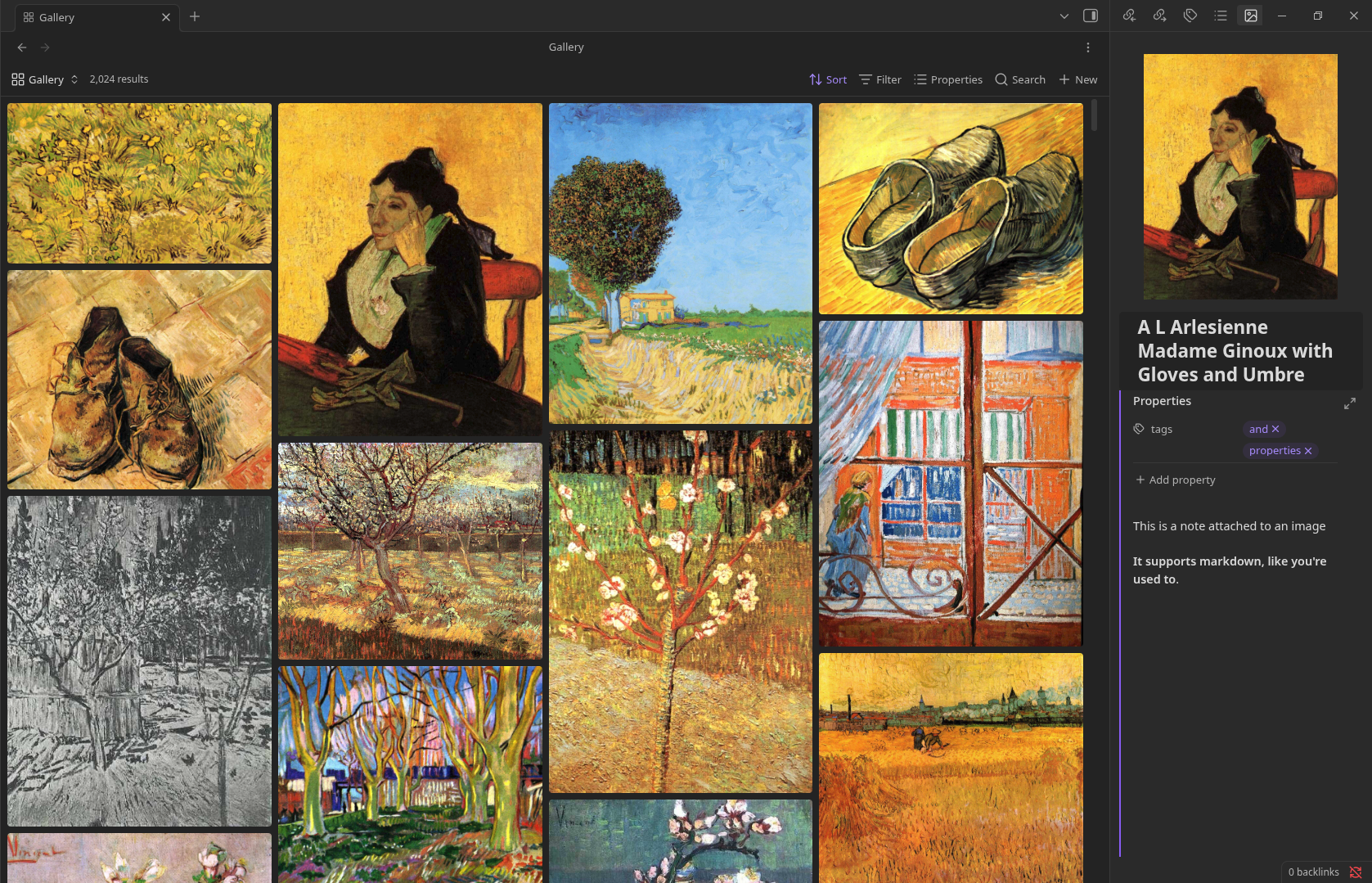
More complex searching can also be done, like searching by color (without use of AI!). You can see the plugin in action here.

Art shown in the images and video is from this dataset of Van Gogh paintings

Planned features

  • More file type compatibility
    • Audio files (mp3, wav)
    • 3d objects (obj, blender files, gltf)

Contributing

If you wish to contribute to the plugin, feel free to open a pull-request or an issue. If you're thinking about implementing a large feature, please open an issue first or contact me on discord at n_1ck so we can figure out if it's a good fit for this plugin.

78%
HealthExcellent
ReviewCaution
About
Create a browsable gallery of all media files and add editable sidecar files for each item to store notes, tags, and metadata. Search media by folder, tag, file type, or visual color (no AI) to quickly locate and organize assets.
ImagesAttachmentsTags
Details
Current version
1.2.2
Last updated
3 months ago
Created
2 years ago
Updates
16 releases
Downloads
6k
Compatible with
Obsidian 1.11.5+
Platforms
Desktop, Mobile
License
MIT
Report bugRequest featureReport plugin
Author
NickNicknick
nickdebruin.me/
GitHubnick-de-bruin
nick-de-bruin
  1. Community
  2. Plugins
  3. Images
  4. Media Companion

Related plugins

Image Context Menus

Image context menus (mostly on right click): Copy to clipboard, Open in default app, Show in system explorer, Reveal file in navigation, Open in new tab.

Ink

Hand write or draw directly between paragraphs using a digital pen, stylus, or Apple pencil.

Local Images Plus

A reincarnation of Local Images to download images in Markdown notes to local storage.

Paste image rename

Rename image after pasting, support name pattern and auto renaming.

Image auto upload

Upload images from your clipboard by PicGo.

Tars

Text generation based on tag suggestions, using Claude, OpenAI, Ollama, Kimi, Doubao, Qwen, Zhipu, DeepSeek, QianFan & more.

Imgur

Upload images from your clipboard to imgur.com and embeds uploaded image to your note.

Unofficial Supernote by Ratta Integration

View Supernote notes, generate markdown from note and capture screen mirror.

Image Manager

Insert, rename, and sort images within your notes.

Local images

Find all links to external images in your notes, download and save images locally, and adjust the image links in your notes to point to the saved image files.