Manuscript Outliner
 Joe Kovach452 downloads
Generate outlines from markdown headings. Track progress with status tags and word counts per section.
- Overview
- Scorecard
- Updates1
A plugin that generates structured outline views from your manuscript notes, showing each section’s status tag and word count at a glance.
Why? Writers work non-linearly. As a manuscript grows, tracking the status of each section becomes unmanageable — you need an entry point every time you sit down to write.
How it works
For each source note, the plugin produces two outline files:
| Output | Description |
|---|---|
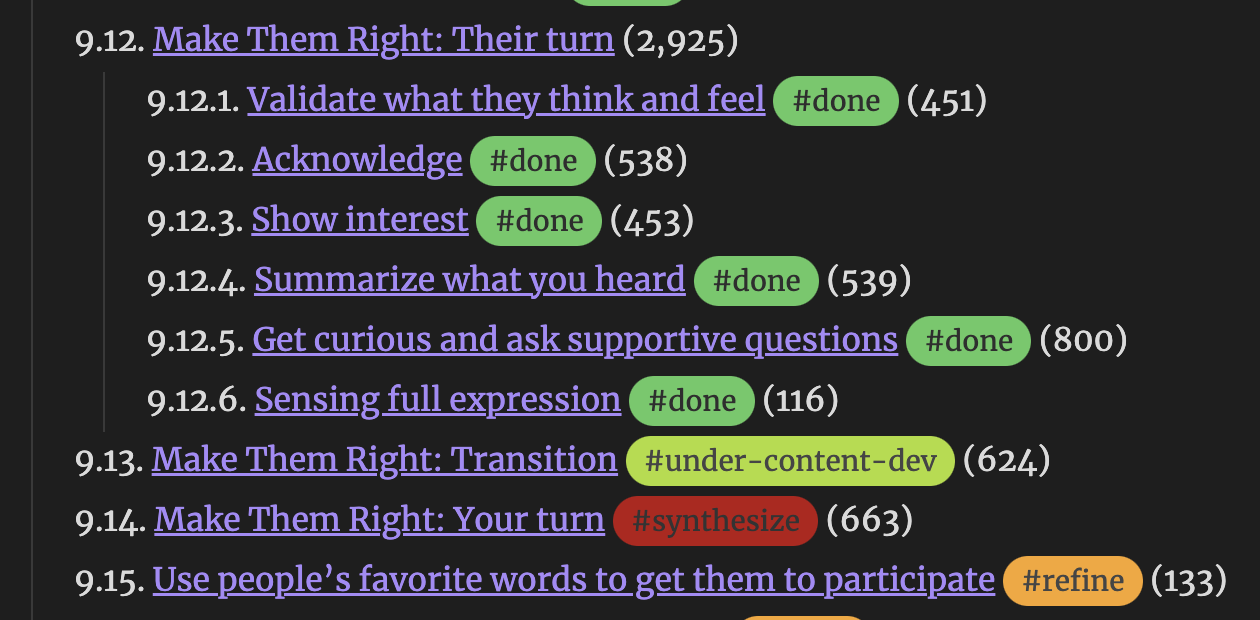
| List outline | Nested numbered headings with wikilinks to each section |
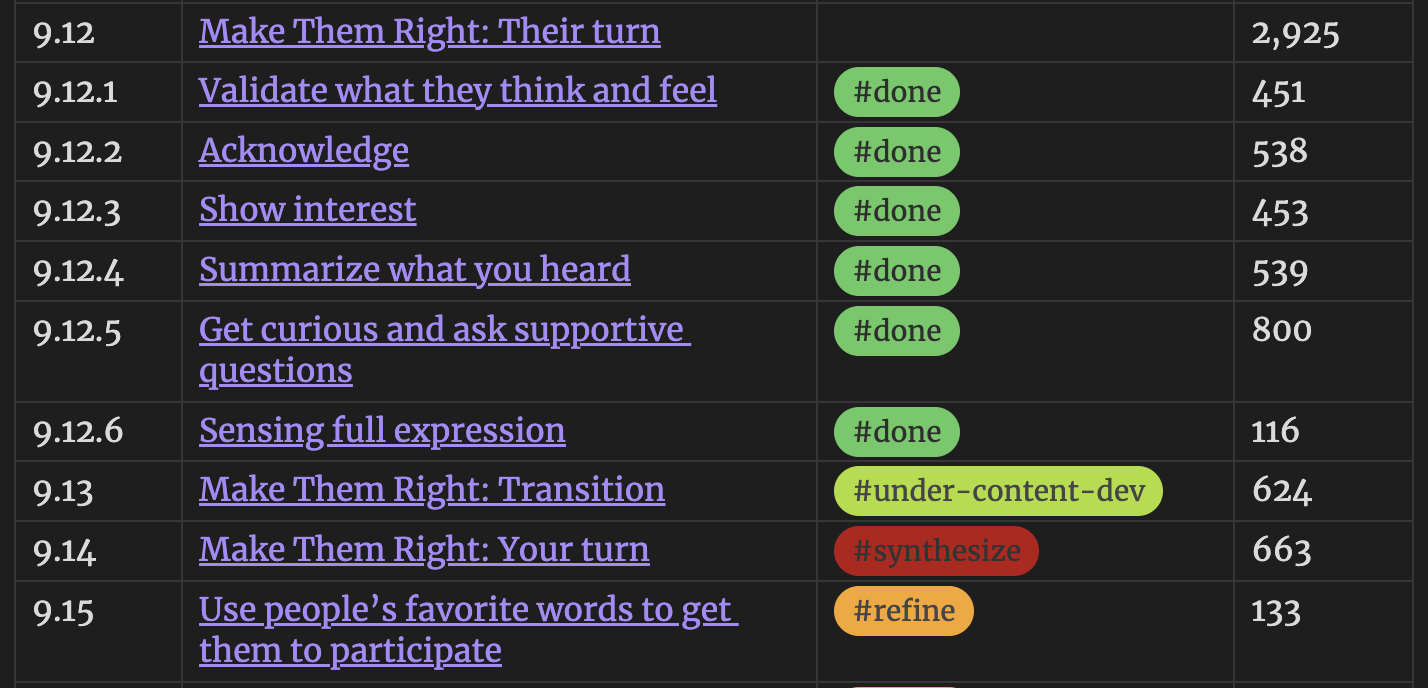
| Table outline | Markdown table with hierarchical numbering (1.2.3), status tags, and word counts |
Every heading in the outline is a wikilink—click it to jump directly to that section in your manuscript. Outlines auto-update as you edit.
Setup
- Install the plugin in Obsidian
- Configure source notes — open the plugin settings and add the names of notes you want outlined (without
.md). Default isManuscript - Add status tags — place a tag like
#draftor#reviewon the line immediately after any heading. See the tag conventions below - Generate outlines — use the command palette or the ribbon icon to create outline files. With Auto-regenerate on save enabled, outlines update as you work
Status tags
Place any #tag on the first non-blank line below a heading. The plugin picks up the first tag it finds:
## Chapter 5 - On Being Aware

#draft

Content here...
Example status tags (pair with Colored Tags Wrangler for visual distinction):
| Tag | Meaning |
|---|---|
#draft |
First pass |
#review |
Needs editorial pass |
#refine |
Revise for flow and momentum |
#final |
Done |
Tags are free-form — use whatever system fits your workflow.
Output naming
With default settings, Manuscript.md produces Manuscript-outline.md and Manuscript-table.md. Suffixes are configurable in settings.
Commands
| Command | Action |
|---|---|
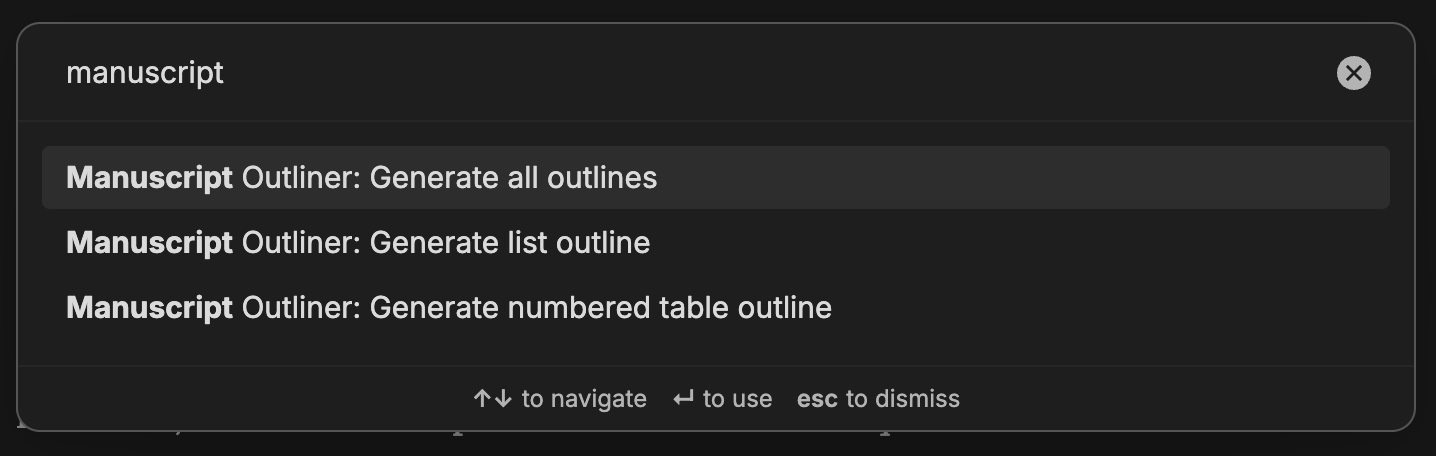
| Generate list outline | Create numbered list view(s) |
| Generate table outline | Create table view(s) |
| Generate all outlines | Create both at once |
A list-tree ribbon icon (enable in settings) generates all outlines with one click.
Settings
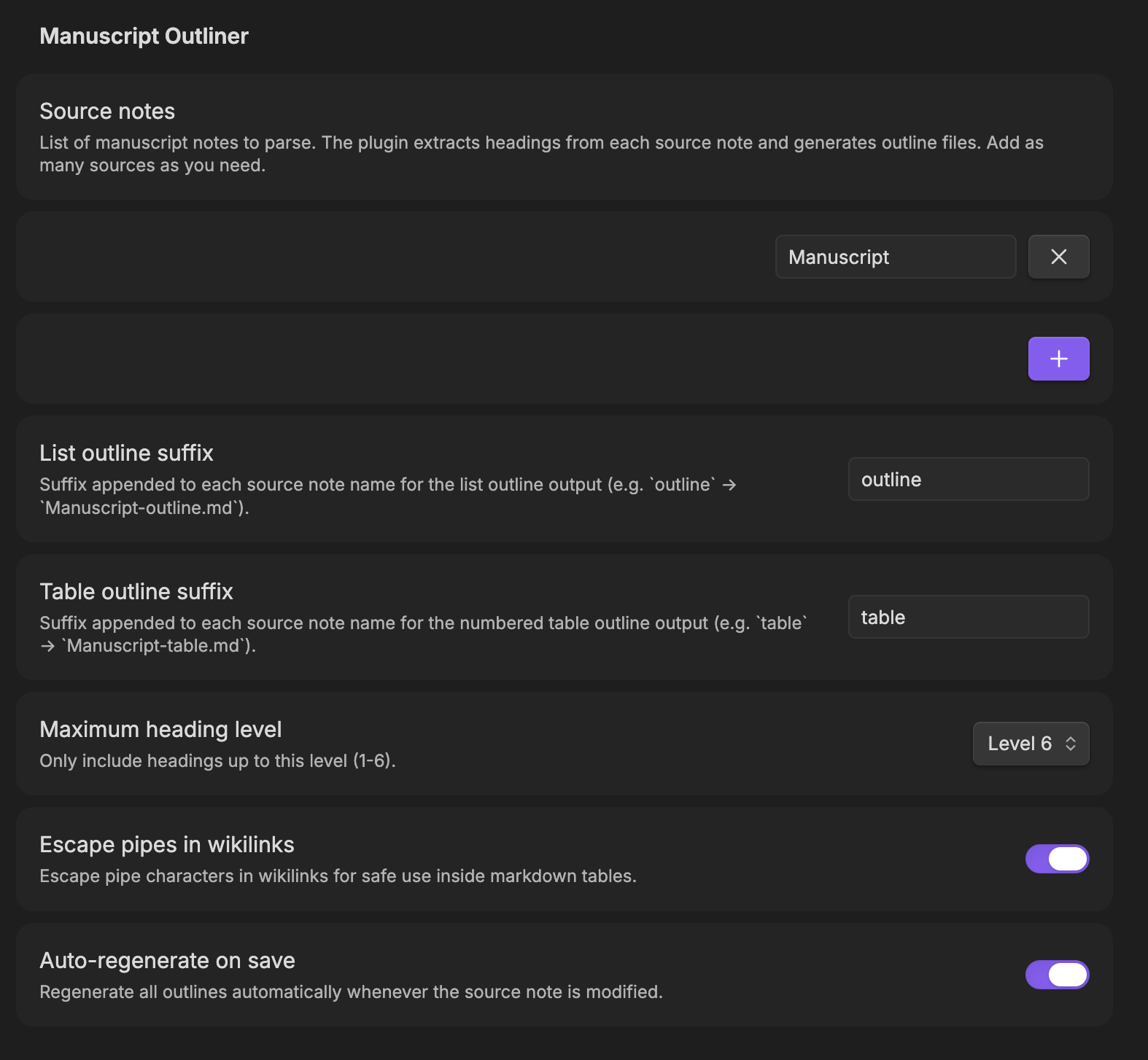
| Setting | Default | Description |
|---|---|---|
| Source note names | Manuscript |
Notes to parse (without .md). Add as many as needed |
| List outline suffix | outline |
Appended to source name for list output |
| Table outline suffix | table |
Appended to source name for table output |
| Maximum heading level | 6 | Include headings up to this depth (1–6) |
| Content-only word counts | Off | When on, excludes subheading content from counts |
| Auto-regenerate on save | Off | Regenerate outlines when any source note changes |
| Escape pipes in wikilinks | On | Prevents | from breaking table formatting |
Screenshots
Building from source
npm install
npm run dev      # watch mode
npm run build    # production bundle
License
MIT. See LICENSE for details.