
- Overview
- Scorecard
- Updates8
Logos Link is an Obsidian plugin that integrates your vault with Logos Bible Software. It allows you to quickly turn Bible references into links that open directly in Logos. If Logos isn’t installed, the link will automatically fall back to the Logos web app.
How it works
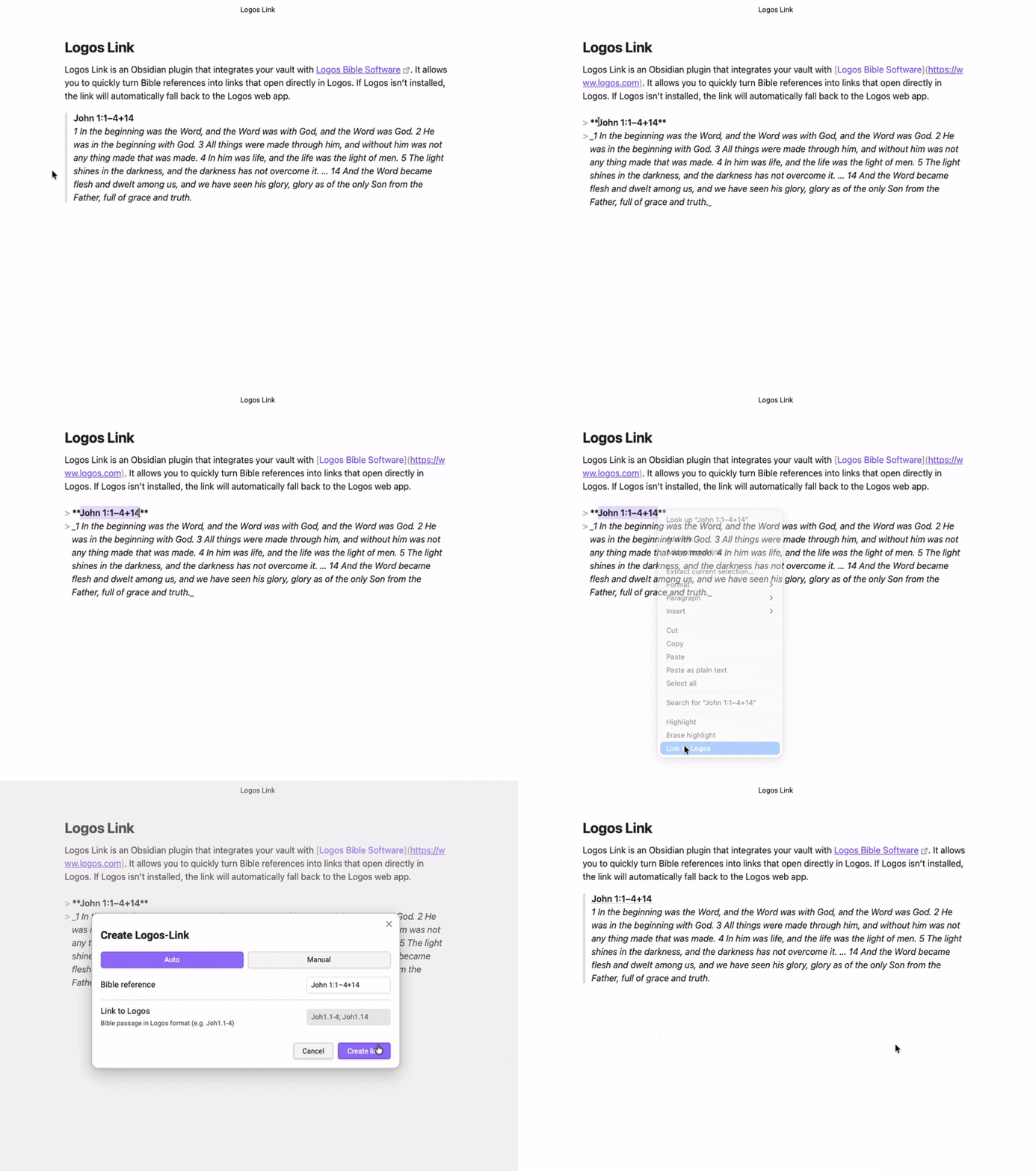
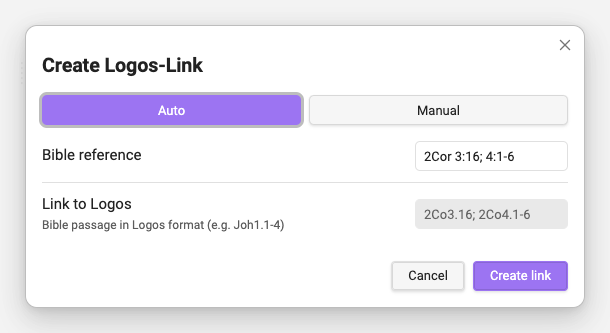
To create a Logos link, simply select a Bible reference in the editor and right-click. Choose Link to Logos from the context menu. A modal will appear, already pre-filled with the detected reference and link information. You can adjust the details if needed or accept them as-is. When you click Create link, your selected text will be replaced with the appropriate Logos link(s). If the selection contains multiple passages or non-contiguous ranges, the plugin will generate multiple links automatically.
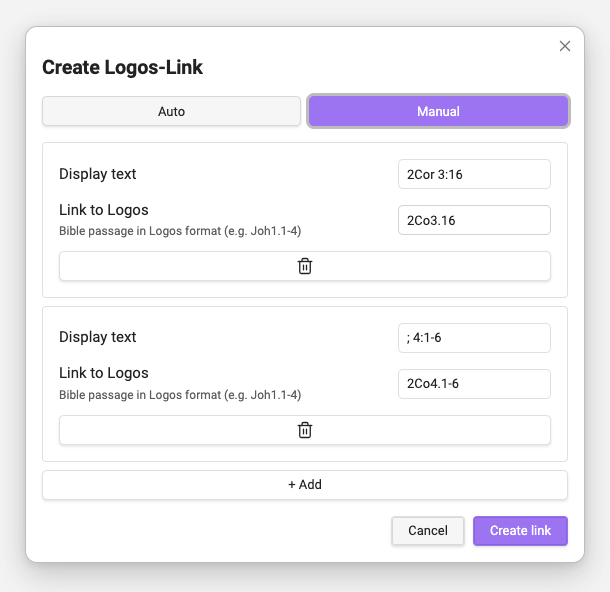
If no Bible reference is detected (or nothing is selected), switch to the Manual tab in the modal. There you can enter a passage or reference manually before creating the link.
Supported Syntax
The plugin currently supports English and German book names, as well as a variety of Bible reference formats, including multiple passages and mixed separators. Examples:
- 2Cor 3:16; 4:1-6
- Eph 1,18–19; 3,8–11.16–21
- 1 Peter 5:7-8
- …and many more