Search...Search plugins and themes...
⌘K
Sign in
  • Get started
  • Download
  • Pricing
  • Enterprise
  • Account
  • Obsidian
  • Overview
  • Sync
  • Publish
  • Canvas
  • Mobile
  • Web Clipper
  • CLI
  • Learn
  • Help
  • Developers
  • Changelog
  • About
  • Roadmap
  • Blog
  • Resources
  • System status
  • License overview
  • Terms of service
  • Privacy policy
  • Security
  • Community
  • Plugins
  • Themes
  • Discord
  • Forum / 中文论坛
  • Merch store
  • Brand guidelines
Follow us
DiscordTwitterBlueskyThreadsMastodonYouTubeGitHub
© 2026 Obsidian

Live Columns

nhiwentwestnhiwentwest1k downloads

Create editable columns in your notes with customizable colors. Type directly in columns in Live Preview mode.

Add to Obsidian
  • Overview
  • Scorecard
  • Updates2

Live Columns allows you to create multi-column layouts visually. Lets you insert, edit, and style columns directly in the Live Preview mode.
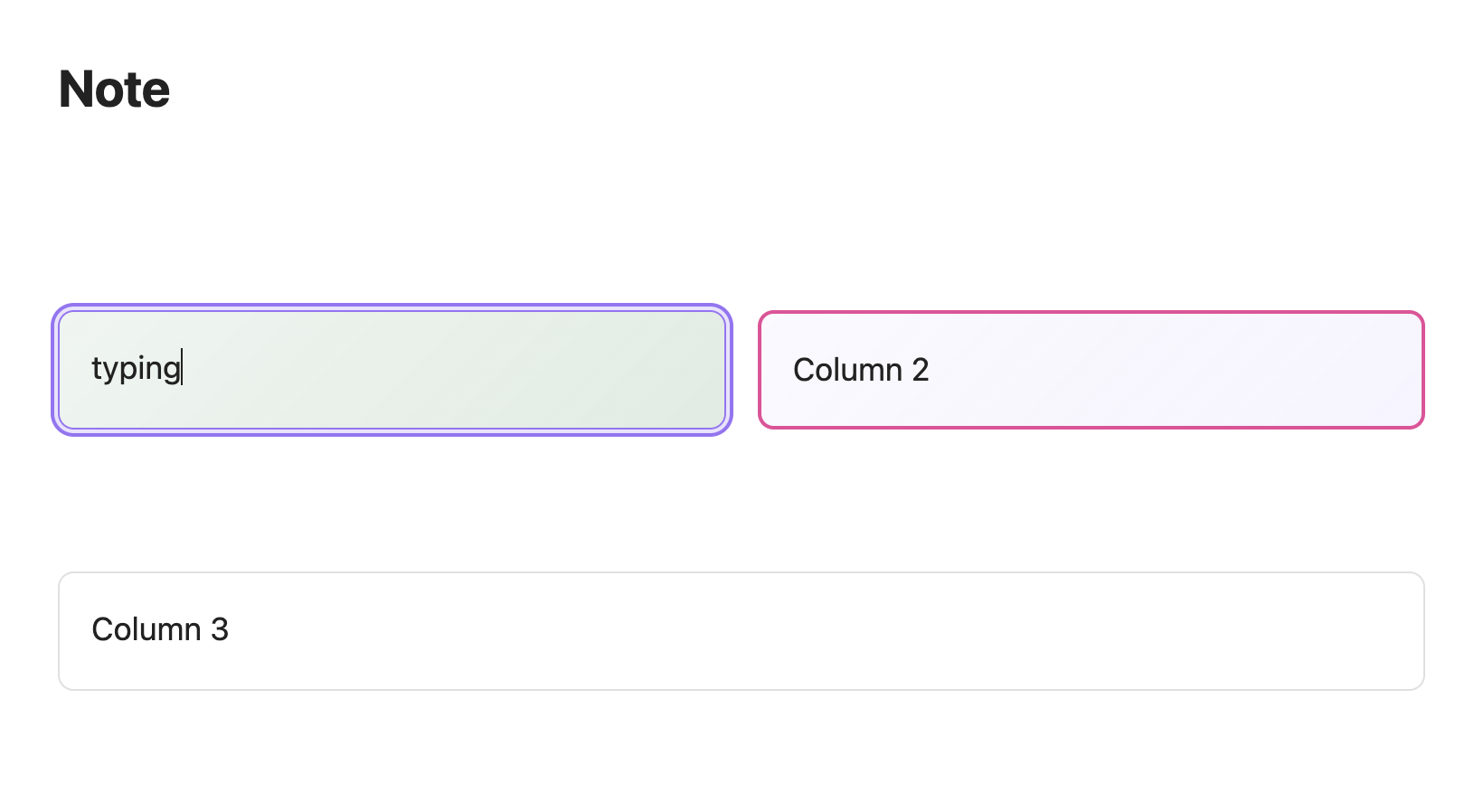
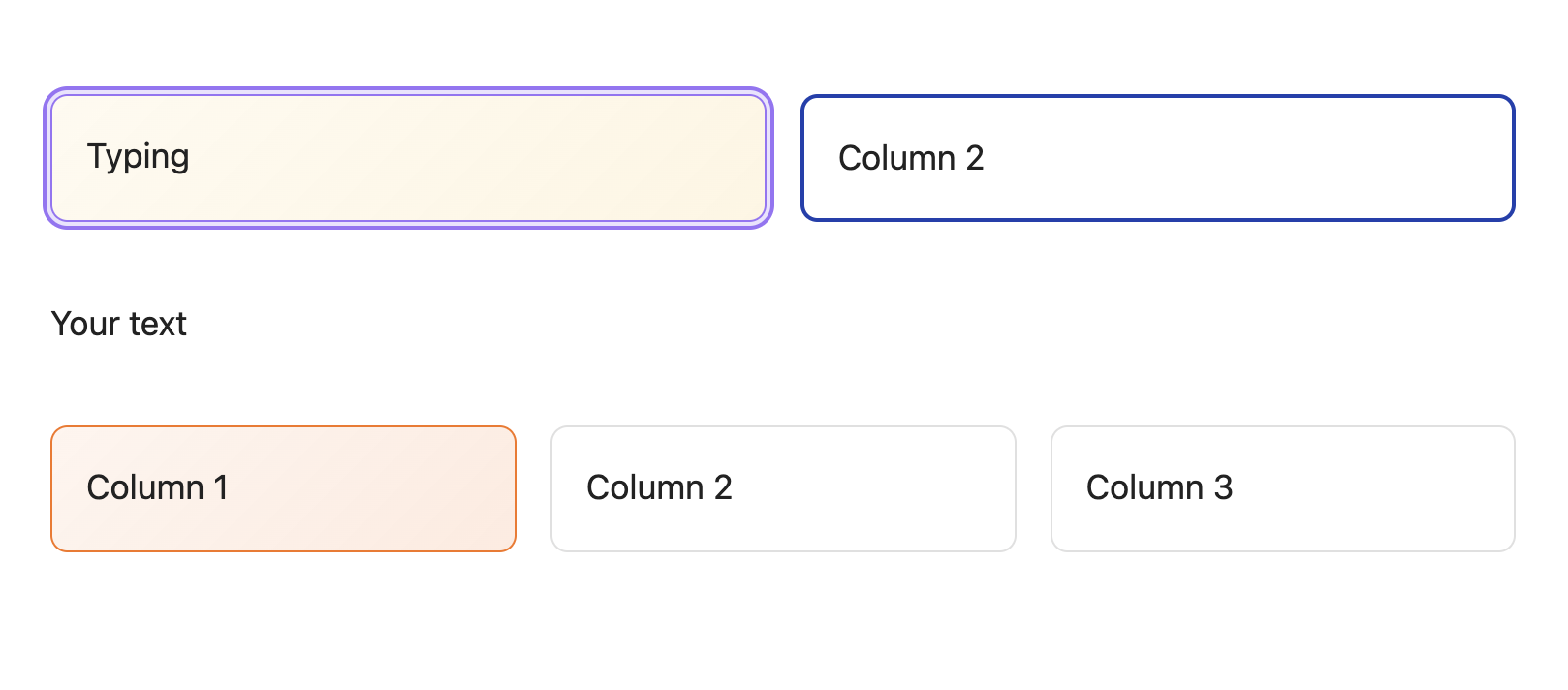
Demo of the plugin

Details of the plugin

Key Features

  • Editing: Create columns and write content directly within the Live Preview view. No need to switch to Source Mode or deal with messy code blocks.
  • Flexible Layouts: Quickly insert 2 columns, 3 columns, or full-width (1 column) sections.
  • Customizable Styles: Change Background/Border Colors for each column.

How to Use

After installing, simply click the plugin icon located in the left ribbon (the sidebar on the left).
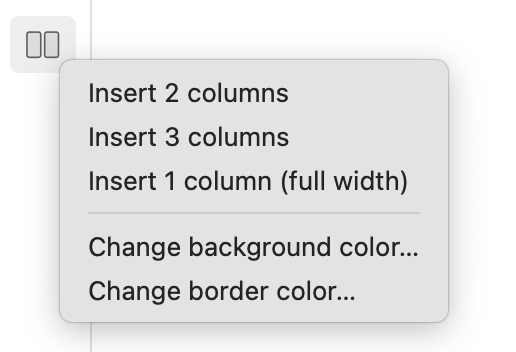
Settings Menu

Contributing

Contributions are welcome! If you have ideas for new features or find bugs, please open an issue or submit a pull request.

License

MIT

HealthExcellent
ReviewSatisfactory
About
Create multi-column layouts visually in Live Preview. Insert and edit 2-column, 3-column, or full-width sections and style each column with background and border colors without switching to Source Mode.
EditingFormattingAppearance
Details
Current version
1.0.2
Last updated
4 months ago
Created
8 months ago
Updates
2 releases
Downloads
1k
Compatible with
Obsidian 1.0.0+
Platforms
Desktop, Mobile
License
MIT
Report bugRequest featureReport plugin
Author
nhiwentwestnhiwentwest
GitHubnhiwentwest
  1. Community
  2. Plugins
  3. Editing
  4. Live Columns

Related plugins

Editing Toolbar

The Editing Toolbar is modified from cMenu, which provides more powerful customization settings and has many built-in editing commands to be a MS Word-like toolbar editing experience.

Sort and Permute lines

Sort and Permute lines in whole file or selection.

Lapel

Show the heading levels in the gutter of the editor.

Ninja Cursor

Enhance cursor visibility.

Show Whitespace

CSS styles and CM6 extensions to highlight whitespace in Source and Live Preview modes.

List Callouts

Create simple callouts in lists.

Focus Mode

Add a toggle to hide interface elements so you can focus on your note.

Minimal Theme Settings

Control the colors and fonts in Minimal Theme.

Linter

Format and style your notes. Linter can be used to format YAML tags, aliases, arrays, and metadata; footnotes; headings; spacing; math blocks; regular Markdown contents like list, italics, and bold styles; and more with the use of custom rule options.

Hider

Hide interface elements such as tooltips, status bar, titlebar, and more.