Linkroom
 Anthirayas2 downloads
Browse the notes linked to and from the active note on a calm, full-page grid.
- Overview
- Scorecard
- Updates2
See every note linked to and from the note you're reading, on a calm, full-page grid.
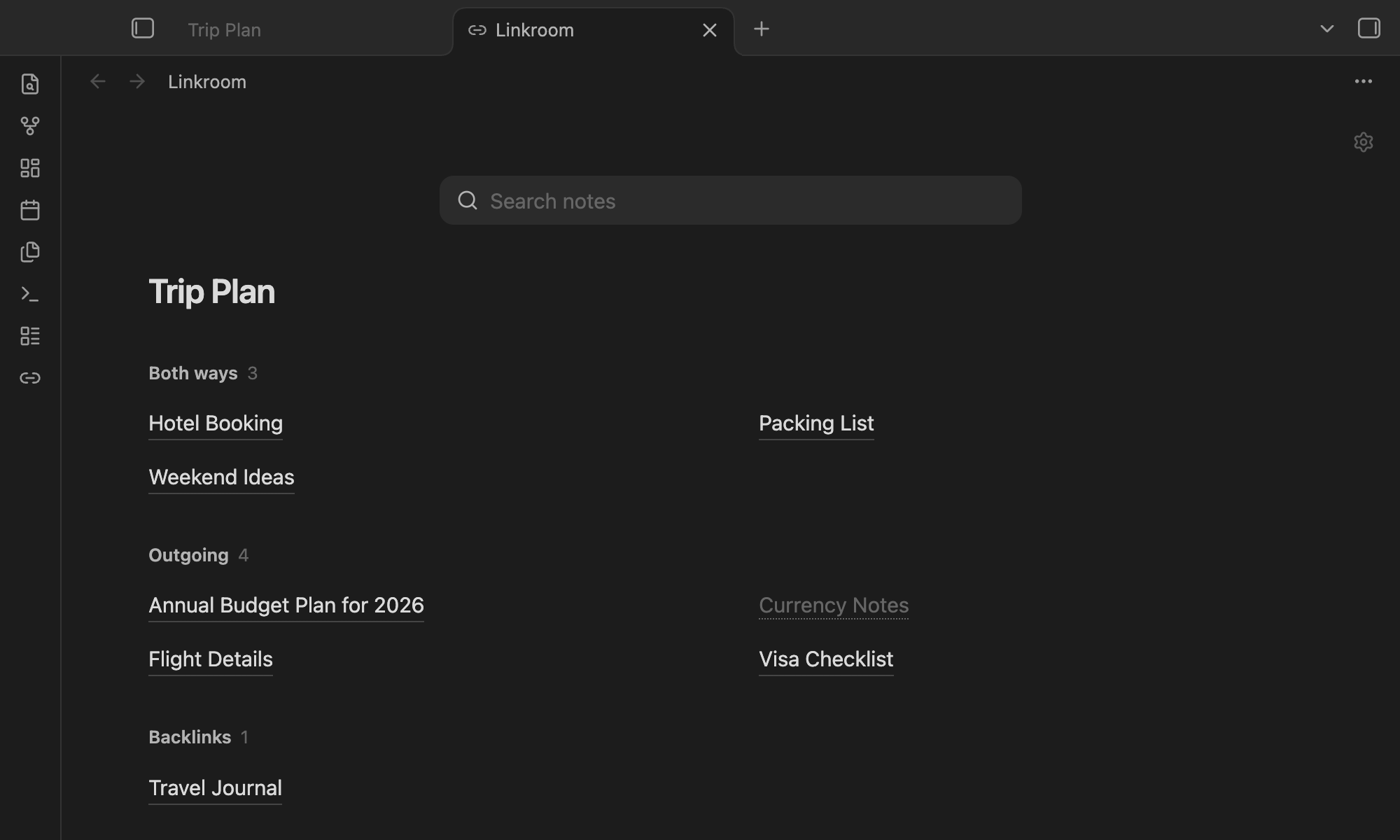
- Three groups: Both ways, Outgoing and Backlinks. Each note appears once.
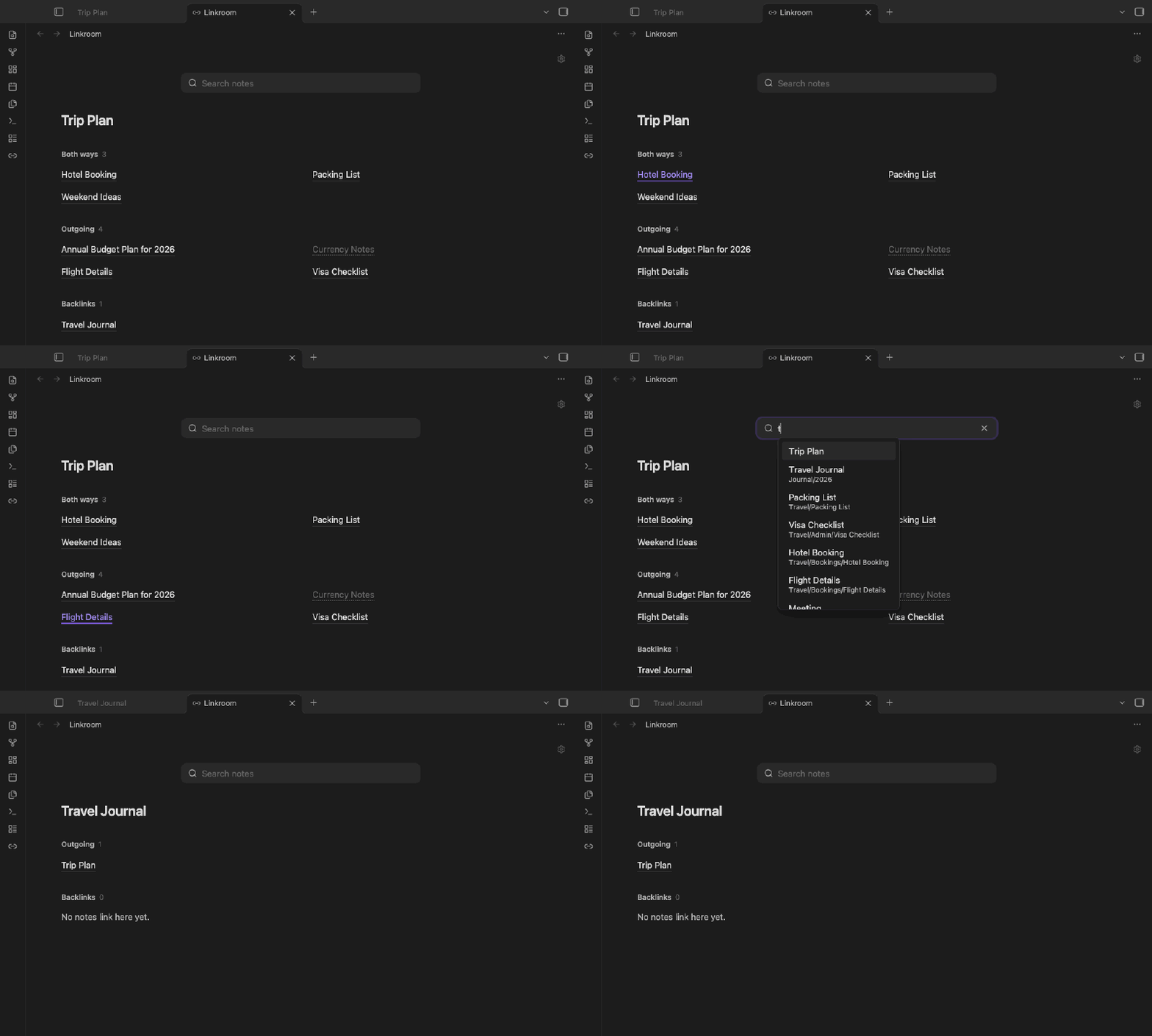
- Search any note: works like the quick switcher (Cmd/Ctrl+O). Pick a note and the page switches to its links.
- Follows you: the page updates as you move between notes.
- Your style: three link styles (Hairline, Sky link, Soft tile), columns, sort, folders and aliases.
- Read-only: no edits to your notes, no network, no tracking.
Use
Click the link icon in the ribbon, or run Open linked notes from the command palette.
| Action | Result |
|---|---|
| Click | Open the note; Linkroom stays open |
| Cmd/Ctrl-click | Open in a new tab |
| Right-click / long-press | More options |
/ or Cmd/Ctrl+F |
Focus search |
The gear in the top-right corner holds quick toggles. Everything else is under Settings → Linkroom.
Install
Until Linkroom is in the community plugin directory, download main.js, manifest.json and styles.css from the latest release into <vault>/.obsidian/plugins/linkroom/, then enable it under Settings → Community plugins.
Works on desktop and mobile. Mobile has been checked in emulation only so far.
Development
npm install && npm run build && npm run lint && npm test
Licence
MIT © 2026 Anthirayas
HealthExcellent
ReviewPassed
About
Display every note linked to and from the current note in a calm, full-page grid split into Both ways, Outgoing, and Backlinks. Search and switch notes like the quick switcher, pick a note to view its links, and keep the grid updated as you navigate; choose link style, columns, sorting, folder and alias display. Keep your vault read-only — no edits, no network, no tracking.Details
Current version
0.1.1
Last updated
5 hours ago
Created
7 hours ago
Updates
2 releases
Downloads
2
Compatible with
Obsidian 1.13.4+
Platforms
Desktop, Mobile
License
MIT
Author