JSON Payload Delta
 theluckystrike1 downloads
Compare two local JSON files and save added, removed, and changed values in a note.
- Overview
- Scorecard
- Updates1
JSON Payload Delta compares two strict JSON files in your vault. It shows added, removed, and changed values, then creates a Markdown note with links to both sources. Use it to review a saved response, a configuration change, or a data export before you write your review notes.
The comparison reads the sources. The report is a separate file at the vault root. Free features need no account. Named file pairs and ignore rules are optional Pro features.
Features
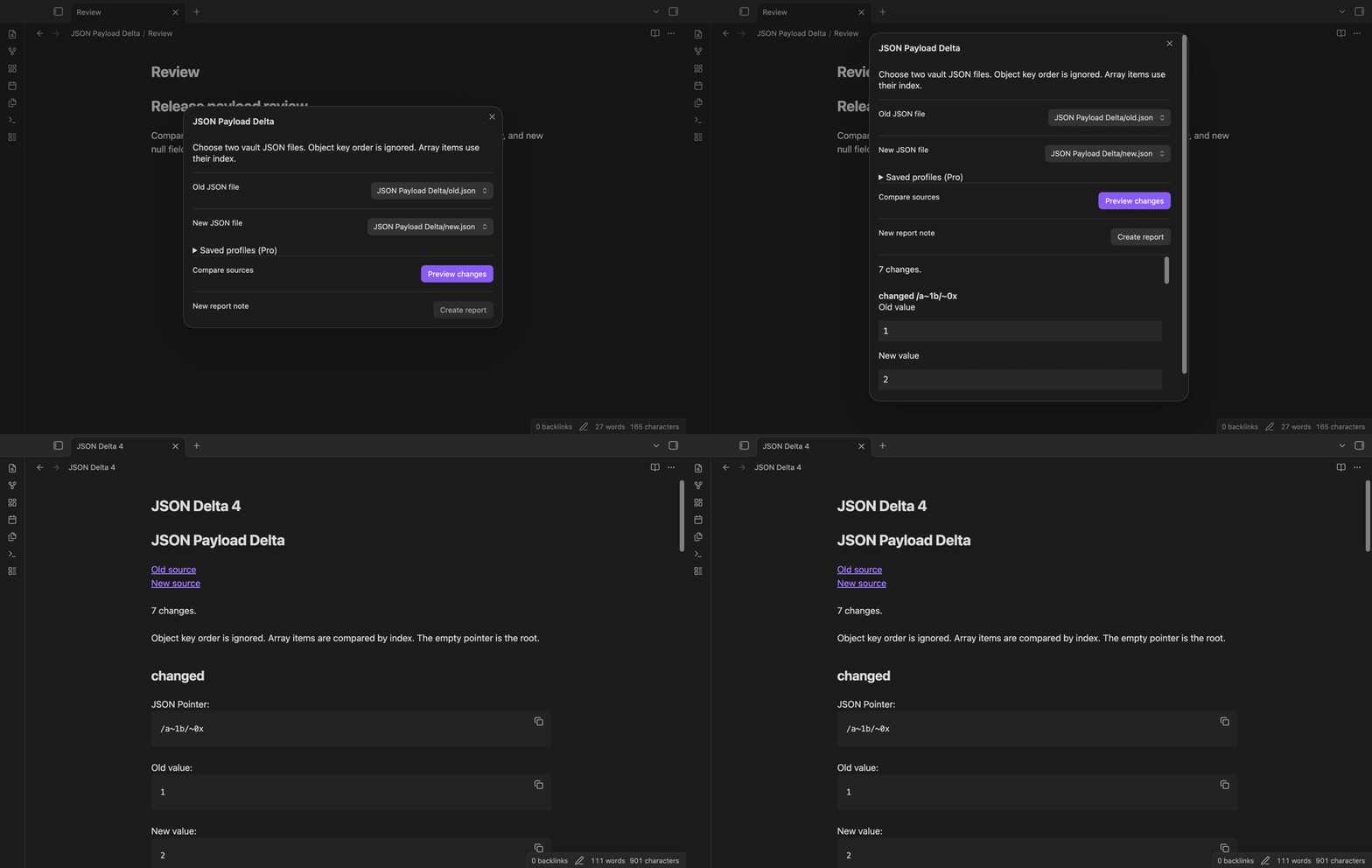
Choose two local files
Run Compare JSON files from the command palette. Choose an old file and a new file from the vault file lists. Files with a JSON extension appear in these lists. The plugin checks their contents when you select Preview changes. It accepts JSON objects, arrays, strings, numbers, booleans, and null at the root.
Read paths and values
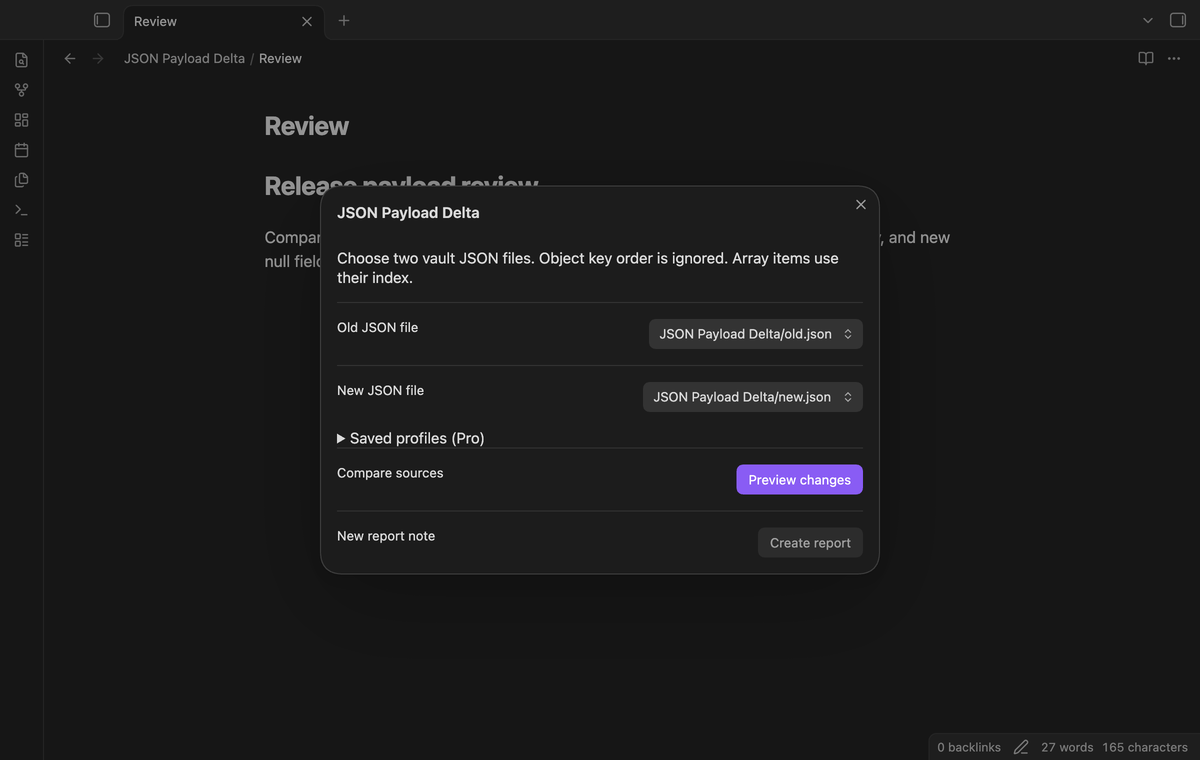
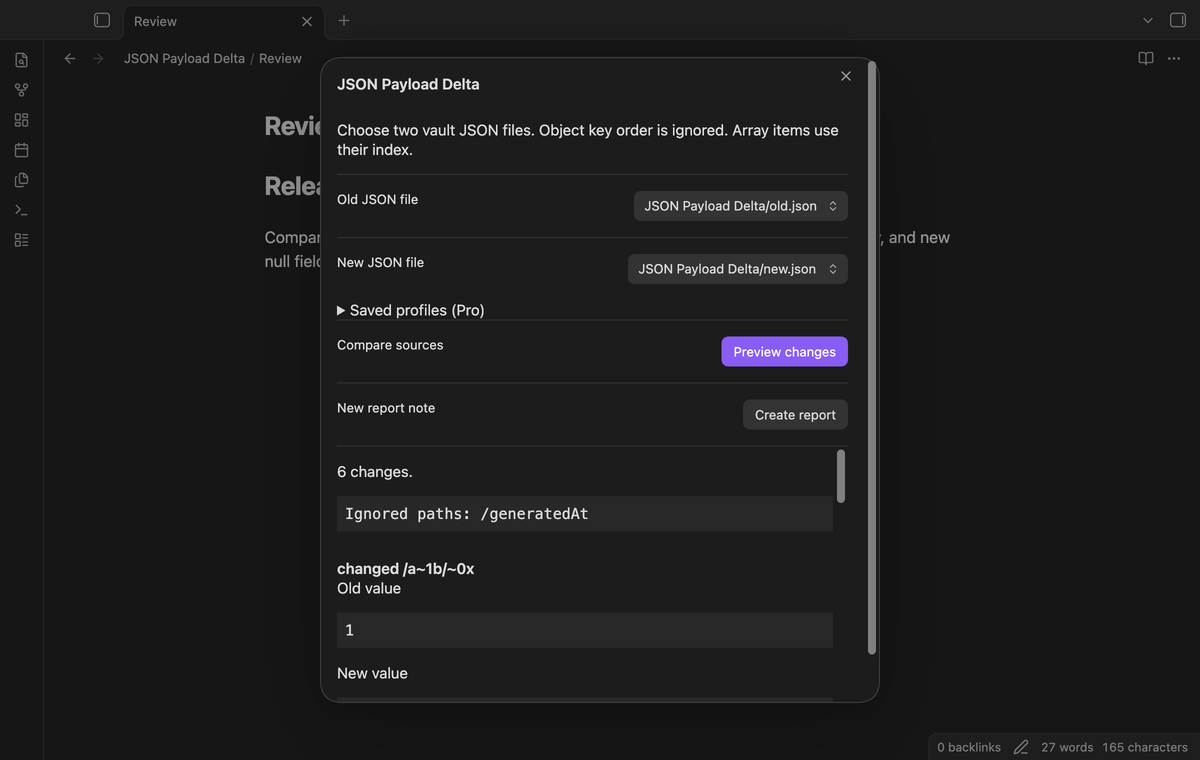
Object key order does not affect the result. Array items are compared at the same index. A swap of two different values produces changed values at two indices; the plugin does not label it as a move. Each row has a JSON Pointer path, a change type, and the old and new values. Missing fields appear as (missing), which differs from null.
Paths escape a slash as ~1 and a tilde as ~0. The empty path means the root. An added object, a removed object, or a type change produces one row for that value. The preview uses text elements, so a string with HTML appears as text.
Save a new report
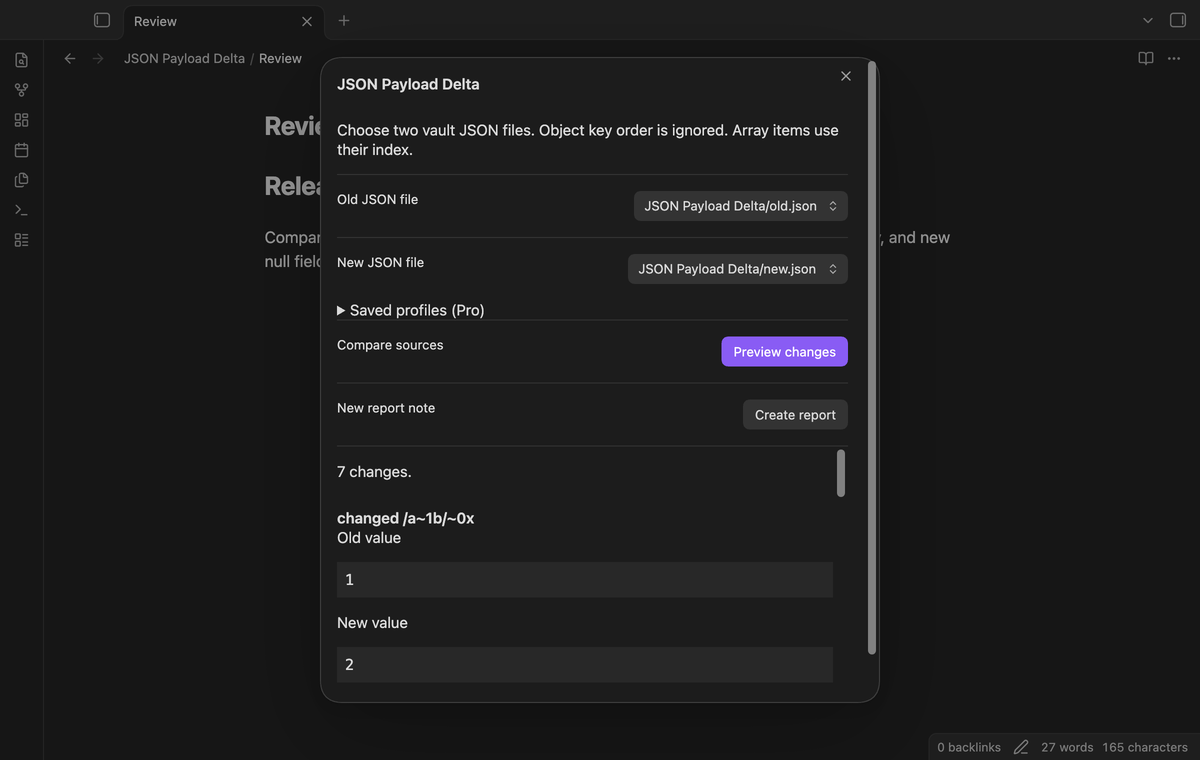
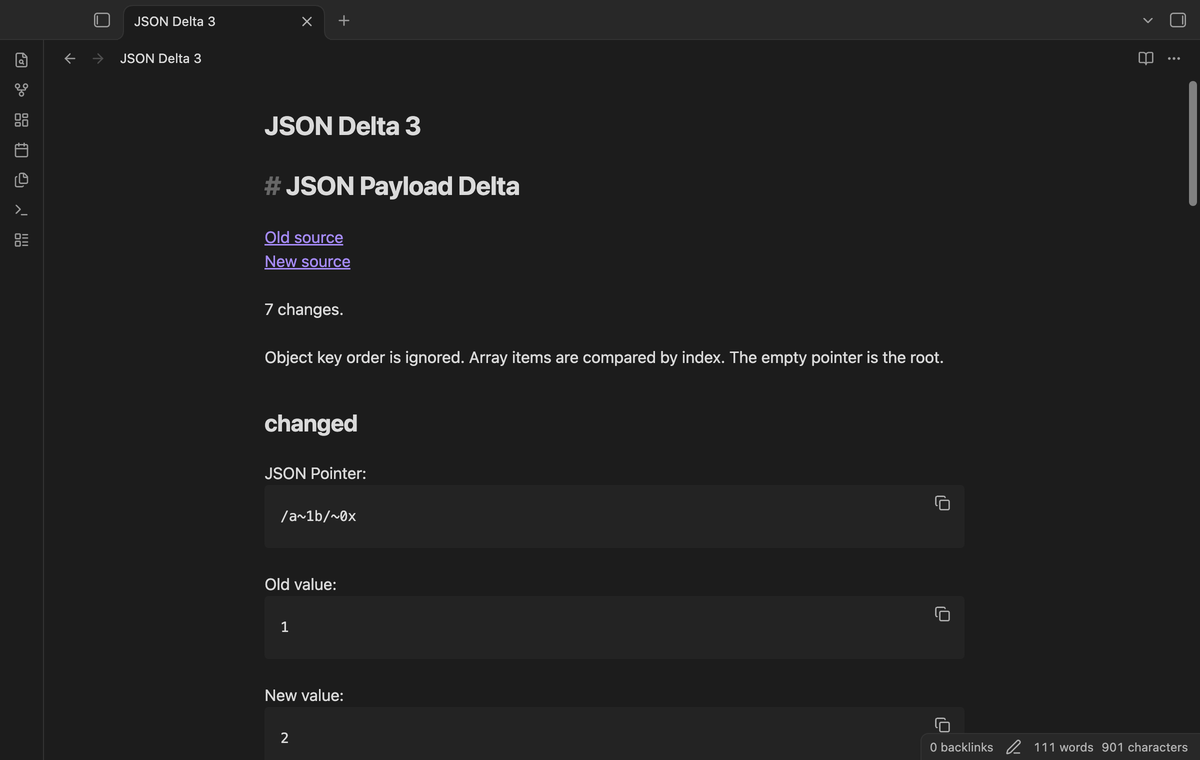
Select Create report after a preview. The plugin creates JSON Delta.md at the vault root and opens it. If that path exists, it tries JSON Delta 2.md and then higher numbers. The source links lead back to the selected files. Values and pointer paths use fenced text blocks. A longer fence protects strings that contain backticks.
A report records the last preview. It does not update after a source edit. Compare again to get a new snapshot. If the preview finds no changes, you can still create a note that states No changes.
Save named pairs (Pro)
Type a profile name and select Save profile to store the chosen file paths. Select the name from Saved file pairs on the next comparison. This removes the need to choose the same two sources again. Saving an existing name replaces that profile. The limit is 50 profiles, with names up to 80 characters.
The stored pair uses paths. If you rename or move a source, choose its new path and save the profile again. Profiles remain in the saved settings when Pro is off. You can choose sources manually and use the free comparison.
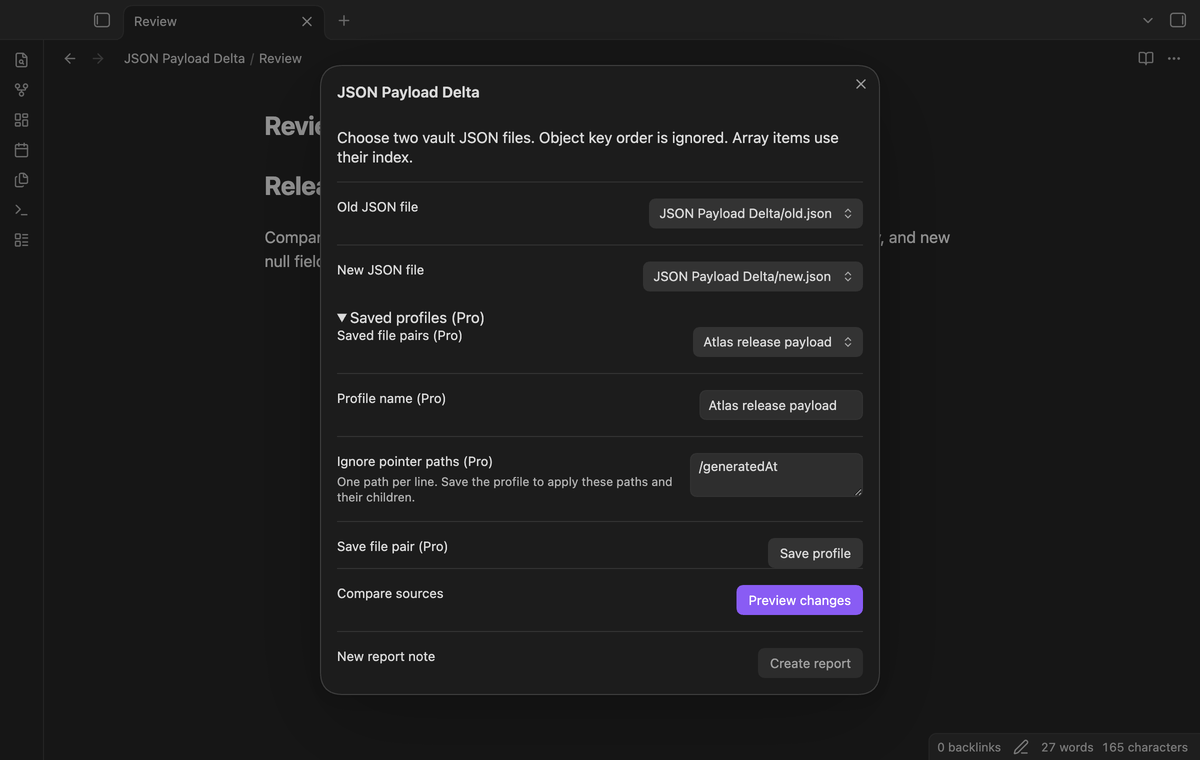
Ignore pointer paths (Pro)
Add one JSON Pointer per line in Ignore pointer paths, then save the profile. Select that profile for the comparison. For example, /generatedAt can omit a changed timestamp. A selected path also omits its children when comparison traversal reaches that path. /user differs from /username. Keep spaces that are part of a key.
Ignore rules do not mask parts inside an added, removed, or replaced parent value. If /user changes from an object to null, an ignore rule for /user/age does not suppress the parent change. Use /user to omit that complete value. The limit is 100 paths per profile. The report lists the applied rules.
Install
For a manual install, copy main.js, manifest.json, and styles.css from a release into <vault>/.obsidian/plugins/json-payload-delta/. Open Community plugins in settings and enable JSON Payload Delta. This build needs Obsidian 1.13.4 or later. The plugin uses public vault and dialog APIs.
The publisher handles the community listing. If a listing is available in Browse, search for JSON Payload Delta and use Install and Enable. A source checkout also includes the unit tests and build scripts for a local build.
Usage
Put two JSON files in your vault, then open the command palette and run JSON Payload Delta: Compare JSON files. Choose the old and new sources. Select Preview changes and read the rows before you create the note. The result includes value changes, field additions, and field removals. Check array rows with care after an insertion, because later indices can change too.
If parsing fails, the dialog shows an error and report creation stays disabled. Correct the source JSON and preview again. Changing a file choice clears the prior preview. The plugin does not apply a patch or write a replacement JSON file.
Settings
The plugin settings contain the GitHub Sponsors controls and a description of the comparison limits. Manage file pairs and ignore paths in the comparison dialog. Blank ignore text means no paths. Use escaped pointer segments for keys that contain a slash or tilde. An empty field name has the path /.
Each source can contain up to 2 MiB of UTF-8 text and 64 nested object or array containers. The preview contains at most 1,000 changes. If there are more changes, the preview and report state that the result is incomplete. The count describes the visible rows, not a total count for the source.
FAQ
Strict JSON excludes comments, trailing commas, and unquoted keys. JSON5 and YAML are outside this version. JSON.parse keeps the last value for a repeated object key. Check source files for repeated keys if that distinction matters to your review.
The number check rejects nonfinite values and integers outside the safe JavaScript range. Decimal values use JavaScript floating point numbers. Use a decimal precision tool when exact decimal arithmetic is required. Text that looks like a number remains a string.
The automated tests cover the comparison rules, limits, report name conflicts, literal output, and Pro guards. Desktop app tests check loading and the local report flow. Linux and Windows app runs, real iOS and Android devices, live payments, live GitHub sign in, cloud sync conflicts, and third party Markdown renderers were not tested. Source links point to paths, so a later file move can require a link edit.
Payment, account and network
The core features are free. Pro features need a GitHub Sponsors sponsorship of theluckystrike: $5 a month or more, or $15 once. A total payment of $15 meets the payment requirement for Pro without further payment. Sign-in and the checks below still apply. Your notes stay readable and editable with or without Pro.
GitHub handles the payment. Sponsor at https://github.com/sponsors/theluckystrike. You need no account for the free features. Pro needs the GitHub account that sponsors.
Until you select "Sign in with GitHub" in the settings, JSON Payload Delta makes no network requests. Sign in uses the GitHub device flow. JSON Payload Delta sends its public client ID and the scope read:user to https://github.com/login/device/code and shows you a code. While you enter the code at https://github.com/login/device, it asks https://github.com/login/oauth/access_token every few seconds to check the sign-in status. The scope permits profile reads only. GitHub needs this access to show the sponsorship tier. It grants no repository scope and no write access.
After sign in, JSON Payload Delta sends one query to https://api.github.com/graphql. It checks if the signed-in account sponsors theluckystrike. It asks for the tier and the total payment to theluckystrike. The plugin reuses a successful check for 7 days. Failed checks can retry after 6 hours. Select Refresh to request an earlier check. It sends no note content, file names or other vault data, and it has no telemetry.
After a successful check, Pro can work offline for up to 14 days. Sign out or a negative sponsorship answer turns Pro off. The plugin stores the GitHub token through the secret storage API of Obsidian. It does not put the token in its saved settings or its local sponsorship data. The local storage of this device keeps your GitHub login, the tier and the time of the last check. Sign out clears the token. You can also revoke the access in your GitHub settings, under Applications.
Support
After the public release, use the repository issue tracker at https://github.com/theluckystrike/json-payload-delta/issues. Include the Obsidian version, the error text, and a small sample that reproduces the problem. Remove private data from the sample first. State whether you used a saved profile and list the relevant pointer rules.