Search...Search plugins and themes...
⌘K
Sign in
  • Get started
  • Download
  • Pricing
  • Enterprise
  • Account
  • Obsidian
  • Overview
  • Sync
  • Publish
  • Canvas
  • Mobile
  • Web Clipper
  • CLI
  • Learn
  • Help
  • Developers
  • Changelog
  • About
  • Roadmap
  • Blog
  • Resources
  • System status
  • License overview
  • Terms of service
  • Privacy policy
  • Security
  • Community
  • Plugins
  • Themes
  • Discord
  • Forum / 中文论坛
  • Merch store
  • Brand guidelines
Follow us
DiscordTwitterBlueskyThreadsMastodonYouTubeGitHub
© 2026 Obsidian

Jot

Ben VerbekenBen Verbeken832 downloads

Annotate PDFs with your Apple Pencil. Strokes save to a JSON sidecar; the PDF is never modified.

Add to Obsidian
Jot screenshot
  • Overview
  • Scorecard
  • Updates29

Handwrite annotations on PDFs in Obsidian with your Apple Pencil. Strokes are stored in a tiny JSON sidecar (<file>.jot.json) next to the original file — the original PDF is never modified — so annotations sync via Git or iCloud alongside the rest of your vault.

I built this to annotate musical scores during rehearsal with our vocal band: things like breath marks, "watch out for thise note", etc.

Status: early, working. PDFs only for now.
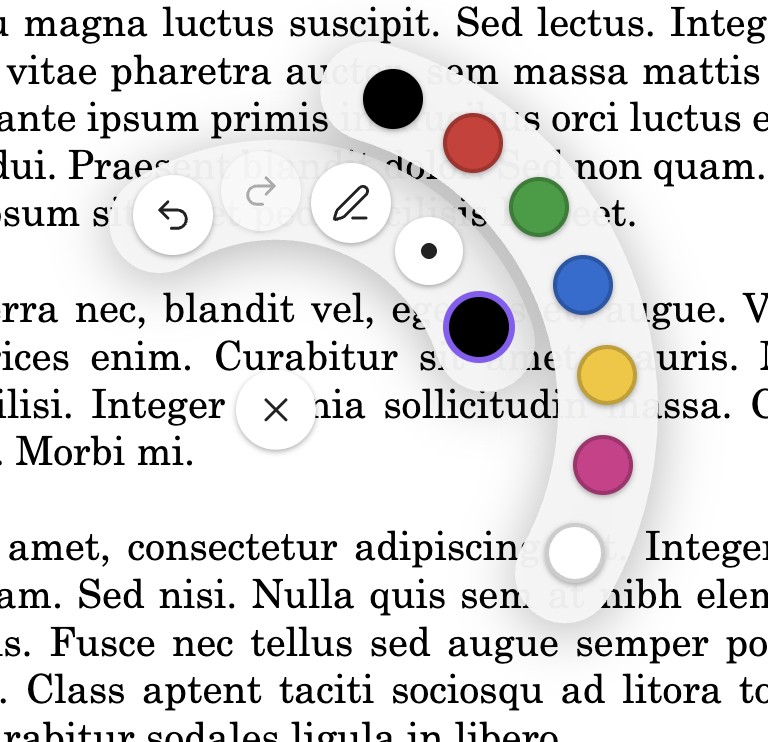
Annotating a pdf with the radial palette open

Features

  • Pressure-sensitive ink with Apple Pencil
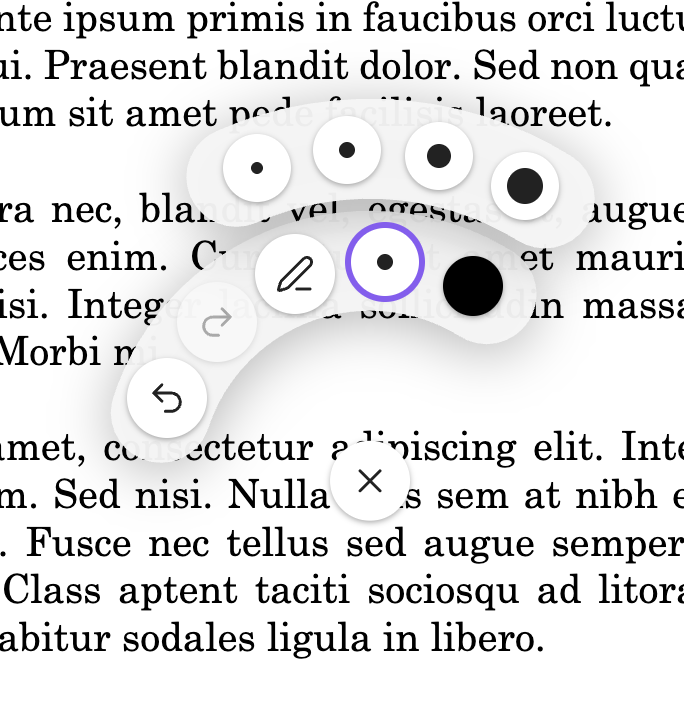
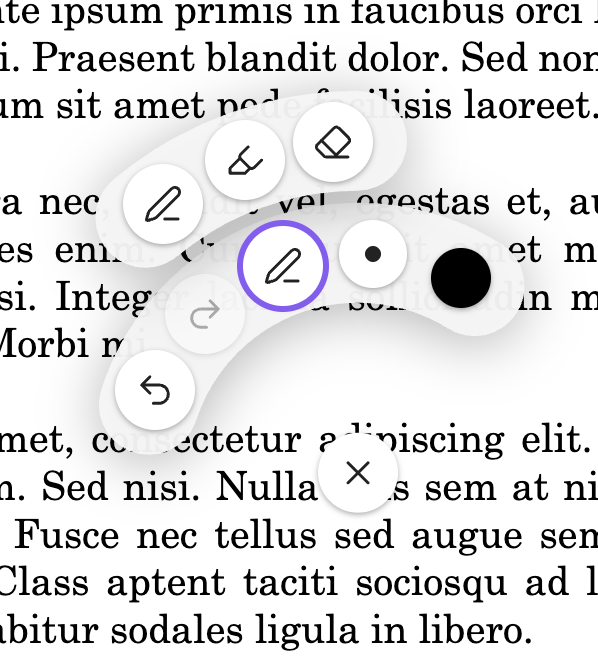
  • Pen, highlighter, and eraser; seven configurable colors; four widths
  • Radial palette opens on long-press; remembers your last pen and highlighter settings
  • Per-PDF undo/redo
  • Merge annotations into a flattened PDF (overwrite or save a copy)
  • Cross-device sync via the sidecar JSON — edit on iPad, see it on desktop
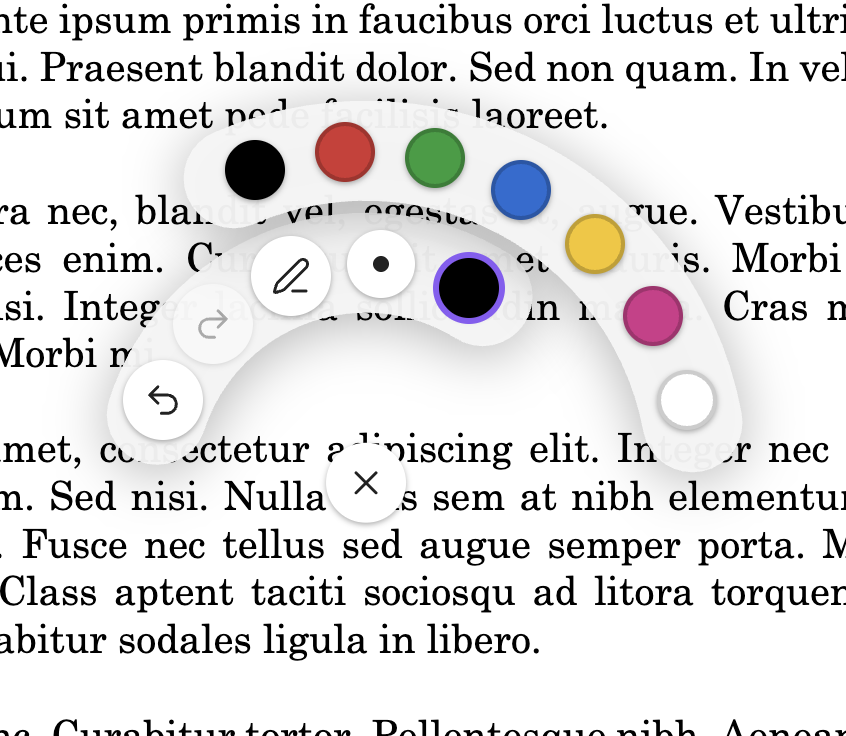
Right-handed color selection Left-handed color selection Thickness selection

Installing

  1. In Obsidian, open Settings → Community plugins → Browse.
  2. Search for Jot, install, and enable it.

Beta builds

To try unreleased changes, install BRAT and add https://github.com/bverbeken/jot as a beta plugin.

Using it

  1. Open a PDF in Obsidian.
  2. Long-press anywhere on the page with the Apple Pencil to open the radial palette. Pick a tool, color, or width.
  3. Draw with the Apple Pencil. Rest your palm freely — touch input is ignored once a pen stroke starts.
  4. Two-finger hold dismisses the palette. The palette also auto-dismisses after a brief confirmation animation when you pick a color.
  5. Run the Merge notes into PDF command to bake annotations into a flattened PDF. Run Clear annotations on this PDF to wipe all strokes (undoable).

Set your handedness and customize the seven palette colors under Settings → Jot.

Development

npm install
npm run dev     # watch build into dev-vault/.obsidian/plugins/jot/
npm run build   # production build at the repo root (for release uploads)
npm test        # vitest

Open dev-vault/ as a vault in Obsidian to test. The dev vault is gitignored and is not your real notes vault.

Testing on iPad

  1. Cut a GitHub release (npm version patch then git push origin <tag> — the release workflow uploads main.js, manifest.json, styles.css).
  2. On the iPad, install BRAT into a separate dev vault — never your real one.
  3. In BRAT, add this repo as a beta plugin. BRAT pulls the release and installs it.
HealthExcellent
ReviewPassed
About
Handwrite annotations on PDFs using Apple Pencil with pressure-sensitive ink, pen, highlighter and eraser. Store strokes in a tiny JSON sidecar next to each PDF so the original file stays unchanged and annotations sync via Git or iCloud across devices. Merge annotations into a flattened PDF or edit per‑PDF with undo/redo and a radial tool palette for quick tool, color and width selection.
AnnotationPDFDrawing
Details
Current version
1.0.5
Last updated
2 months ago
Created
2 months ago
Updates
29 releases
Downloads
832
Compatible with
Obsidian 1.4.4+
Platforms
Desktop, Mobile
License
0BSD
Report bugRequest featureReport plugin
Author
Ben VerbekenBen Verbekenbverbeken
GitHubbverbeken
  1. Community
  2. Plugins
  3. Annotation
  4. Jot

Related plugins

Handwritten Notes

Annotate PDFs and create handwritten notes inside your vault.

PDF Highlights

Extract highlights, underlines and annotations from your PDFs.

Extract PDF Annotations

Extract PDF annotations (notes and highlights) and sort them by topic.

Xournalpp

Integration with Xournal++ for handwritten notes and annotations.

Excalidraw

Visual PKM powerhouse. Create and edit Excalidraw drawings.

Mermaid Tools

Improved Mermaid.js experience: visual toolbar with common elements and more.

Admonition

Admonition block-styled content.

Ink

Handwriting and drawing directly between paragraphs using a digital pen, stylus, or Apple pencil.

Text Extractor

A (companion) plugin to facilitate the extraction of text from images (OCR) and PDFs.

Karpathy LLM Wiki

Karpathy's LLM Wiki implementation - multi-page knowledge generation with entity/concept pages and conversational query.