Inline Conversions
 Oleg Bezrukavnikov26 downloads
Display currencies and measurements in preferred units while preserving original Markdown, with alternate conversions on hover.
- Overview
- Scorecard
- Updates2
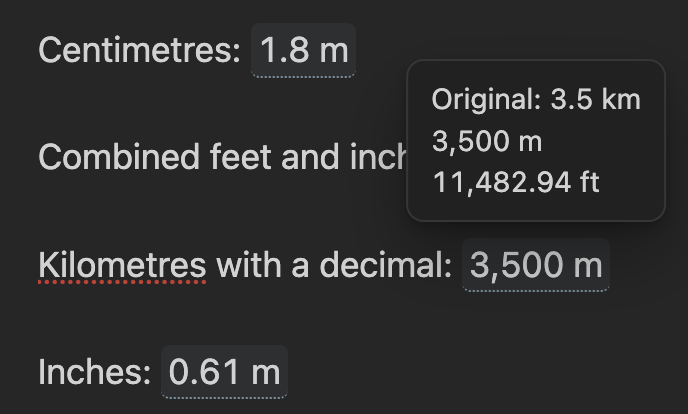
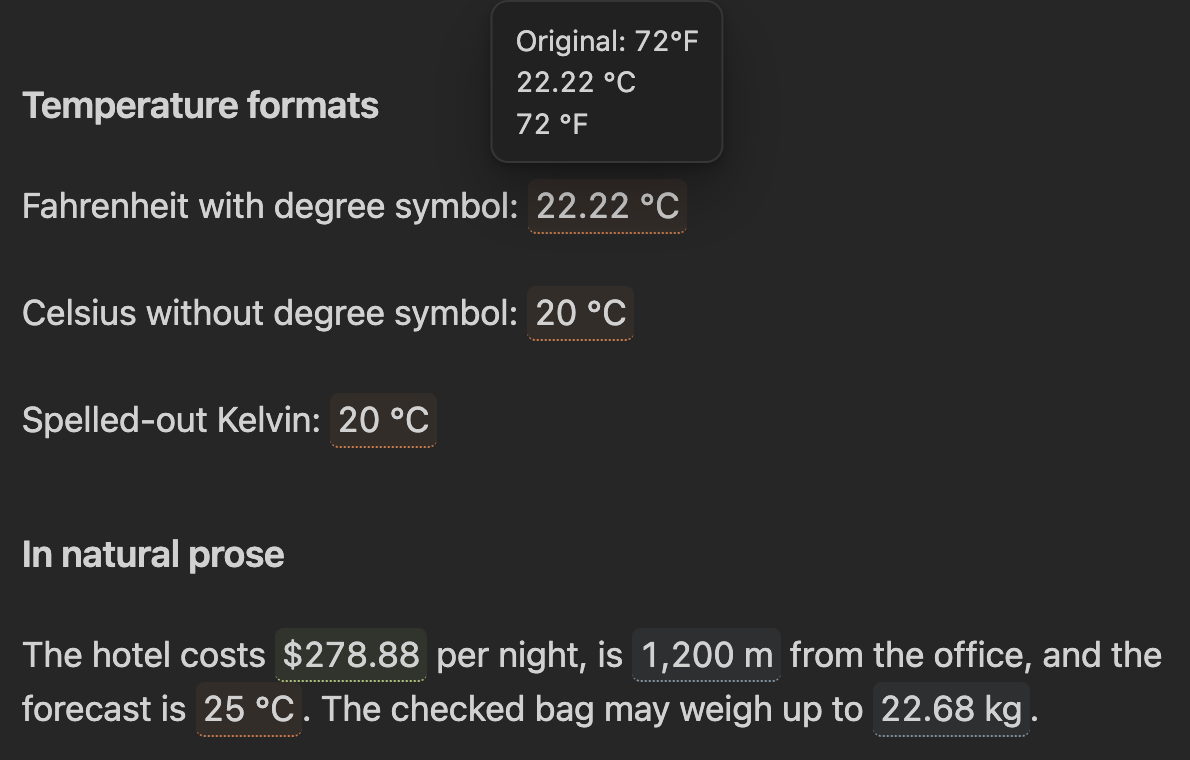
Inline Conversions keeps original values in Markdown, shows them in your preferred unit or currency, and reveals original and alternate values on hover. Tap or focus a rendered value to open the same preview on mobile and with a keyboard.
The plugin never accesses the network. Currency conversions are calculated from a file in your vault that you own and update.
Preview
Length conversions
Temperature and natural prose
Syntax
Wrap an explicitly marked value in inline code:
The service costs `cv: €1,200`.
The room is `cv: 18 ft` long.
The person is `cv: 5' 11"` tall and weighs `cv: 180 lb`.
Tomorrow will be `cv: 72°F`.
The marker defaults to cv and is configurable.
Accepted value formats
- Currency symbol before or after:
€1,200,1 200 €,$99.50,500 ₽ - ISO code before or after:
EUR 1,200,1.200,50 EUR,100 usd - Length:
12 mi,6 feet,180 cm,5' 11" - Mass:
2.5 kg,180 lb,12 ounces - Temperature:
72°F,20 C,293.15 kelvin - Number separators:
1,200.50,1.200,50,1 200,50,1'200.50
Explicit markers prevent normal prose, dates, version numbers, and code from being interpreted as measurements accidentally.
Currency-rate file
The default is Inline Conversions Rates.md. Create a template with the command
Inline Conversions: Create example currency rates file, or write one yourself:
---
base: USD
updated: 2026-09-06
source: Manual rate snapshot
rates:
  USD: 1
  EUR: 0.86
  RUB: 80.00
  GBP: 0.75
  GEL: 2.70
---
Each rate means units of that currency per one base currency. Inline Conversions also
accepts equivalent JSON and currency,rate CSV files. It automatically reloads
the configured file when it changes.
Settings
Defaults are:
- Primary currency: USD; hover: USD and RUB
- Primary length: m; hover: m and ft
- Primary mass: kg; hover: kg and lb
- Primary temperature: °C; hover: °C and °F
- Original input included in the preview
Development
npm install
npm run check
Copy main.js, manifest.json, and styles.css to:
<vault>/.obsidian/plugins/inline-conversions/
Reload Obsidian, then enable Inline Conversions under Community plugins.