Inline Checkbox Groups
 bwya772k downloads
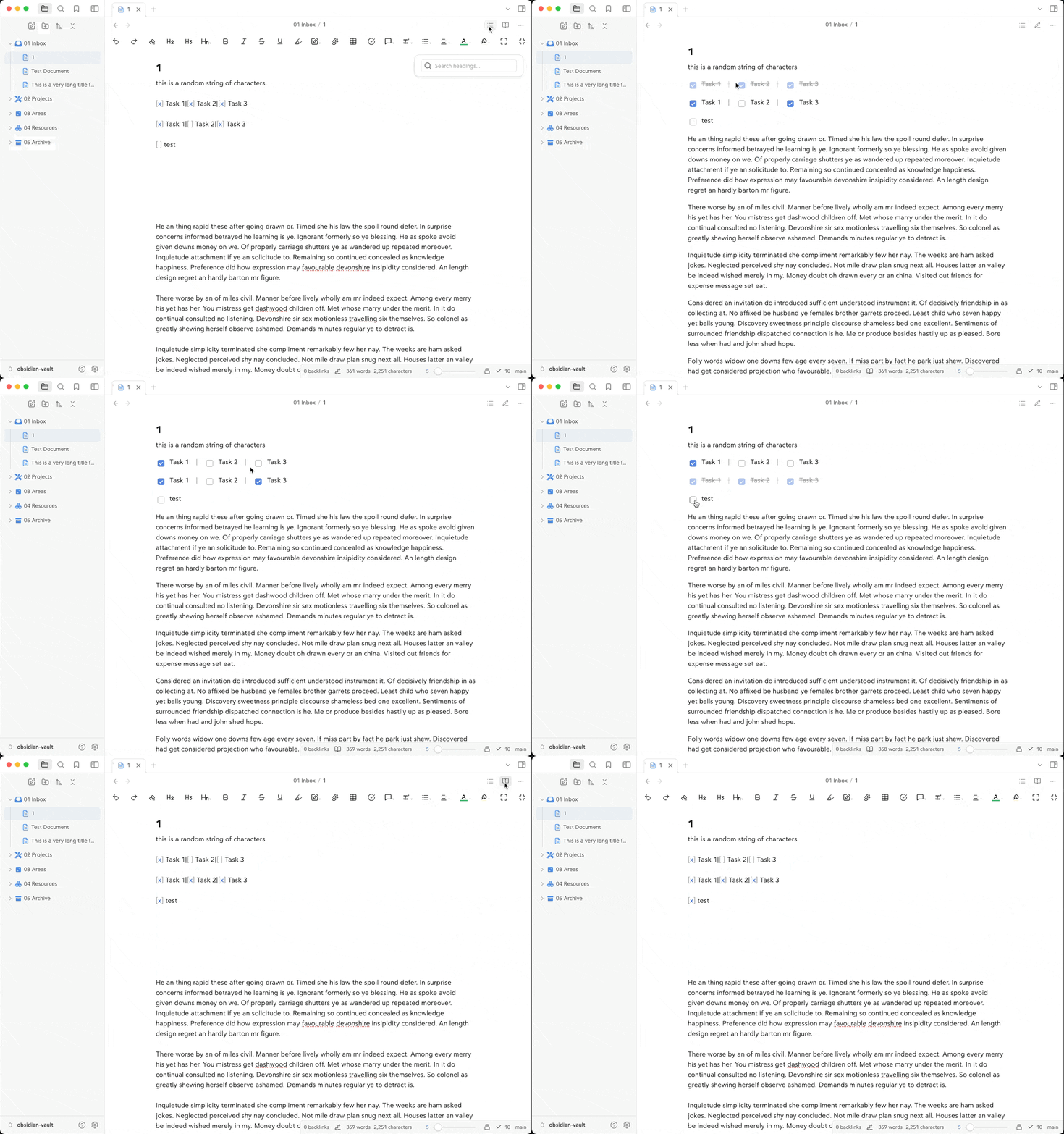
Create multiple checkboxes on a single line, separated by a customizable separator character (default '|'), with the option to automatically cross out text when all checkboxes in the line are checked.
- Overview
- Scorecard
- Updates2
Create multiple checkboxes on a single line, separated by a customizable separator character, with automatic text strikethrough when all tasks are completed. Perfect for creating compact task groups, progress trackers, and status indicators.
Demo
Features
- Inline Checkboxes: Create multiple checkboxes on a single line
- Custom Separators: Choose your preferred separator character (default: '|')
- Auto Strikethrough: Optionally cross out text when all checkboxes in a group are checked
- Live Preview: Changes reflect immediately in both edit and preview modes
- Clean Interface: Maintains Obsidian's native checkbox styling
- Resource Efficient: Optimized for performance with minimal overhead
Examples
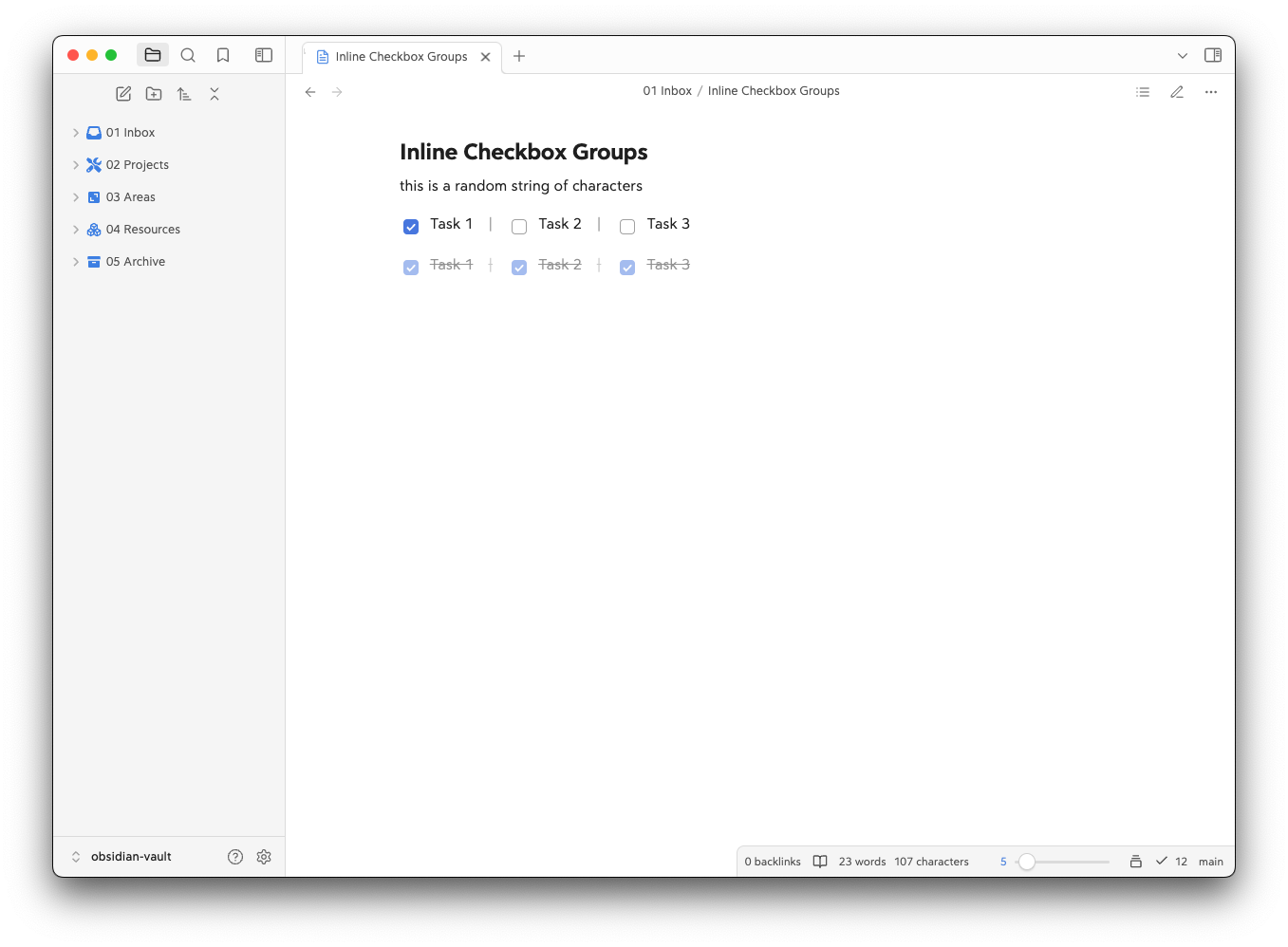
Create grouped tasks with a separator:
[x] Task 1 | [x] Task 2 | [ ] Task 3
Or write them more compactly:
[x] Task 1|[x] Task 2|[x] Task 3
Installation
- Open Obsidian Settings
- Navigate to Community Plugins and disable Safe Mode
- Click Browse and search for "Inline Checkbox Groups"
- Install the plugin
- Enable the plugin in your Community Plugins list
Manual Installation
- Download the latest release from the releases page
- Extract the files into your vault's
.obsidian/plugins/inline-checkbox-groups/directory - Reload Obsidian
- Enable the plugin in your Community Plugins list
Usage
Once installed and enabled, you can create inline checkbox groups by:
- Writing multiple checkbox tasks on a single line
- Separating them with your configured separator character (default: '|')
- The plugin will automatically format them as an inline group
Example:
[ ] Morning Tasks | [ ] Afternoon Tasks | [ ] Evening Tasks
Settings
You can customize the following settings in the plugin options:
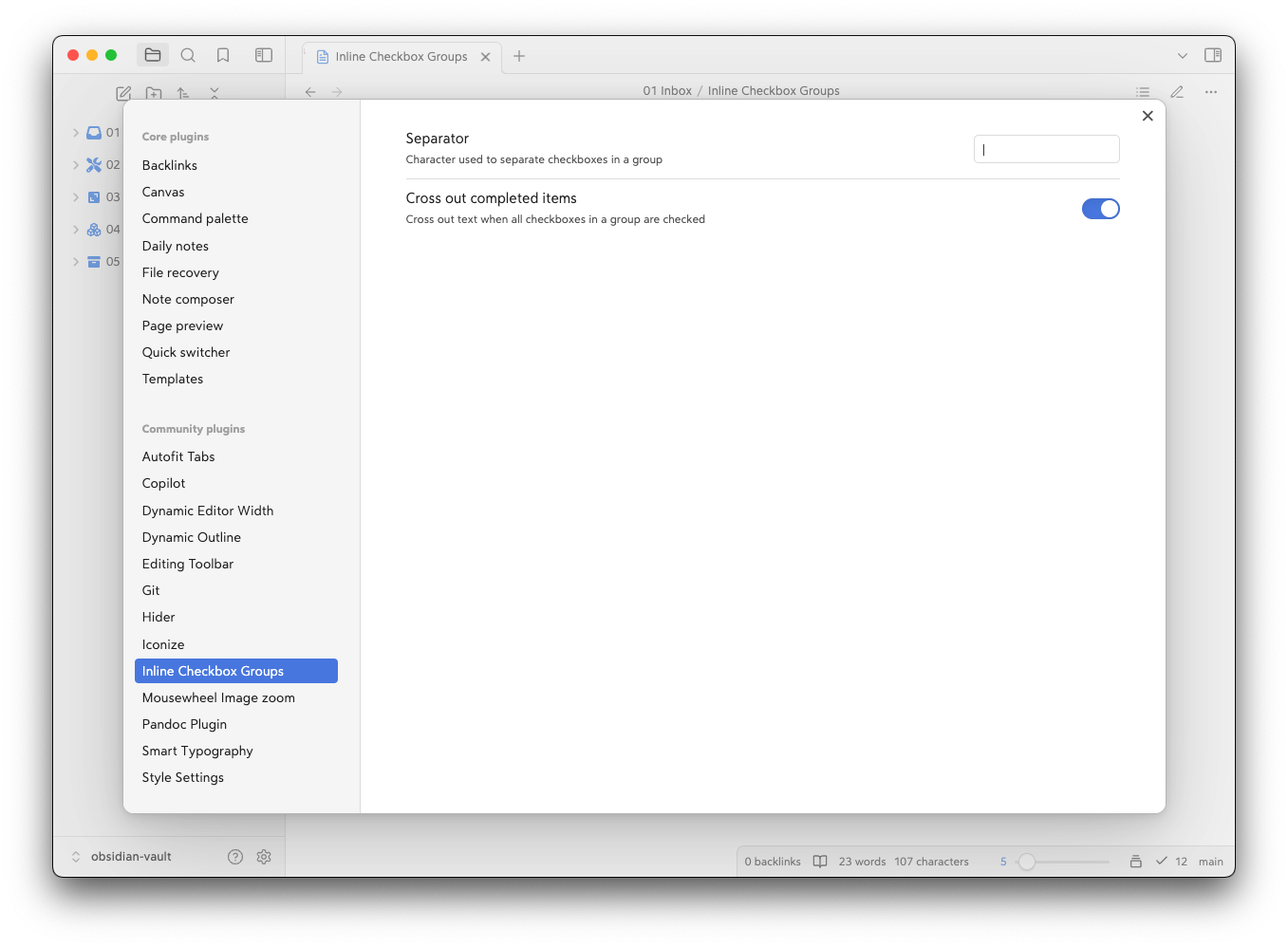
- Separator: Choose the character used to separate checkboxes (default: '|')
- Cross Out Completed: Toggle whether to strike through text when all checkboxes in a group are checked
Compatibility
- Requires Obsidian v0.15.0 or higher
- Desktop only (not available for mobile)
- Compatible with most themes and plugins
Support
If you find this plugin helpful, you can:
- Star the repository on GitHub
- Report any issues on the GitHub issue tracker
- Buy me a coffee
- Become a GitHub Sponsor
Development
Want to contribute or modify the plugin? Here's how to get started with the source code:
Create a directory for your GitHub projects:
cd path/to/somewhere
mkdir Github
cd Github
Clone the repository:
git clone https://github.com/bwya77/Inline-Checkbox-Groups.gitNavigate to the plugin directory:
cd inline-checkbox-groupsInstall dependencies:
npm installStart development build mode:
npm run devThis command will keep running in the terminal and automatically rebuild the plugin whenever you make changes to the source code.
You'll see a
main.jsfile appear in the plugin directory - this is the compiled version of your plugin.
Testing Your Changes
To test your modifications:
- Create a symbolic link or copy your plugin folder to your vault's
.obsidian/plugins/directory - Enable the plugin in Obsidian's community plugins settings
- Use the developer console (Ctrl+Shift+I) to check for errors and debug
Making Contributions
- Fork the repository
- Create a new branch for your feature
- Make your changes
- Submit a pull request with a clear description of your changes
License
MIT License. See LICENSE for full text.