InkMagix
 Yaman33 downloads
Convert photos / images of handwriting, whiteboards and diagrams into Markdown notes with Mermaid diagrams or draw.io files using Claude.
- Overview
- Scorecard
- Updates4
Turn photos and images (handwritten notes, whiteboards, printed pages, screenshots, sketches, diagrams) into Obsidian content using Claude
- Output format options:
- Note with Mermaid diagrams: a Markdown note. Any diagrams in the image are rebuilt as
mermaidblocks. - draw.io diagram: an editable
.drawiofile. Obsidian can't open.drawiofiles by itself: install a draw.io community plugin (such as Diagrams.net or draw.io editor) or open the file in the draw.io desktop app.
- Note with Mermaid diagrams: a Markdown note. Any diagrams in the image are rebuilt as
- Works on desktop and mobile.
How it works
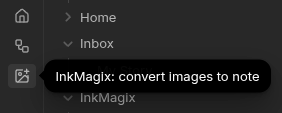
Step 1: open InkMagix. Click the InkMagix icon in the left ribbon on desktop or from the menu on mobile.
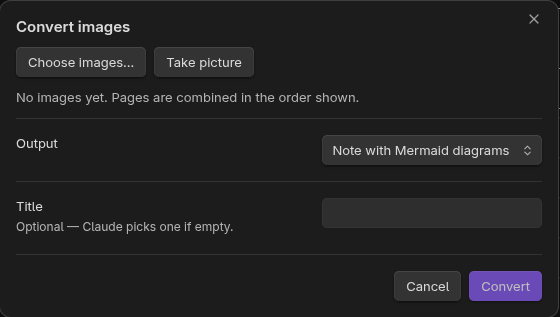
Step 2: Add images with Choose images or Take picture, pick the output format, optionally enter a title (Claude picks one if it's empty), then click Convert.
The conversion can take anywhere from a few seconds to close to a minute depending on the drawing details and output format.
Step 3: get the result. The new note or .drawio file opens when the conversion finishes.
Example input / output
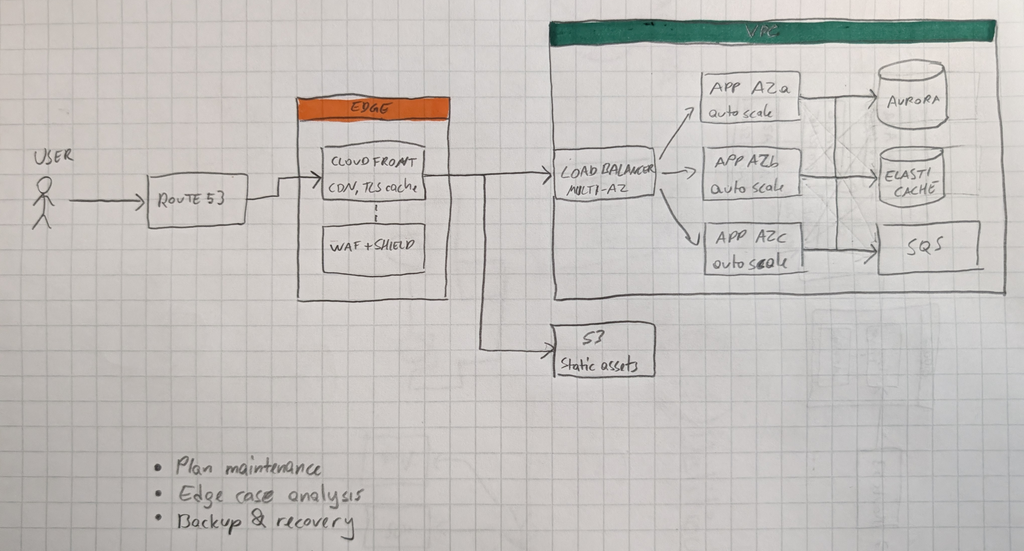
Original: a hand-drawn system diagram on paper.
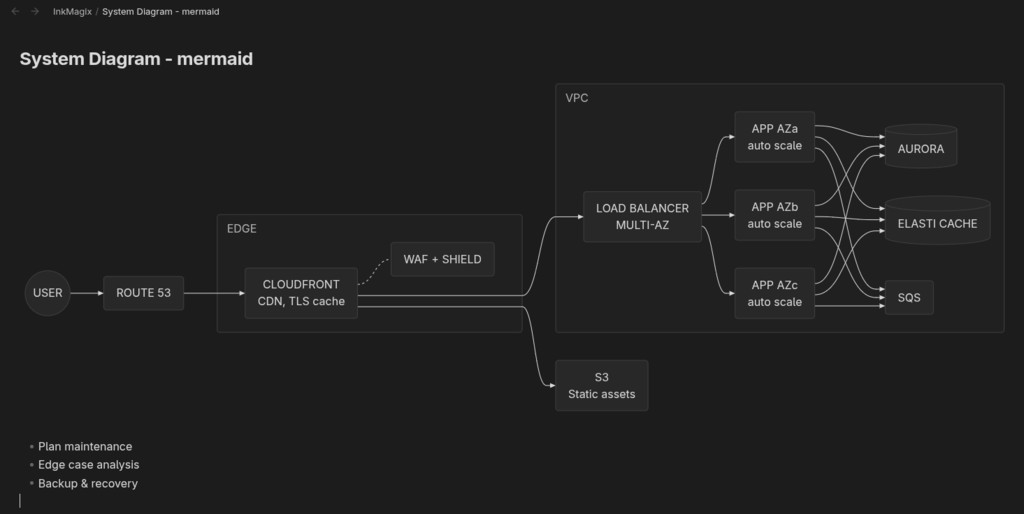
Note with Mermaid diagrams: the same image converted to an Obsidian note.
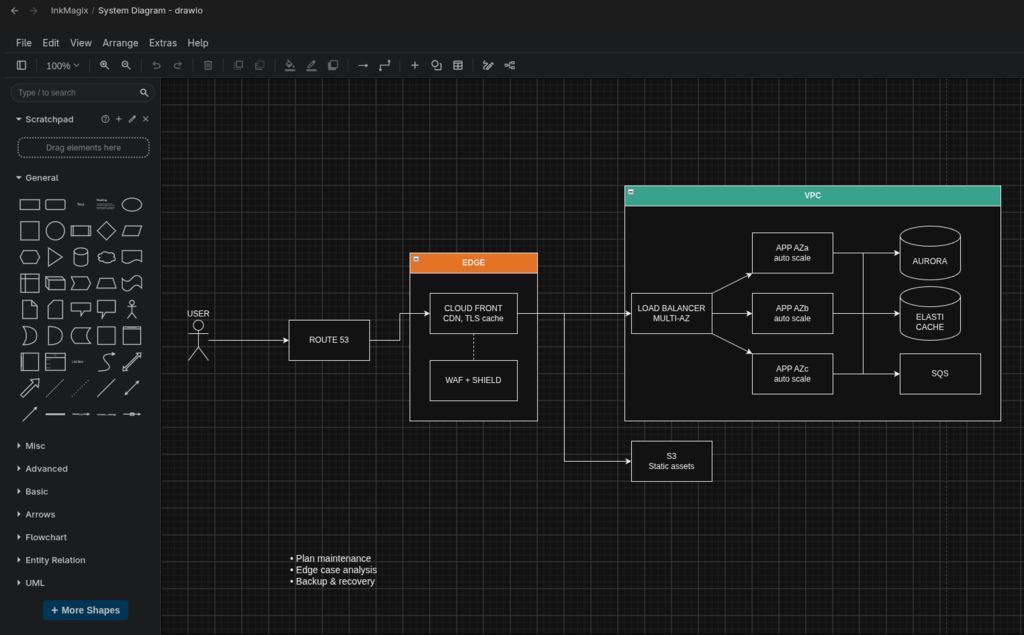
draw.io diagram: the same image converted to an editable .drawio file, shown here in a draw.io editor inside Obsidian.
Requirements, network use and costs
- Anthropic account and API key required. InkMagix uses Anthropic's Claude models to read your images. Create an API key at console.anthropic.com.
- Paid usage. Anthropic bills API usage to your Anthropic account. InkMagix itself is free, but each conversion costs a small amount (shown after every conversion). See Anthropic's pricing.
- Network use. When you click Convert, the selected images and your instructions are sent to the Anthropic API (
api.anthropic.com). This is the only network request the plugin makes, and it is needed because the conversion runs on Claude, not on your device. - Privacy. Nothing else from your vault is sent. InkMagix collects no telemetry or analytics. Anthropic's handling of API data is described in its privacy policy.
Installation
From Community plugins (once published): open Settings → Community plugins → Browse, search for "InkMagix", install and enable it.
Manually: download main.js, manifest.json and styles.css from the latest release into <vault>/.obsidian/plugins/inkmagix/, then enable InkMagix under Settings → Community plugins.
Then open Settings → InkMagix and paste your Anthropic API key.
Settings
| Setting | Default | Notes |
|---|---|---|
| Anthropic API key | — | Saved in Obsidian's secret storage as inkmagix-anthropic-api-key (local to this device and vault, not synced). |
| Model | Claude Opus 5.5 | Sonnet 5.5 and Haiku 5.5 are cheaper. A custom model ID is also supported. |
| Effort | High | Higher effort is more accurate on messy handwriting and complex diagrams. |
| Note folder | InkMagix |
Created automatically if it doesn't exist. |
| Enable draw.io output | On | Off hides the draw.io option, so every conversion creates a Mermaid note. |
| Default diagram format | Mermaid | Shown only while draw.io output is enabled. |
| Add properties | Off | Adds created, source and model properties to new notes. |
| Keep original photo | Off | When on, the original image is saved and embedded in a collapsed callout. |
| Max output tokens | 50000 | |
| Max image size | 2576 px | Size of the image's long edge after downscaling. |
| Default instructions | — | Added to every conversion. |
Image size
Images are processed on the device before upload:
- The EXIF orientation is applied.
- Transparency is filled with white.
- Each image is downscaled so its long edge is at most 2576 px and its total size is at most about 3.75 MP. Images are never upscaled.
- The result is encoded as JPEG at about 85% quality.
2576 px is the most detail current Claude models make use of, at up to about 4.8K input tokens per image. Larger images would only add upload time. Choose 1568 or 1280 px in settings to save tokens on simple images.
HEIC photos can't be decoded on desktop. Export them as JPEG or PNG first. The mobile camera already produces JPEG.