Inkidian
 Thomas Toffalori46 downloads
Handwritten notes, drawings and PDF annotation with Apple Pencil, saved as files in your vault. Shows Inkidian notes and opens them in the Inkidian iPad app.
- Overview
- Scorecard
- Updates4
Write in your Obsidian vault with Apple Pencil.
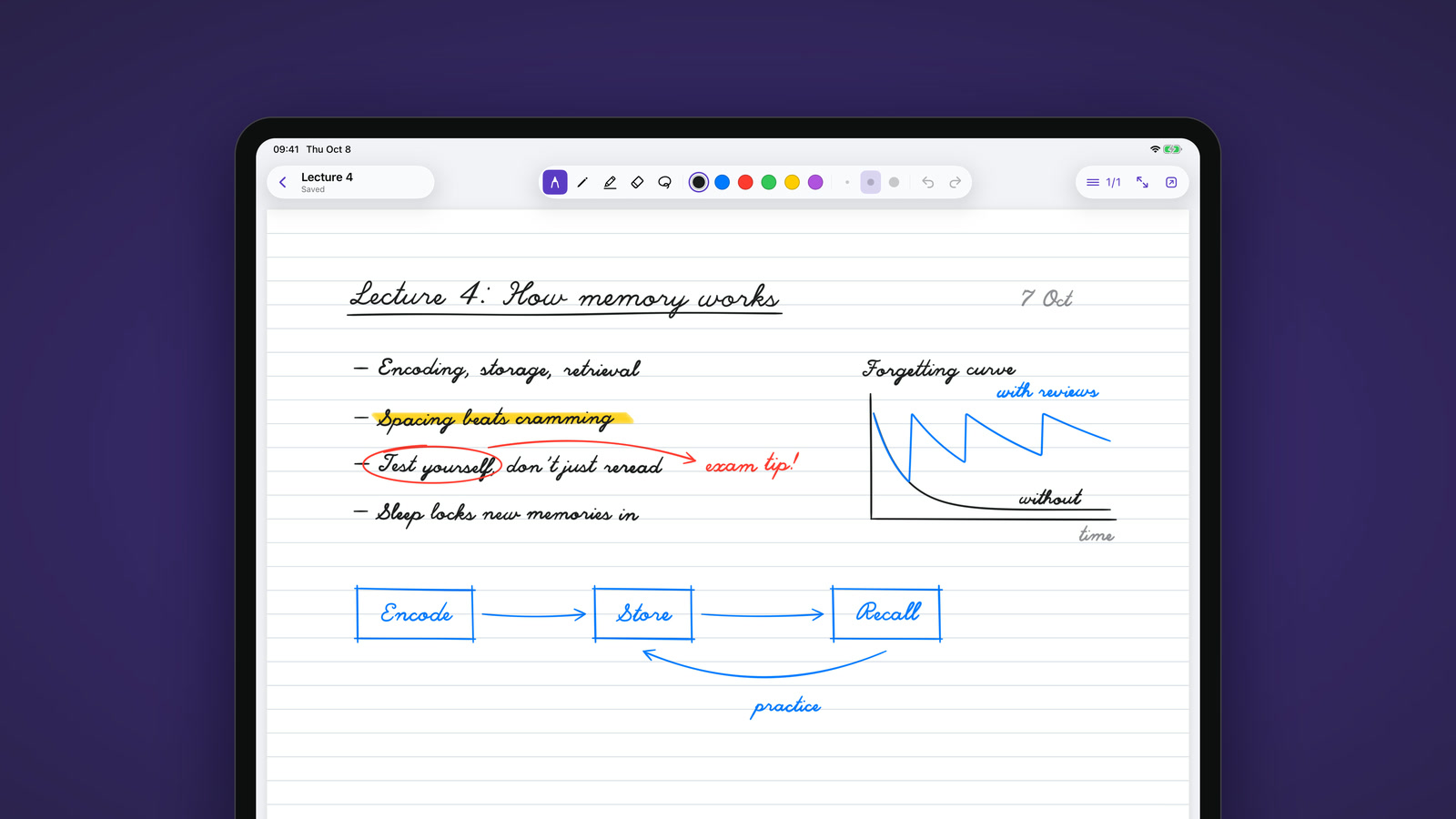
Inkidian is a native iPad app for handwritten notes and PDF annotation. It saves everything as plain files in your vault, right next to your Markdown. This free plugin shows your handwritten notes in Obsidian on iPad, Mac, Windows and Linux. On the iPad, one tap opens a note in Inkidian so you can keep writing.
Get Inkidian for iPad → Free during the beta.
See it in action
Why Inkidian
- Ink right under the tip. Drawing plugins for Obsidian draw inside a web view. Inkidian is a native app built on PencilKit, the engine Apple uses in Notes and Markup, so the line stays right under Apple Pencil.
- Your notes stay files in your vault. Nothing to import, export or sign up for. Every note is an
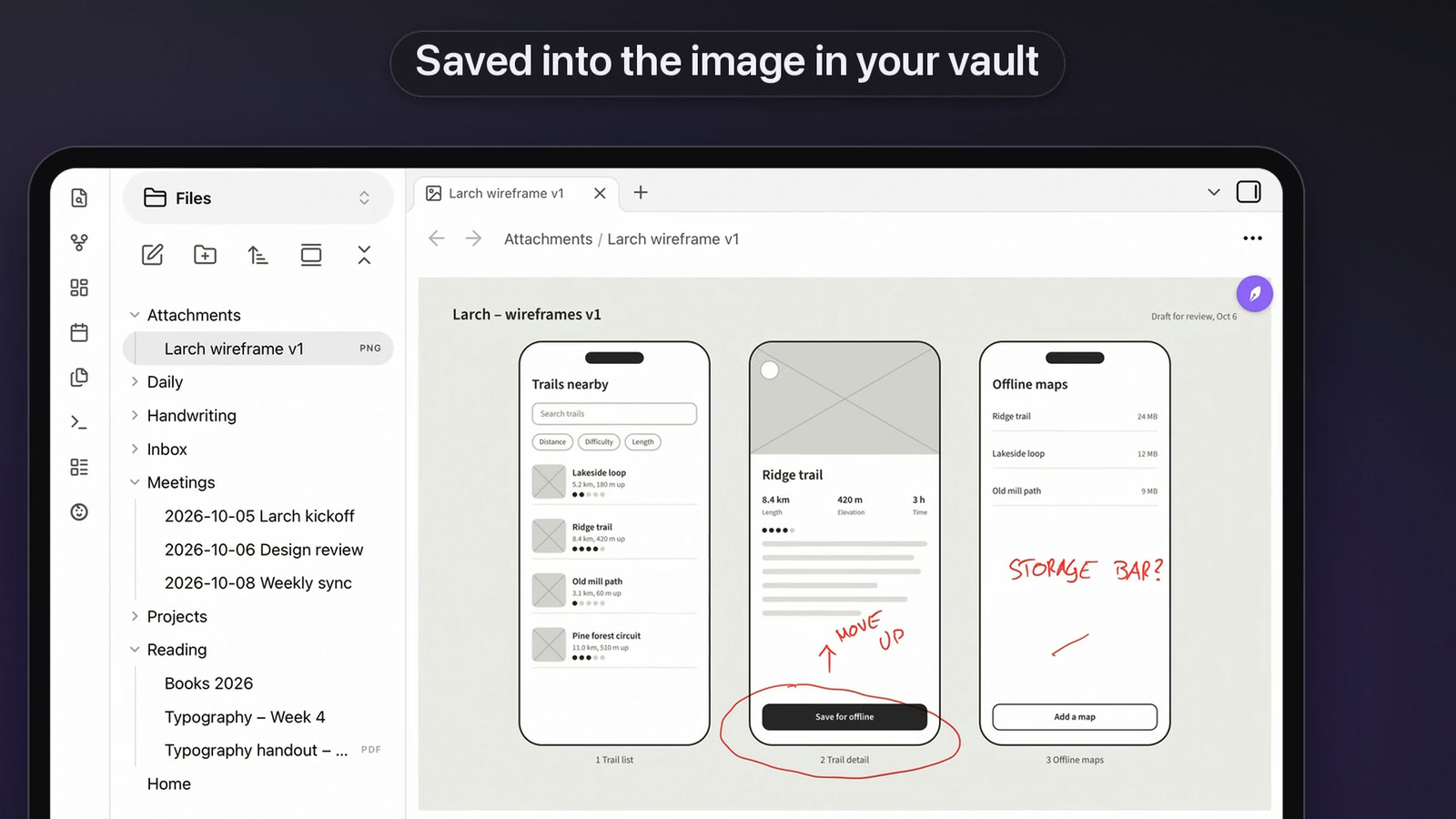
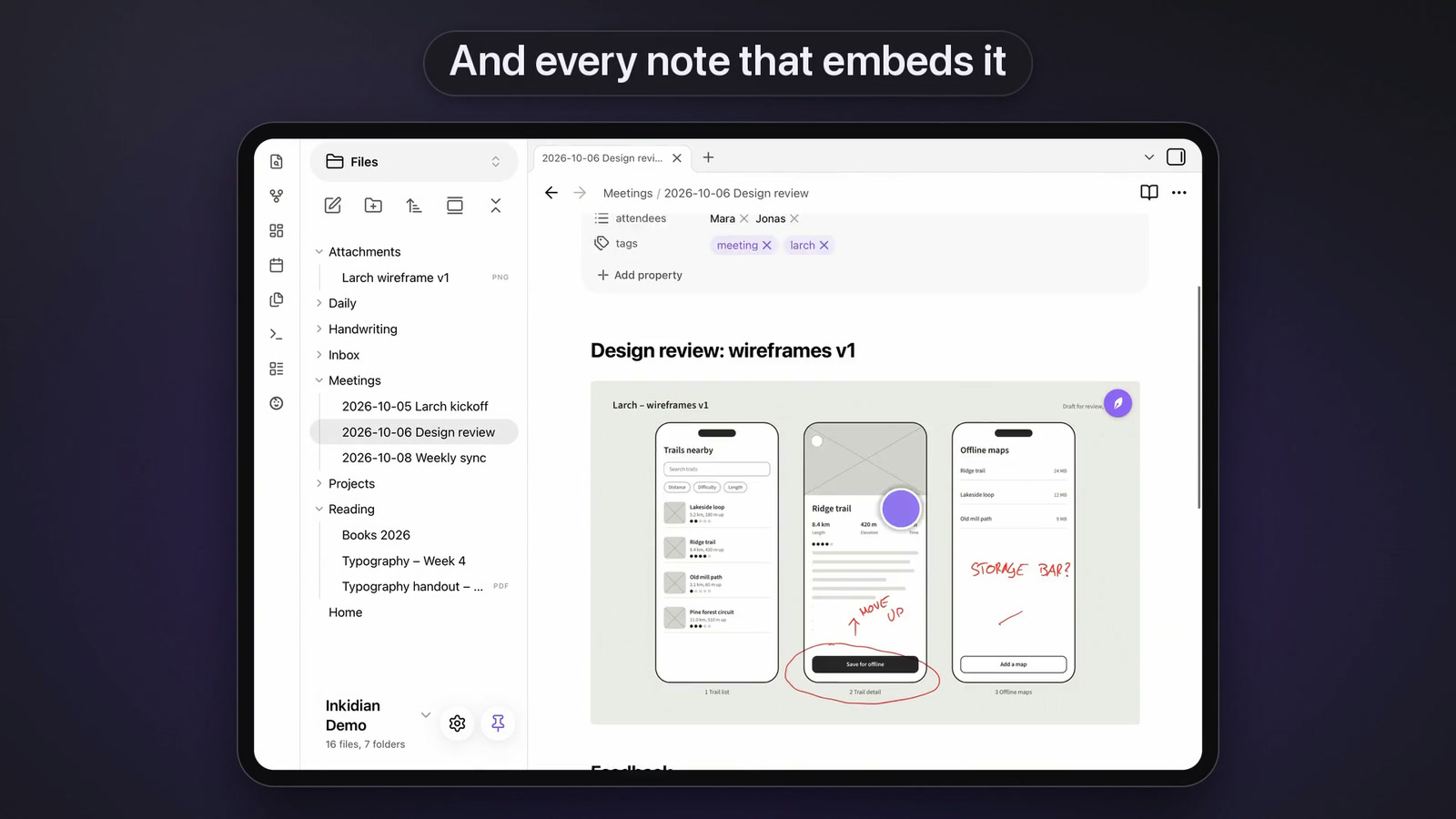
.inkdfile next to your Markdown, and it syncs wherever your vault already syncs: iCloud, Obsidian Sync or anything else. - PDFs and images, annotated in place. The ink goes into the PDF as standard annotations, so Obsidian, Preview and Acrobat show it too. For images, replace the original or keep a copy.
- An open format.
.inkdis plain JSON with a public spec, so your notes stay readable, with or without Inkidian. - Private. No account, no server. The plugin makes no network requests and collects no data.
What the plugin does
- Opens
.inkdnotes in their own view, page by page, on the paper they were written on: blank, lined, grid or dots. - Embeds notes in Markdown with
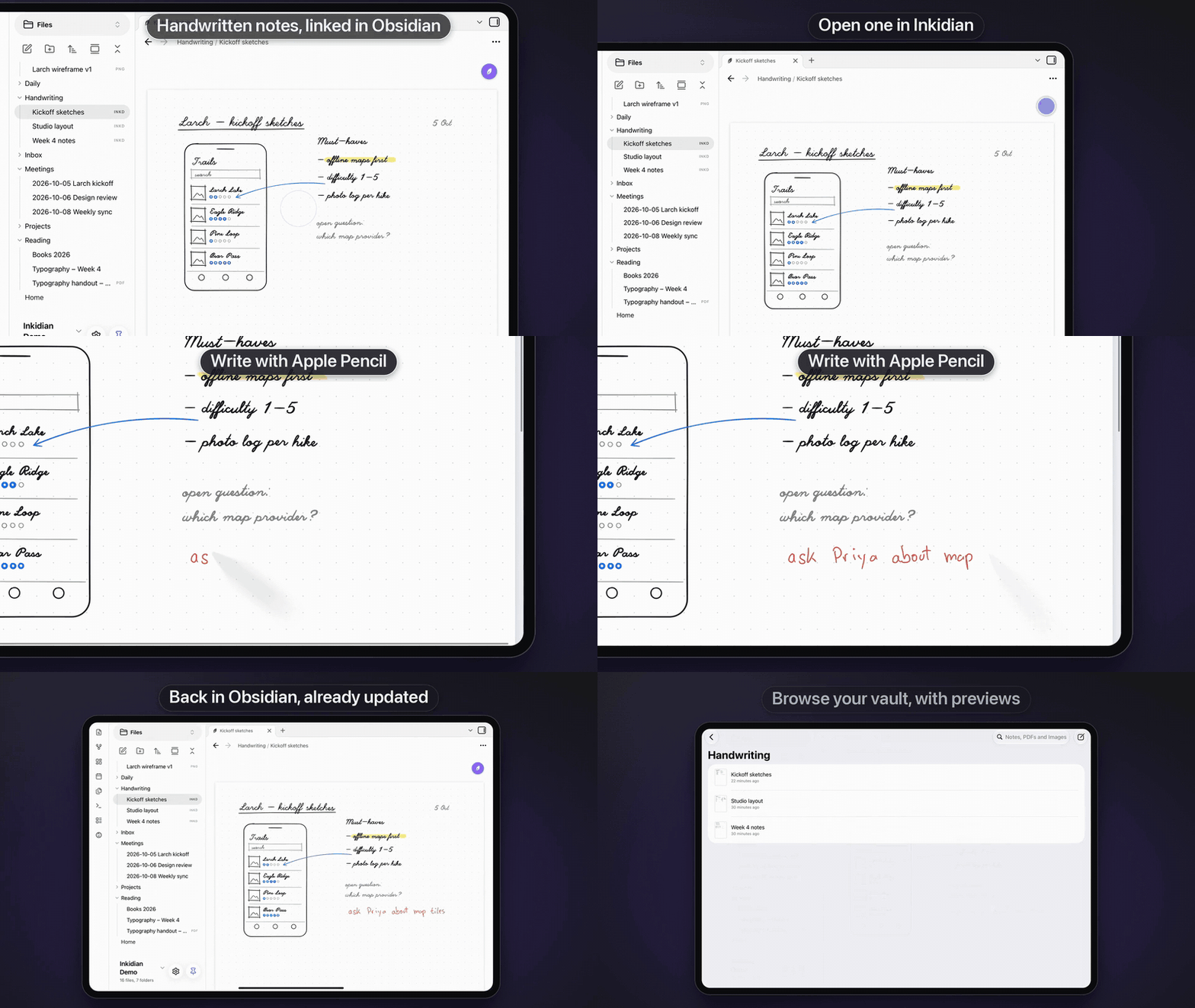
![[Lecture 4.inkd]]. The embed shows the first page. - Edit in Inkidian (iPad): the round nib button in the top right corner of a note, and of every embedded note, opens it in the app. Back in Obsidian, the note updates on its own.
- Annotate in Inkidian (iPad): the same button on PDFs and images, the file menu or a command opens them in the app. Every note that embeds the file shows the ink.
- New note command (iPad): starts a new note in Inkidian, in the open note's folder or a default folder.
- Dark mode: dark paper with light ink, or white paper, when Obsidian uses a dark theme.
Get started
- In Obsidian, open Settings › Community plugins › Browse, search for Inkidian, then install and enable it.
- Get Inkidian for iPad at inkidian.com. It needs an iPad with Apple Pencil and iPadOS 18 or later.
- In Inkidian, pick your vault folder once. From then on both apps work on the same files.
Using Obsidian Sync? Turn on Sync all other types in Settings › Sync so your .inkd notes reach your other devices. Obsidian uploads changes while it's open, so open it once after writing.
The .inkd format
An .inkd file is plain JSON. The open specification is in format/SPEC.md, with a JSON Schema and sample files, so any program can read your notes, with or without Inkidian.
Development
npm install
npm run dev     # rebuilds main.js on every change
npm test
npm run build   # type-checks and writes a minified main.js
To try it in a vault, copy main.js, manifest.json and styles.css to <vault>/.obsidian/plugins/inkidian/.
Releases are built by GitHub Actions: pushing a tag that matches the version in manifest.json publishes main.js, manifest.json and styles.css.