Image Lens
 lizheng119 downloads
Preview, zoom, pan, rotate, and download images without changing the originals.
- Overview
- Scorecard
- Updates2
Image Lens is a lightweight, non-destructive image viewer for Obsidian.
Why Image Lens?
Long screenshots, design mockups, diagrams, and high-resolution photos are often constrained by the width of a note. Image Lens opens them in a focused full-screen viewer, so you can inspect details without leaving your note or opening another application.
It works in Reading view and Live Preview with vault attachments, remote images, GIFs, and SVGs.
Features
- Zoom with the mouse wheel or toolbar, drag to pan, and pinch to zoom on mobile.
- Fit an image to the window, view it at 100%, rotate it, or reset the view.
- Copy an image to the clipboard or download the original file.
- Configure zoom increments, maximum zoom, background-click behavior, and linked-image behavior.
- Preview without modifying the note, attachment, or downloaded original.
Usage
- Click an unlinked image to open the viewer.
- By default, use
Alt/Option + clickfor an image inside a link. You can change this behavior in Image Lens settings. - Use the mouse wheel or
+/-to zoom, drag to pan, and pinch with two fingers on mobile. - Double-click or press
Fto switch between fit and actual size. PressR/Shift+Rto rotate and0to reset. - Press
Escor click the empty background to close the viewer.
Preview
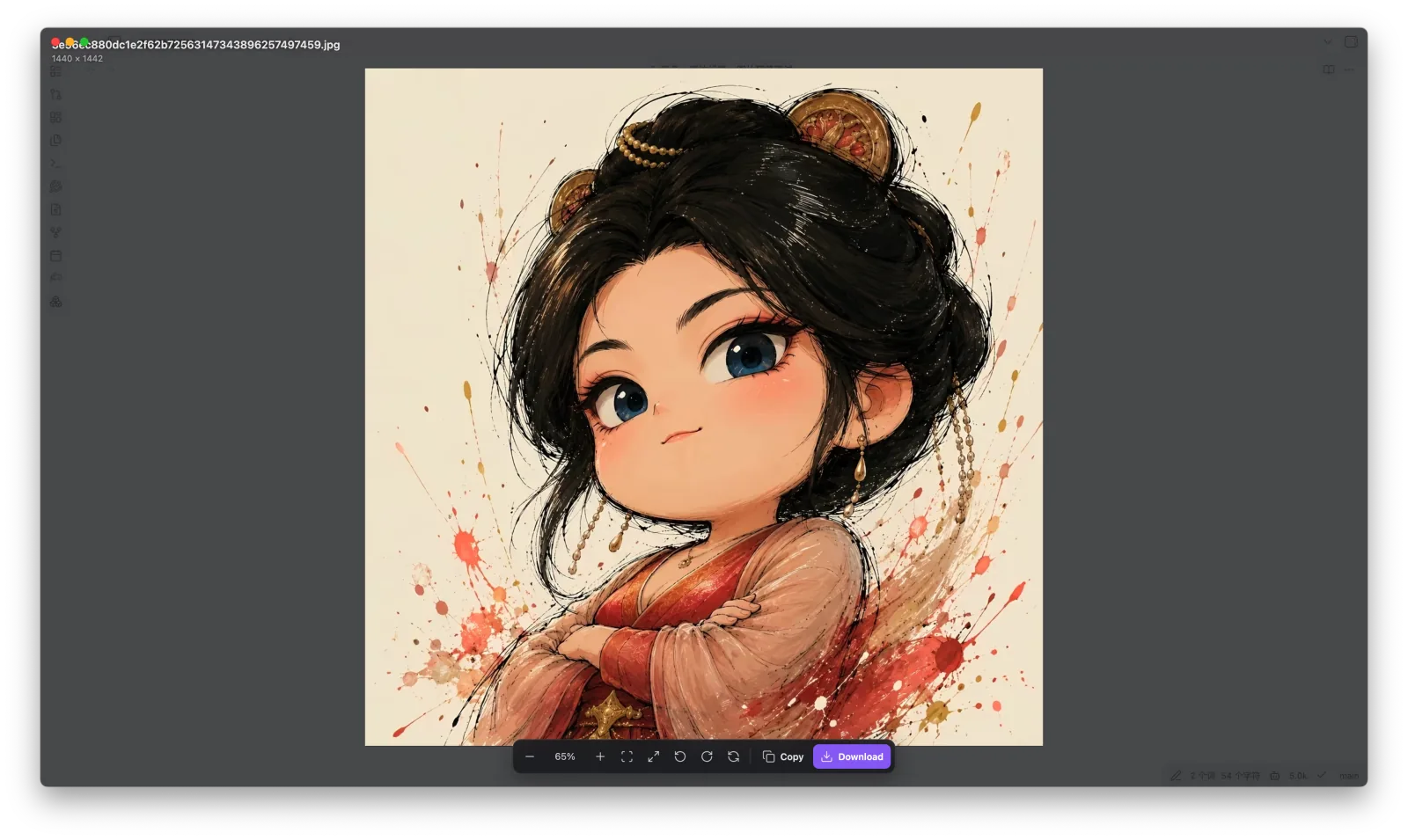
Installation
Community plugins
After the listing is published, open Settings → Community plugins → Browse in Obsidian, search for Image Lens, and select Install.
Manual installation
Download
main.js,manifest.json, andstyles.cssfrom the latest GitHub release.Create this directory inside your vault:
<your-vault>/.obsidian/plugins/image-lens/Place the three downloaded files in that directory.
Restart Obsidian and enable Image Lens under Settings → Community plugins.
Privacy and permissions
- Image Lens requires no account, contains no advertising, and collects no telemetry.
- On startup, it enumerates vault files and indexes only image attachment paths. It does not read note contents, and reads image binary data only when you explicitly copy or download an image.
- When you preview, copy, or download a remote image, the plugin contacts only that image's original URL. It does not connect to a server operated by the author.
- The plugin writes the selected image to the system clipboard only when you choose Copy. Image clipboard support depends on the device.
- Downloads are user-initiated and may save files to the system download location outside the Obsidian vault.
License
中文说明
Image Lens 为 Obsidian 提供轻量、无损的图片查看体验。
笔记里的长截图、设计稿、流程图或高分辨率照片经常受页面宽度限制。Image Lens 可以直接在全屏视图中打开图片,让你无需离开笔记即可查看细节。插件支持阅读视图、实时预览、仓库附件、网络图片、GIF 和 SVG。
功能
- 使用滚轮或按钮缩放,拖拽平移;移动端支持双指缩放。
- 一键适应窗口、查看 100% 原始尺寸、左右旋转或复位。
- 将图片复制到剪贴板,或把原图下载到本地。
- 自定义缩放步长、最大倍率、背景点击关闭和链接图片的点击行为。
- 所有预览操作都不会修改笔记、附件或下载的原图。
使用
- 点击普通图片打开预览。
- 链接中的图片默认使用
Alt/Option + 点击打开,也可以在设置中修改此行为。 - 使用滚轮或
+/-缩放,拖拽平移;移动端可使用双指缩放。 - 双击或按
F切换适应窗口与原始尺寸,按R/Shift+R旋转,按0复位。 - 按
Esc或点击空白背景关闭预览。
安装
上架后,可在 Obsidian 的「设置 → 第三方插件 → 浏览」中搜索 Image Lens 并安装。
手动安装时,从 GitHub Releases 下载 main.js、manifest.json 和 styles.css,放入 <你的仓库>/.obsidian/plugins/image-lens/,重启 Obsidian 后启用插件。
隐私与权限
- 插件不要求账号、不包含广告,也不收集遥测数据。
- 插件启动时会枚举仓库文件,但只索引图片附件路径,不读取笔记内容;仅在你主动复制或下载图片时读取图片二进制数据。
- 预览、复制或下载网络图片时,插件只会向图片原始地址发起请求,不会连接作者的服务器。
- 仅在你点击 Copy 时向系统剪贴板写入所选图片;图片剪贴板能力取决于设备支持。
- 下载由用户主动触发,图片可能保存到 Obsidian 仓库之外的系统下载位置。