Search...Search plugins and themes...
⌘K
Sign in
  • Get started
  • Download
  • Pricing
  • Enterprise
  • Account
  • Obsidian
  • Overview
  • Sync
  • Publish
  • Canvas
  • Mobile
  • Web Clipper
  • CLI
  • Learn
  • Help
  • Developers
  • Changelog
  • About
  • Roadmap
  • Blog
  • Resources
  • System status
  • License overview
  • Terms of service
  • Privacy policy
  • Security
  • Community
  • Plugins
  • Themes
  • Discord
  • Forum / 中文论坛
  • Merch store
  • Brand guidelines
Follow us
DiscordTwitterBlueskyThreadsMastodonYouTubeGitHub
© 2026 Obsidian

Image Helper

byfunbyfun2k downloads

Context menu to convert image format in reading view.

Add to Obsidian
  • Overview
  • Scorecard
  • Updates2

This plugin shows the following context menus:

  • convert to jpeg image
  • convert to webp image
  • convert to png image

when you right click on the image in reading view of Obsidian.

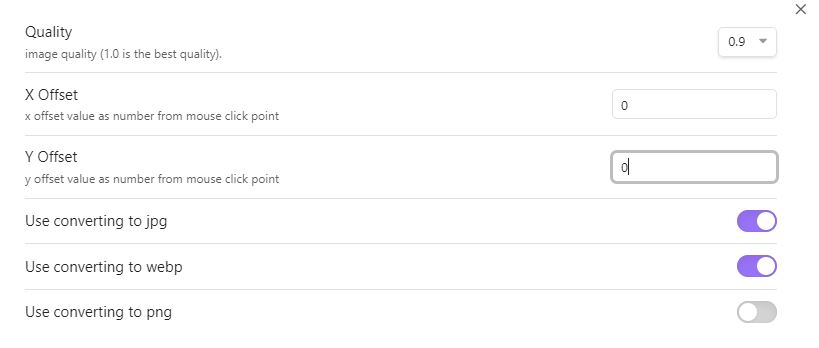
Screenshots
Installation

You can install this plugin in the Community Plugins tab of the Obsidian. Just search for "Image Helper" or goto this plugin page : Link

Credits

This plugin uses some functions from the other plugin:

  • https://github.com/musug/obsidian-paste-png-to-jpeg
  • https://github.com/NomarCub/obsidian-copy-url-in-preview

If you like this plugin you can by me a coffe on Ko-fi here :

72%
HealthGood
ReviewCaution
About
Open an image's context menu in reading view to convert it to JPEG, WebP, or PNG. Select a format to convert images directly from the preview context menu.
ImagesFormats
Details
Current version
1.0.1
Last updated
2 years ago
Created
2 years ago
Updates
2 releases
Downloads
2k
Compatible with
Obsidian 0.15.0+
Platforms
Desktop only
License
MIT
Report bugRequest featureReport plugin
Sponsor
Ko-fi
Author
byfunbyfun
github.com/byfun/
GitHubbyfun
  1. Community
  2. Plugins
  3. Images
  4. Image Helper

Related plugins

Importer

Import data from Notion, Evernote, Apple Notes, Microsoft OneNote, Google Keep, Bear, Roam, and HTML files.

Image Converter

Convert, compress, resize, annotate, markup, draw, crop, rotate, flip, align, drag-resize, rename with variables, and batch process images: WEBP, JPG, PNG, HEIC, TIF

Image Context Menus

Image context menus (mostly on right click): Copy to clipboard, Open in default app, Show in system explorer, Reveal file in navigation, Open in new tab.

PlantUML

Generate PlantUML diagrams.

Ink

Hand write or draw directly between paragraphs using a digital pen, stylus, or Apple pencil.

Pandoc Plugin

Commands to export to Pandoc-supported formats like DOCX, ePub and PDF.

Local Images Plus

A reincarnation of Local Images to download images in Markdown notes to local storage.

Pretty Properties

Makes note properties look more fun: adds side image, banners, list property colors and allows to hide specific properties.

Pixel Banner

Enhance your notes with customizable banner images.

Paste image rename

Rename image after pasting, support name pattern and auto renaming.