Search...Search plugins and themes...
⌘K
Sign in
  • Get started
  • Download
  • Pricing
  • Enterprise
  • Account
  • Obsidian
  • Overview
  • Sync
  • Publish
  • Canvas
  • Mobile
  • Web Clipper
  • CLI
  • Learn
  • Help
  • Developers
  • Changelog
  • About
  • Roadmap
  • Blog
  • Resources
  • System status
  • License overview
  • Terms of service
  • Privacy policy
  • Security
  • Community
  • Plugins
  • Themes
  • Discord
  • Forum / 中文论坛
  • Merch store
  • Brand guidelines
Follow us
DiscordTwitterBlueskyThreadsMastodonYouTubeGitHub
© 2026 Obsidian

Homework Manager

kadisonmkadisonm7k downloads

Keep track of homework through a to-do list.

Add to Obsidian
  • Overview
  • Scorecard
  • Updates4

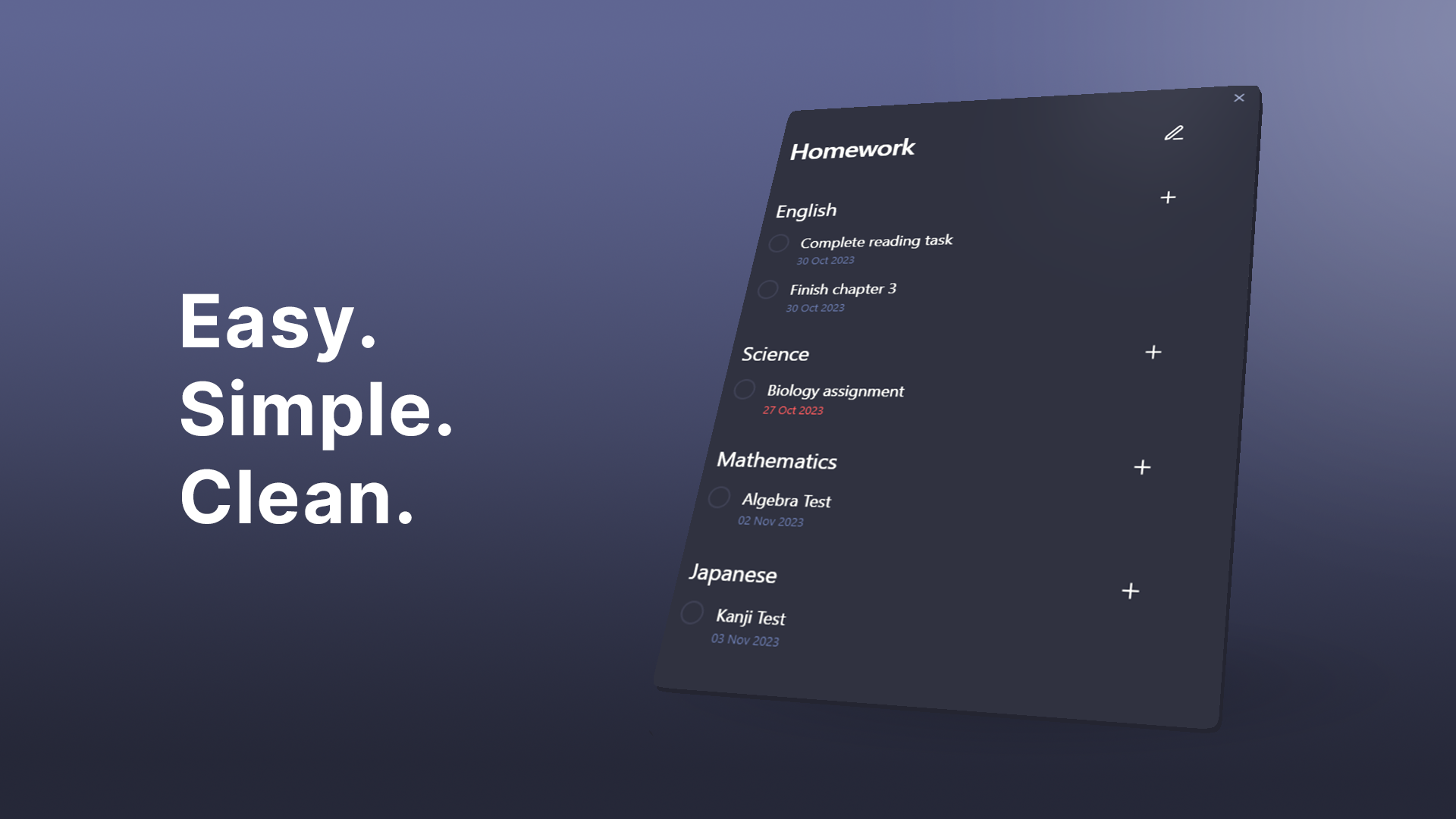
An Obsidian plugin that makes keeping track of homework easy.
Features  •  Installation  •  Usage  •  Contributing


This add-on is not an official Obsidian add-on.

Features:

  • Easy creation of tasks and subjects
  • Creating separate views for work and school.
  • Task due dates and linking to notes
  • Clean and easy to navigate UI

Installation

  • Install through Obsidian's Community Plugins and add directly to your vault.

Usage

Press the 🕮 icon on the ribbon bar or run Homework Manager: Open homework to open.

Views

    Views contain a collection of subjects and tasks. They act as a folder and can be added or removed by clicking the v dropdown button and then opening the view manager.

Subjects

    Subjects can be added to your views. These are useful for sorting your tasks by categories.

    Create

    • Create new subjects by clicking the v dropdown button and clicking Add subject

    Remove

    • Remove subjects by clicking the ✎ button and then the - button next to target subject.

Tasks

    Creation

    • Add to a view: press the v dropdown button and click Add task.

    • Add to a subject: Click the + button next to the subject.

      ⚠ Completing a task cannot be undone ⚠

    Options

    • Due dates: Due dates can be added to your tasks which will appear red when they are overdue.
    • Linked files: Tasks can be linked to notes within your vault. Click on the underlined task to be taken to the linked note.

    Editing

    • Editing a task can be done by clicking the ✎ button.

Contributing

For more information on contributing, please see development.

HealthGood
ReviewCaution
About
Manage homework and subjects with dedicated views for work and school. Create tasks linked to notes, set due dates that turn red when overdue, and organize items into subjects via a clean, easy-to-navigate interface.
TasksDatesLinks
Details
Current version
1.1.1
Last updated
Last year
Created
3 years ago
Updates
4 releases
Downloads
7k
Compatible with
Obsidian 0.15.0+
Platforms
Desktop, Mobile
License
GPL-3.0
Report bugRequest featureReport plugin
Sponsor
Buy Me a Coffee
Author
kadisonmkadisonm
github.com/KadisonM
GitHubkadisonm
  1. Community
  2. Plugins
  3. Tasks
  4. Homework Manager

Related plugins

Tasks

Track tasks across your vault. Supports due dates, recurring tasks, done dates, sub-set of checklist items, and filtering. Maintained by Clare Macrae and Ilyas Landikov, created by Martin Schenck.

Day Planner

Turn tasks from daily notes, the Tasks plugin, and calendars into time blocks on an editable timeline, with built-in time tracker.

Day Planner OG

Day planning from a simple task list in a Markdown note (bare bones, preserves the features and behavior of the original plugin).

Rollover Daily Todos

Rollover any unchecked checkboxes from your last daily note into today's note.

TaskNotes

Note-based task management with calendar, pomodoro and time-tracking integration.

Excalidraw

Visual PKM powerhouse. Create and edit Excalidraw drawings.

Advanced URI

Control everything with URI.

Breadcrumbs

Visualise the hierarchy of your vault using a breadcrumb trail or matrix view.

Find orphaned files and broken links

Find files that are not linked anywhere and would otherwise be lost in your vault. In other words: files with no backlinks.

Update modified date

Automatically update a frontmatter modified date field when the file is modified.