Herdr Mission Control
 Agrici Daniel65 downloads
Run Herdr persistent agent workspaces and interactive PTY terminals inside your vault while letting coding agents inspect, edit, and navigate notes safely over a local Vault Control Bridge.
- Overview
- Scorecard
- Updates5
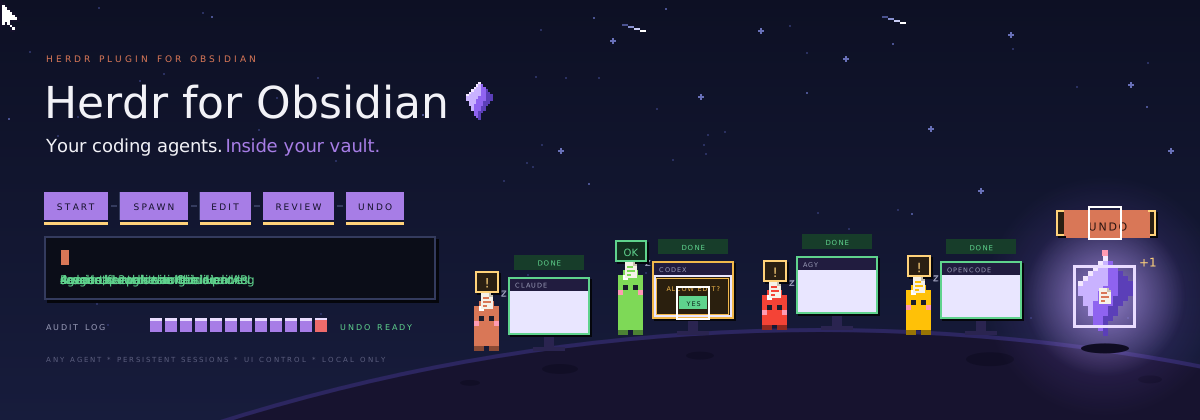
Run Claude Code, Codex, Hermes, Antigravity, OpenCode, Gemini and more than a dozen other coding agents inside Obsidian. They keep running when you close a tab or restart. They can read and edit your notes, and if you allow it, see and use Obsidian itself. Every edit is logged, and you can undo it.
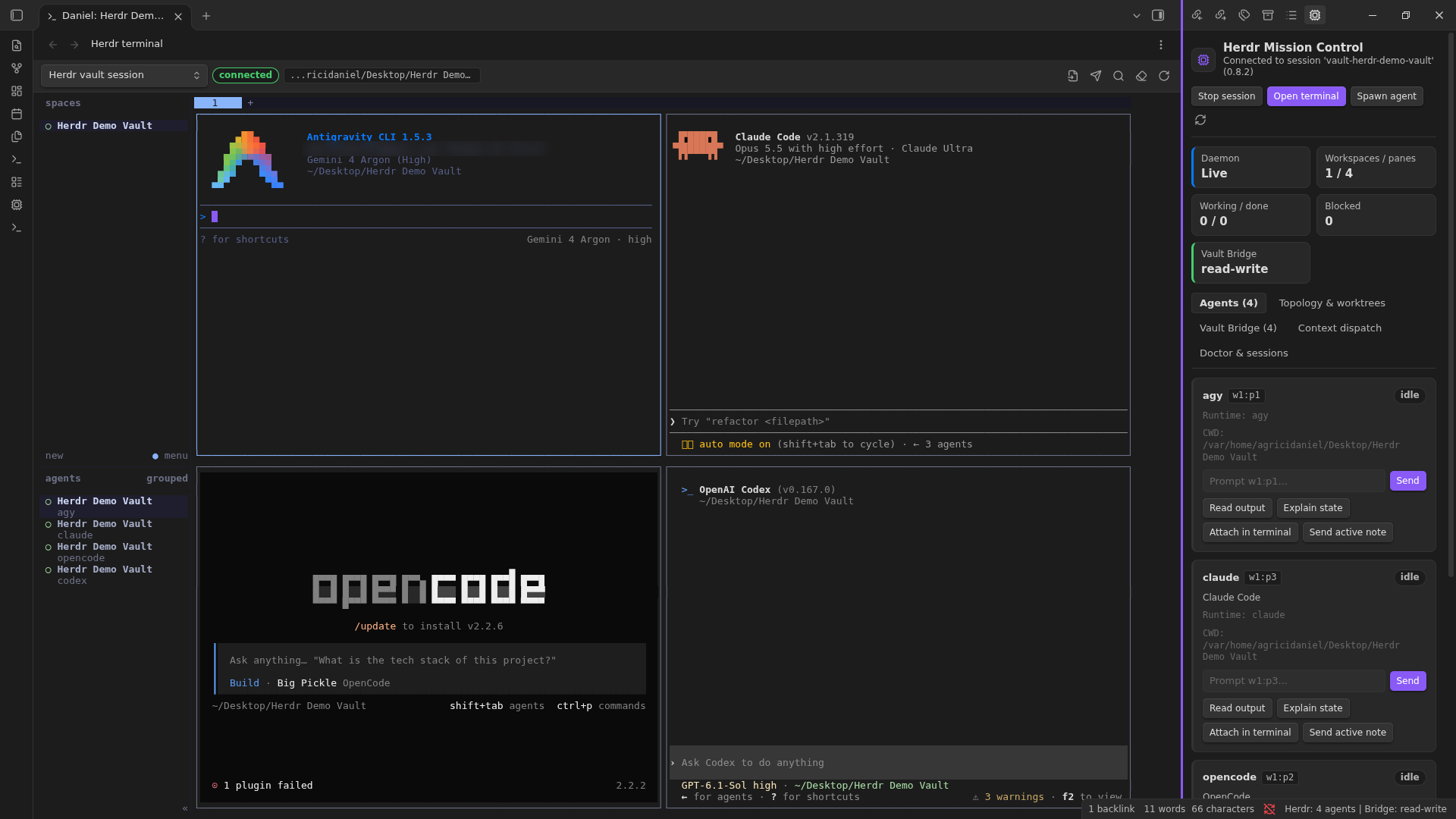
What you get
- Real terminals in Obsidian. Split panes and tabs. Run any agent you like.
- Agents that keep running. Herdr holds the session, so a reload does not stop them.
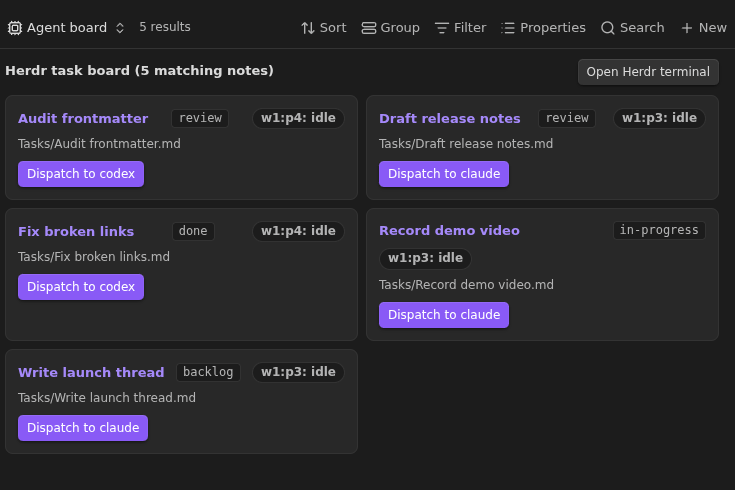
- Mission Control. See which agent is working, blocked or done. Unblock one with a click.
- Safe note edits. Agents edit notes through Obsidian itself, so links stay intact.
- Agents that can use Obsidian. If you turn it on, agents take screenshots, click, type and press shortcuts in the Obsidian window, just like you.
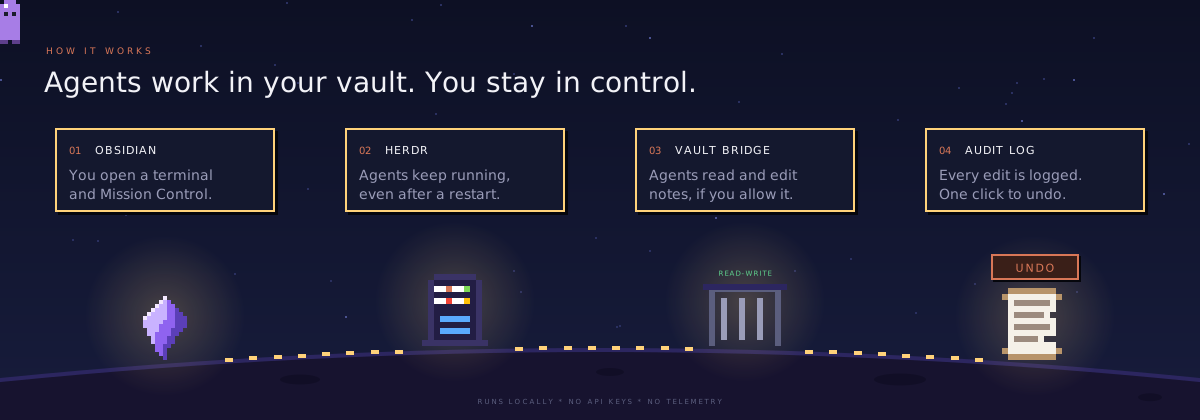
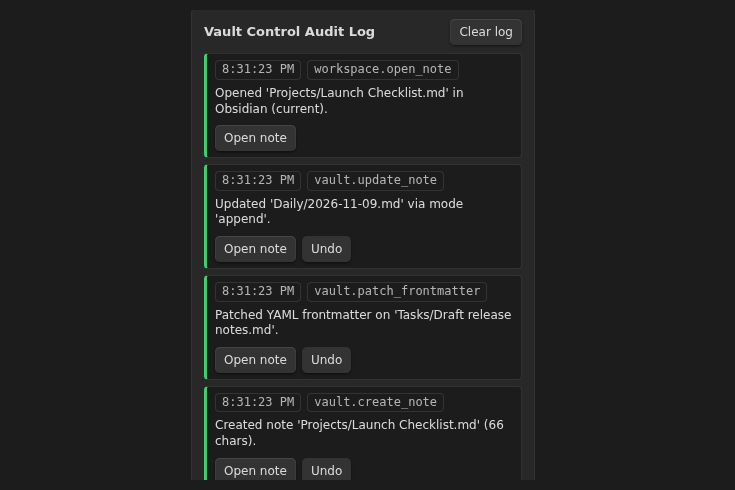
- Undo for everything. Each agent edit is logged and can be rolled back.
Works with your agents
Claude Code, Codex, Hermes Agent, Antigravity, Gemini, OpenCode, Cursor CLI, GitHub Copilot CLI, Amp, Factory Droid, Grok, Kimi CLI, Kiro CLI, Qwen Code, Devin, Cline, Kilo Code, Mastra Code, Qoder CLI, Pi, Oh My Pi and Maki.
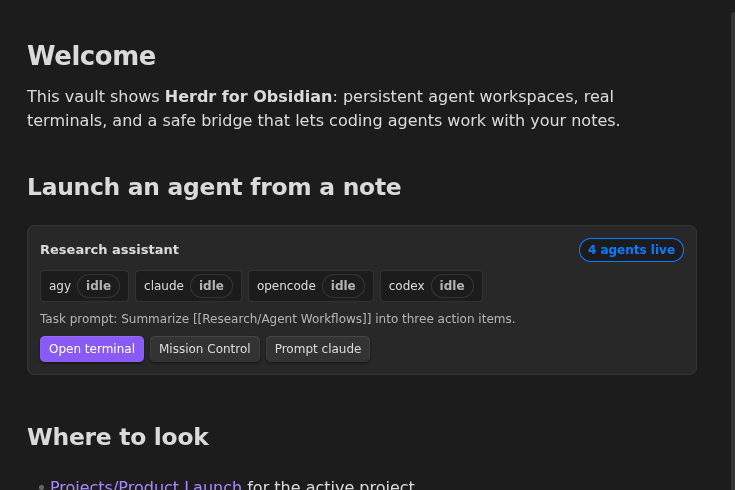
Pick any of them from Spawn agent in Mission Control. Run herdr integration install <agent> once so Herdr can show when it is working, blocked or done. Any other command line tool runs fine in the terminal too.
Let agents use Obsidian
Some things only the app can show: a view, a plugin panel, a layout. Turn on Let agents see and operate Obsidian in Herdr settings and agents can:
- See. Take a screenshot of the window and list its buttons and fields.
- Act. Click, type, press shortcuts like
Ctrl+P, scroll and drag. This also needs the Full permission level. - Check. Wait until some text appears, so they confirm what happened.
It is off by default. Typing that changes the open note is logged and can be undone like any other edit.
Install
- Install Herdr (0.8 or newer).
- In Obsidian, open Settings, Community plugins, Browse, and search for Herdr Mission Control. Click Install, then Enable.
Prefer to install by hand? Download main.js, manifest.json and styles.css from the latest release into <your vault>/.obsidian/plugins/herdr-obs/, or add AgriciDaniel/obsidian-herdr in BRAT for early builds.
Needs Obsidian desktop 1.14.4 or newer.
First run
- Click Herdr in the status bar to open Mission Control.
- Click Start session, then Open terminal.
- Start an agent:
claude,codex,hermes,agy,opencodeor any other. - Ask it to work on a note. Every pane already has the
obs-herdrtool, andobs-herdr --skilltells the agent how to use it.
Want to look around first? Open the demo-vault folder as a vault and install the plugin there.
Screenshots
| Audit log with Undo | Agent task board | Agent buttons in a note |
|---|---|---|
 |
 |
 |
Privacy
- Runs on your machine. No network calls, no telemetry, no account, no API keys.
- You choose what agents may do: Read-only, Read-write or Full. Turn it off any time.
- The settings folder,
.gitand.envfiles are always off limits. - Screenshots stay on your machine in a private folder. Like note text, anything an agent reads or sees goes to that agent's provider, so leave UI control off for windows you would not share.
Network use
None. The plugin makes no internet requests. It talks to Herdr and to your agents only through local sockets on this computer.
Requires an external program
It needs Herdr, which you install yourself. The plugin starts Herdr and your shell as local processes, which is why it is desktop only.
Files outside the vault
The plugin keeps a private runtime folder at ~/.cache/obs-herdr/ (your temp folder on Windows). It holds the bridge socket, the obs-herdr command for agents, its connection details, and UI control screenshots. Delete the folder at any time; it is recreated when needed.
Status
Tested on Linux with Herdr 0.8.2 and four agents running at once. UI control was tested live in Obsidian 1.15.0 on Linux (Flatpak, Wayland). macOS and Windows are not tested yet. Reports are welcome in Issues; see CONTRIBUTING for what to include.
For developers
obs-herdr commands
obs-herdr vault info
obs-herdr note search "roadmap"
obs-herdr note read "Roadmap.md"
obs-herdr note create "Specs/Plan.md" --content "# Plan"
obs-herdr note update "Daily/2026-11-09.md" --mode append --content "- shipped"
obs-herdr note frontmatter "Roadmap.md" --set status=in-progress
obs-herdr note rename "Specs/Plan.md" "Specs/Approved Plan.md"
obs-herdr workspace open "Specs/Approved Plan.md" --pane split
obs-herdr ui screenshot            # saves a PNG and prints its path
obs-herdr ui inspect --text "Settings"
obs-herdr ui click --selector ".workspace-leaf.mod-active .cm-content"
obs-herdr ui key Mod+P
obs-herdr ui type "Hello from an agent"
obs-herdr mcp   # stdio MCP server, 24 tools
UI control goes through Electron's own capture and input APIs from inside the plugin, so it needs no debugging port and no extra install. Selectors must match exactly one visible, uncovered element, password fields are refused, and input from several agents is queued so it never interleaves.
To connect an MCP client, click Copy MCP JSON config in Mission Control, Vault Bridge.
How the bridge is protected
A local socket with owner-only permissions, a random 256-bit token per session, and vault-relative paths only. Writes go through Obsidian's Vault.process, processFrontMatter, renameFile and trashFile.
Build and test
npm ci
npm run check && npm run lint && npm run build && npm test
Design notes and the test record are in docs/.
Credits
Built by Daniel Agrici. Uses Herdr and xterm.js. UI control comes from Obsidian Control Center, also by Daniel. Pixel art from The Homies. Not an official Herdr or Obsidian project.
License
MIT, except the UI control module in src/control, which is Apache 2.0. If you reuse that module, keep the NOTICE file with it.