Hash Pasted Image Plus
 xzhi25 downloads
中文:通过哈希算法自动重命名粘贴到仓库中的图片;Hash Pasted Image 加强版,新增忽略指定目录、中英文界面、目录模糊选择等功能。 | EN:Auto rename pasted images added to the vault via hash algorithm; Enhanced version of Hash Pasted Image with ignored directories, bilingual UI, and fuzzy folder selection.
- Overview
- Scorecard
- Updates1
本项目基于 hardingadonis/hash-pasted-image 进行修改与扩展。 感谢原项目优秀的开源工作!
This project is modified and extended from hardingadonis/hash-pasted-image. Thanks to the original project for the excellent open-source work!
📖 项目简介 / Overview
Hash Pasted Image Plus 是一个适用于 Obsidian 的图片自动重命名插件。它将粘贴到仓库中的图片按哈希算法(默认 SHA-512)自动重命名,并在此基础上扩展了可忽略指定目录、中英文界面和目录模糊选择等能力。
Hash Pasted Image Plus is an image auto-rename plugin for Obsidian. It automatically renames images pasted into the vault using a hash algorithm (SHA-512 by default), and extends the original workflow with ignored-directory support, a bilingual UI, and fuzzy folder selection.
👀 预览 / Preview
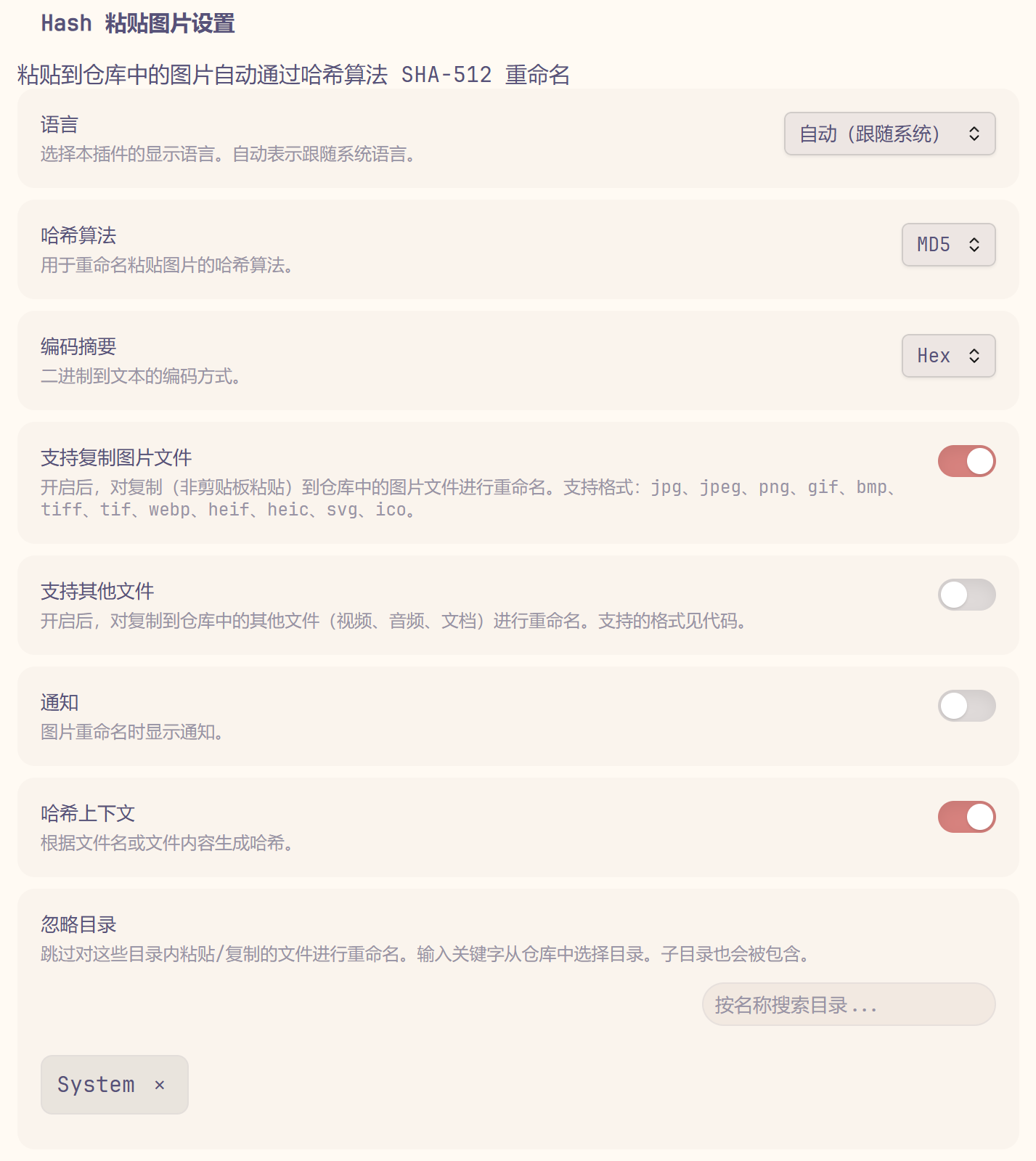
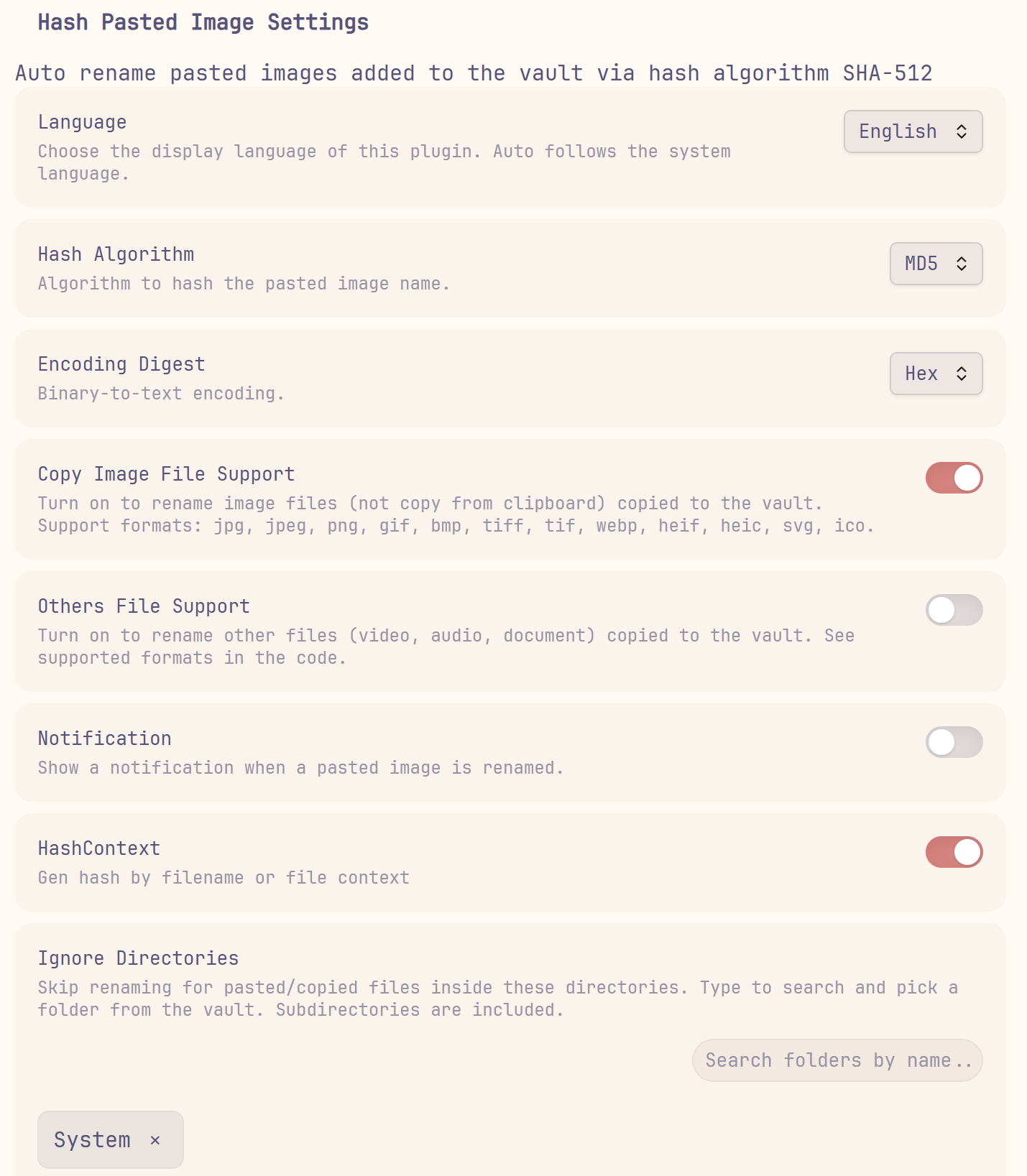
✨ 新增功能 / New Features
| 功能 | 描述 | 默认值 |
|---|---|---|
| 忽略指定目录 | 可配置一个或多个忽略目录,位于这些目录内的粘贴/复制文件不会被自动重命名,子目录同样生效。 | 未配置 |
| 中英文界面 | 设置面板和通知文案支持 English / 中文切换。 | 自动(跟随系统);非中文环境使用 English |
| 目录选择器 | 忽略目录支持输入关键字对仓库目录进行模糊匹配,点选即可添加,重复目录自动去重。 | — |
| Feature | Description | Default |
|---|---|---|
| Ignored directories | Configure one or more directories to skip; pasted/copied files inside them are not renamed, including subdirectories. | Not configured |
| Bilingual UI | Switch the settings page and notification messages between English and Chinese. | Auto (follow system); English outside Chinese locales |
| Folder selector | Search vault folders by keyword for the ignored-directory list; pick to add, with automatic deduplication. | — |
⚙️ 设置 / Settings
| 设置项 | 描述 | 默认值 |
|---|---|---|
| 哈希算法 | 选择用于重命名图片的哈希算法。 | SHA-512 |
| 编码摘要 | 二进制转文本的编码方式。 | hex |
| 支持复制图片文件 | 对复制(非剪贴板粘贴)到仓库中的图片文件进行重命名。 | 关闭 |
| 支持其他文件 | 对复制到仓库中的视频、音频、文档文件进行重命名。 | 关闭 |
| 通知 | 图片重命名时显示通知。 | 开启 |
| 哈希上下文 | 根据文件名或文件内容生成哈希。 | 关闭 |
| 语言 | 选择插件的显示语言。 | 自动(跟随系统) |
| 忽略目录 | 跳过对这些目录内粘贴/复制的文件进行重命名,支持多目录。 | 未配置 |
| Setting | Description | Default |
|---|---|---|
| Hash Algorithm | Choose the hash algorithm used to rename images. | SHA-512 |
| Encoding Digest | Binary-to-text encoding. | hex |
| Copy Image File Support | Rename image files copied (not pasted from clipboard) into the vault. | Off |
| Others File Support | Rename video, audio, and document files copied into the vault. | Off |
| Notification | Show a notification when an image is renamed. | On |
| HashContext | Generate the hash from the filename or file content. | Off |
| Language | Choose the display language of the plugin. | Auto (follow system) |
| Ignore Directories | Skip renaming for pasted/copied files inside these directories; multiple supported. | Not configured |
📦 安装 / Installation
从 Obsidian 社区插件安装 / From Obsidian Community Plugins
- 打开 Obsidian -> 设置 -> 第三方插件。
- 点击 浏览,搜索 Hash Pasted Image Plus。
- 点击 安装,然后 启用。
- Open Obsidian -> Settings -> Community plugins.
- Click Browse and search for Hash Pasted Image Plus.
- Click Install, then Enable.
从 GitHub Releases 安装 / From GitHub Releases
- 从最新 release 下载
main.js和manifest.json。 - 放入
<vault>/.obsidian/plugins/hash-pasted-image-plus。 - 重启 Obsidian,在 设置 -> 第三方插件 中启用 Hash Pasted Image Plus。
- Download
main.jsandmanifest.jsonfrom the latest release. - Place them in
<vault>/.obsidian/plugins/hash-pasted-image-plus. - Restart Obsidian, then enable Hash Pasted Image Plus from Settings -> Community plugins.
🚀 使用 / Usage
- 复制一张图片到剪贴板。
- 将图片粘贴到仓库中。
- 图片会被自动重命名为其哈希值(默认 SHA-512)。
- 如需跳过某些目录,在插件设置中将对应目录添加到「忽略目录」列表;被忽略目录内的图片不会被重命名。
- 在插件设置中可调整哈希算法、编码方式、是否支持复制文件、通知、语言等选项。
- Copy an image to the clipboard.
- Paste the image into the vault.
- The image is automatically renamed to its hash (SHA-512 by default).
- To skip certain folders, add them to the "Ignore Directories" list in the plugin settings; images inside ignored directories are not renamed.
- Adjust hash algorithm, encoding, copy-file support, notifications, and language from the plugin settings.