Habit Calendar
 hedonihilist11k downloads
Monthly Habit Calendar for DataviewJS. Render a calendar inside DataviewJS code block, showing your habit status within a month.
- Overview
- Scorecard
- Updates11
Monthly Habit Calendar for DataviewJS.
This plugin helps you render a calendar inside DataviewJS code block, showing your habit status within a month. It's based on the Habit Track plugin by @duoani.
This plugin is intended to be used alongside DataviewJS. All you need to do is prepare the data and call renderHabitCalendar in a dataviewjs code block.
There are two ways to populate the calendar:
- Dataview Table
- manually collected data
change log
1.0.x -> 1.1.x
changed the renderHabitCalendar interface, from
renderHabitCalendar(this.container, {
  year: number
  month: number
  width: string
  filepath: string
  format: string
  entries: Entry[]
})
to
renderHabitCalendar(this.container, dv, {
  year: number  // required
  month: number // required
  data: any // required
  width: string
  format: string
  note_pattern: string
})
Calendar from Dataview Table
For it to work, prepare a Dataview Table with the first column as the file link and other columns as habits.
```dataview
table coding as "Coding|👨💻", swim as "Swimming|🏊"
from "diarys"
```
For example, with the above DQL you will get a table like this:
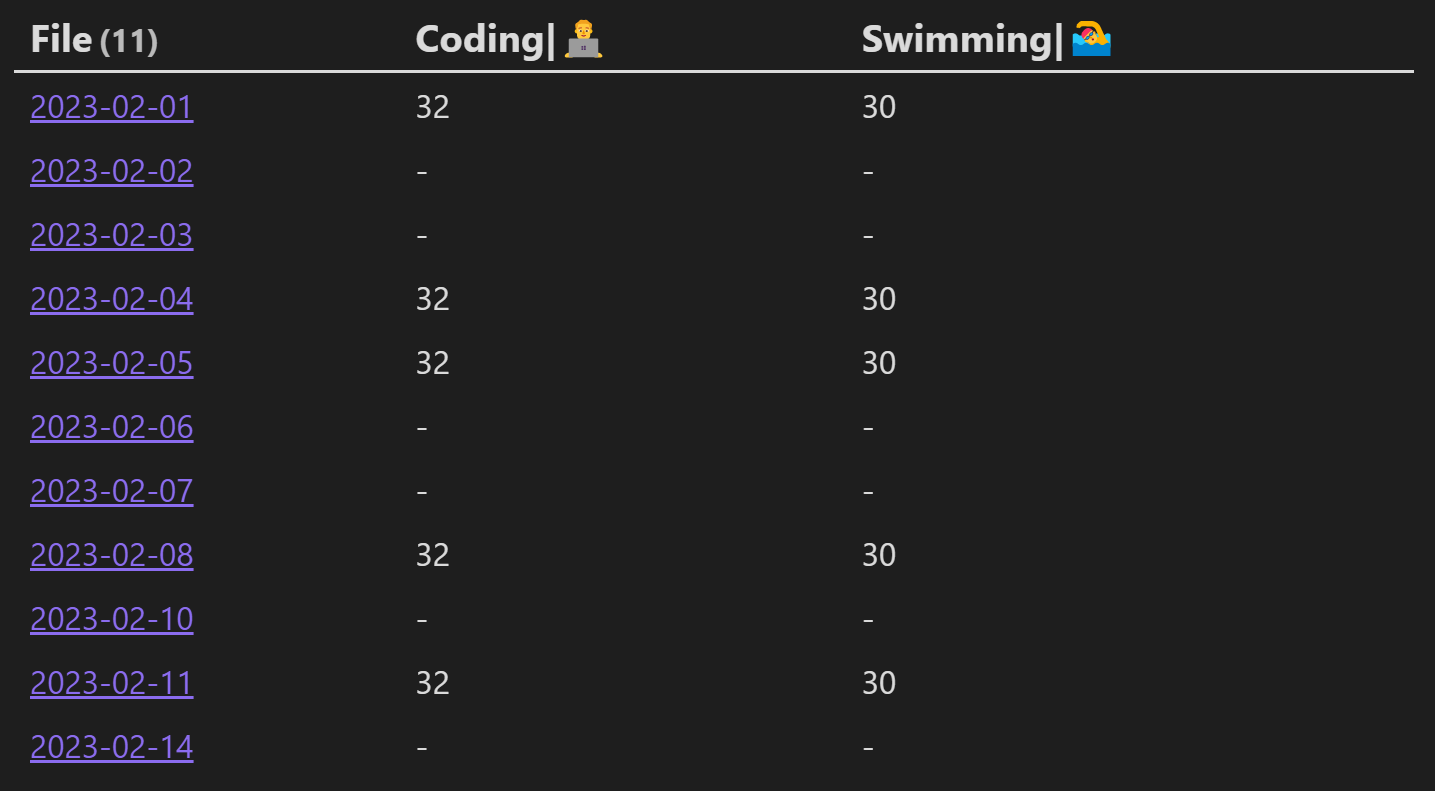
To render the table as a calendar, pass the result of DQL to renderHabitCalendar in a dataviewjs block:
```dataviewjs
const table = await dv.query(`
table coding as "Coding|👨💻", swim as "Swimming|🏊"
from "diarys"
`)
console.log(table)
renderHabitCalendar(this.container, dv, {
year: 2023,
month: 2,
data: table
})
```
The calendar should look like this:
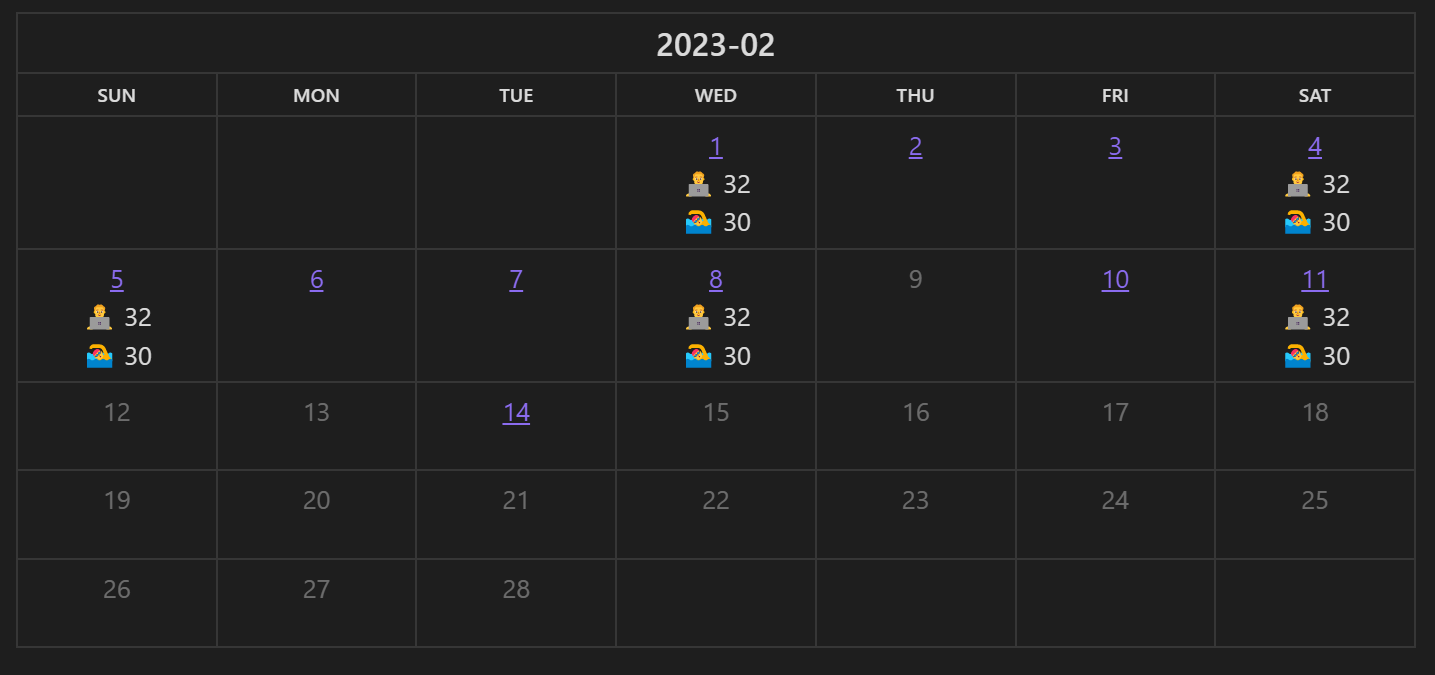
Notice that you can customize the habit label 👨💻 in the calendar by setting the header to "aaabbbccc|label". The text after the last "|" will be used as the label.
not using YYYY-MM-DD ?
If you are not using the 'YYYY-MM-DD' naming pattern with your daily note, you can set the pattern while calling renderHabitCalendar, so that this plugin can associate the habits with correct daily note:
```dataviewjs
const table = await dv.query(`
table coding as "Coding|👨💻", swim as "Swimming|🏊"
from "日记"
`)
console.log(table)
renderHabitCalendar(this.container, dv, {
year: 2023,
month: 2,
data: table,
date_pattern: 'YYYY年MM月DD日'
})
```
Calendar from manually collected data
This plugin also accepts customized data, jump to the bottom for detailed usage.
Basic Usage
```dataviewjs
renderHabitCalendar(this.container, dv, {
  year: 2023,
  month: 1,
  data: [{
    date: '2023-01-01',
    content: '⭐'
  }, {
    date: '2023-01-03',
    content: '⭐'
  }]
})
```
The above code will be rendered like this:
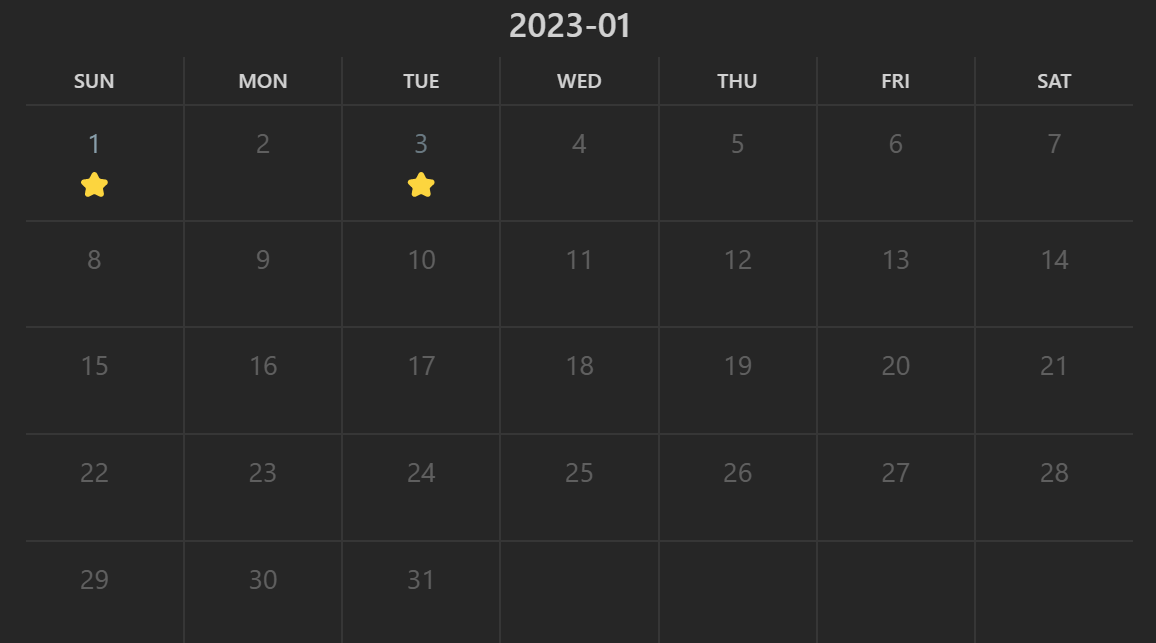
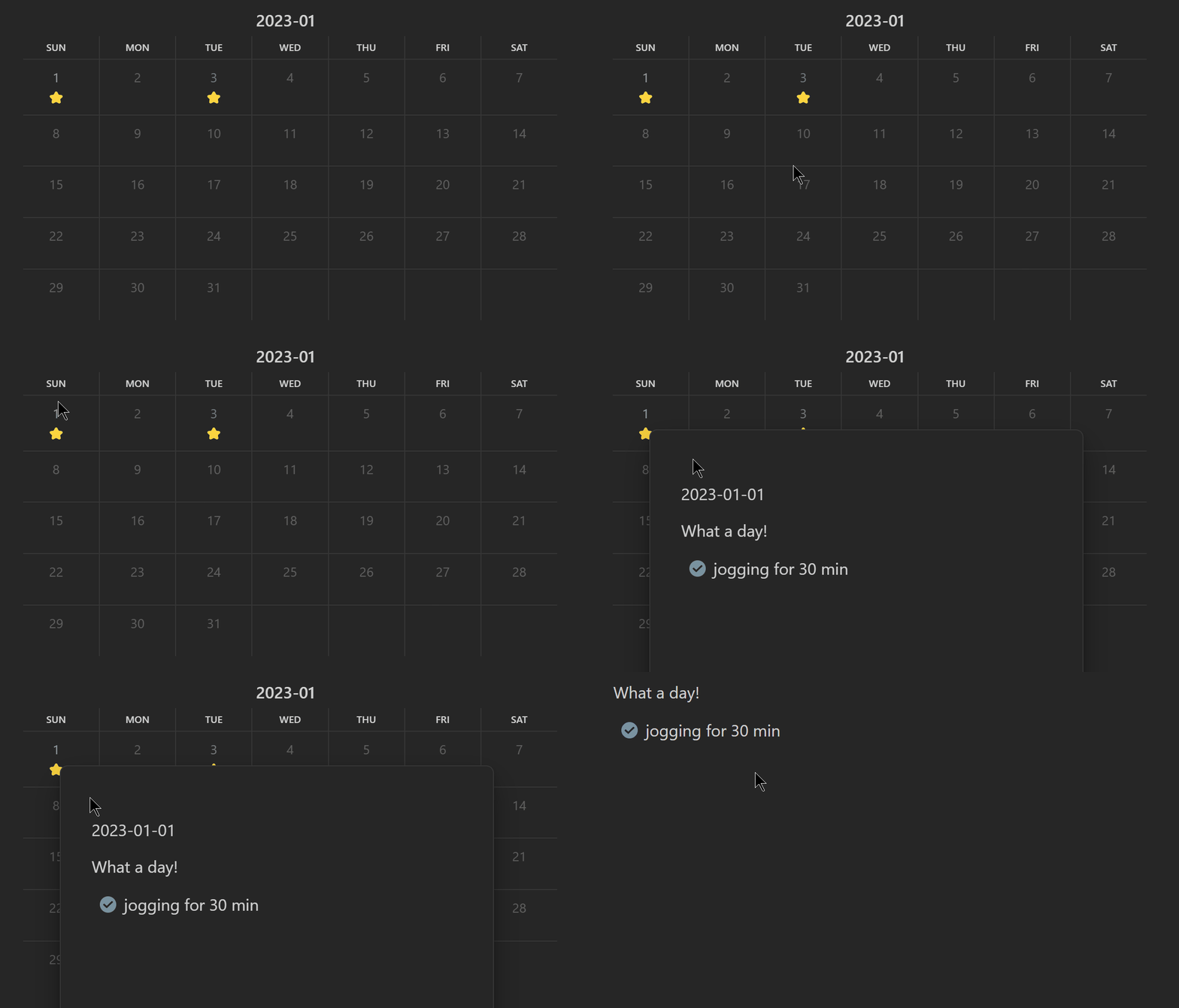
If your daily note is of YYYY-MM-DD format, the calendar will be associated with your daily note automatically. You can hover over the number or click the number to access the corresponding note.
Fill Calendar with HTML
Want to fill the calendar with HTML? Here we go:
```dataviewjs
renderHabitCalendar(this.container, dv, {
  year: 2023,
  month: 1,
  format: 'html',   // set the format to html
  data: [{
    date: '2023-01-01',
    content: '<a href="https://www.google.com">Google</a>'
  }, {
    date: '2023-01-03',
    content: '⭐',
  }]
})
```
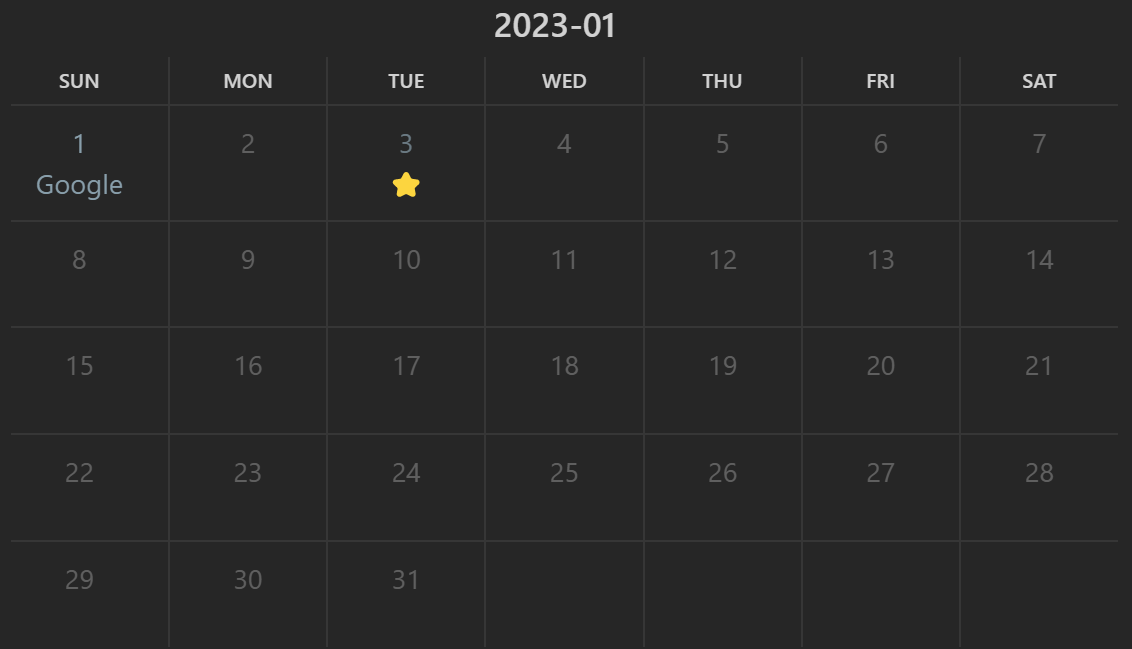
Note: don't forget to enable the HTML in the plugin settings.
Fill Calendar with Markdown
If you don't want to write html, write markdown then.
```dataviewjs
renderHabitCalendar(this.container, dv, {
  year: 2023,
  month: 1,
  format: 'markdown',   // don't forget to change the format~
  data: [{
    date: '2023-01-01',
    content: '[Google](https://www.google.com)'
  }, {
    date: '2023-01-03',
    content: '⭐',
  }]
})
```
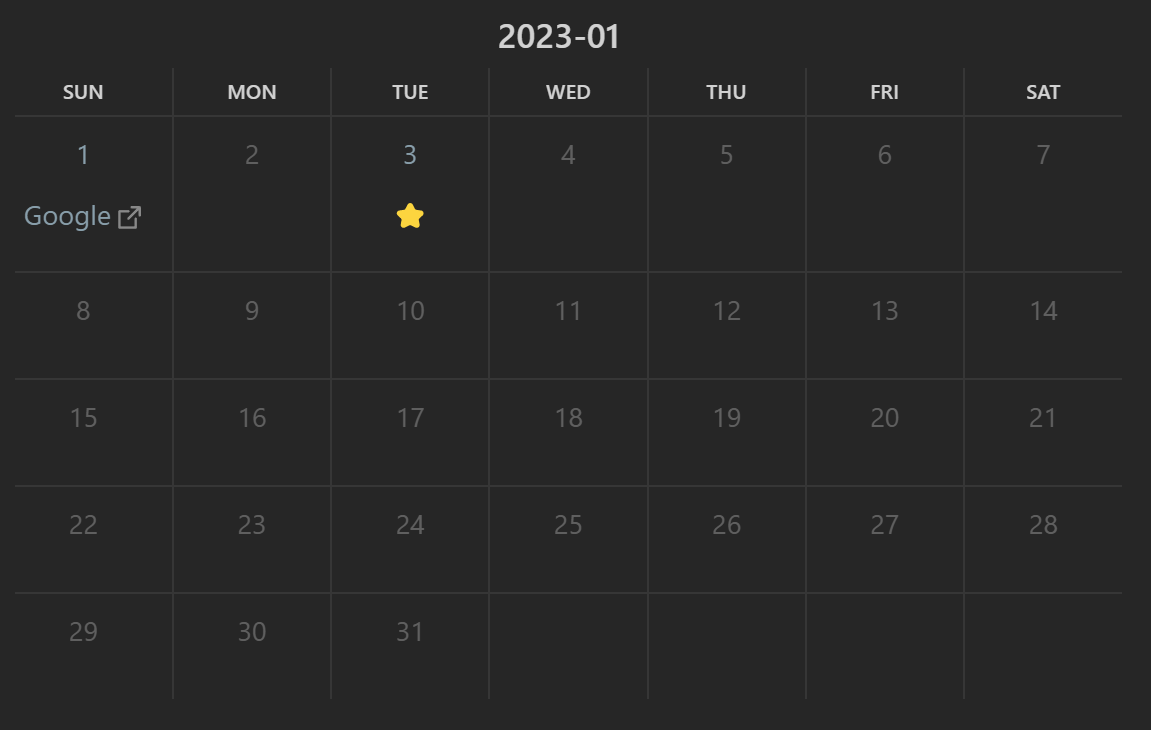
Note1: Sometimes the markdown text is not rendered correctly. Try switching to other files and switching back.
Customize link
In case you want your habit linked to other notes rather than associate with the daily note, you can pass in the link of each entry.
Say you want the first day linked to a note Monthly Target.md set the link attribute to it:
```dataviewjs
renderHabitCalendar(this.container, dv, {
  year: 2023,
  month: 1,
  data: [{
    date: '2023-01-01',
    content: '⭐',
    link: 'Monthly Target'  // like this line
  }, {
    date: '2023-01-03',
    content: '⭐',
  }]
})
```
Detailed Usage
The first argument should be the html container in which the calendar will be created. Most of the time, this.container will do.
The second argument should be the Dataview object dv, which will be used to get information of the notes.
You can pass the habit data through the third argument. The following fields are supported:
year: year of the calendar, apparentlymonth: month of the calendardata: this filed can be a Dataview Table or a list of entries containing the habit data per day. A entry containsdate: date of the habitcontent: whatever you want to put in the calendarlink: the file you want the entry to link to, just pass in the text inside[[]]. For example, if the original obsidian link is[[2023-01-01]], pass in2023-01-01.
format: the way you wantdata[i].contentto be rendered. Choosehtmlormarkdownto render as html or markdown, make sure their cooresopnding settings are enabled in the settings tab. Leave empty to treat the content as plain text.
How I record my habits
Check out the example vault. Your habits can look like this
Add habit templates
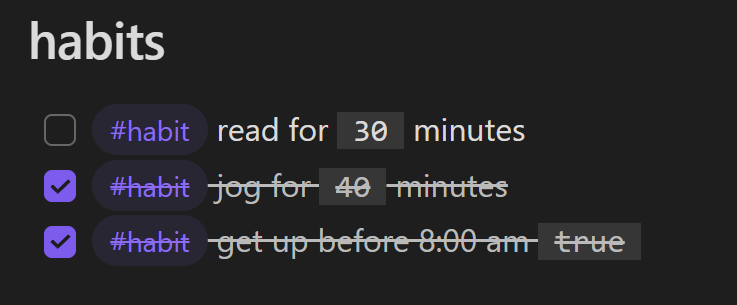
In your diary template, add some habits you'd like to track:
```
## habits

- [ ] #habit read for (reading:: 30) minutes
- [ ] #habit jog for (jogging:: 30) minutes
- [ ] #habit get up before 8:00 am (wakey:: true)
```
Here we use #habit tag to distinguish habits from normal tasks and use Dataview attributes to record the intensity of the habit.
Record habit
Once you completed a habit, check the corresponding habit in your diary.
View your habits
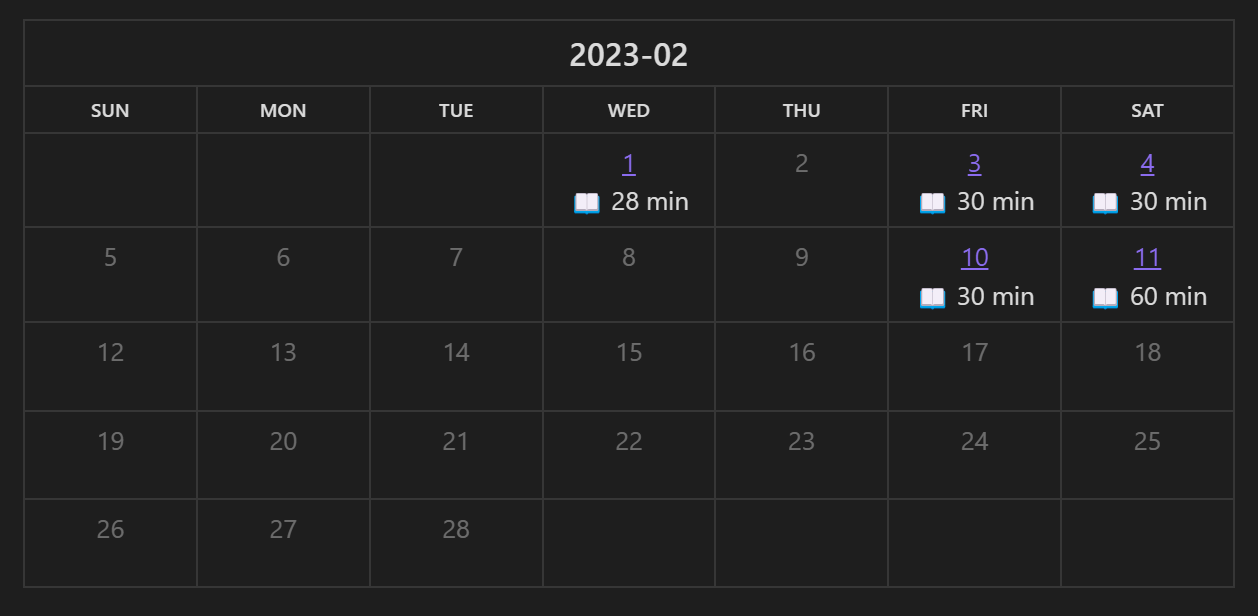
Use dataviewjs to query the accomplished habits and pass the data to renderHabitCalendar. The following code will query the days you did some reading.
```
let files = dv.pages(`"diarys"`)
const habit = 'reading'
const year = 2023
const month = 2
const habit_str = '📖 {habit} min'  // {habit} will be replaced with the value of corresponding habit.

let data = []
for (let file of files) {
    console.log(file)
    for (let task of file.file.tasks) {
        if (task.tags.contains('#habit') && task.checked && task[habit]) { // select only checked habits
            data.push({date: file.file.name, content: habit_str.replace('{habit}', task[habit])})
        }
    }
}
console.log(data)
renderHabitCalendar(this.container, dv, {year, month, data})
```
View all you habits
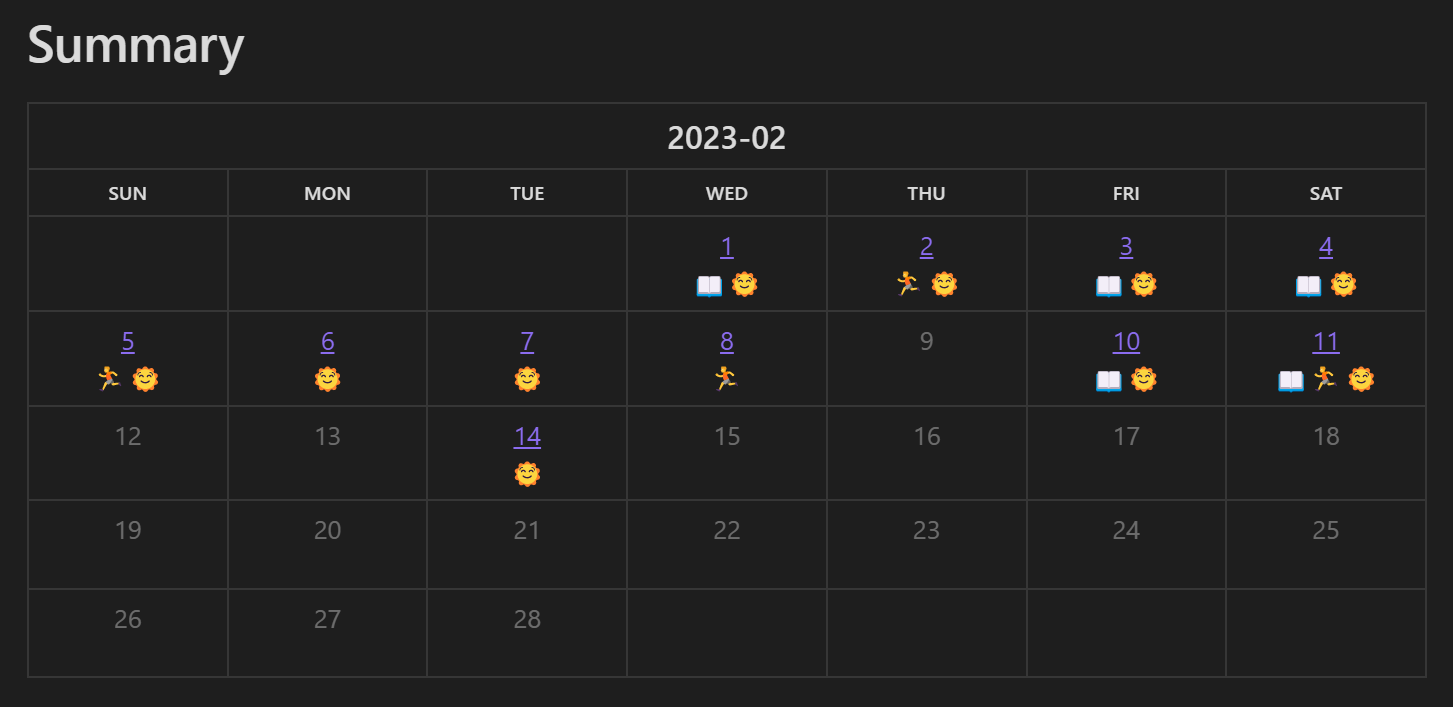
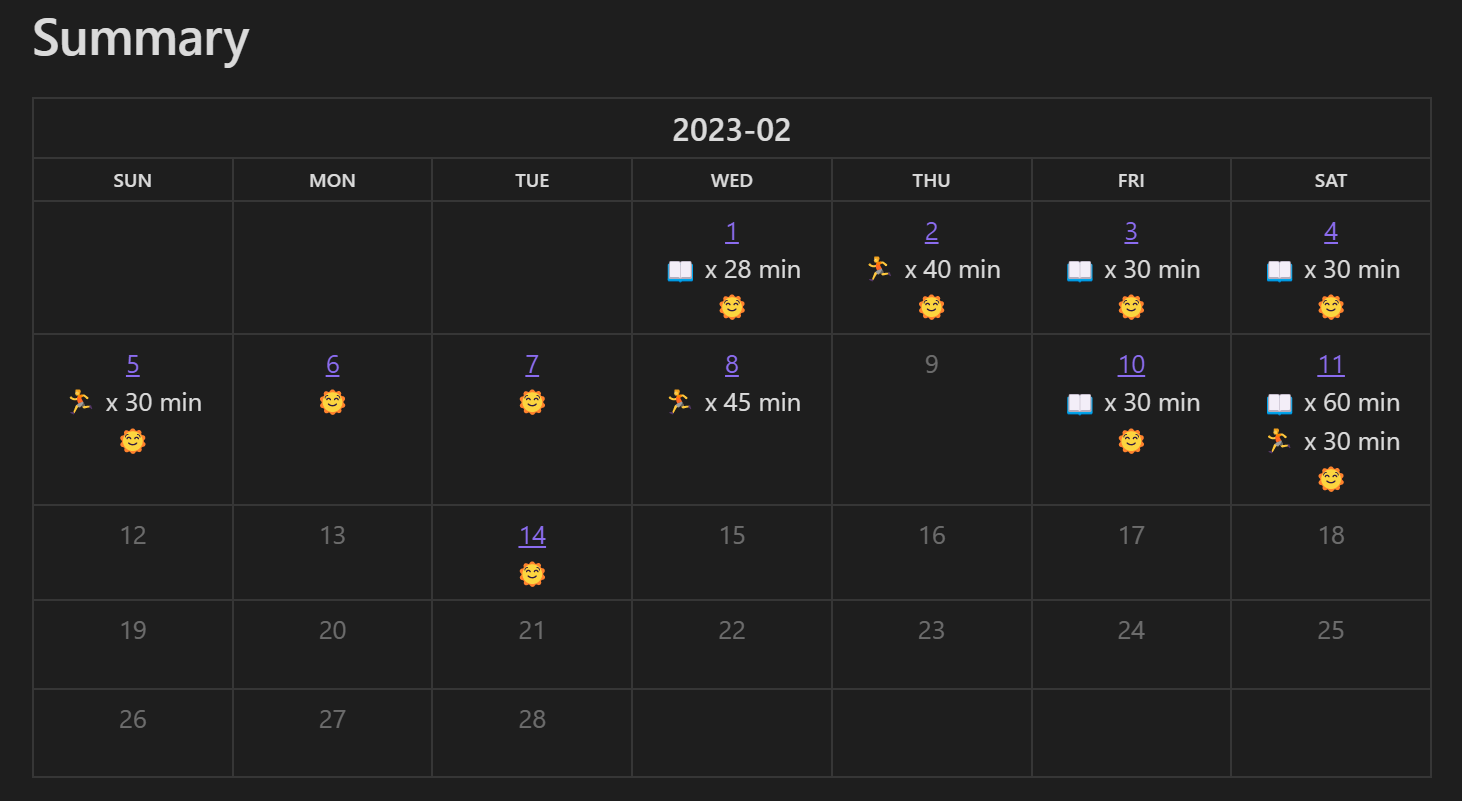
Use the following code to display all the habits in a single calendar.
```dataviewjs
let pages = dv.pages(`"diarys"`)
const year = 2023
const month = 2
const date_pattern = 'YYYY-MM-DD'
const habit_tag = '#habit'
const habits = {
    'reading': '📖 x {habit} min',  // this habit will be displayed like '📖 x 30 min'
    'jogging': '🏃 x {habit} min',
    'wakey': '🌞',
}

let data = {}
for (let page of pages) {
    let date = page.file.name
    data[date] = data[date] || ''
    for (let task of page.file.tasks.filter(task => task.tags.contains(habit_tag) && task.checked)) {
        for (let habit in habits) {
            if (task[habit]) {
                data[date] += habits[habit].replace('{habit}', task[habit]) + '\n'
            }
        }
    }
}

let calendarData = []
for (let date in data) {
    calendarData.push({date: date, content: data[date]})
}
renderHabitCalendar(this.container, dv, {year, month, data: calendarData, date_pattern})
```
It will look like this:
Plans
- jump right to the diary on click
- preview diary on hovering
- support render markdown in calendar