Grove Reader
 Liu50 downloads
Read EPUB, MOBI, AZW3, FB2, CBZ, PDF and TXT, highlight and comment, and generate Markdown notes that link back to the source.
- Overview
- Scorecard
- Updates5
English · 简体中文
An e-book reader for Obsidian: read, highlight and take notes without leaving your vault, then generate one Markdown note per book that links back to the exact passage.
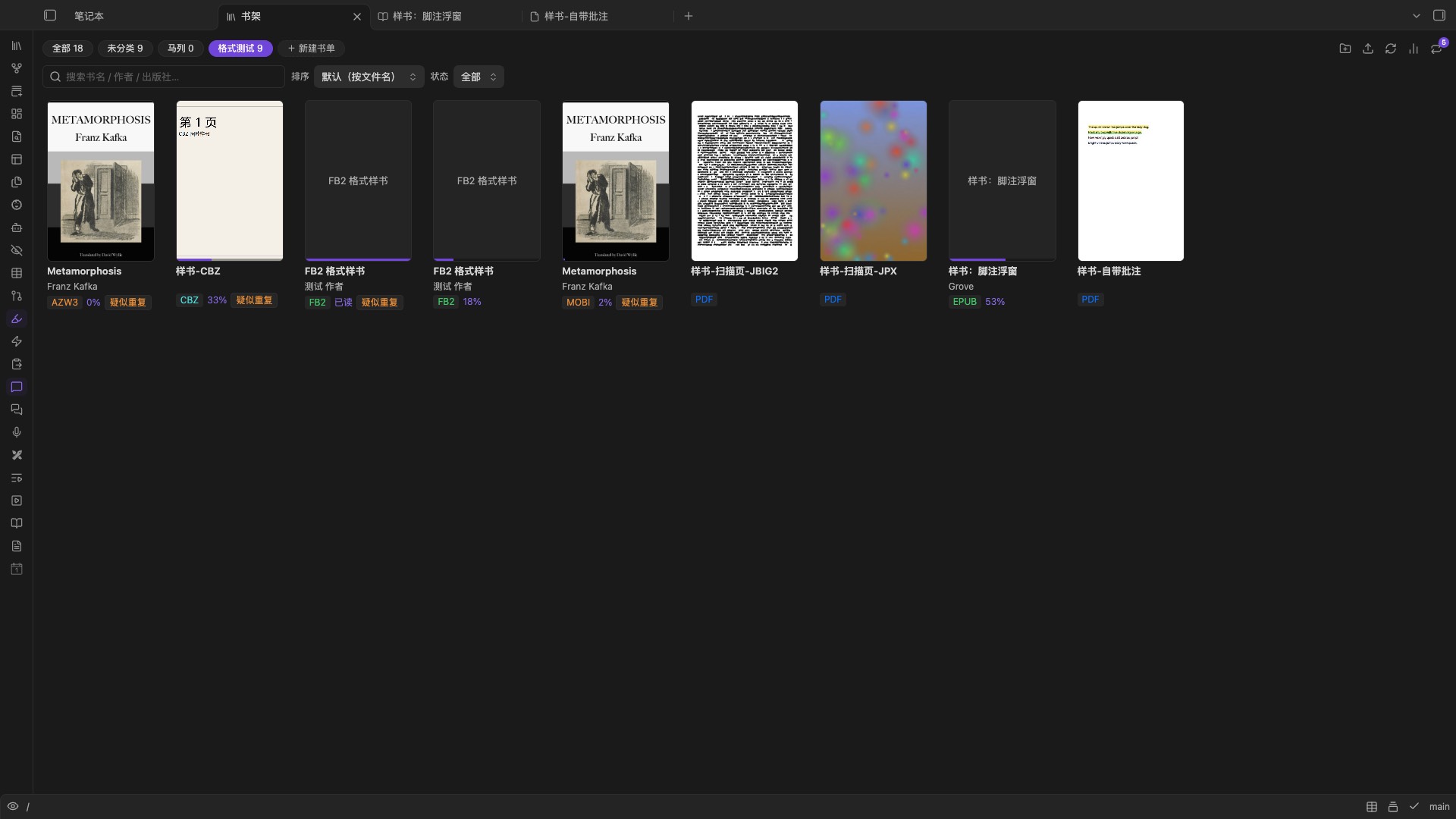
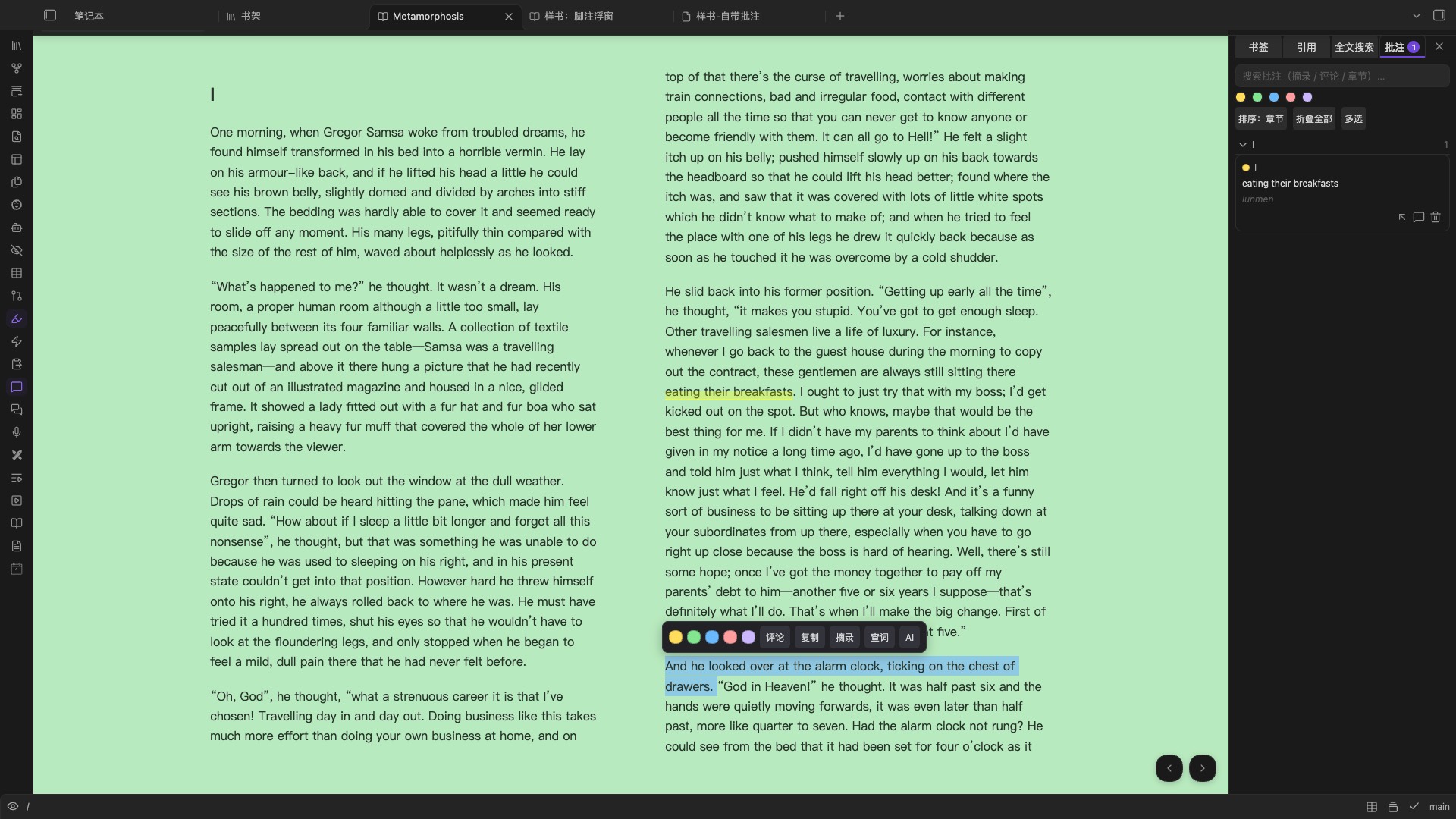
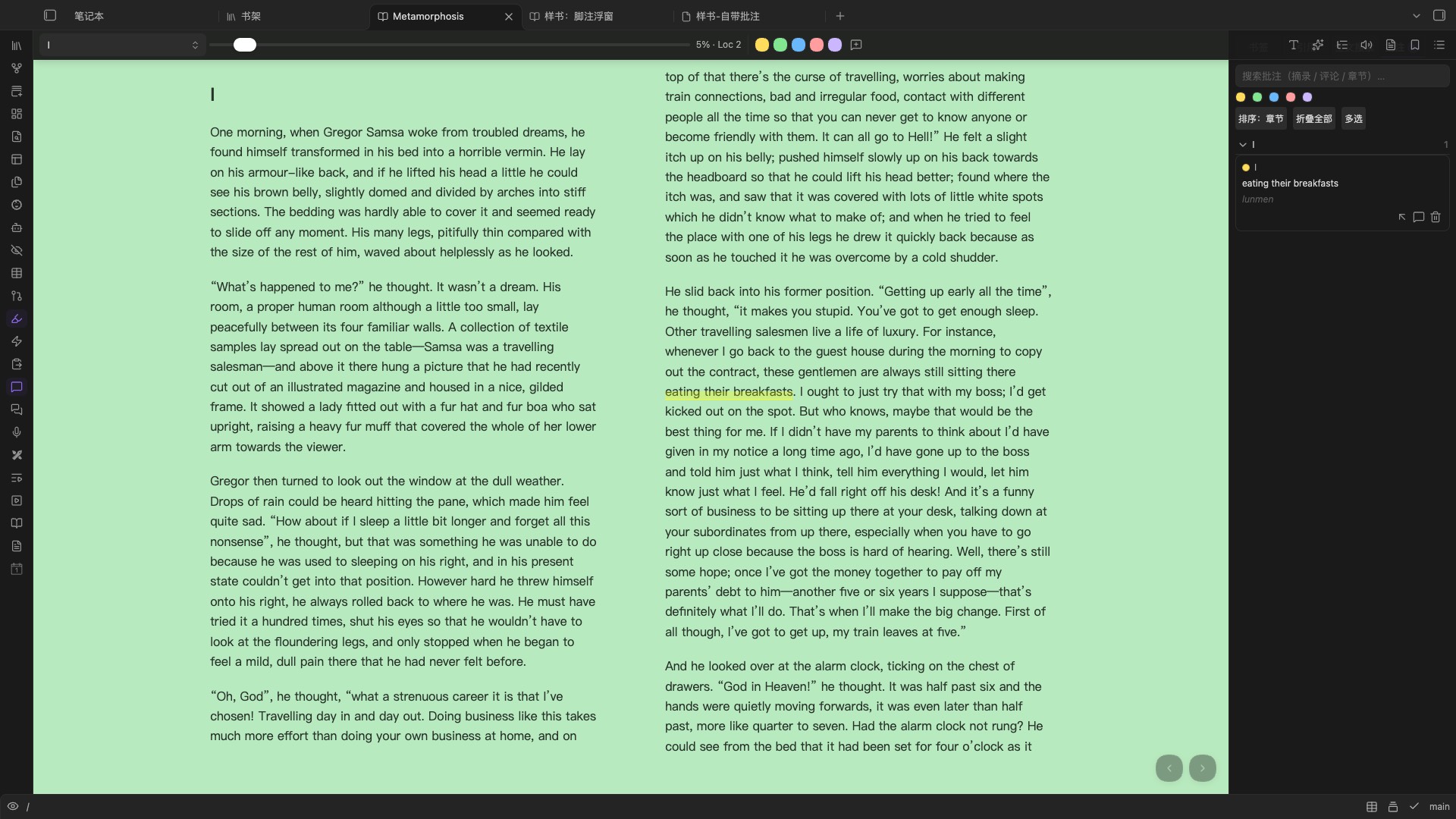
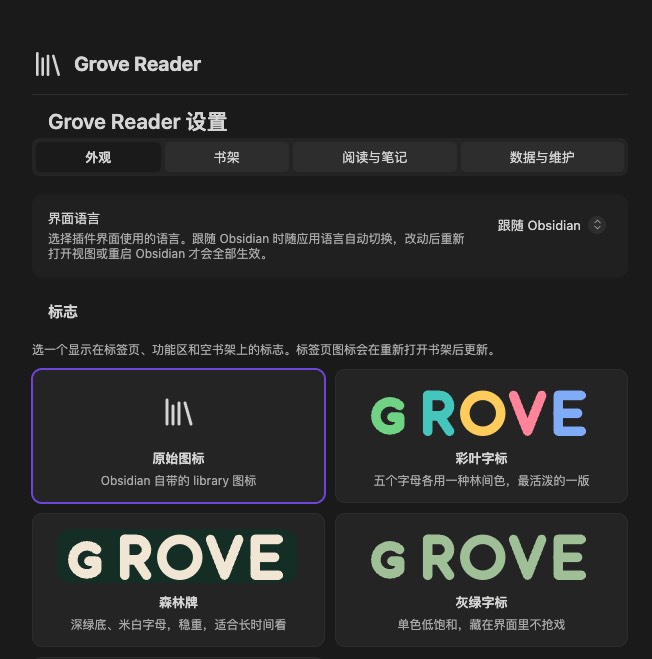
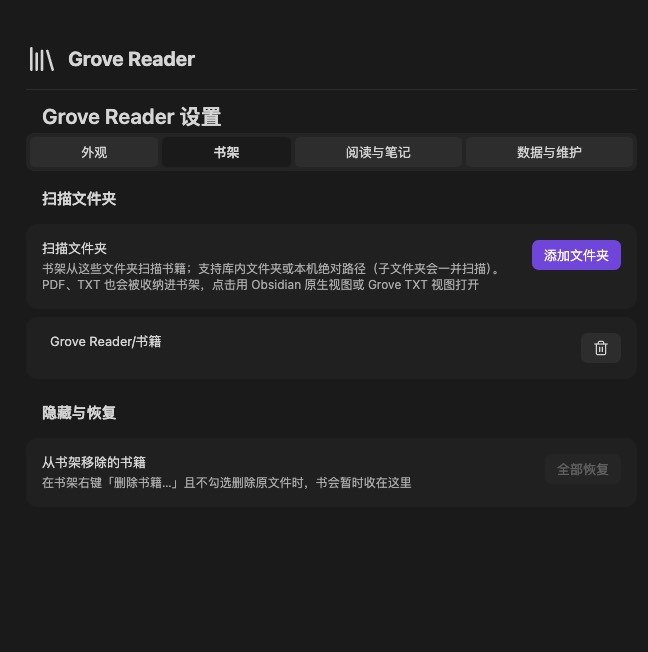
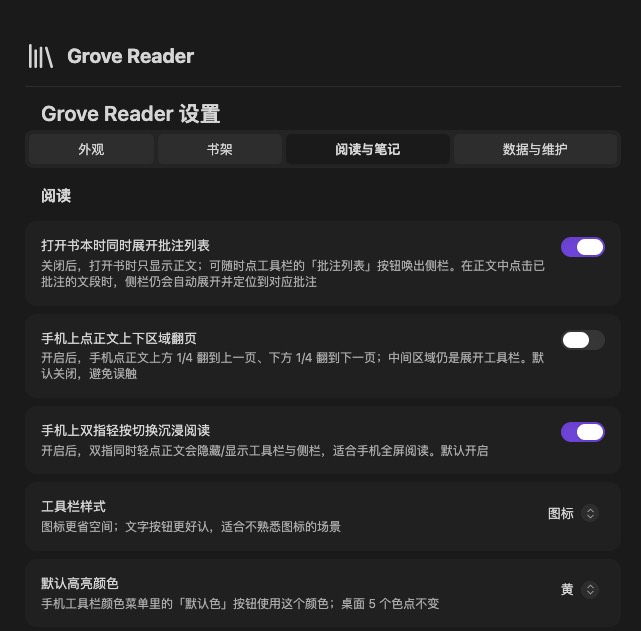
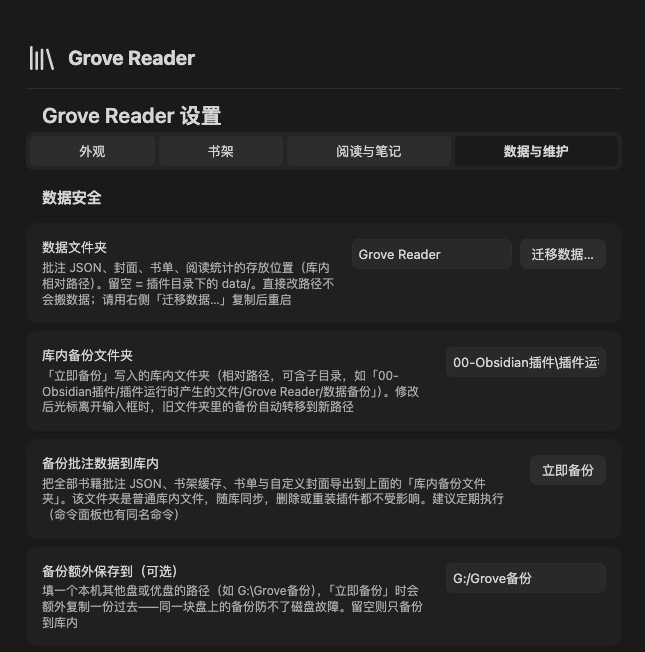
Supported formats: EPUB / MOBI / AZW3 / FB2 / CBZ, PDF and TXT. The plugin also ships four wordmarks (autumn / forest / sage / seal) for the tab and ribbon icon.
- Highlights, comments and bookmarks, grouped by chapter, with a collapsible sidebar.
- Generates a Markdown note per book; every excerpt carries a backlink that returns to the source (EPUB CFI, PDF page plus selection rectangle, or TXT offset).
- Reading progress, rating, ISBN and highlight counts land in the note frontmatter, so Dataview and Bases can query your library.
- Optional AI features (explain / translate / summarise, word lookup, book Q&A, chapter guides, semantic search) run against your own OpenAI-compatible endpoint.
- Spaced-repetition review for highlights, reading stats with a heat map and a yearly goal grid.
Install
Releases ship two builds. Pick one:
| Build | Assets | PDF reading | Use when |
|---|---|---|---|
| Community (default) | main.js + manifest.json + styles.css |
No | Installing from the community directory, or you only need EPUB / TXT |
| Full | swap main.js for main.full.js, add pdfjs/ |
Yes | You need PDF highlighting and annotation |
Community build: copy main.js, manifest.json and styles.css into <vault>/.obsidian/plugins/grove-reader/.
Full build: rename main.full.js to main.js, overwrite, then unzip grove-reader-pdfjs-assets.zip into the same folder so you get pdfjs/ (with wasm/, cmaps/, standard_fonts/, pdf.worker.mjs). Both builds share the same version number, so overwriting is enough.
Then enable Grove Reader under Settings → Community plugins. Drop a book anywhere in the vault and click the book icon in the ribbon, or run "Open book…".
The community build does not fail on PDFs: it tells you PDF reading requires the full build and hands the file to your default program.
Because the directory only allows the three core files in a release, the full build is distributed from the companion repository LLllCCC/grove-reader-full — grab main.full.js and grove-reader-pdfjs-assets.zip from its latest release.
Interface language
Settings → Appearance → Interface language: Follow Obsidian / 中文 / English. The default follows Obsidian's own language. Reopen views or restart Obsidian for the change to apply everywhere (command names keep the old language until restart).
Generated artefacts follow the language too, but paths never change:
| Item | Behaviour |
|---|---|
| User guide | Grove Reader User Guide.md or Grove Reader 使用指南.md; both names are recognised on lookup, so switching language does not create a duplicate |
| Built-in note template | Headings such as "Reading info" and "Bookmarks" follow the language; {{...}} placeholders and grove_* fields do not |
| Notes folder / data folder / template paths | Never change with the language, so existing notes keep working |
Network and privacy
The plugin is offline by default. Data lives in your vault. Requests leave your machine only when you use these features:
| Feature | Target | Purpose |
|---|---|---|
| Cover download / metadata completion | The image or book-page URL you paste | One request when you press download; the result is cached in the vault |
| Explain, word lookup, book Q&A, chapter guides, semantic search | The OpenAI-compatible endpoint you configure (baseUrl + apiKey + model) |
Sends the selected text or retrieved chunks to the provider you chose |
There is no telemetry, no analytics and no remote configuration. API keys stay in this vault's plugin data and are never sent anywhere else.
Desktop and mobile
manifest.json sets isDesktopOnly: false, and the plugin loads on mobile. Every Node built-in is isolated in src/desktopFs.ts and loaded only on desktop via dynamic import() guarded by Platform.isMobile, so mobile never executes require('node:fs'). Mobile reads and writes vault files through vault.adapter; absolute paths and cross-vault import are desktop-only and hidden on phones.
Usage
Shelf — the ribbon book icon opens a cover grid. Scan folders are searched recursively and can be vault folders or absolute paths. Each card field (format badge, progress bar, annotation count, "with comments" count, recently read, note marker, file size, list colour bar) can be toggled in Settings → Shelf display. Large libraries are virtualised: only three rows above and below the viewport are rendered.
Reading — page turning by corner arrows, arrow keys, mouse wheel or the progress bar. TXT opens in a dedicated view that detects UTF-8 / GB18030 (GBK) / Big5 / UTF-16, paginates by chapter one screen at a time, promotes volume headings to their own page, and builds a searchable outline from headings like "Chapter 12". EPUB footnotes open in a popover that does not move your reading position. E-ink mode removes animations and shadows and trims the mobile toolbar to five buttons.
Annotations — select text to highlight (five colours) and comment. The sidebar has four tabs: bookmarks, references, full-text search, annotations. [ / ] collapses the sidebar on wide screens. PDF annotation links carry the selection rectangle, so a backlink scrolls to the passage and outlines it briefly.
Notes — "Generate / update reading note" writes one note per book into the notes folder (default Grove Reader/阅读笔记). Structure is # title → ## chapter → ### excerpt, so every annotation appears in the outline panel. Each excerpt gets a stable block id (^grove-xxx). Regeneration only rewrites the region between GROVE:BEGIN and GROVE:END; anything you write outside it is safe. Multiple templates are supported and can be switched per book.
Search and export — full-text search across the current book (EPUB, PDF and TXT share one entry point) and across the whole vault. Global annotation search filters by book, chapter, colour and "today only", previews the result live, then writes Markdown or CSV into 批注检索/ under the notes folder. The CSV includes the review schedule.
Review — spaced repetition with four grades (again / hard / good / easy) and a daily cap. The schedule lives inside the annotation JSON, so it syncs and backs up with your annotations and adds no files. "Add to review" pushes a single highlight into today's queue; "Review this book" drills one book with up to 20 cards.
AI — book Q&A builds an outline index first (about 6000 characters per chunk, stored in <data folder>/portraits/), then answers from the five most relevant chunks and cites chapters. Chapter guides write 2–4 sentences per chapter. Semantic search chunks the text at about 1600 characters into <data folder>/vectors/ and can answer across several books. Every feature uses your own key.
Stats — today's reading time and pages, streak, active days, a 12-week heat map, a yearly goal grid and a finish prediction based on the last seven days. "Create reading poster" renders a 1080×1440 PNG into Grove Reader/书摘卡/.
Data tools — trash with a 30-day window, one-click annotation clearing (type a confirmation), a read-only data health check that verifies cross-references, automatic backups on first launch of each day or week, manual backup to a vault folder plus an optional second path on another disk, and an operation log limited to 200 important actions.
Reading position is remembered across sessions. Annotations and bookmarks merge across devices by id, newest updatedAt wins, and deletions leave tombstones for about 180 days so an older copy from another device cannot resurrect them.
Book titles come from embedded metadata first. For PDFs without metadata the file name is cleaned: download-site, OCR and screenshot suffixes such as (Z-Library), [OCR]_, _OCR, .layered and @image#1:Clipboard_Screenshot... are stripped, and a trailing author name or bracketed author that duplicates the author line is dropped.
Note format
# Book title

> [!info] Reading info
> - Author: ...
> - Highlights: 12
> - Last updated: 2026-11-20

## Chapter 1

### First few words of the excerpt

> quoted text

%% your comment %%

[[Grove Reader/书籍/book.epub#grove-cfi=…|↩ Source]] ^grove-abc123
The backlink is a wikilink by default, so it shows up in the graph and in backlinks and still opens the book with the plugin disabled. A legacy obsidian://grove form can be selected in settings. Links carry t= (first 24 characters) and c= (chapter) so a broken CFI degrades gracefully: CFI → search inside the chapter → chapter percentage.
Dataview fields
Every generated note writes grove_annotations, grove_format, grove_progress, grove_status, grove_seconds, grove_last_read, grove_publisher, grove_rating and grove_isbn to its frontmatter.
Data safety
- One JSON file per book, by default under
data/in the plugin folder; set a data folder to keep it inside the vault instead. - Writes are atomic (temporary file plus rename) and rotate a backup before overwriting; a corrupted file is restored from the newest backup and kept as
*.corrupt-*. - Moving a book inside the vault is detected by file name; renaming a book is treated as a new book, with the old data still on disk.
- Generated Markdown notes survive disabling or removing the plugin.
Vault layout
Grove Reader/
  书籍/       e-book files (a scan folder)
  阅读笔记/   generated notes
  data/       annotation JSON, covers, reading lists, stats
  .trash/     plugin trash (hidden, purged after 30 days)
Development
npm install
npm run build            # type check + bundle main.js (full build)
npm run build:community  # community build without PDF (for the official directory)
npm run smoke            # data layer, shelf maths and style guards, no Obsidian needed
npm run dev              # watch mode

node scripts/i18n-extract.mjs --missing  # t() keys still missing a translation, should be 0
node scripts/i18n-gaps.mjs               # Chinese literals present in source but absent from the dictionary
node scripts/toplevel-t.mjs src/*.ts     # module-level t() calls, which freeze at import time
npm run build only produces artefacts. Copying them into a vault goes through npm run deploy -- --yes. Version numbers in package.json, manifest.json and versions.json are bumped only when a release is requested.
Known limitations
- Mobile: PDFs up to 64 MB (the whole file is read into memory).
- Annotations flow one way by default: edits made inside a note must be written back with "Sync annotations from the note…", which never deletes annotations.
- PDF annotations are keyed by page number; re-editing the PDF (adding or removing pages) shifts them. Backlinks fall back to excerpt → chapter → percentage.
- PDF built-in annotations (highlights, underlines, strikeouts drawn in Acrobat or Preview) are display-only.
- TXT annotations are keyed by character offset; rewriting the file shifts them. Changing the reading encoding does not.
Changelog
0.36.9 — The interface is now bilingual (Chinese / English) with a switcher in Settings → Appearance; generated guides and the built-in note template follow the language. Adds a community build without PDF reading for the official directory, removes the last innerHTML uses, and documents isDesktopOnly: false.
0.36.7 — The global annotation CSV gains review columns (due date, interval, ease, reviews, lapses, last review), with dates in local time.
0.36.6 — "Edit book info" gains a 1–5 star rating and ISBN, written to grove_rating / grove_isbn; the shelf Base template gains both columns.
0.36.5 — Shelf cards show a "with comments" count next to the annotation count.
0.36.4 — New command "Review this book" drills only the current book, up to 20 cards, ignoring the daily cap.
0.36.3 — Highlight menus gain "Add to review", which schedules a single highlight for today.
0.36.0 — Spaced repetition: highlights are scheduled with a simplified SM-2, four grades, a daily cap, and a review card in the stats page.
Roadmap
Done: in-book and vault-wide search (including PDF), annotation multi-select, export and external highlight import, backlink fallbacks, PDF precise backlinks and page links, footnote popovers, excerpt cards, AI Q&A / chapter guides / metadata / semantic search, spaced repetition, daily page goal, Canvas grouping, ratings and ISBN, CSV review columns, and a full mobile pass.
Remaining, chosen by feedback: a sync-conflict diff panel, paragraph idea bubbles, a mobile PDF progress track, and mobile TTS (intentionally out of scope).
Feedback
- Bugs and feature requests: https://github.com/LLllCCC/grove-reader/issues
- Anything else: [email protected]
Third-party code: foliate-js (MIT, vendored in lib/foliate-js) renders EPUB; PDF reading and annotation are built directly on pdfjs-dist.